# Jetbrains - Information for Support
When contacting Aikido Support about the JetBrains IDE plugins, please include the information below. This helps us diagnose issues faster and avoid unnecessary back and forth.
### Issue reproducibility
* Is the issue consistently reproducible?
* Does it occur with a single file or with multiple files?
* If possible share the file with us
* [Did you check connection to Aikido platform?](https://help.aikidogov.us/ai-and-dev-tools/ide-plugins-overview/troubleshooting/troubleshooting-ide-plugin-connectivity)
### Plugin & Repository information
* Plugin version\
Settings → Plugins → Aikido
* Operating System
* IDE (example: IntelliJ, PHPStorm, ..)
* Link to repository in Aikido
* Usage of Docker, WSL or any other remote development environment
### Local debug logs
1. Reproduce the issue.
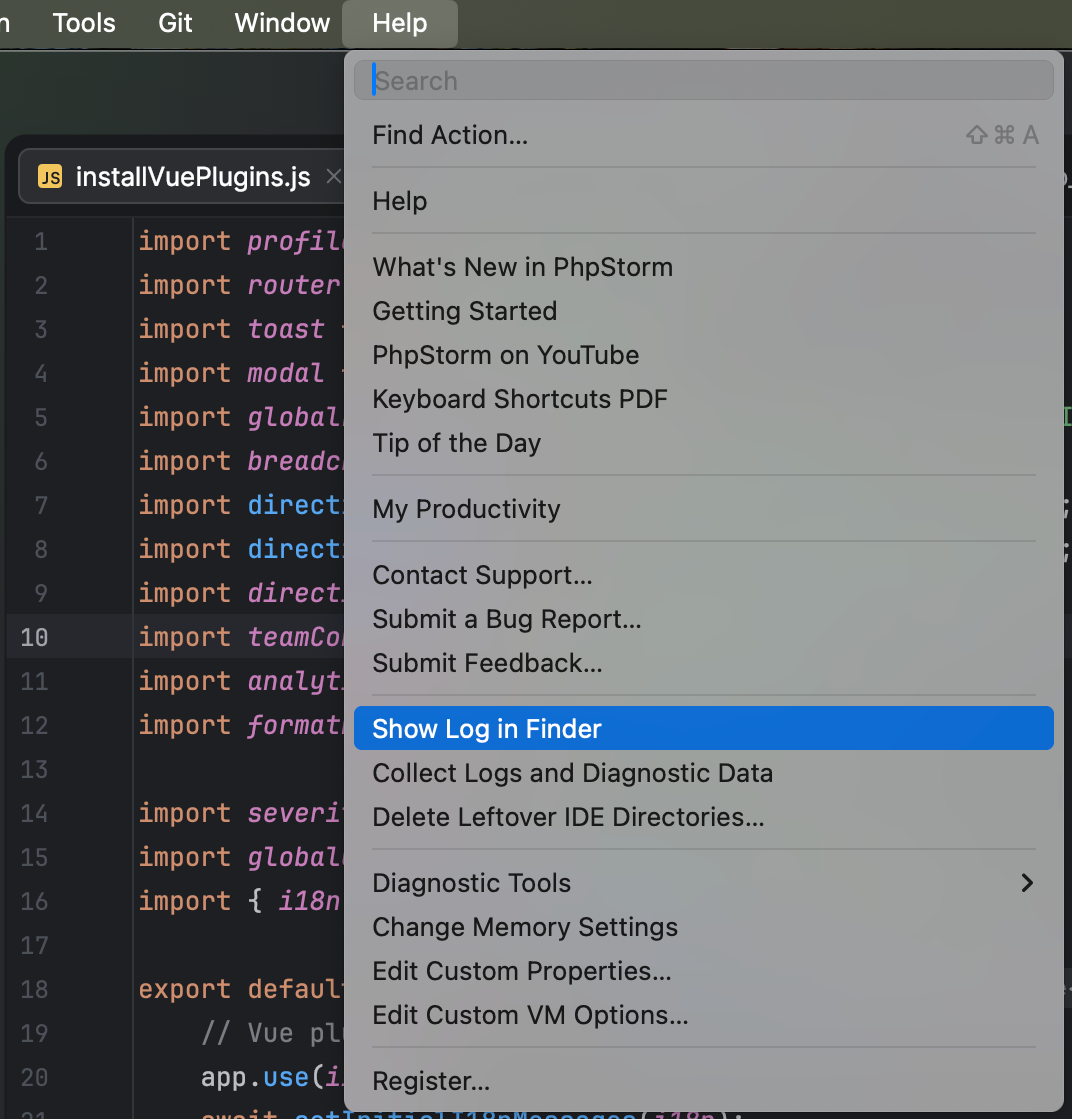
2. Open Help > Show Log in Explorer / Finder.
3. Look for the `idea.log` file
4. Copy and send the relevant log output or whole file