# Run a Data Exposure Audit
A Data Exposure Audit is Aikido's code-based data security posture management (DSPM). It runs inside [AI Code Analysis](https://help.aikidogov.us/ai-code-analysis/ai-code-analysis) and reasons over your repositories to find how sensitive data is handled. It does not connect to your databases.
## Prerequisites
* You need the **Manage Pentests and AI Code Analysis** [permission](https://help.aikidogov.us/getting-started/automated-user-management/setting-roles-and-permissions) to create an audit. You can still open AI Code Analysis and existing assessments without it.
* At least one repository is connected. [Self-scanned repositories](https://help.aikidogov.us/code-scanning/local-code-scanning) are excluded from the picker. There is a limit on how many repositories you can pick. [Contact support](https://help.aikidogov.us/miscellaneous-info/contact-support) if you need more.
* Your wallet has enough credits for the quoted cost. See [Wallet & Credits](https://help.aikidogov.us/miscellaneous-info/wallet-and-credits).
## Set up the audit
Go to [**AI Code Analysis**](https://app.aikido.dev/agentic-review), then click **Create Audit**.
{% stepper %}
{% step %}
### Select Data Exposure Audit
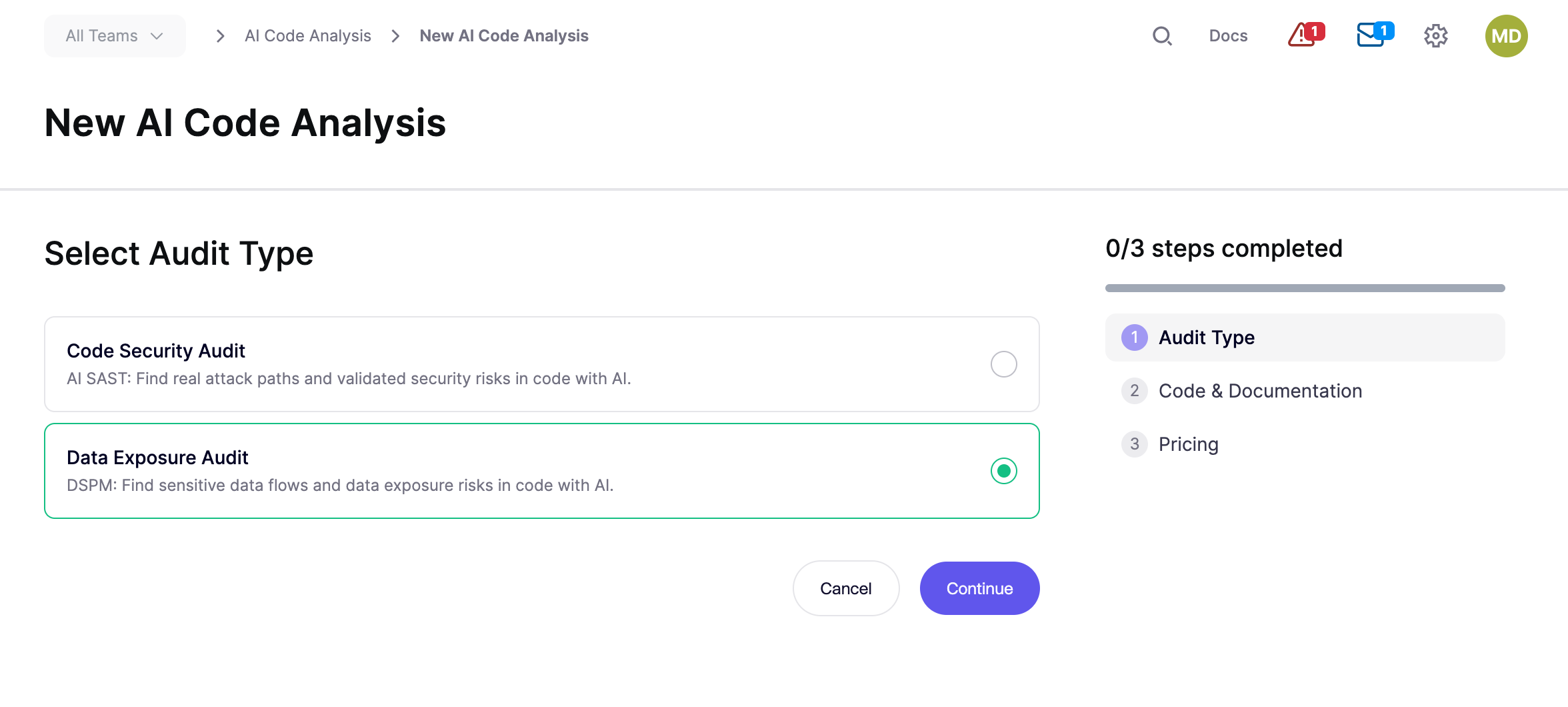
On **Select Audit Type**, select **Data Exposure Audit**, then click **Continue**.
**Cancel** returns to the AI Code Analysis home.
{% endstep %}
{% step %}
### Select repositories
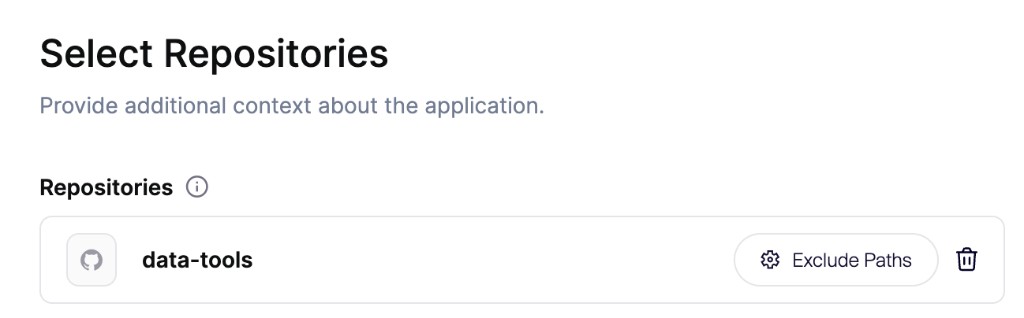
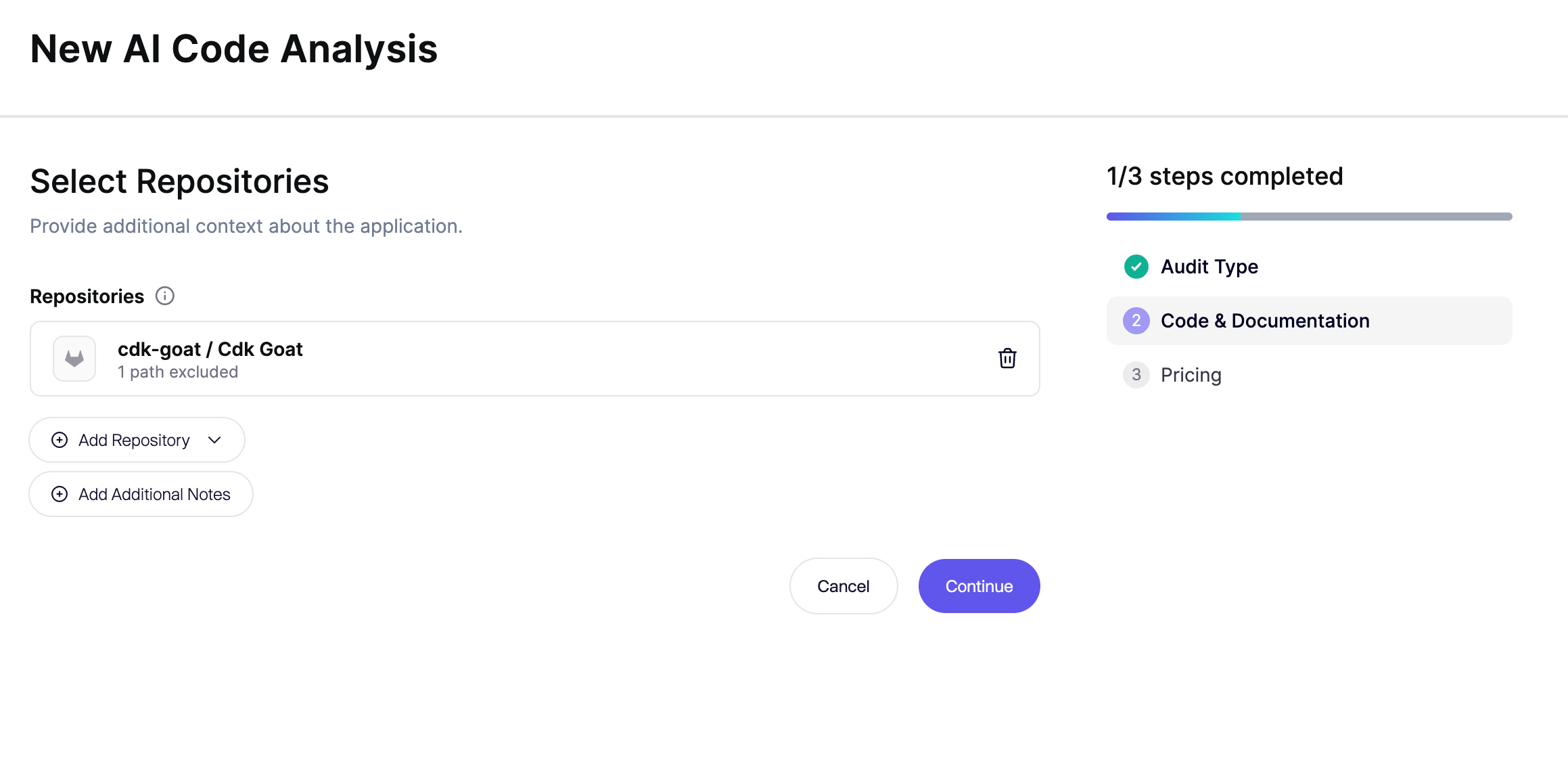
1. Open **Repositories** and select the connected repositories for this audit. **Continue** stays disabled until at least one repository is selected.
2. To keep a monorepo focused, click **Exclude Paths** next to a selected repository and add directories that are not part of this audit.
3. Under **Scope**, leave **Audit all selected repositories** selected, or choose **Audit specific parts only** and describe the data handling to review.
4. **Additional Notes** are optional and apply to this audit only. Add them when context is missing from the source, such as intentionally exposed private data, known issues to ignore, or proxy-level protection. Put guidance that should apply to every audit in a markdown file in the repository. See [Guide Agents with Repository Files](https://help.aikidogov.us/ai-and-dev-tools/guide-an-audit-with-repository-files).
{% hint style="info" %}
Leave documentation and READMEs in the repository. Agents can read that markdown for data flows and how sensitive data is handled. Exclude unrelated applications or services.
{% endhint %}
**Cancel** returns to **Audit Type**.
{% endstep %}
{% step %}
### Confirm pricing and start
Wait until the **Pricing** step shows the credit total. Your balance is in the footer. Click **Add Credits** if the wallet is short.
The card title depends on scope:
* **Full AI Code Analysis** when you audit all selected repositories.
* **Scoped AI Code Analysis** when you chose **Audit specific parts only**. The step also shows the scope you wrote.
When **Configure** appears, use it to set the depth of the audit:
* **High risk only** prioritizes the areas most likely to expose serious vulnerabilities. Some areas get less coverage, or none.
* **Recommended coverage** investigates the security-sensitive parts of your selected audit scope.
* **Deeper coverage** builds on recommended coverage with additional investigation of lower-priority areas and less common code paths or cloud resources.
The credit total updates before you start.
Click **Start Audit** to launch. Credits are charged when you click **Start Audit**.
{% endstep %}
{% endstepper %}
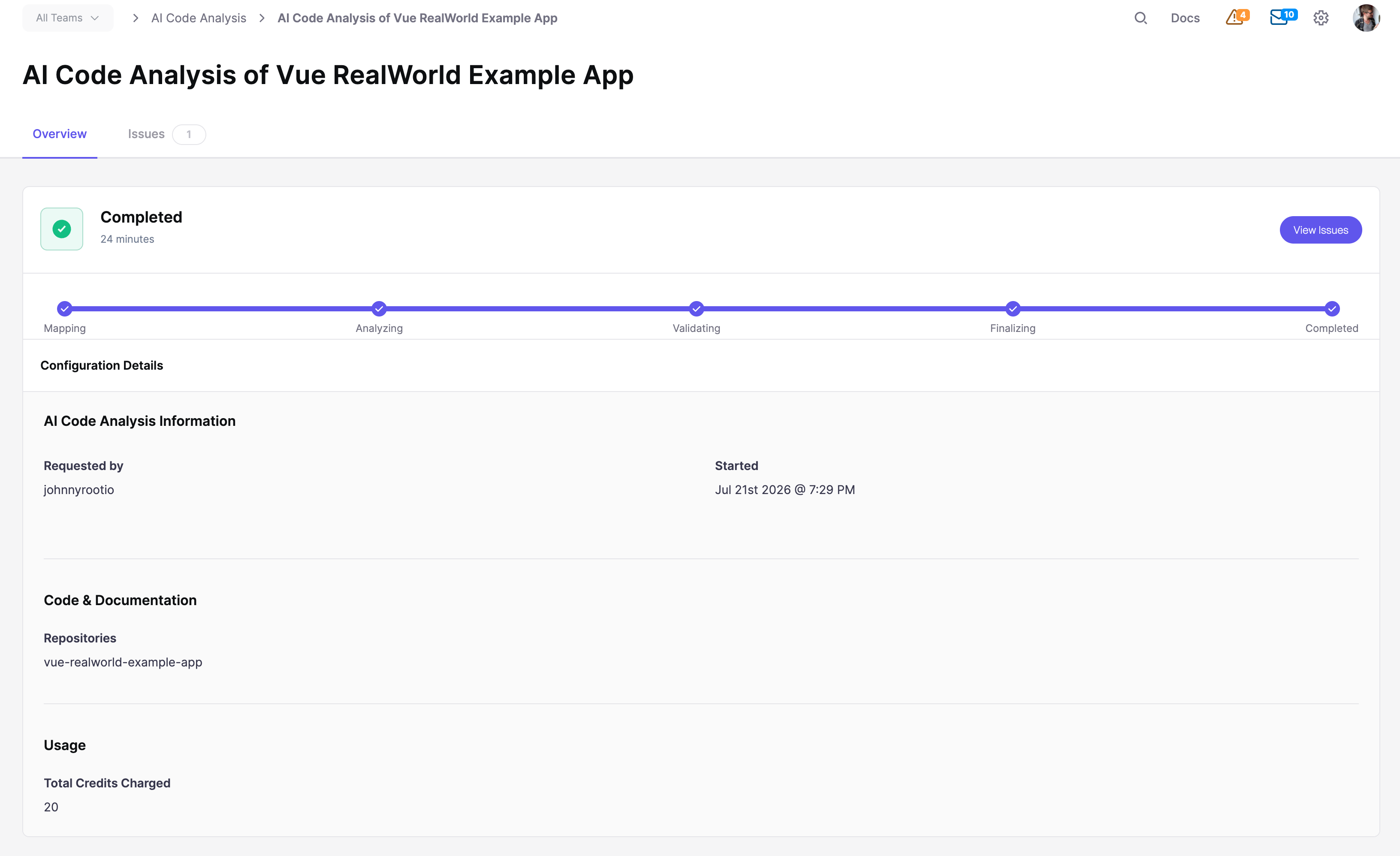
Aikido opens the assessment detail page. See [Track Progress and Findings](https://help.aikidogov.us/ai-code-analysis/ai-code-audit-overview/track-progress-and-findings).
For the data-handling classes in scope, see [What Data Exposure Audit Finds](https://help.aikidogov.us/ai-code-analysis/what-is-dspm/what-data-exposure-audit-finds).
## FAQ
### Why is there a repository limit?
The picker limits how many repositories you can include so the audit stays focused. If you need more in one audit, [contact support](https://help.aikidogov.us/miscellaneous-info/contact-support).
## Related
{% content-ref url="./" %}
[.](https://help.aikidogov.us/ai-code-analysis/what-is-dspm)
{% endcontent-ref %}
{% content-ref url="what-data-exposure-audit-finds.md" %}
[what-data-exposure-audit-finds.md](https://help.aikidogov.us/ai-code-analysis/what-is-dspm/what-data-exposure-audit-finds)
{% endcontent-ref %}