# Ask Aikido
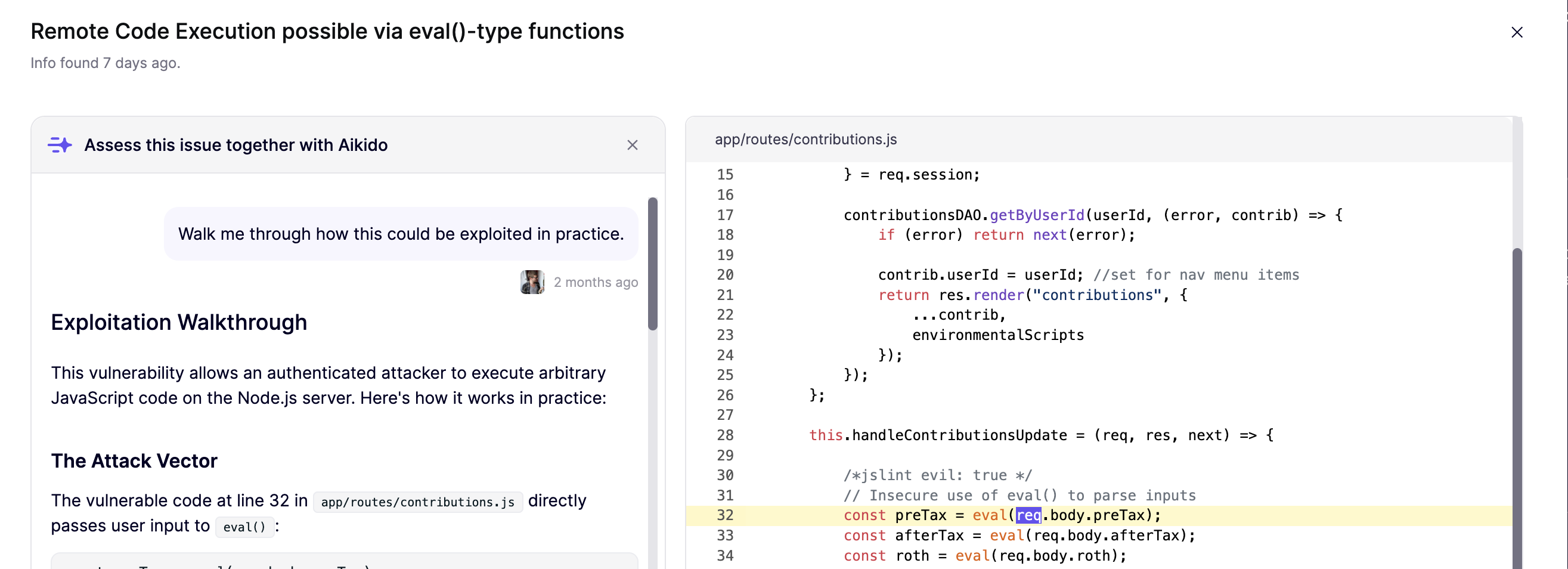
**Ask Aikido** is how you talk to [Aikido Agent](https://help.aikidogov.us/aikido-agent/aikido-agent) on a specific finding. Use it when you want to validate a triage decision, inspect the real attack path, or adapt a generated fix, without leaving Aikido or pasting findings into a separate chatbot.
Aikido Agent already filters noise automatically through [SAST AutoTriage](https://help.aikidogov.us/aikido-agent/sast-autotriage), [Secrets AutoTriage](https://help.aikidogov.us/aikido-agent/secrets-autotriage), and [CVE Exploitability Analysis](https://help.aikidogov.us/aikido-agent/cve-exploitability-analysis). Most of the time, that is enough. Use Ask Aikido when you want to dig deeper.
### Use cases
#### 1. SAST: Code analysis
Ask questions like `Is this actually risky for us?`, `Why did AutoTriage raise the severity for this issue?`, or `Walk me through how this could be exploited in practice.`
Use this chat to:
* validate severity
* understand the realistic attack path
* decide whether to fix now, schedule it, or ignore it with a reason
Open **View Code Analysis** in the sidebar for a SAST issue, then click **Ask Aikido** in the top left.
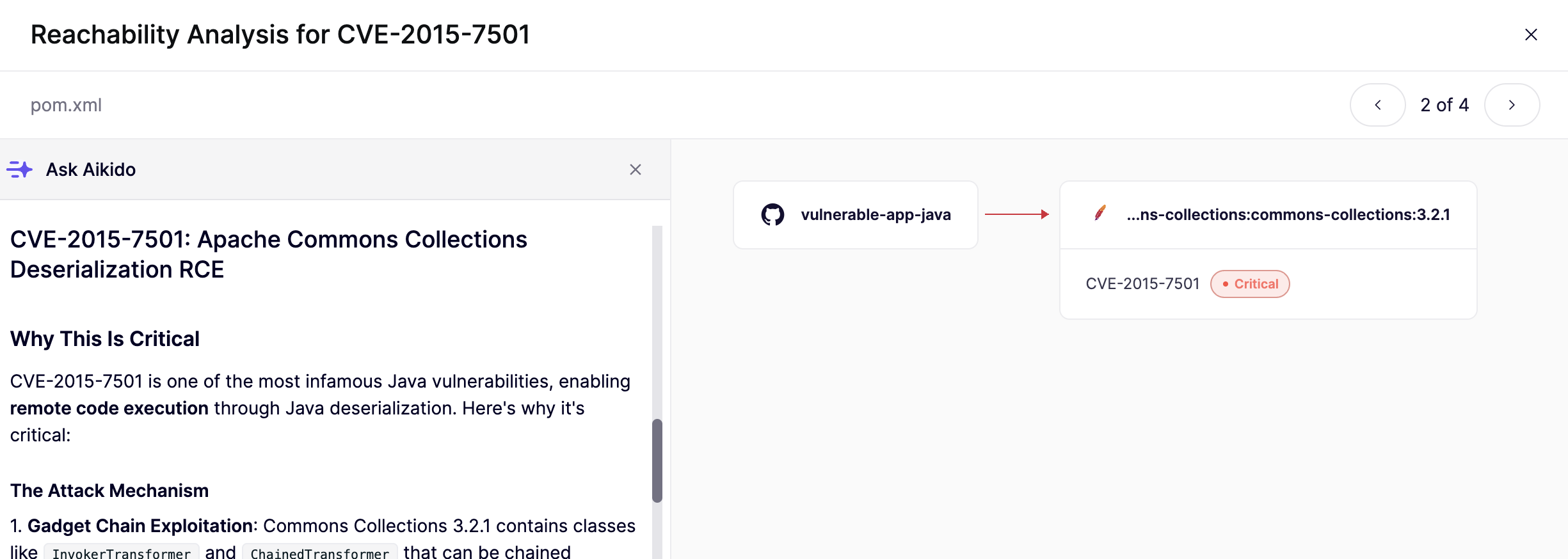
#### 2. Dependencies: Full impact analysis
Ask questions like `Is this actually reachable in our app?` or `Explain the full impact analysis`.
Use this chat to turn dependency paths and call graph output into plain-language exploitability guidance.
Open **View Reachability Analysis** in the sidebar for a dependency issue, then click **Ask Aikido** in the bottom left.
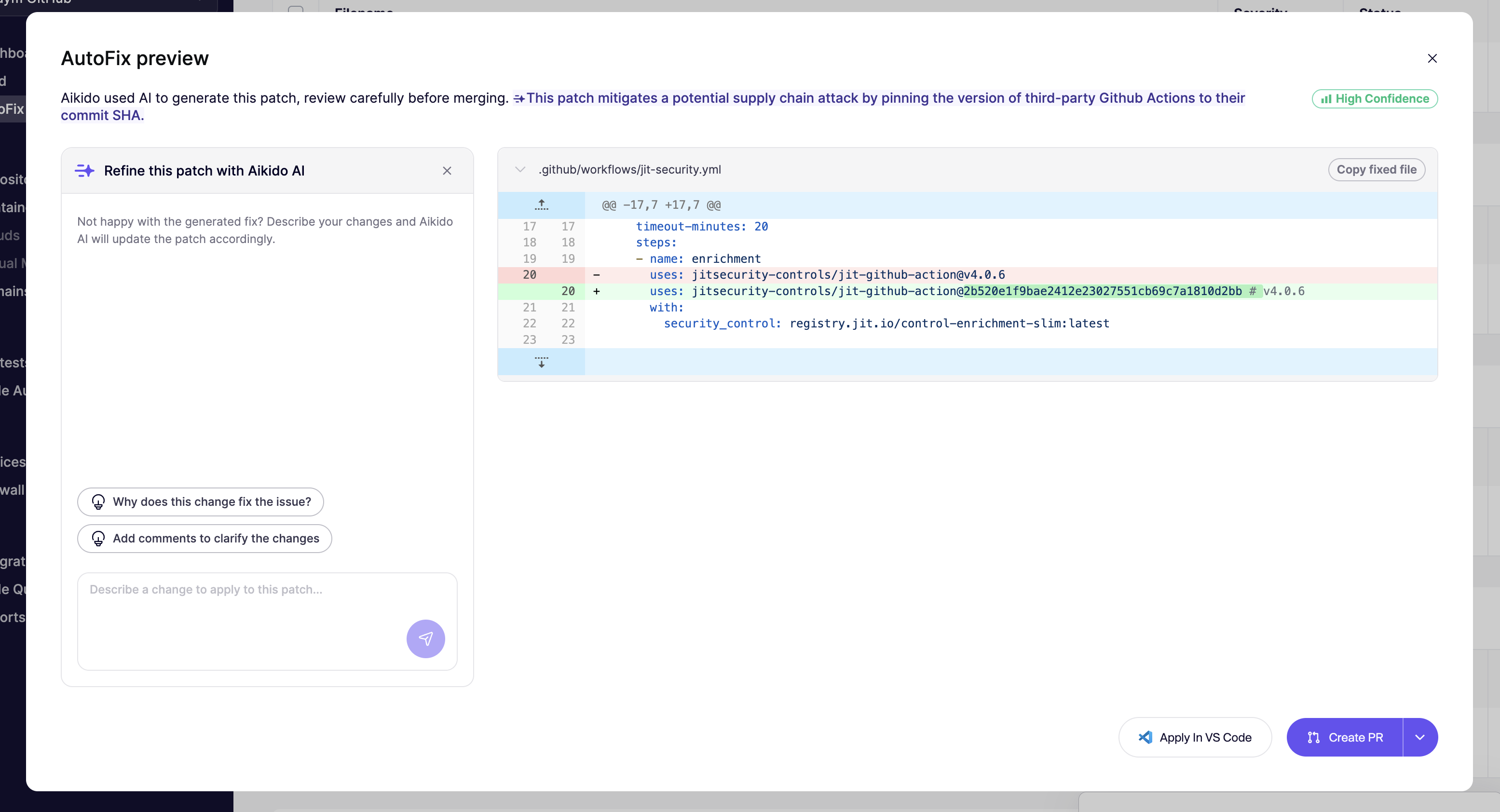
#### 3. Refine AutoFix
Use this chat when an AutoFix is close, but not ready to merge. Ask questions like `Can you adjust this patch to X`, `Explain the reasoning for this fix`, or `Please add a comment explaining the fix`.
You can ask Aikido Agent to:
* match your naming and style conventions
* add tests or small logic changes
* adapt the patch to your architecture
For more on fix refinement, see [Refine AutoFixes with Aikido AI](https://help.aikidogov.us/autofix-and-remediation/automation-and-merging/refine-autofixes-with-aikido-ai).
### What it knows
Each chat runs with full context: the finding, affected code, CVE metadata, reachability signals, and the diff (where relevant). Answers are grounded in your specific stack, not generic security advice.
### Actions you can take from chat
From the chat, you can:
* ignore the issue with AI-generated reasoning
* create or refine an AutoFix
* save custom context to improve future suggestions
### Related pages
* [Aikido Agent](https://help.aikidogov.us/aikido-agent/aikido-agent)
* [Custom Reports](https://help.aikidogov.us/aikido-agent/custom-reports)
* [SAST AutoTriage](https://help.aikidogov.us/aikido-agent/sast-autotriage)
* [Secrets AutoTriage](https://help.aikidogov.us/aikido-agent/secrets-autotriage)
* [CVE Exploitability Analysis](https://help.aikidogov.us/aikido-agent/cve-exploitability-analysis)
* [How Aikido Uses AI](https://help.aikidogov.us/ai-and-dev-tools/how-aikido-uses-ai)
* [Refine AutoFixes with Aikido AI](https://help.aikidogov.us/autofix-and-remediation/automation-and-merging/refine-autofixes-with-aikido-ai)
* [Introduction to Reachability Analysis](https://help.aikidogov.us/getting-started/reachability-analysis/introduction-to-reachability-analysis)