# Refine AutoFixes with Aikido AI
Aikido allows to automatically fix different types of findings. The **Refine with Aikido AI** chat panel lets you iteratively adjust AutoFixes using natural language, without leaving the diff view. This is powered by [Aikido Agent](https://help.aikidogov.us/aikido-agent/aikido-agent), the same intelligence behind [Ask Aikido](https://help.aikidogov.us/aikido-agent/ask-aikido).
#### Use Cases
AutoFix gets you most of the way there. Refinement is useful when:
* The fix is correct but doesn't match your codebase's naming conventions or patterns
* You want to add explanatory comments
* You want to include unit tests
* You want to introduce specific logic, like error handling or logging calls
* The fix needs to account for context not available to the AI
* You want to tighten scope, for example limiting what gets sanitized or validated
#### How to Refine a Fix
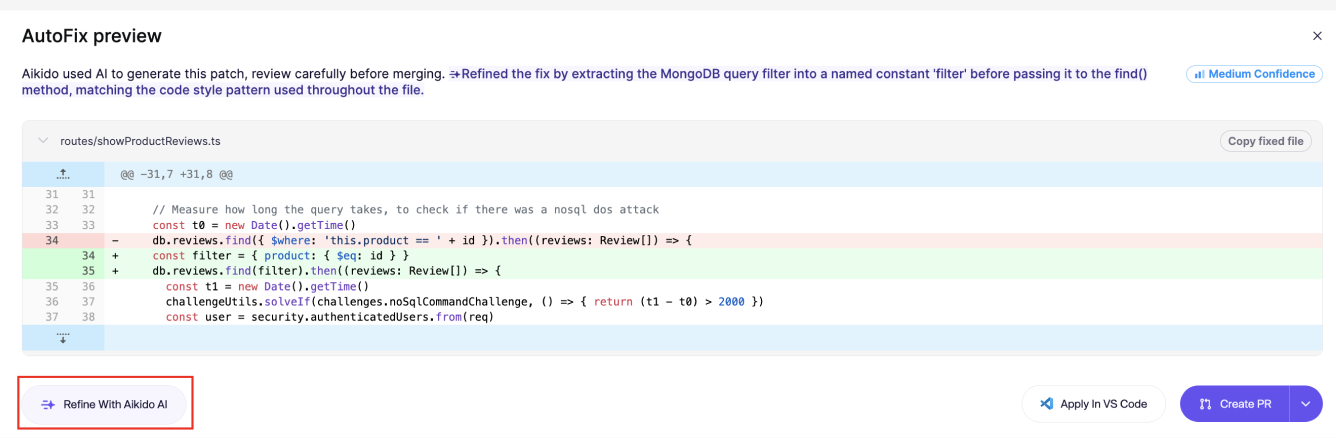
**Step 1.** Open the diff modal via the `View Fix` action and click `Refine with Aikido AI` in the bottom left.
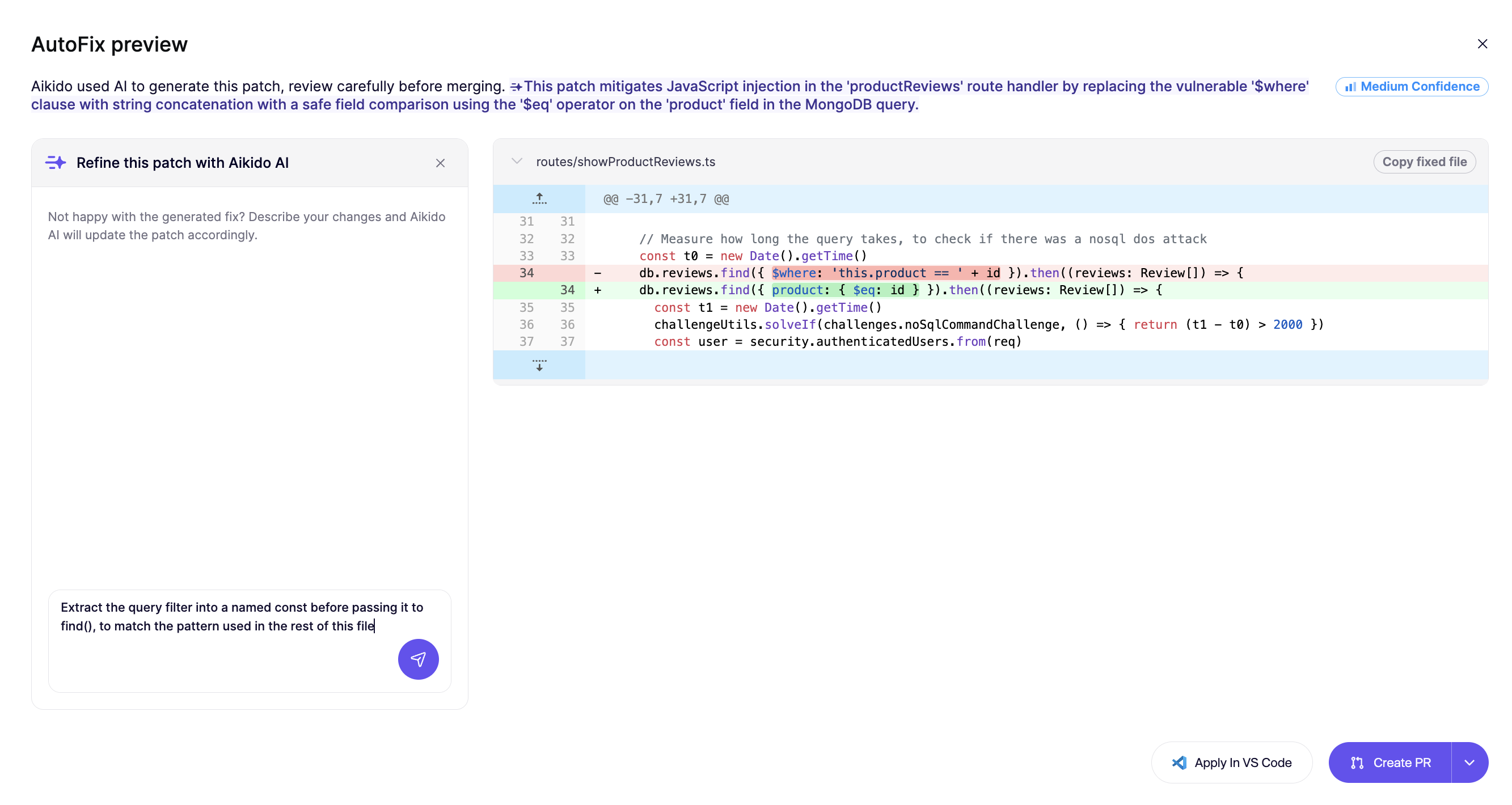
**Step 2.** Type your instruction in the text field.
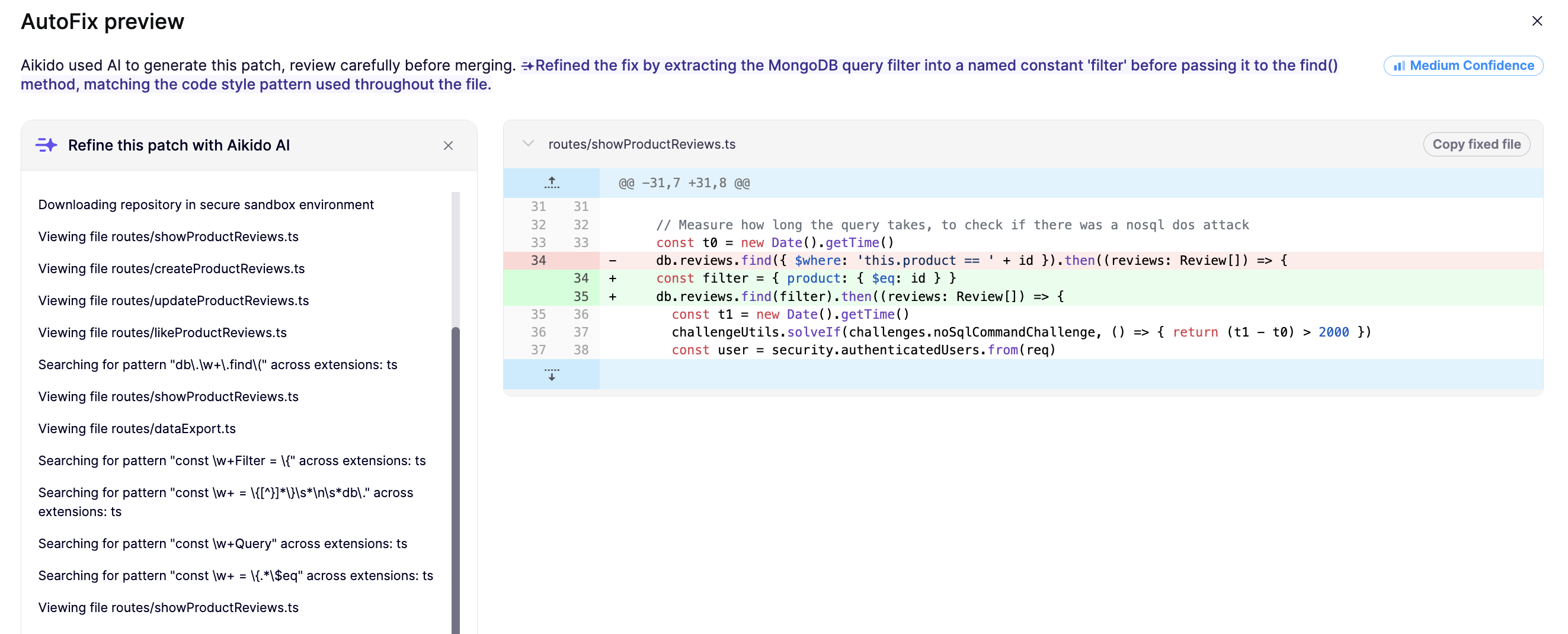
**Step 3.** The diff view updates automatically when the refined fix is ready.
{% hint style="info" %}
Each instruction you send is retained as context for subsequent refinements, so the AI builds on prior instructions rather than starting fresh.
{% endhint %}
#### Tips for Writing Instructions
Be specific about intent, not just the symptom:
* "Thrown an exception instead of returning an empty object"
* "Rename the sanitized variable from `safe_input` to `safeInput` "
* "Add a log when the regex matches"
## Persisting the context
If you want Aikido to always take into account your prefences while creating an AutoFix, use [Custom Context for AutoFixes](https://help.aikidogov.us/autofix-and-remediation/automation-and-merging/custom-context-for-autofixes).