# AutoFix for Azure DevOps with an Entra Service Principal
> Instead of a Personal Access Token or the OAuth flow, you can let Aikido Autofix authenticate to Azure DevOps as a Microsoft Entra service principal that you own. No token or secret is created or stored: for every fix, Aikido proves its identity to Microsoft Entra, which issues a short-lived access token for your service principal.
> Please note that your Azure DevOps organization must be connected to a Microsoft Entra tenant ('**Organization settings**' > '**Microsoft Entra**'). You need to be able to register applications in that tenant and to add users to your Azure DevOps organization.
**First**, go to the [Autofix Settings](https://app.aikido.dev/settings/integrations/autofix) page in Aikido, click '**Authorize**' under **Write Access** and choose '**Authorize via Entra service principal**'.
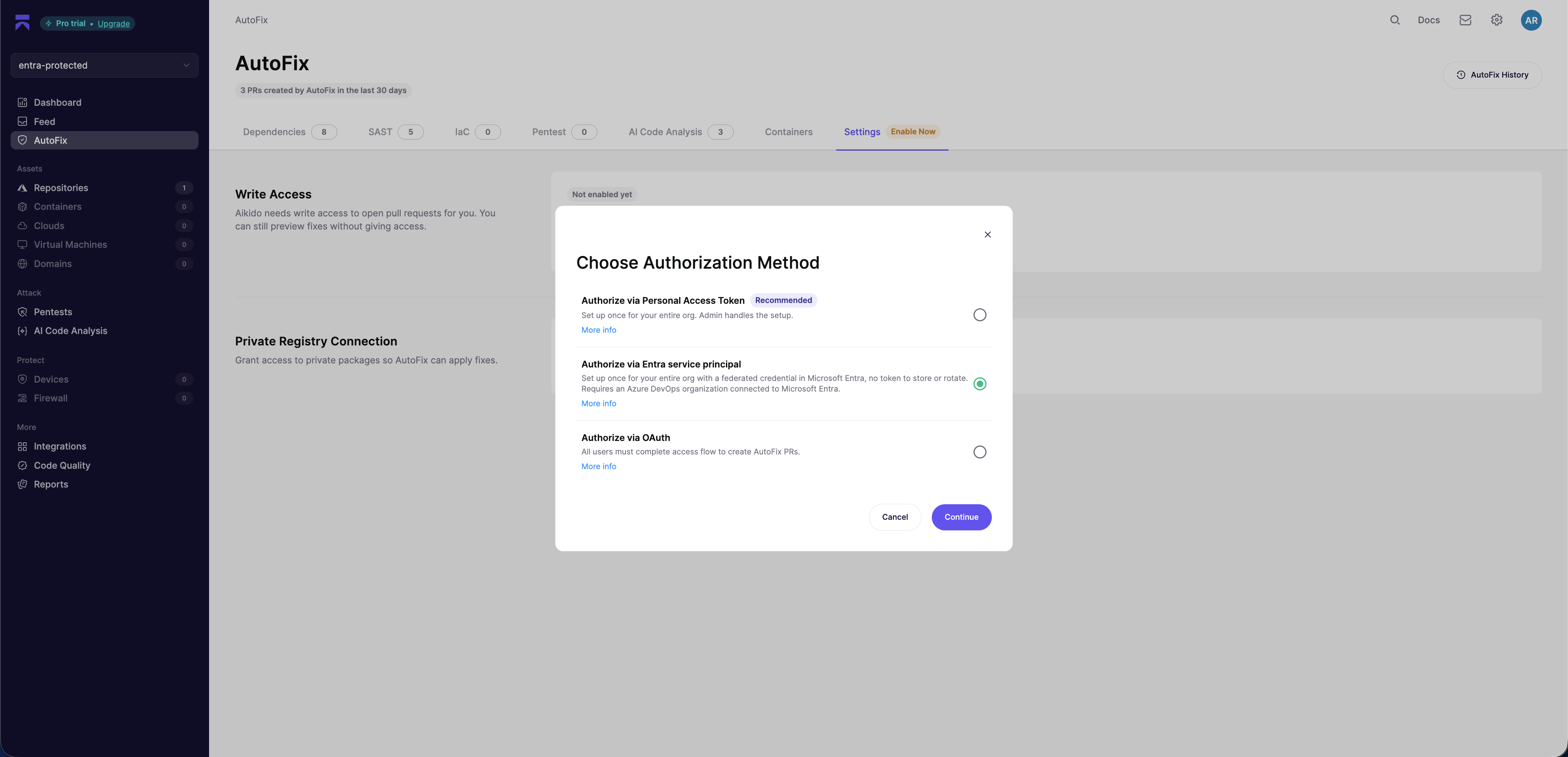
You end up on the service principal management page, which can also be [found here](https://app.aikido.dev/settings/integrations/azure-devops/autofix/service-principal). Keep this page open: it shows the **Issuer**, **Subject identifier** and **Audience** you need in the next section.
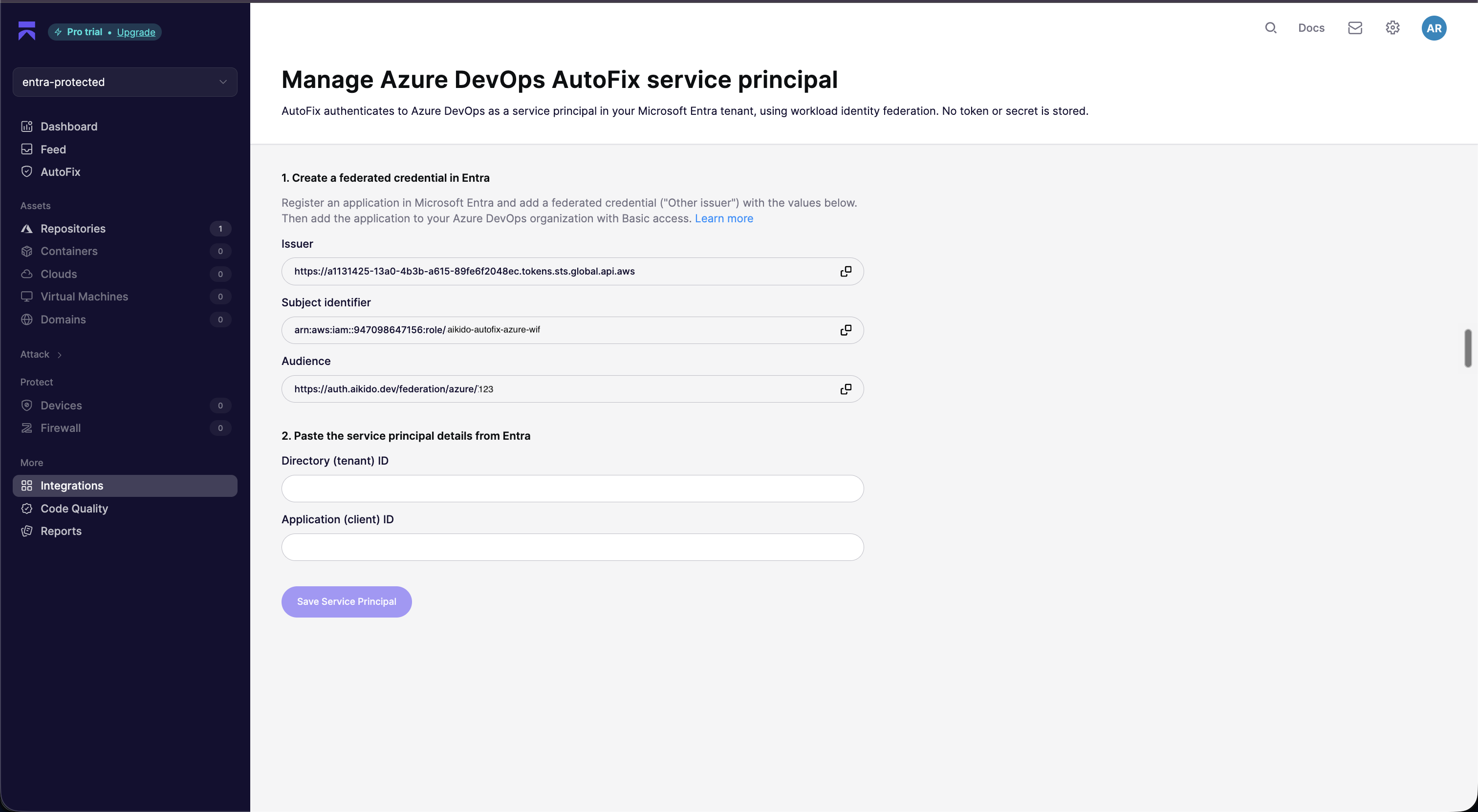
**Next**, follow the instructions below to create the service principal in Microsoft Entra and give it access in Azure DevOps.
## Registering the application in Microsoft Entra
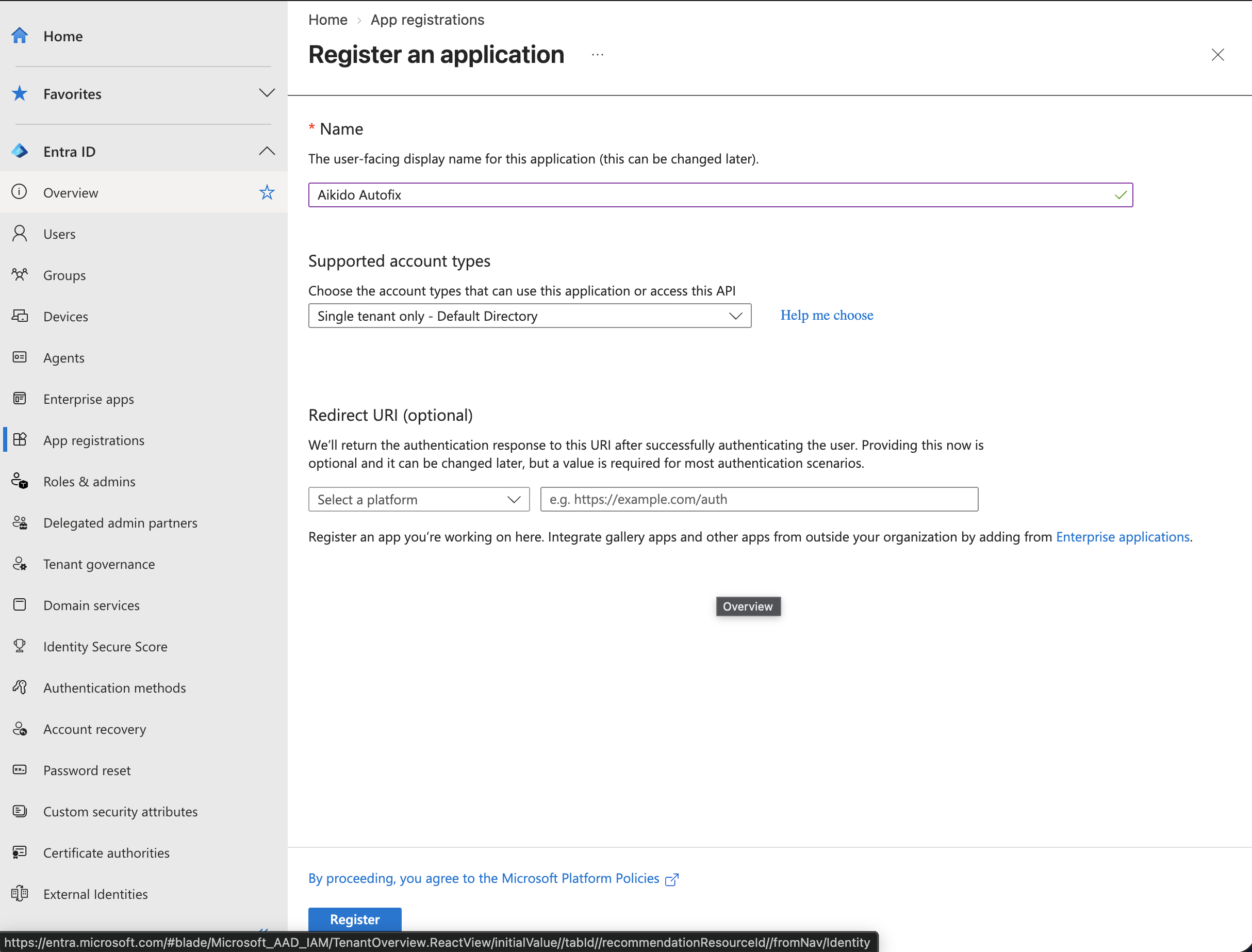
1. Open the [Microsoft Entra admin center](https://entra.microsoft.com), navigate to '**Entra ID**' > '**App registrations**' and click '**New registration**'.
2. Give the application a name, for example **Aikido Autofix**, keep '**Single tenant only**' selected, leave the Redirect URI empty and click '**Register**'.
3. On the '**Overview**' page of the application, copy the **Application (client) ID** and the **Directory (tenant) ID**. Insert both in Aikido.
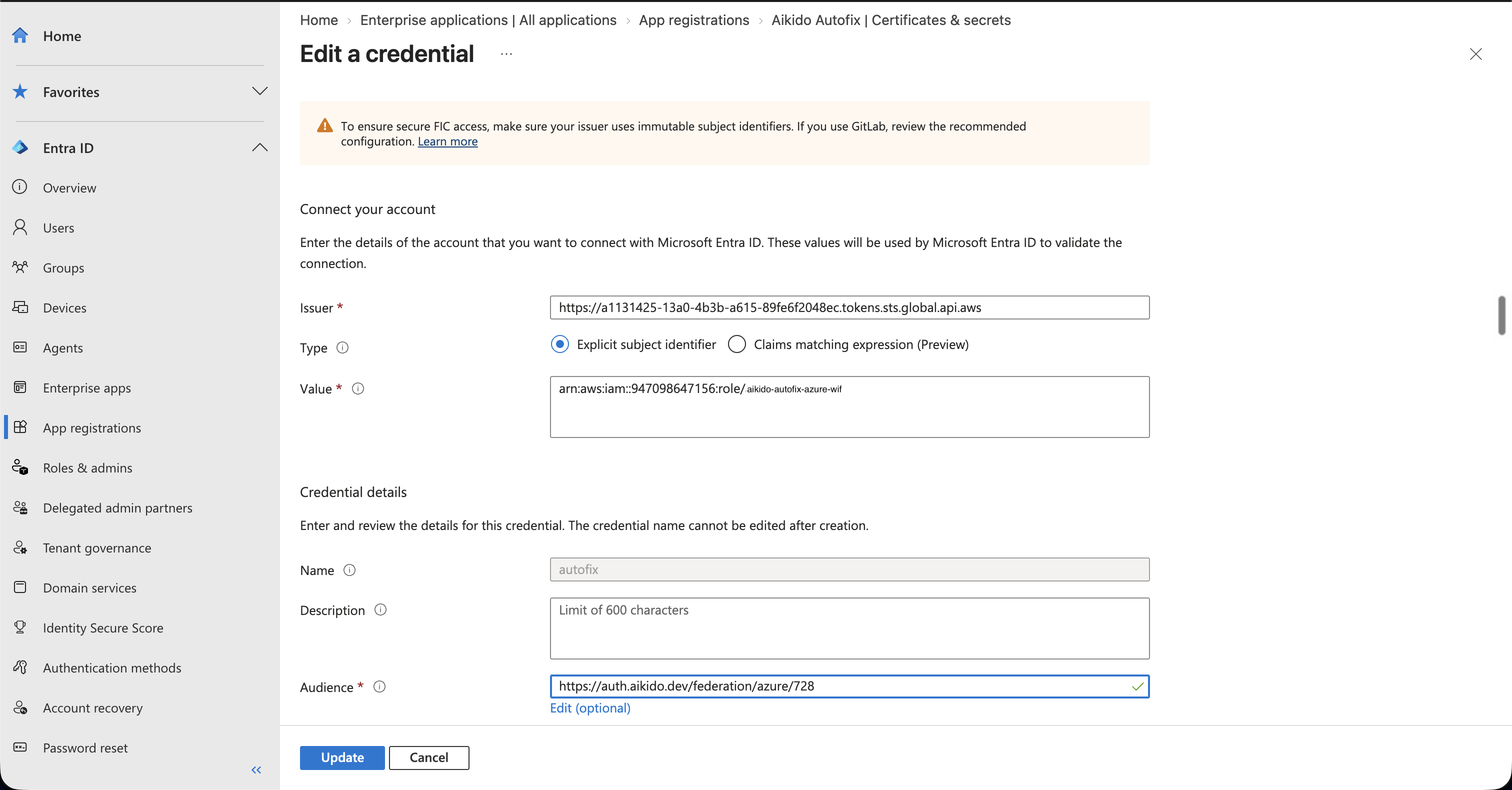
4. Navigate to '**Certificates & secrets**' > '**Federated credentials**' and click '**Add credential**'.
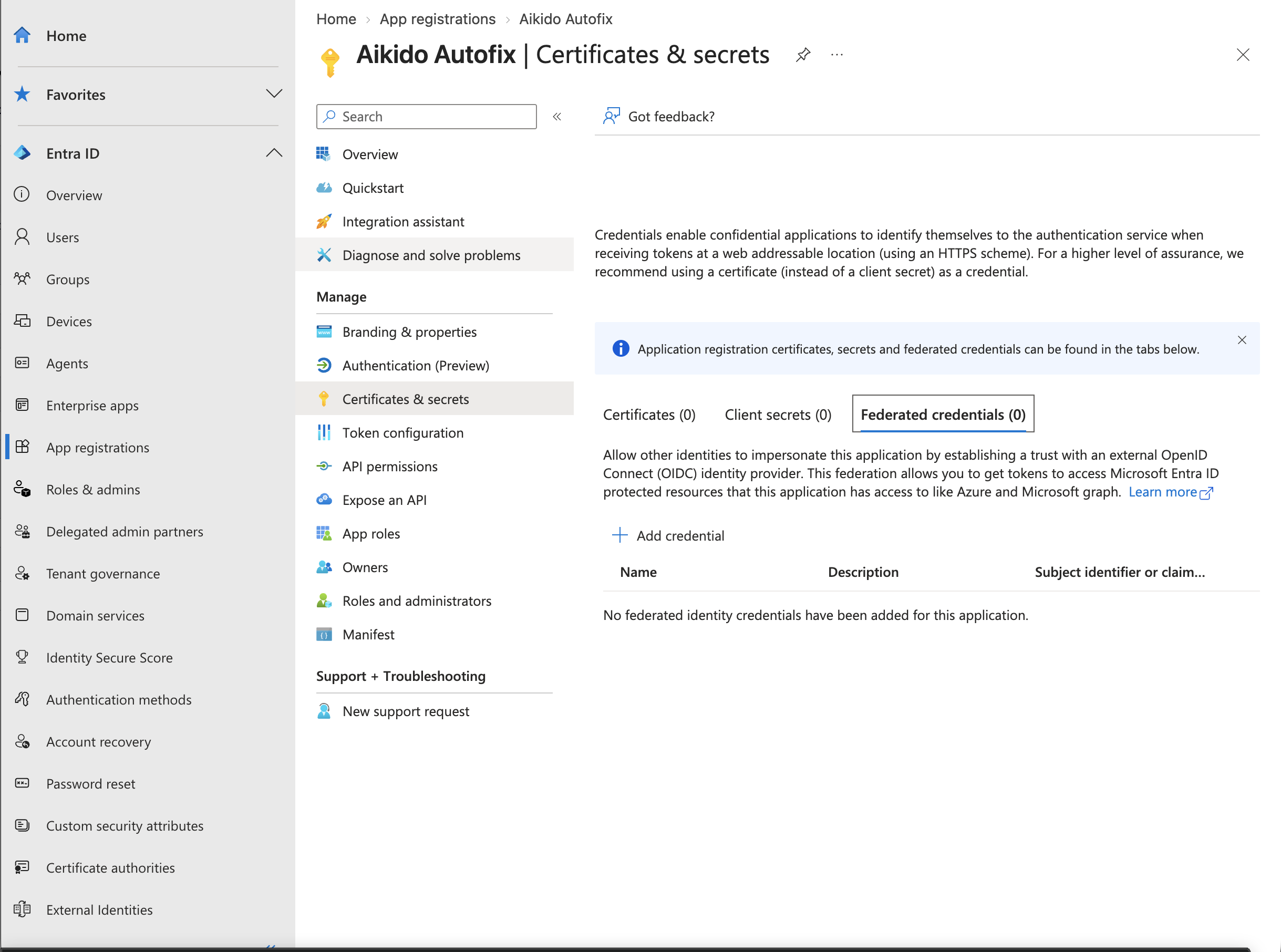
5. Select '**Other issuer**' and fill in the values exactly as shown on the service principal management page in Aikido:
* **Issuer**: the Issuer shown in Aikido
* **Type**: Explicit subject identifier
* **Value**: the Subject identifier shown in Aikido
* **Audience**: click '**Edit**' and replace the default with the Audience shown in Aikido. It contains your workspace id, so only tokens Aikido mints for your workspace are accepted.
Give the credential a name, for example **autofix**, and click '**Add**'. You do not need a client secret or certificate.
## Granting access in Azure DevOps
1. In Azure DevOps, navigate to '**Organization settings**' > '**Users**' and click '**Add users**'.
2. Search for the application name (**Aikido Autofix**), set the '**Access level**' to **Basic**, and add it to the projects Autofix needs access to. Then click '**Add**'. If the application does not show up yet, wait a minute and search again.
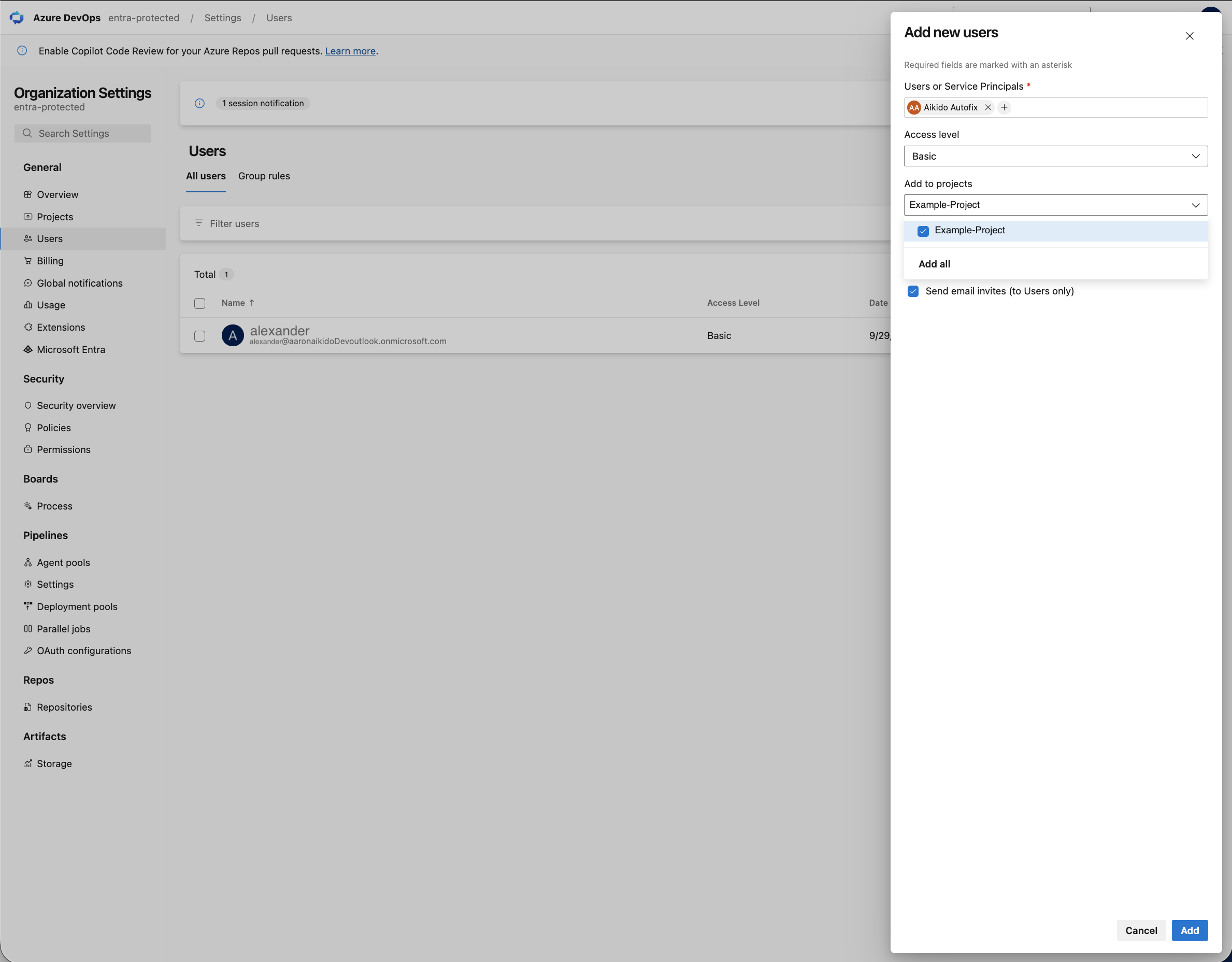
> Adding the service principal to a project puts it in that project's **Contributors** group, which already grants the permissions Autofix needs. If your organization restricts Contributors on repositories, allow **Contribute**, **Create branch** and **Contribute to pull requests** for **Aikido Autofix** under each project's '**Project settings**' > '**Repositories**' > '**Security**'.
## Connecting in Aikido
1. Go back to the service principal management page in Aikido.
2. Insert the **Directory (tenant) ID** and the **Application (client) ID** you copied earlier and click '**Save Service Principal**'. Aikido requests a token from Microsoft Entra and verifies that it can access the repositories of your Azure DevOps organization before saving.
You are all set. You will now be able to execute autofix PRs from the [Autofix page](https://app.aikido.dev/issues/fix) or from the action menu for subissues in the sidebar. Pull requests are created by **Aikido Autofix**.
> To revoke Aikido's write access, delete the federated credential in Microsoft Entra or remove the service principal from your Azure DevOps organization. To remove the configuration in Aikido, use '**Remove token**' on the [Autofix Settings](https://app.aikido.dev/settings/integrations/autofix) page.