# AutoFix for Containers
The goal is simple: fix more, faster, with less noise. AI Autofix helps you patch container vulnerabilities in bulk by suggesting safe, reviewable Dockerfile updates.
### In Short
* **Base Image Updates:** When vulnerabilities are found in a container's base image, Autofix suggests patch, minor, or major update options.
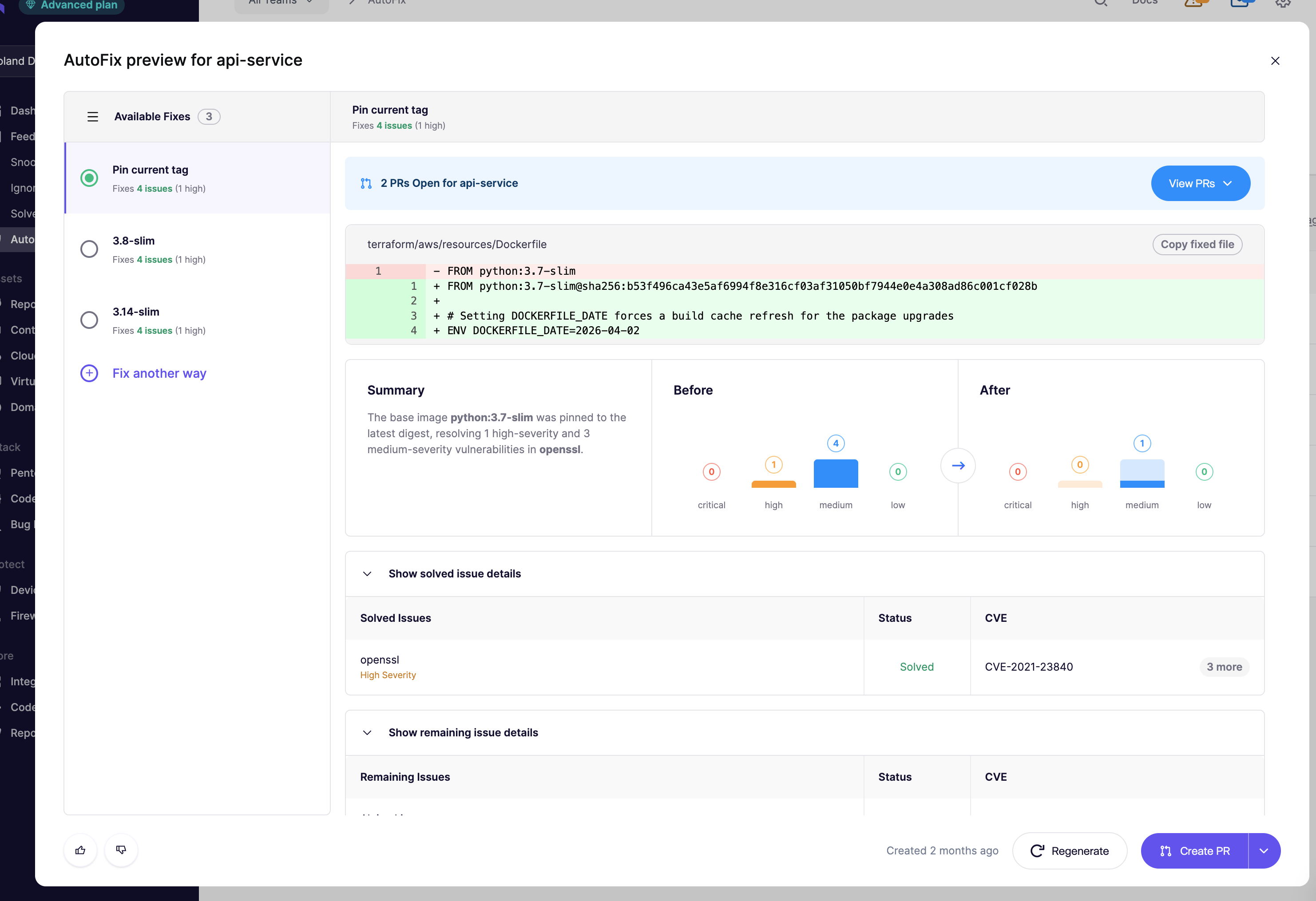
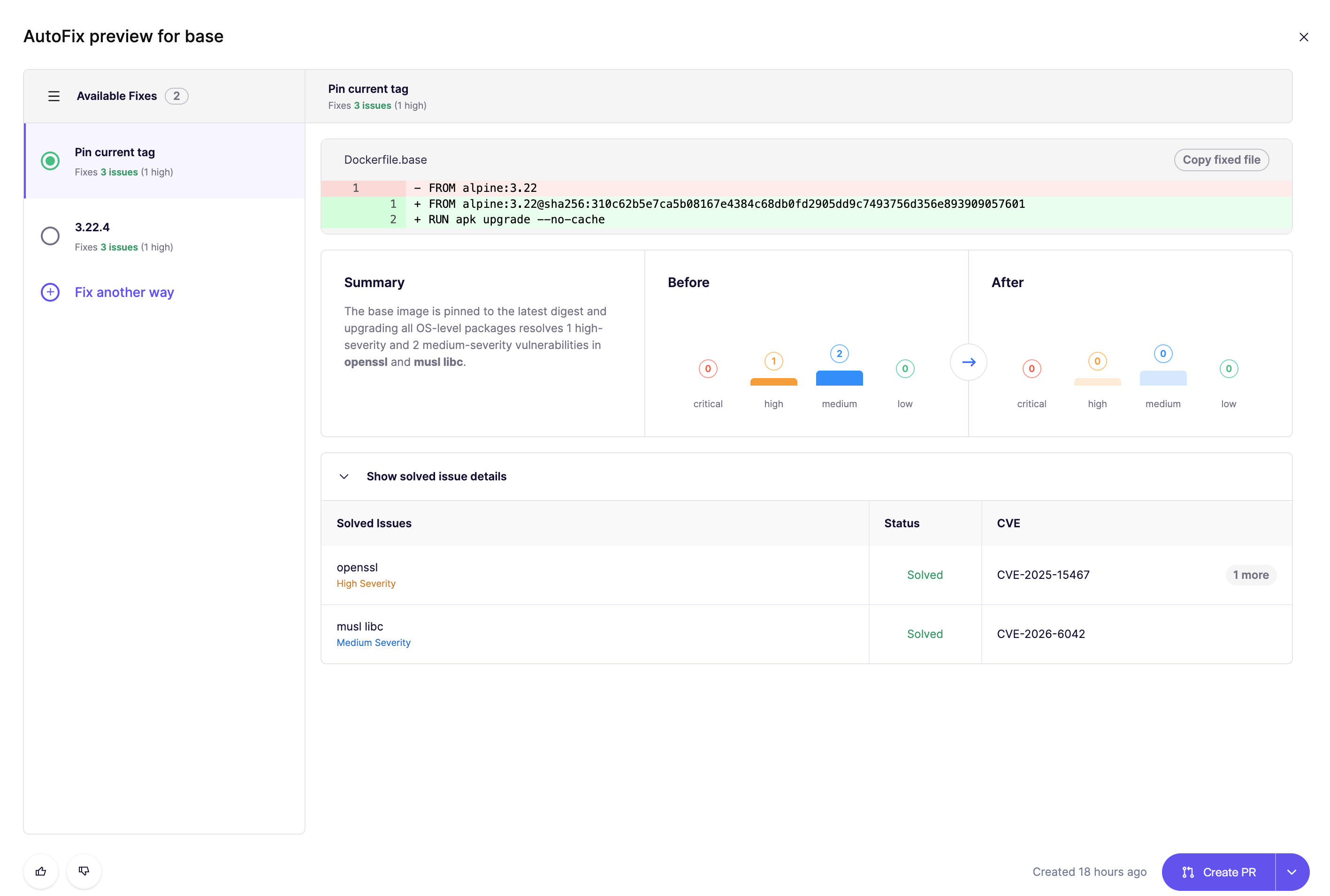
* **Multiple Patch Options**: Get 3–5 Dockerfile variants, each tied to a different base image. For each, see which vulnerabilities are fixed and whether any new ones are introduced.
* **Aikido Images:** When available, AutoFix will propose a zero-CVE base image where **HIGH** and **CRITICAL** severity issues have been remediated. [Learn more](https://help.aikidogov.us/autofix-and-remediation/aikido-images/autofix-for-containers-using-aikido-images) about using Aikido Images.
* **Use Your Judgment**: Major updates often fix more, but may require manual changes. Choose what fits your stack best.
### Key Features of AI Autofix for Containers
* **Preview Changes Before You Fix:** Review detailed previews of AI-generated fixes before implementing them.
* **Create Pull Requests (PRs):** Generate pull requests directly in your Source Control Management (SCM) system
***
Good to Know
* **Processing Time:** It can take up to 5 minutes for Autofix to generate suggestions, as it scans all potential base image updates for vulnerabilities.
* **Public and Private Base Images**: Container Autofix can update both public base images and private base images. The private base images need to be scanned by Aikido. Supported registries for private base images are: Docker Hub, GitHub Container Registry, AWS Elastic Container Registry, Azure Container Registry, GCP Container Registry. For Docker Hardened Images on `dhi.io`, see [Container AutoFix for Docker Hardened Images](https://help.aikidogov.us/autofix-and-remediation/configure/container-autofix-for-docker-hardened-images).
* **Dockerfile Linking**: We auto-detect the Dockerfile from your repo. If there’s ambiguity, you’ll be asked to set the correct path in the UI.
* **Privacy First**: code snippets are sent securely to AWS Bedrock via encrypted channels. Neither Aikido **nor** [AWS Bedrock](https://aws.amazon.com/bedrock/security-compliance/) use your code for training or fine-tuning AI models.
### How to use the AI Autofix functionality
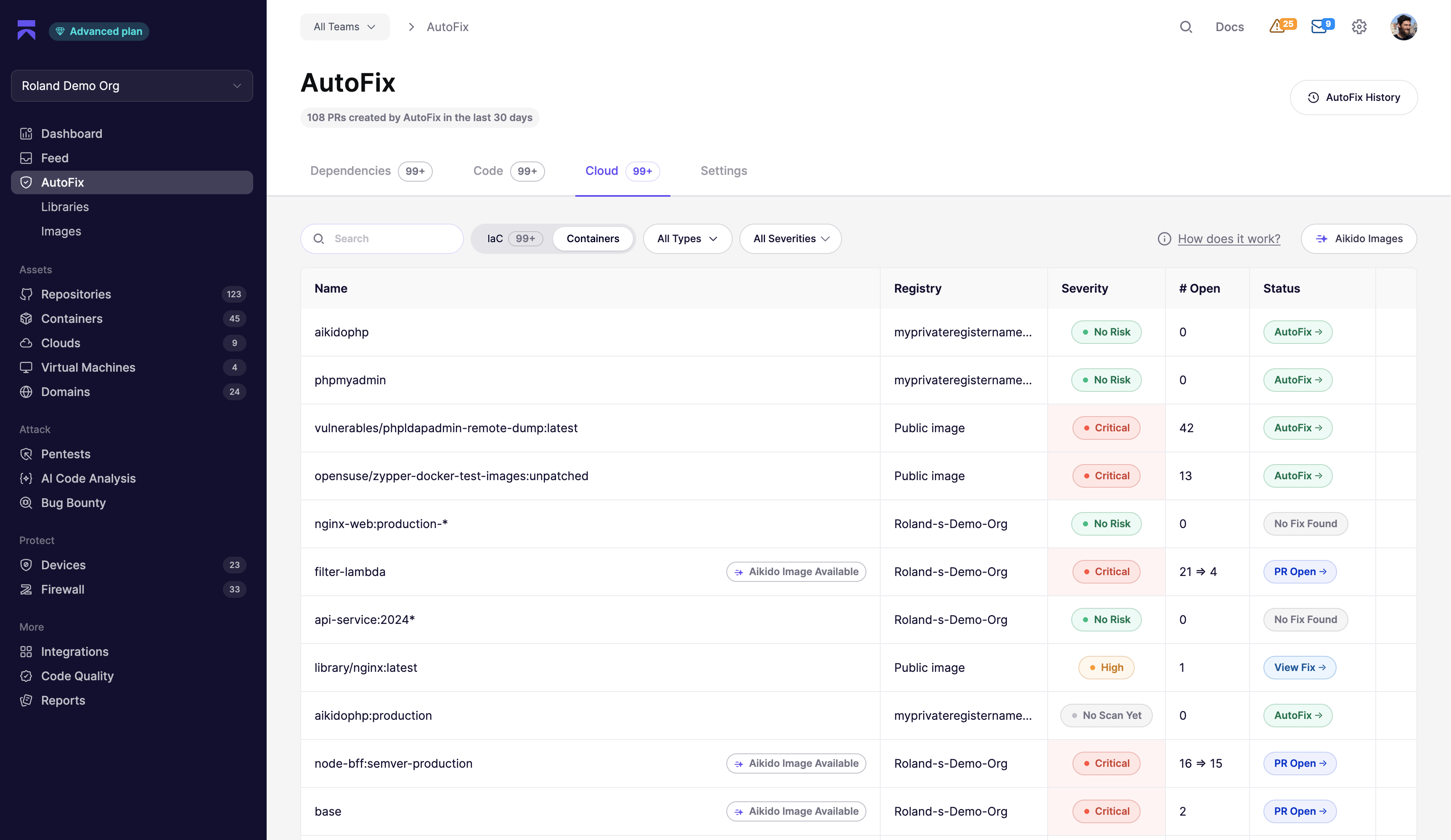
* **Step 1**. **Go to the** [**AutoFix > Cloud > Containers Page**](https://app.aikido.dev/issues/fix/container)[.](https://app.aikido.dev/issues/fix/sast)
See a list of containers with the option to **View Fix**. If a container isn’t linked to a repo, or if the Dockerfile path is unclear, you’ll be prompted to configure it manually.
* **Step 2.** **Review and Select a Patch Option**
Each option shows what it fixes and if it introduces new issues. Pick the one that fits your setup.
* **Step 3. Create PR**
Autofix generates a pull request directly in your SCM with the updated Dockerfile.
***