# AutoFix for SAST and IaC Issues
{% hint style="info" %}
Aikido Local Scan accounts DO NOT have access to AutoFix within the UI, but it is available for the IDE plugins.
{% endhint %}
The goal of Aikido has always been to save you time by reducing noise, focusing on the issues that truly matter. With the introduction of the **AI Autofix** feature, Aikido takes this one step further.
### Key Features of AI Autofix
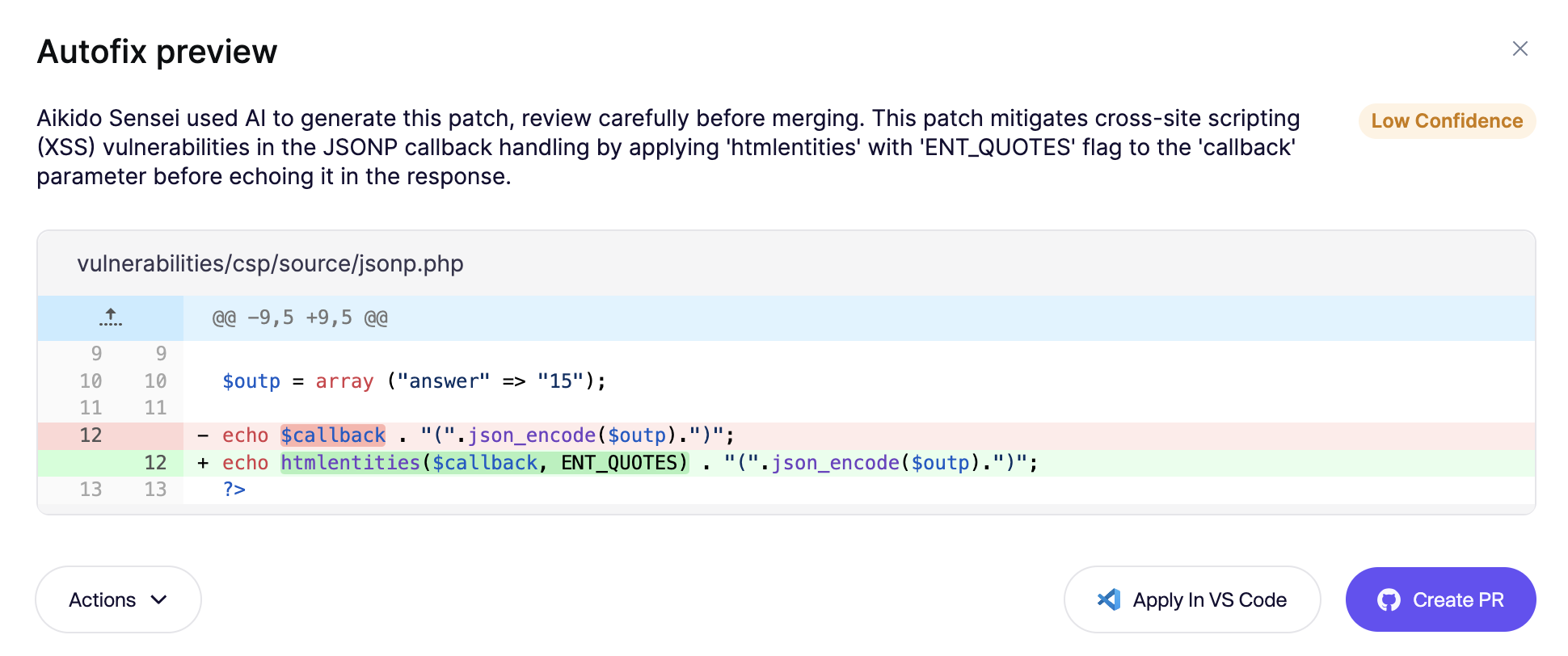
* **Preview Changes:** Review detailed previews of AI-generated fixes before implementing them to ensure alignment with your standards.
* **Create Pull Requests (PRs):** Generate pull requests directly in your Source Control Management (SCM) system from the Autofix interface.
* **Direct IDE Integration:** Apply fixes instantly to your codebase via the VS Code integration, saving even more time.
***
### Important Info
* **We do not use your code for training / fine-tuning**
* Code snippets required for generating fixes are securely transmitted to **AWS Bedrock** over encrypted channels. Aikido **nor** [AWS Bedrock](https://aws.amazon.com/bedrock/security-compliance/) use your code for training or fine-tuning AI models.
* **Speed**
* Simple fixes are typically generated in under 5 seconds. Larger or more complex fixes may take up to 30 seconds, depending on file size and issue complexity.
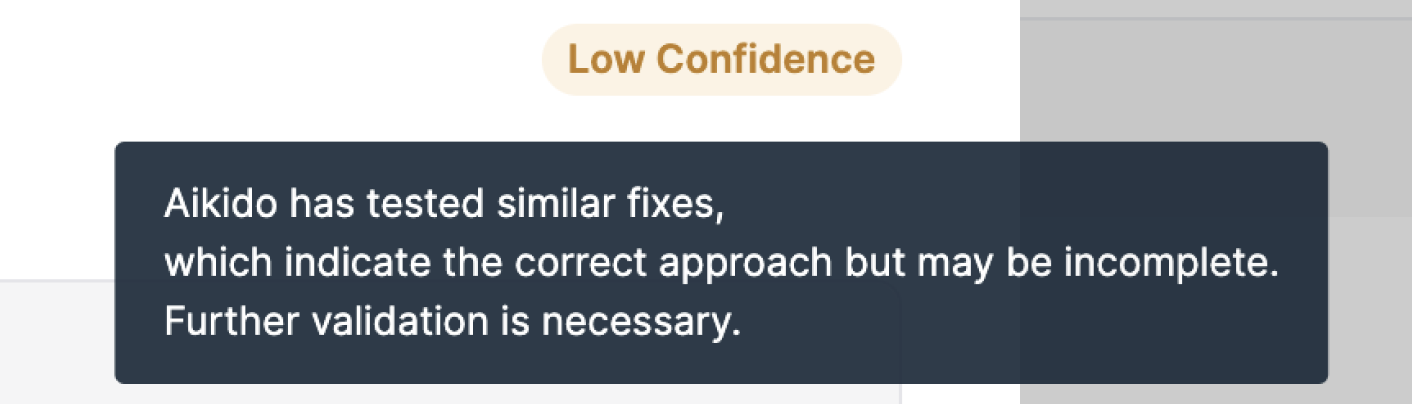
* **Confidence Levels**
* Fixes are categorized into confidence levels: **High**, **Medium**, and **Low**. Manual reviews before merging are recommended.
***
### How to use the AI Autofix functionality
* **Step 1**. Navigate to the SAST or IaC [Autofix Page. ](https://app.aikido.dev/issues/fix/sast)All potential fixes are grouped by type and location.
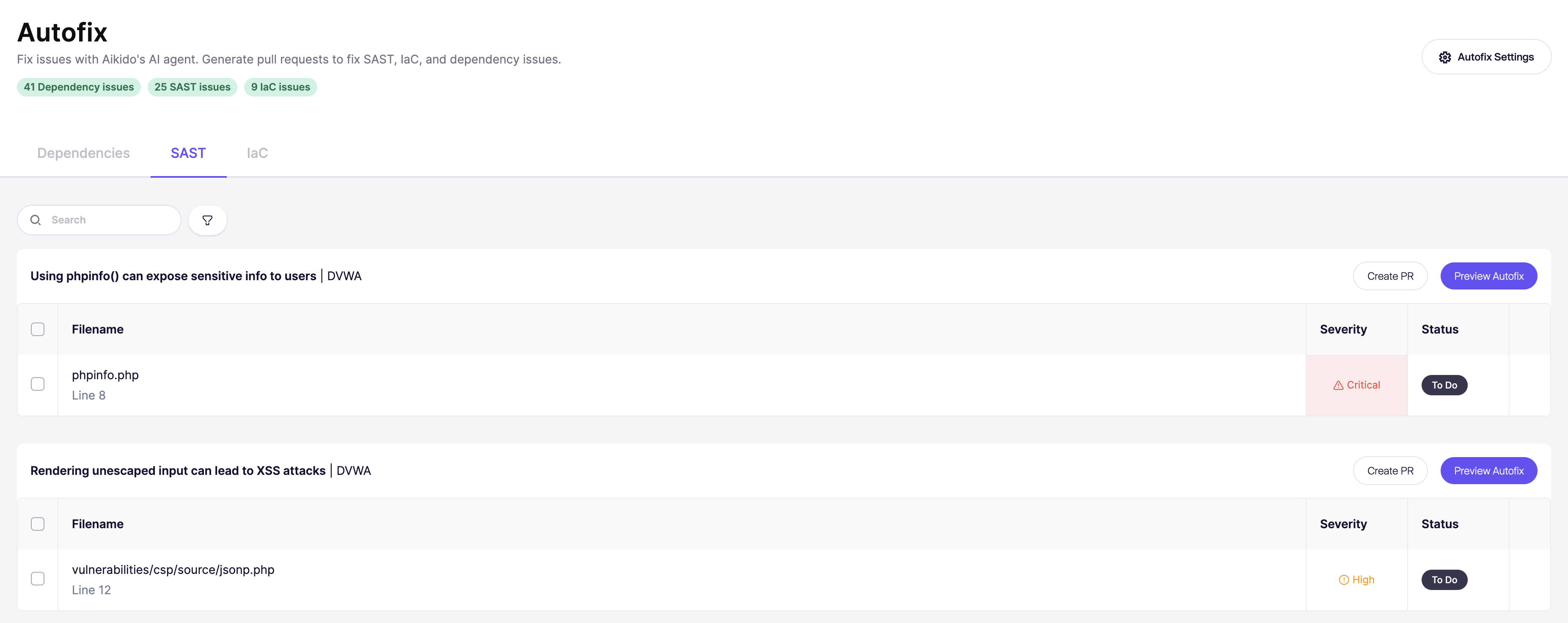
* **Step 2.** Select one or multiple fixes to preview or create a PR for.

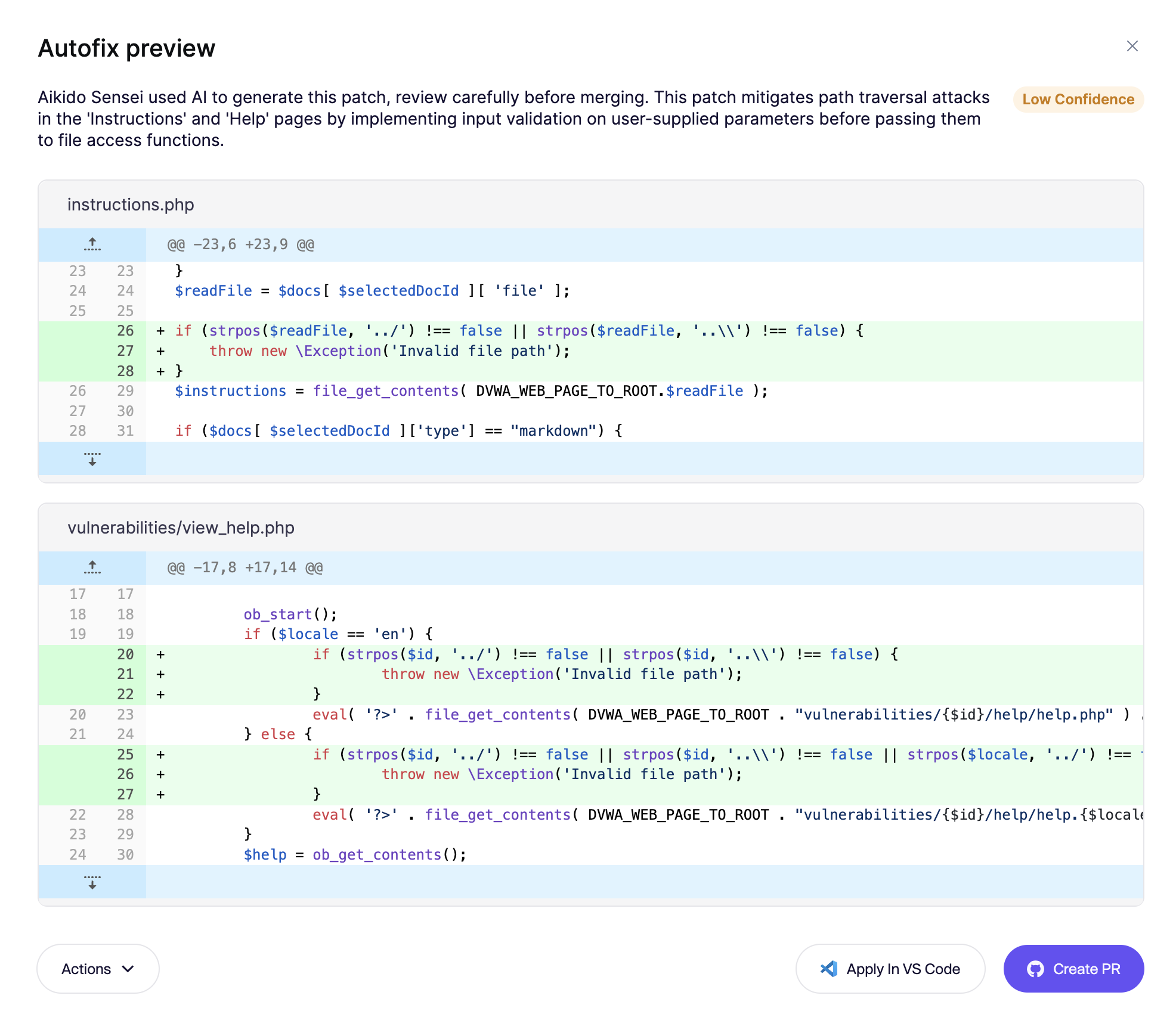
* **Step 3.** Preview and Apply.
* **Create a PR**: Automatically generate a pull request in your SCM.
* **Apply Directly**: Instantly implement the fix in your codebase via VS Code integration.
***