# Code Quality Repository Scans
Repository scans show the code quality issues that already exist across your entire repository. Use them to find and prioritize technical debt, then keep the results up to date as your code changes.
Unlike [Code Quality in PRs](https://help.aikidogov.us/code-quality/code-quality-setup), which checks only new code before you merge it, repository scans analyze **existing code**. Use both to stop new quality debt from entering your repository while working through what is already there.
## What it does
After Aikido scans a repository, you can:
* See open findings grouped into **maintainability**, **readability**, **performance**, and **reliability**
* Prioritize the categories and files that need attention first
* Track how open findings change over time
* Fix findings yourself, open an [AutoFix](https://help.aikidogov.us/autofix-and-remediation/overview-aikido-autofix) pull request, or [create pull requests automatically](https://help.aikidogov.us/autofix-and-remediation/automation-and-merging/automatic-creation-of-pull-requests) each day for critical and high findings
## Start a scan
To set up a repository scan, see [Start a Repository Scan](https://help.aikidogov.us/code-quality/repository-scans/start-a-repository-scan). It explains the prerequisites, yearly credit cost, and how to start tracking a repository.
## Explore your results
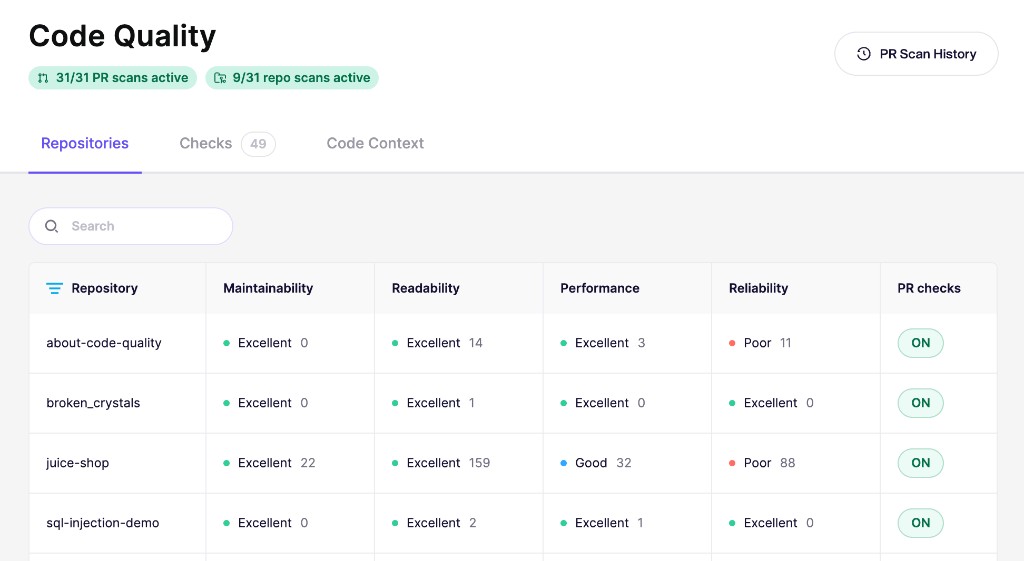
The **Repositories** tab gives each scanned repository a rating and finding count for the four quality categories. Open a repository to review the underlying findings, affected files, severity, and estimated fix time.
### See how quality changes
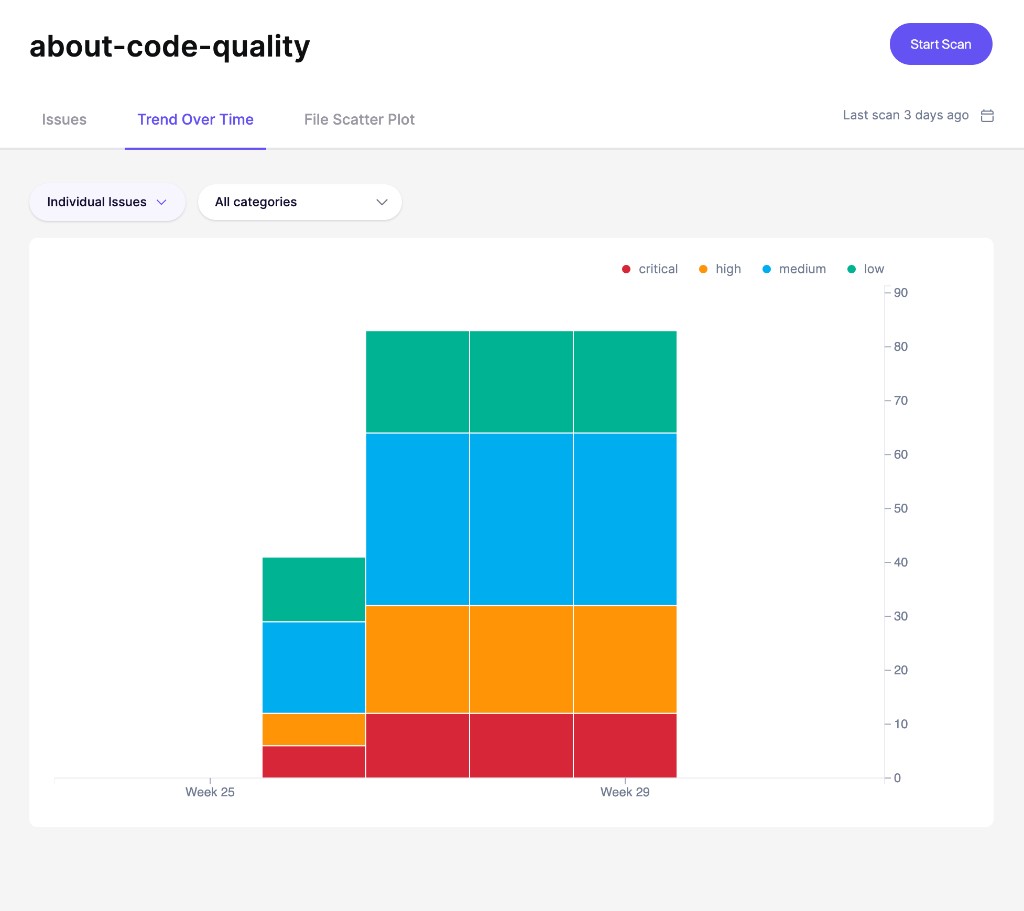
Open the **Trend Over Time** tab to see how the repository's open findings change from week to week. The chart splits findings by severity, so you can tell whether critical, high, medium, or low-priority quality debt is growing or shrinking.
Use it to measure the impact of cleanup work and spot regressions that need attention.
### Find file hotspots
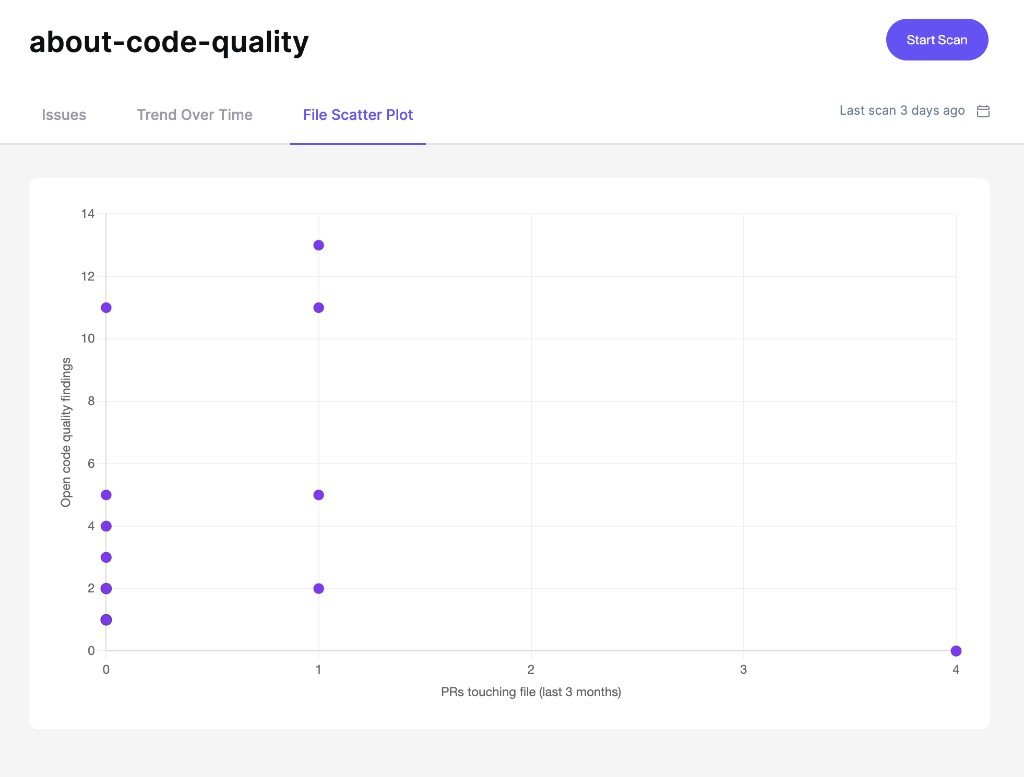
The **File Scatter Plot** helps you prioritize cleanup work. Files in the top-right are your hotspots: they change frequently and have many open code quality findings.
{% hint style="info" %}
The File Scatter Plot requires both repository scans and [Code Quality in PRs](https://help.aikidogov.us/code-quality/code-quality-setup) for the same repository. Repository scans provide the finding count, while PR checks provide the activity data.
{% endhint %}
For details about ratings, findings, and the scatter plot, see [Understand Repository Scan Results](https://help.aikidogov.us/code-quality/repository-scans/understand-repository-scan-results).