# Scheduled Scan Frequencies
Aikido provides default scanning frequencies for various components to ensure security and performance. Here, you'll learn about these scanning defaults and how to change them.
{% hint style="info" %}
Aikido also runs in real time in the IDE on every save, and on every push or pull request via PR gating. The settings below control the scheduled re-scan that runs in addition.
{% endhint %}
### Scanning Frequencies
* By default, for all paid plans, Aikido does **daily** scans for open-source dependencies, SAST, IaC, secrets, cloud, containers, and Front-End Domains.
* Domains scanned with Hosted Domains and APIs are by default done **twice a week** as this has a higher load on your system.
* In case you quickly want to verify whether a fix was implemented correctly, you can trigger a **manual scan** by clicking 'Start Scan' in the UI.

> Workspaces on a free plan are scanned every 3 days, and users cannot trigger scans manually. Hosted domains are scanned once a week.
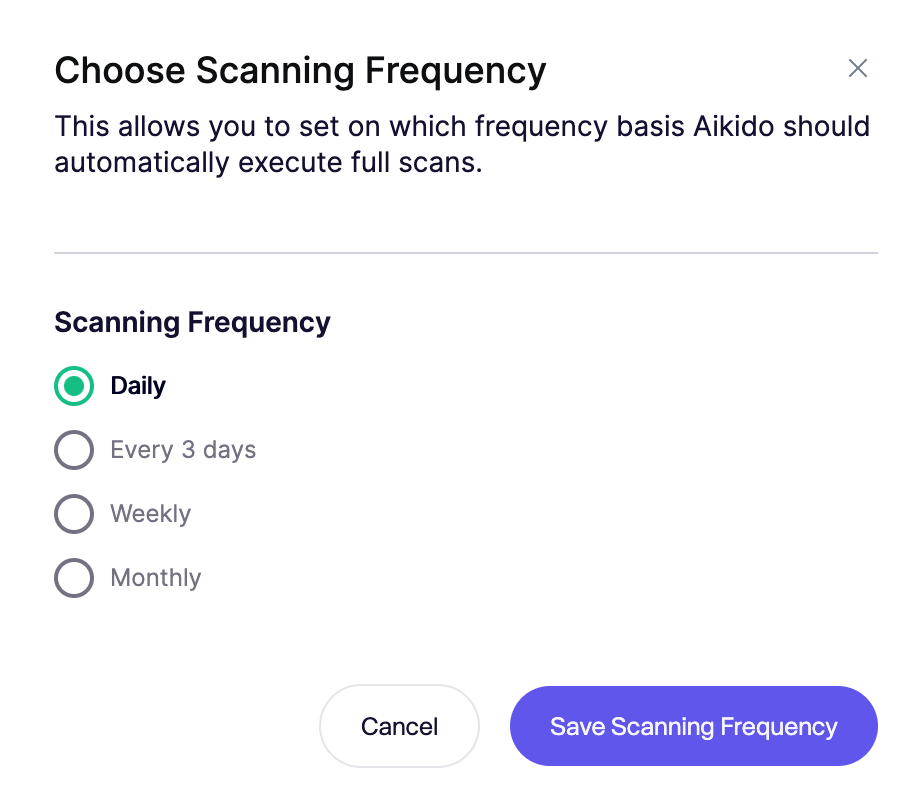
### Changing Scanning Frequency
In case you want to change your scanning frequency, you can do this by going to [General Settings](https://app.aikido.dev/settings/account) (admins only) and click **Change Scanning Frequency**.