# Support for Specific Branch Scanning
### Introduction
Utilize Aikido's manual scanning feature to directly compare a branch with your current project state/main branch, ideal for situations where you have not integrated your CI with Aikido yet.
This functionality allows you compare a specific branch / pull request / tag with the current state in Aikido, highlighting the changes with the main branch. Scanning takes typically **1-2mins** so no need to leave the UI.
**Note.** In case you have old legacy branches that needs daily scanning (eg branch V3, branch V4), check out our [Multi-Branch Scanning Feature](https://help.aikido.dev/en/articles/8979512-how-to-set-up-multi-branch-scanning).
### How to scan a specific branch
**Step 1**: Navigate to a specific repository detail page within Aikido
**Step 2**: Click on the Scan Branch button.\
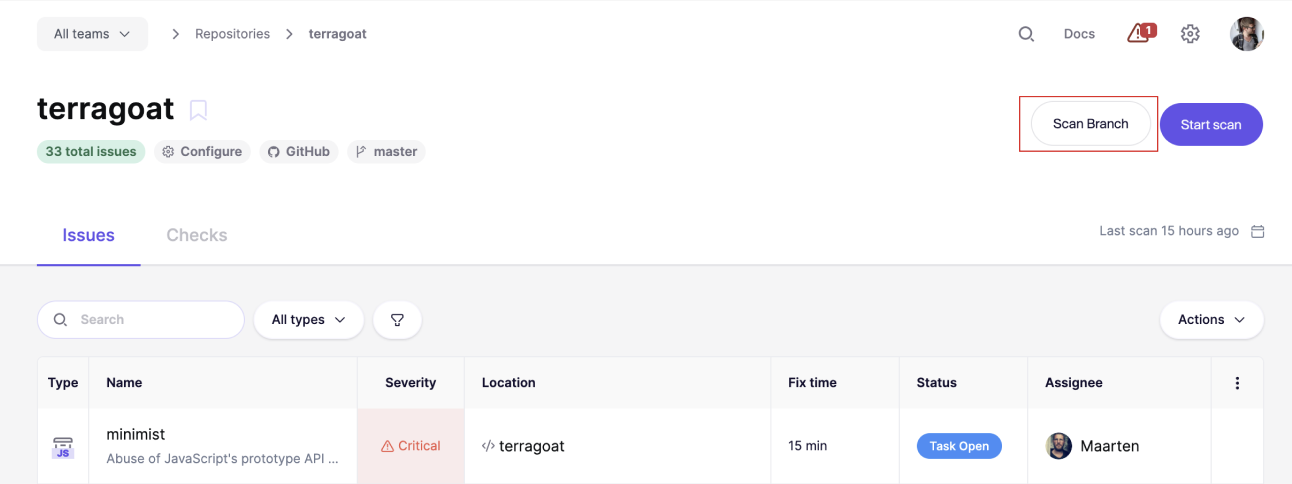
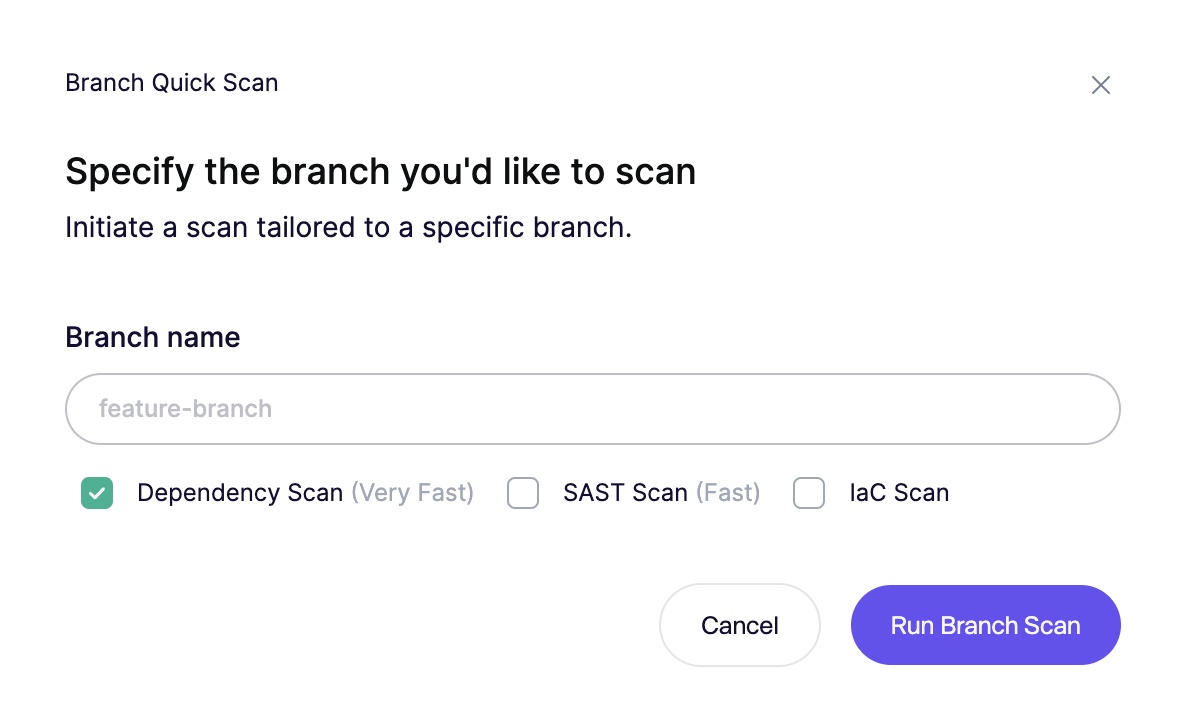
**Step 3:** In the prompted field, enter the **name of the branch or tag** you wish to scan. Make sure to type the exact name of the branch / tag to avoid any errors. You can select which types of scans to execute.
**Step 4.** In the bottom right corner, you will be able to follow the progress of the scanning. Once the scanning is done, click 'View Diffs'\

**Step 5.** Check which new issues are introduced and resolved on the comparison page.\
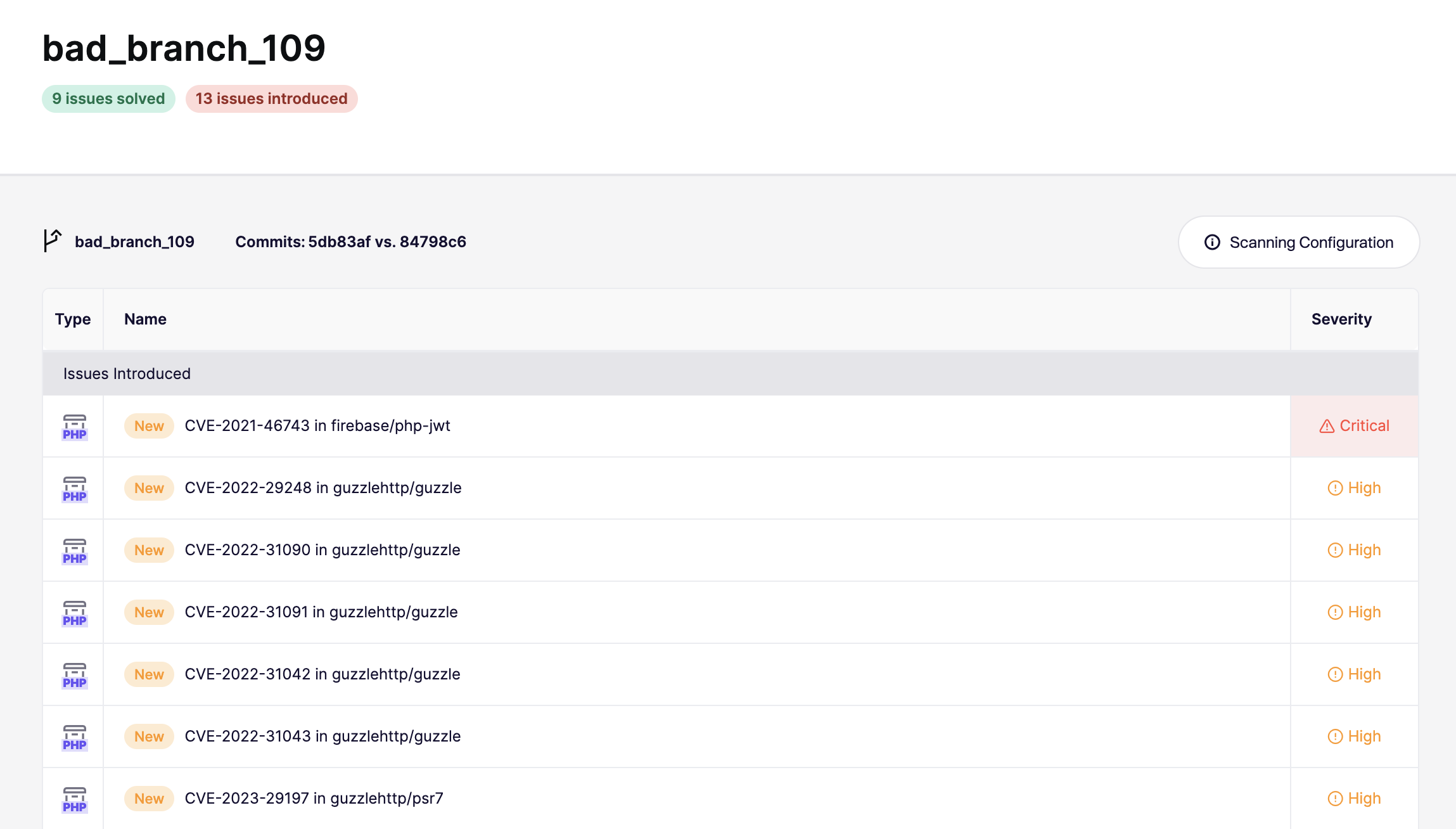
By following these steps, you can effectively conduct a manual scan of your branch/tag in Aikido, which will allow you to review changes, identify new or resolved issues, and make informed decisions about integrating the branch into your main codebase.
***