# Trends Over Time Report
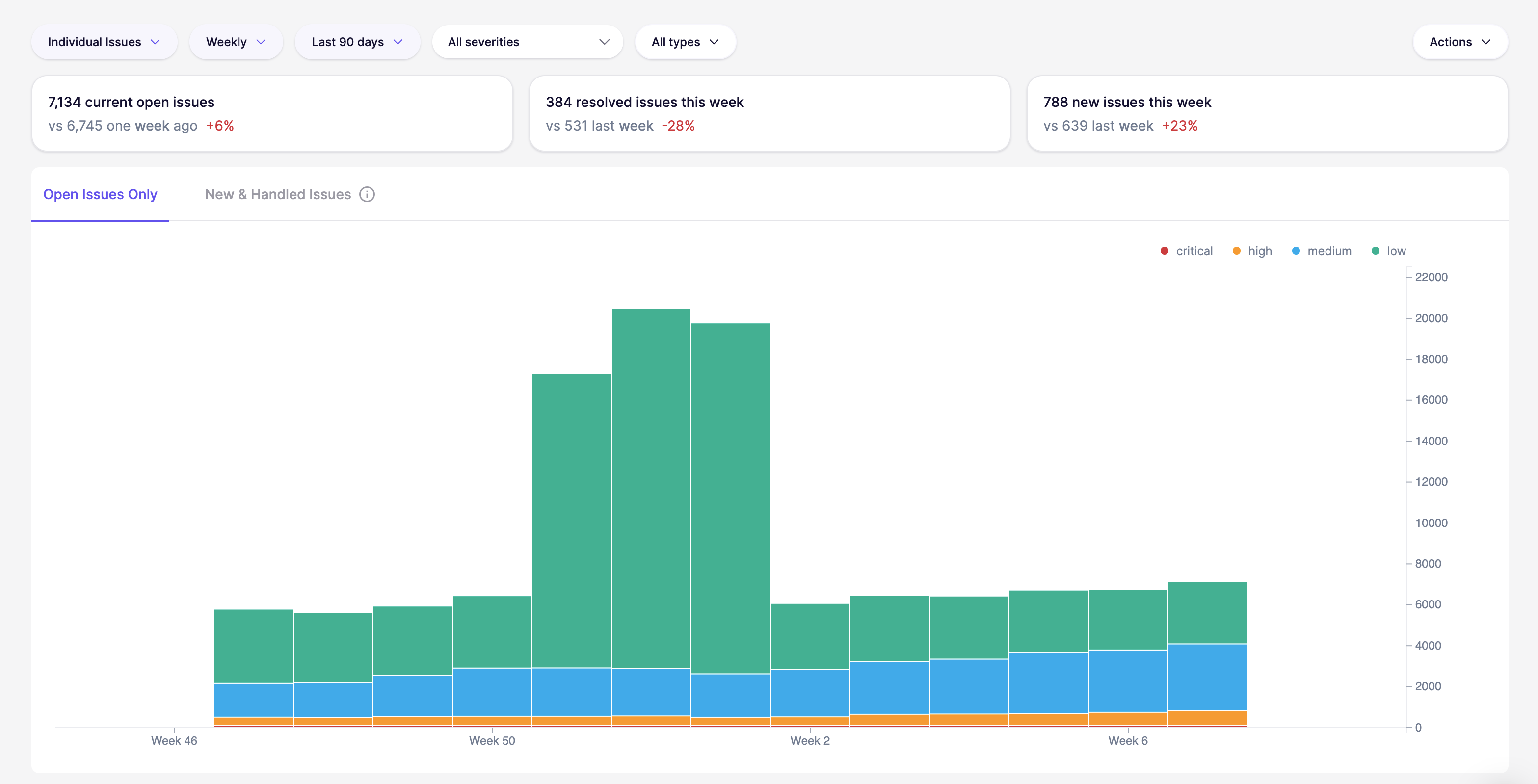
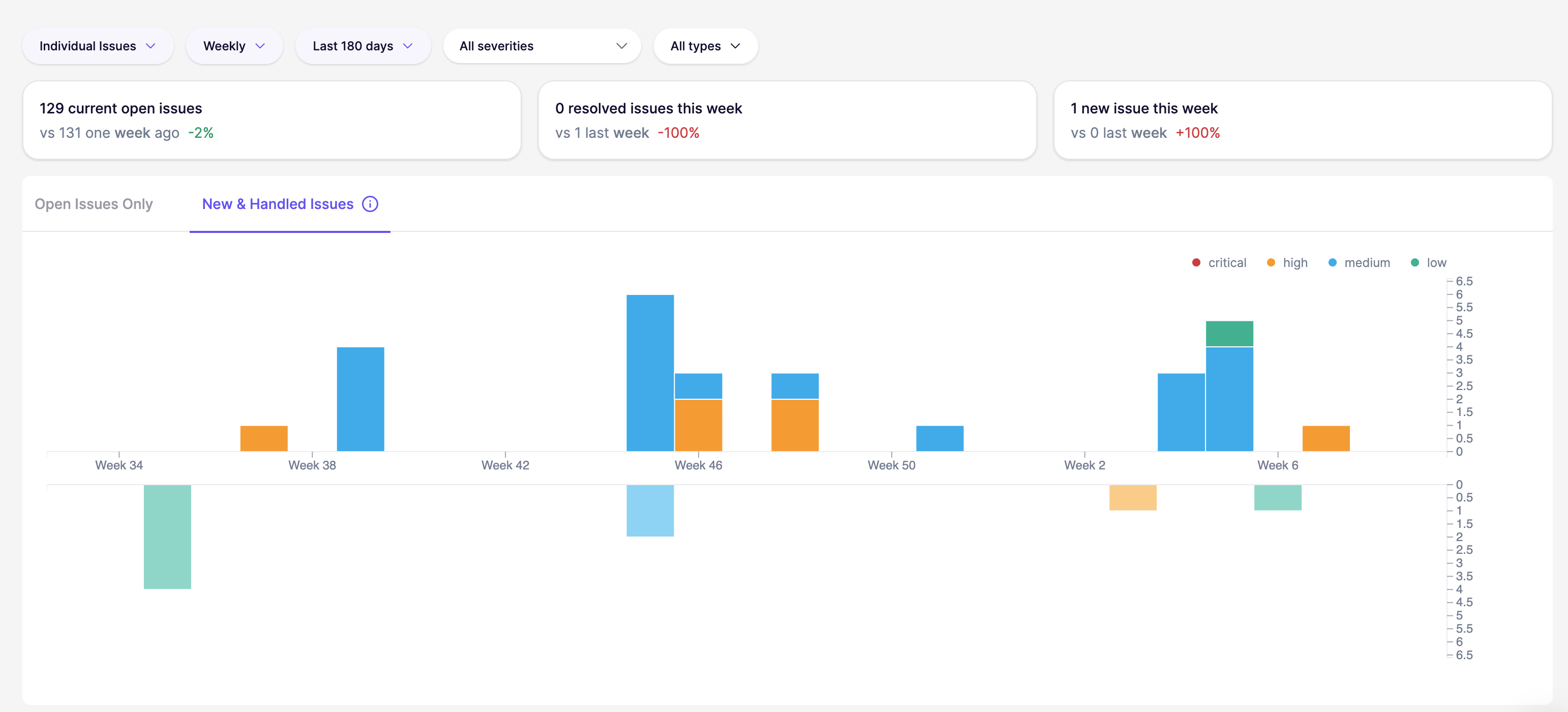
The [Trends Over Time](https://app.aikido.dev) Report shows how your security posture evolves week by week. It focuses on volume and movement, not just a static snapshot.
This report has two main views:
**Open issues**
Track your outstanding backlog over time. It’s the quickest way to see whether risk is accumulating, flattening out, or dropping.
**New & Handled issues**
Compare the inflow of new issues to the number of issues handled in the same period. It helps answer: “Are we reducing the backlog, or just treading water?”
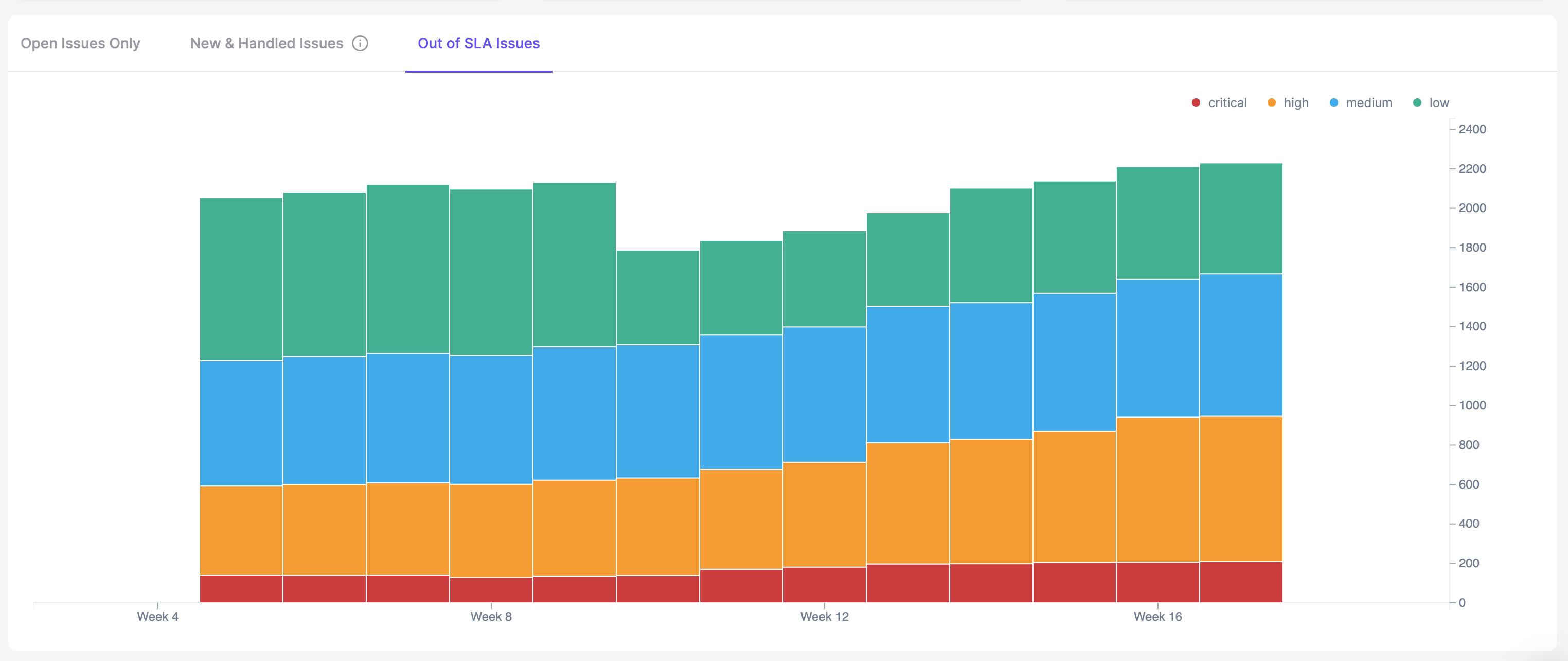
**Out of SLA**
The Out of SLA chart visually depicts the number of issues that have surpassed their service level agreement (SLA) timelines over a selected period. By analyzing this graph, teams can identify when SLA breaches peak and link them to operational factors to determine root causes.
## When to use this report
Use the Trends report when you need to:
* Track the impact of security initiatives
* Identify recurring spikes in issues
* Understand if teams are keeping up with new findings 
* Verify that handled issues consistently match or exceed new issues