# Reviewed leaked credentials and passwords
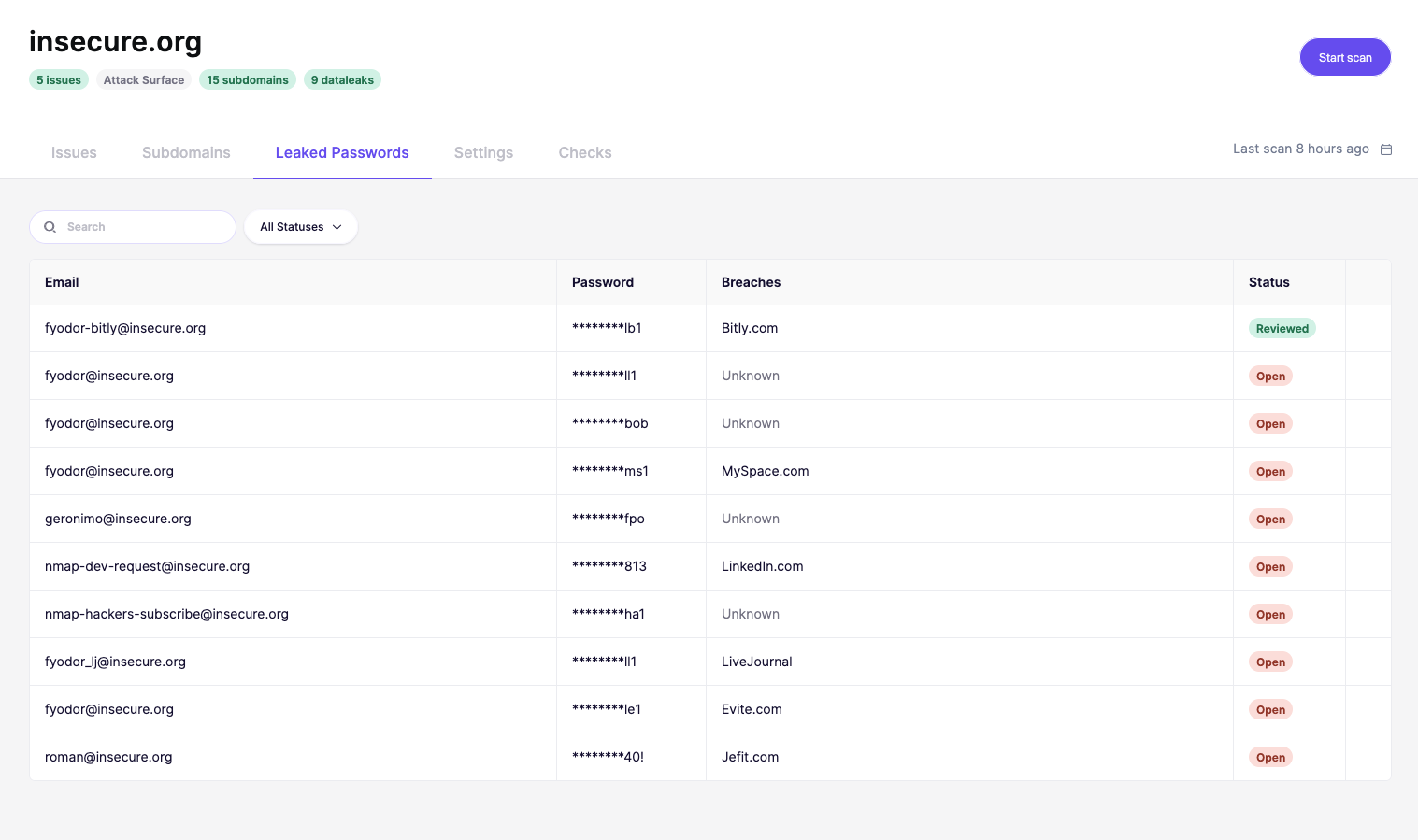
When Aikido detects a leaked password for one of your domains, you can review and take action directly from the Leaked Passwords page. This ensures compromised credentials are quickly secured and cannot be abused.
## Why review leaked passwords?
* Protect accounts: Prevent attackers from reusing exposed credentials.
* Notify users: Alert affected team members so they can secure their accounts.
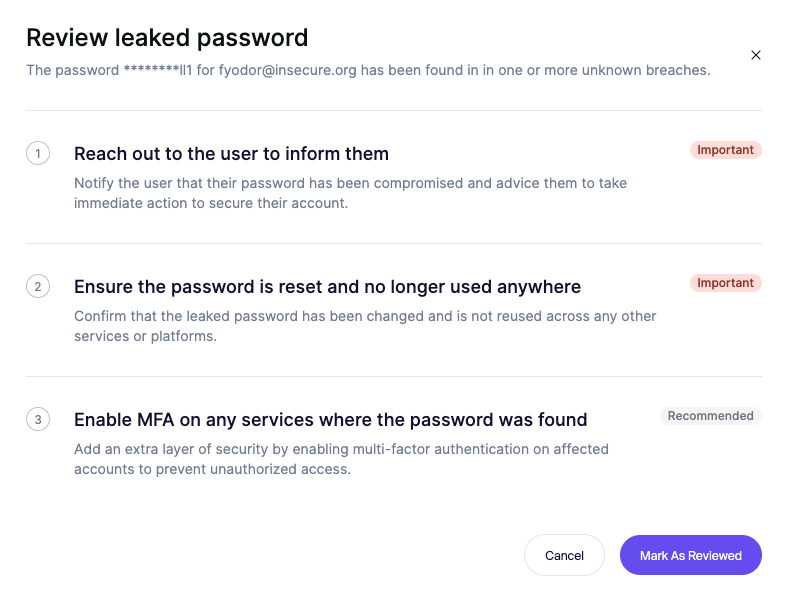
* Strengthen security: Enforce resets and add MFA where possible.
## Reviewing a leaked password
1. Go to the Leaked Passwords tab for your domain.
2. Select a password entry with the status Open.
3. Follow the recommended steps in the review dialog:
4. Once actions are completed, click Mark as Reviewed.