# GitHub Enterprise(Cloud & Server)を接続
Aikido は〜と連携します [GitHub Enterprise Cloud](https://docs.github.com/en/get-started/onboarding/getting-started-with-github-enterprise-cloud) と [GitHub Enterprise Server](https://docs.github.com/en/enterprise-server@3.19/admin/overview/about-github-enterprise-server) 安全な、アプリベースの接続を通じて。これにより、Aikido は完全な制御を維持したまま、選択したリポジトリにアクセスできます。
{% hint style="warning" %}
アプリをインストールするには、GitHub Server の組織で十分な権限があることを確認してください。通常、これは組織の管理者と所有者のみが行えます。
{% endhint %}
### インストール
Aikido は、サーバー上に GitHub App を作成することで GitHub Enterprise の設定に接続します。このアプリには、Aikido が動作するために必要な権限とコールバックが含まれています。作成後は、Aikido にリンクしたい GitHub Server インスタンス上の任意の組織にインストールできます。\
\
インスタンス上に GitHub App を作成するには、以下の手順に従ってください。
{% stepper %}
{% step %}
**アカウントを作成する**
まだ Aikido アカウントをお持ちでない場合は、まず Google または Microsoft で作成してください。GitHub Enterprise Server を接続する前にこれが必要です。
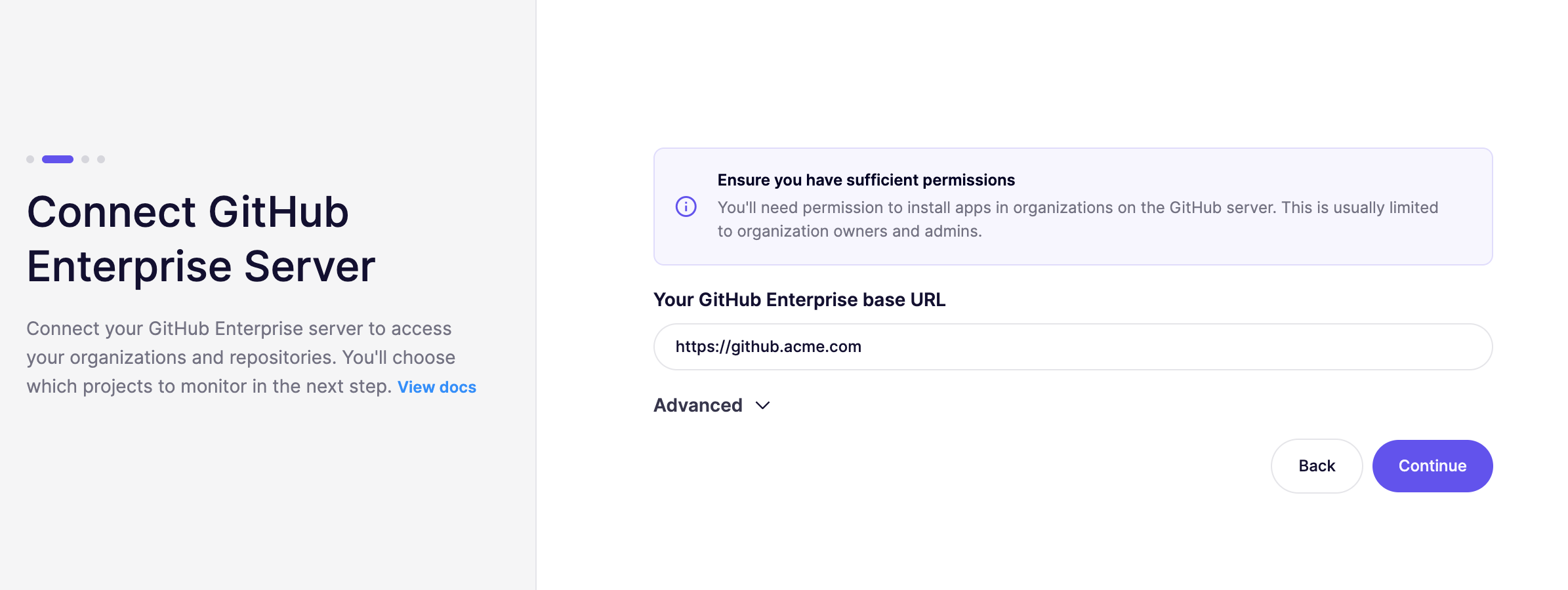
を開き、 [オンボーディングページ](https://app.aikido.dev/onboarding/self-managed/select-onboarding-type) で「GitHub Enterprise」を選択すると、インストールページに移動します。GitHub Enterprise の URL を入力して `次へ、アプリをインストール`.
{% hint style="warning" %}
GitHub Enterprise Server がインターネットから到達できない場合は、Broker 設定を有効にしてください。
Aikido Broker の仕組みの詳細については、 [ドキュメントを参照してください。](https://help.aikidogov.us/docs/docs-ja/miscellaneous-info/aikido-broker-for-internal-applications)
{% endhint %}
 {% endstep %}
{% step %}
**Aikido GitHub App を GitHub Enterprise にインストール**
という名前のファイルが `install.html` が端末にダウンロードされます。これには、GitHub Enterprise に JSON ペイロードを送信して GitHub App を作成するフォームを含む HTML ページが入っています。
ファイルをブラウザで開き、「インストール」を選択してセットアップを続行してください。
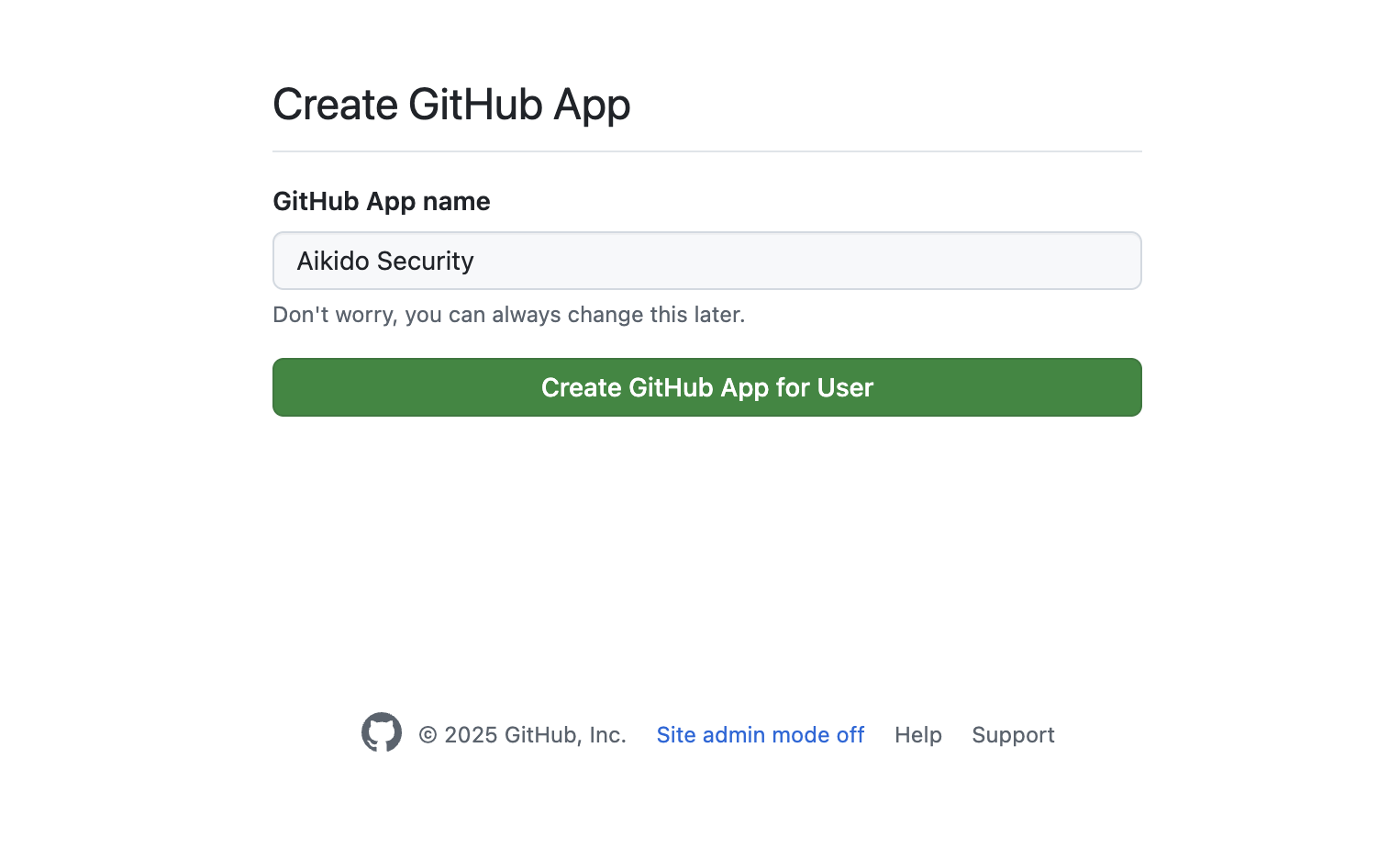
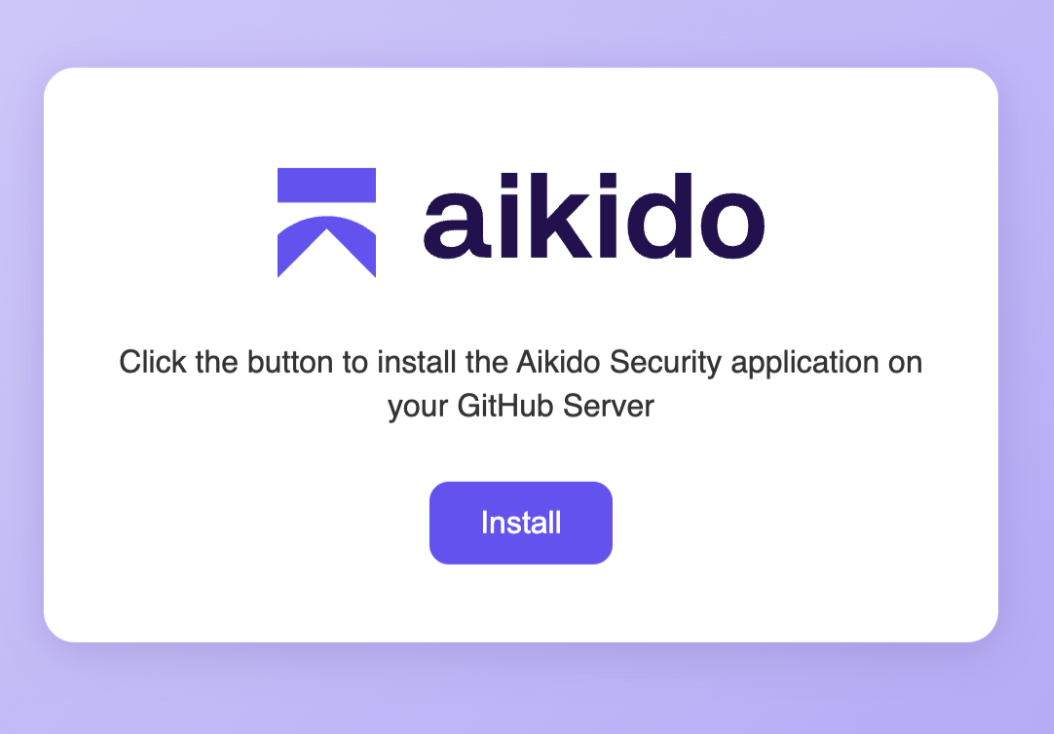 「インストール」をクリックすると、GitHub Enterprise 上のアプリのインストールを促すページにリダイレクトされます。 `ユーザー用の GitHub App を作成` して、サーバー上にアプリを作成します。
 {% endstep %}
{% step %}
**Aikido GitHub App を承認**
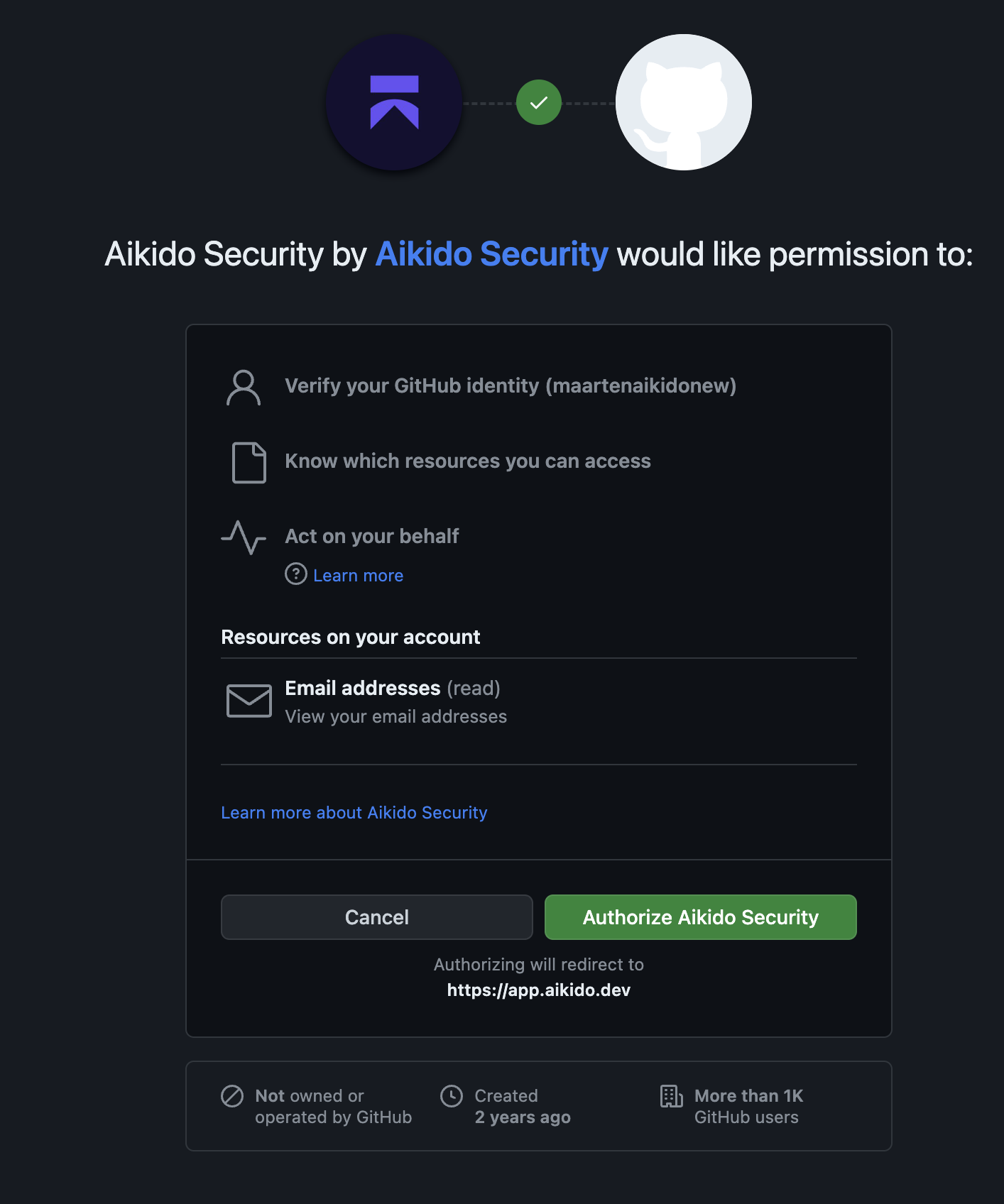
次に、OAuth を通じて新しい GitHub App をユーザーアカウントで承認する必要があります。この手順では、アプリが正しく作成されたことと、その使用権限があることを確認します。表示される画面は、以下の例と似ています。
 {% endstep %}
{% step %}
**GitHub 組織を接続**
アプリケーションをインストールして Aikido にリンクしたい GitHub 組織を選択してください。あとで組織を追加することもできます。組織を選択したら、GitHub App の承認を確認してください。
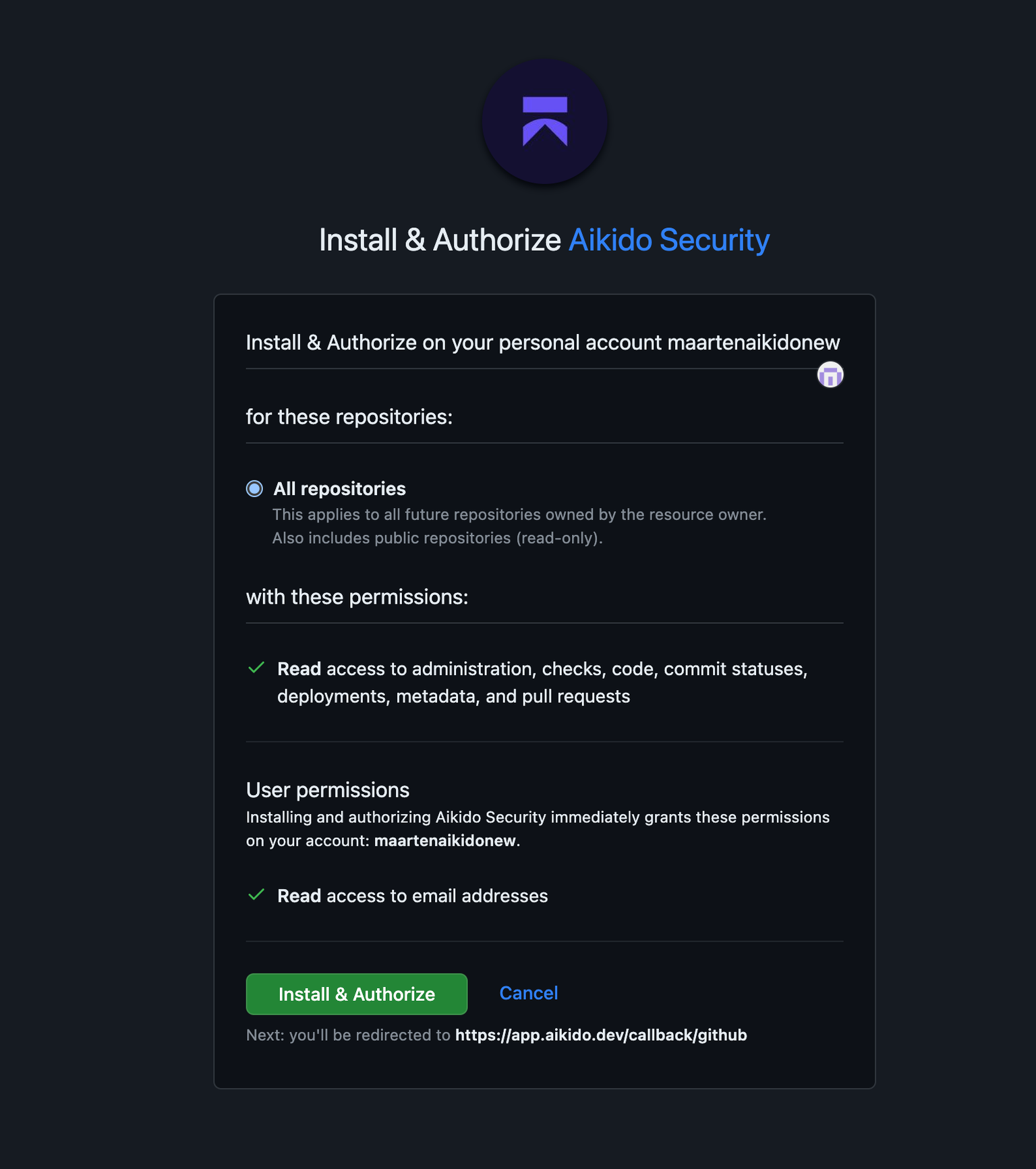 これで Aikido に戻り、どのリポジトリをスキャンするかを選択できます。必要なリポジトリを選択して続行してください。Aikido は選択したアプリケーションのスキャンを開始します。
{% endstep %}
{% step %}
**Aikido を試す**
アクセス権を付与し、スキャンしたいリポジトリを検証すると、Aikido は自動的にスキャンを開始します。約 1 分後、最初の結果が表示されるはずです
{% endstep %}
{% endstepper %}
#### GitHub Enterprise App の管理
{% content-ref url="connect-additional-organizations-to-aikido.md" %}
[追加の組織をAikidoに接続する](https://help.aikidogov.us/docs/docs-ja/code-scanning/connect-your-source-code/connect-github-enterprise/connect-additional-organizations-to-aikido)
{% endcontent-ref %}
{% content-ref url="transferring-ownership-of-the-aikido-app-in-github-enterprise.md" %}
[GitHub Enterprise(Cloud & Server)でAikidoアプリの所有権を移行する](https://help.aikidogov.us/docs/docs-ja/code-scanning/connect-your-source-code/connect-github-enterprise/transferring-ownership-of-the-aikido-app-in-github-enterprise)
{% endcontent-ref %}