# Google 認証
{% hint style="warning" %}
**テストには、会社ドメインの Google アカウントを使用してください。**
新規作成した無料の Gmail アカウントは使用しないでください。Google によってブロックされるか、ログインがボットの動作としてフラグ付けされる可能性が高くなります。
{% endhint %}
エージェントが Google 認証でログインできるようにするには、次の手順に従ってください。
{% stepper %}
{% step %}
**セキュリティ設定に移動する**
アカウントの設定ページに移動します:[https://myaccount.google.com/u/1/security](https://myaccount.google.com/u/1/security)
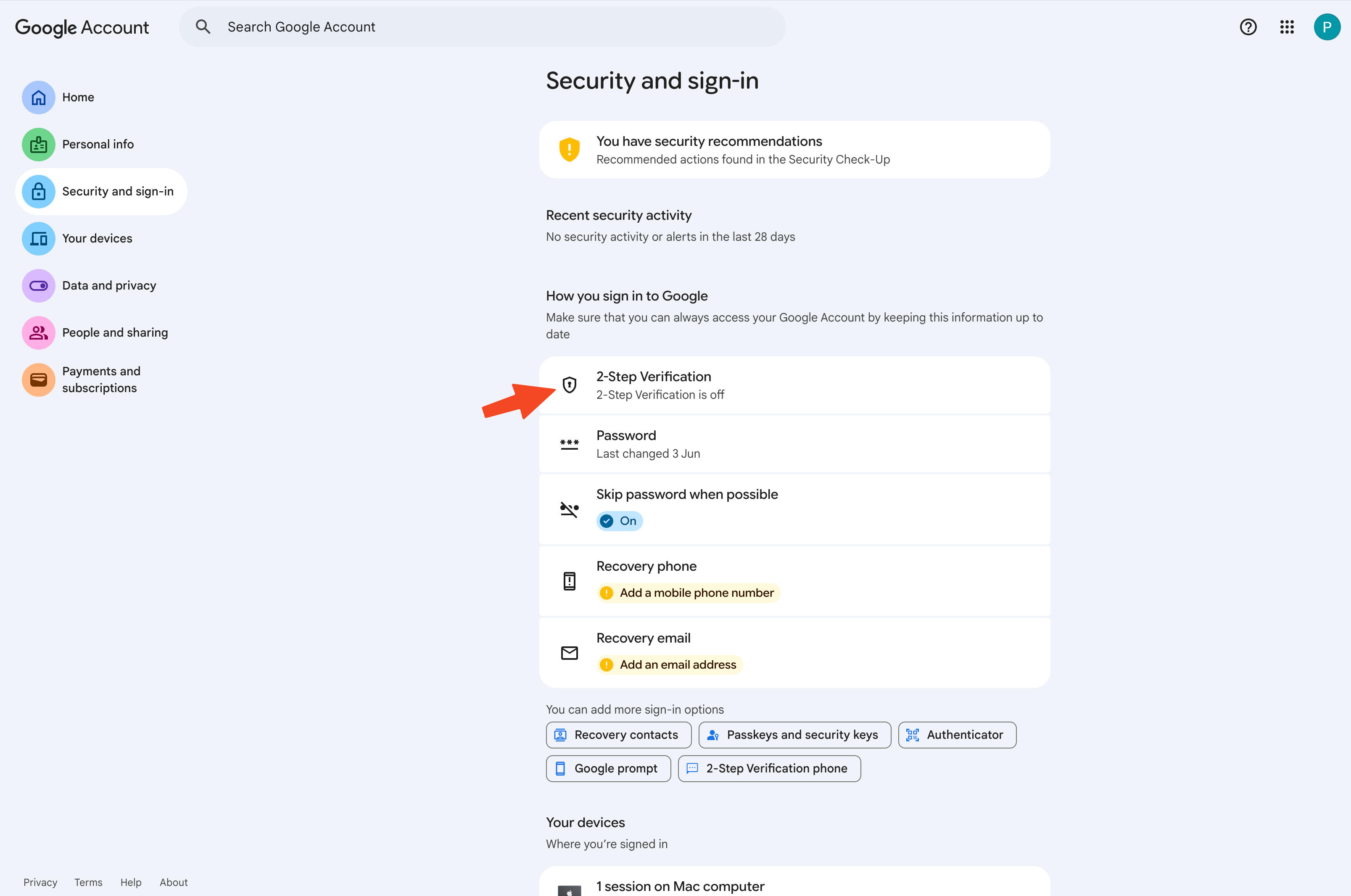 認証システムアプリのセットアップフローを開始します。
{% endstep %}
{% step %}
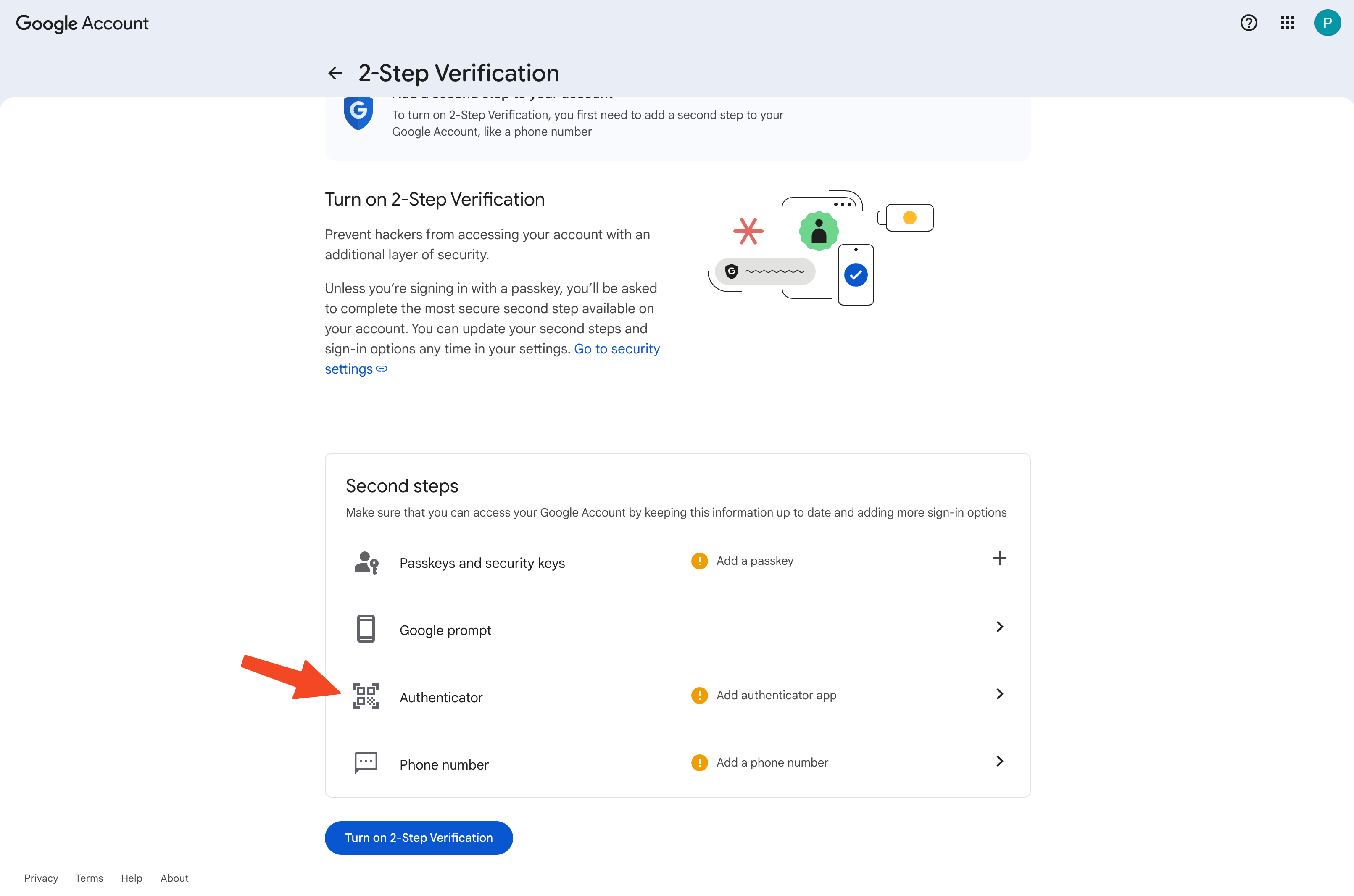
**MFA のオンボーディング**
認証システムアプリのオプションをクリックして、MFA を設定します。
 {% endstep %}
{% step %}
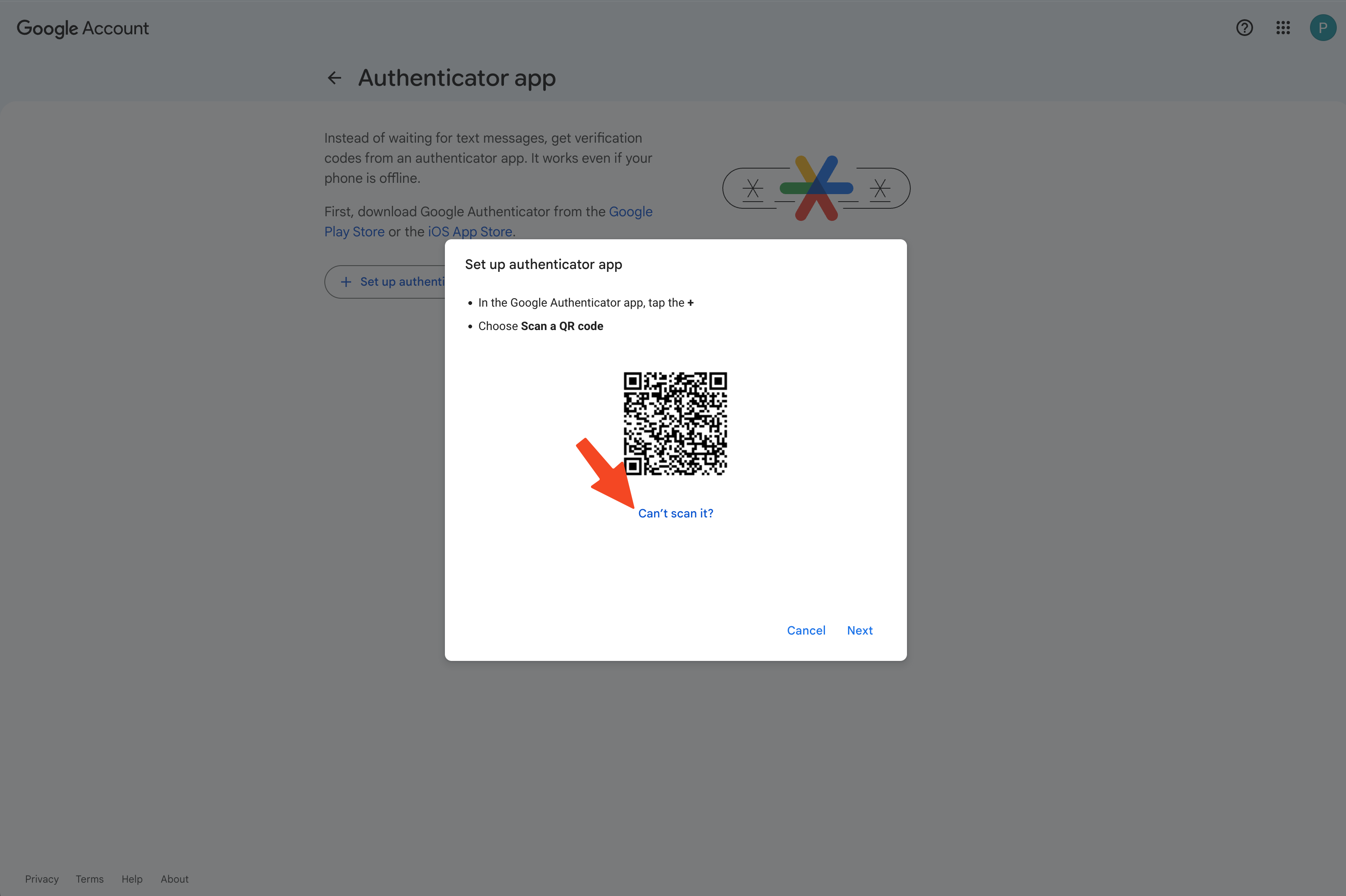
**コードの代わりにシークレットを取得する**
QR コードが表示されたら、**「スキャンできない場合」**を選択します。
 {% endstep %}
{% step %}
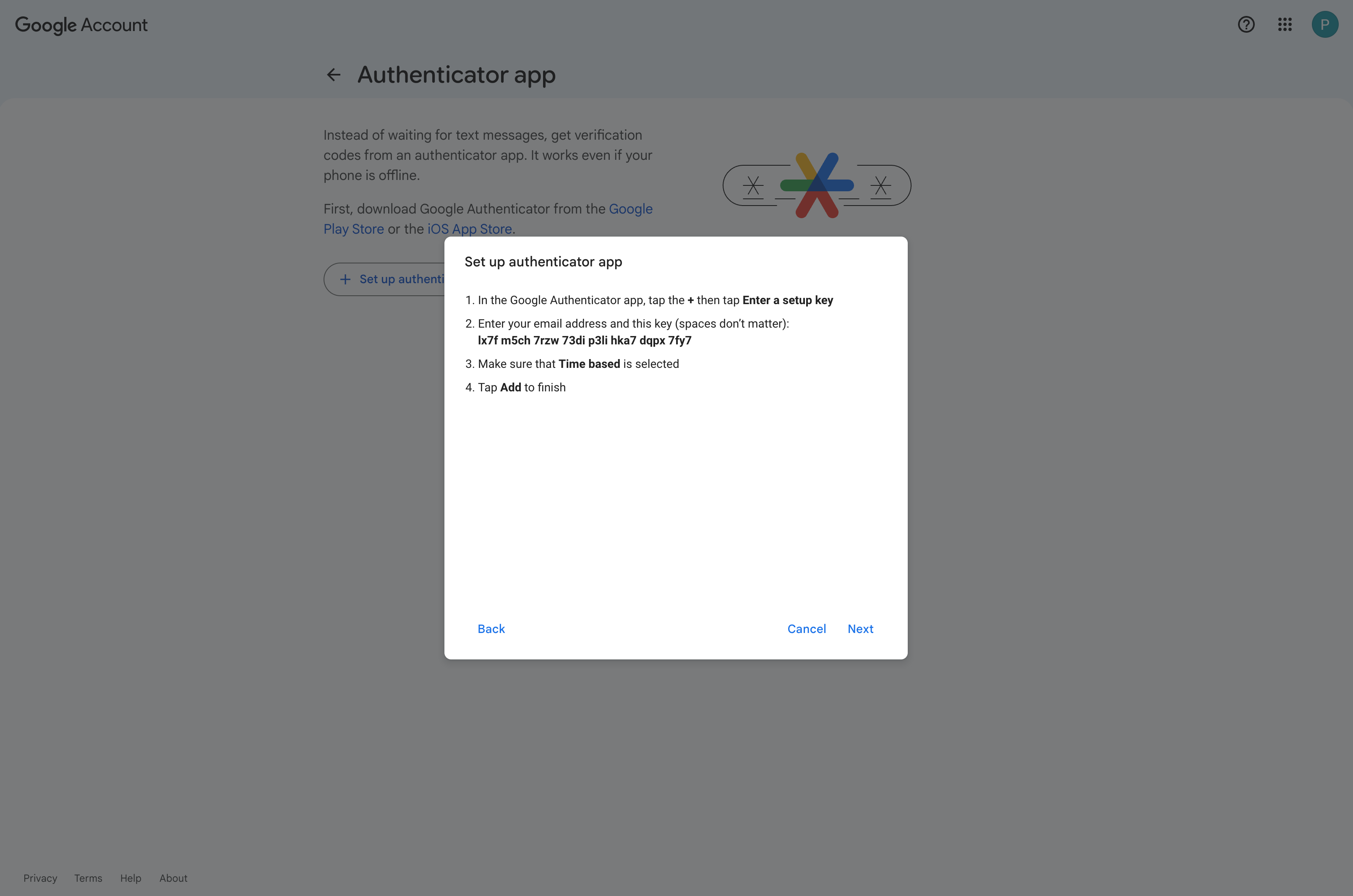
**キーをコピーする**
 {% endstep %}
{% step %}
**キーをパスワードマネージャーに保存する**
お好みのパスワードマネージャーにキーを保存します。1Password や Bitwarden など、シークレットを簡単にコピーできるものをおすすめします。
{% endstep %}
{% step %}
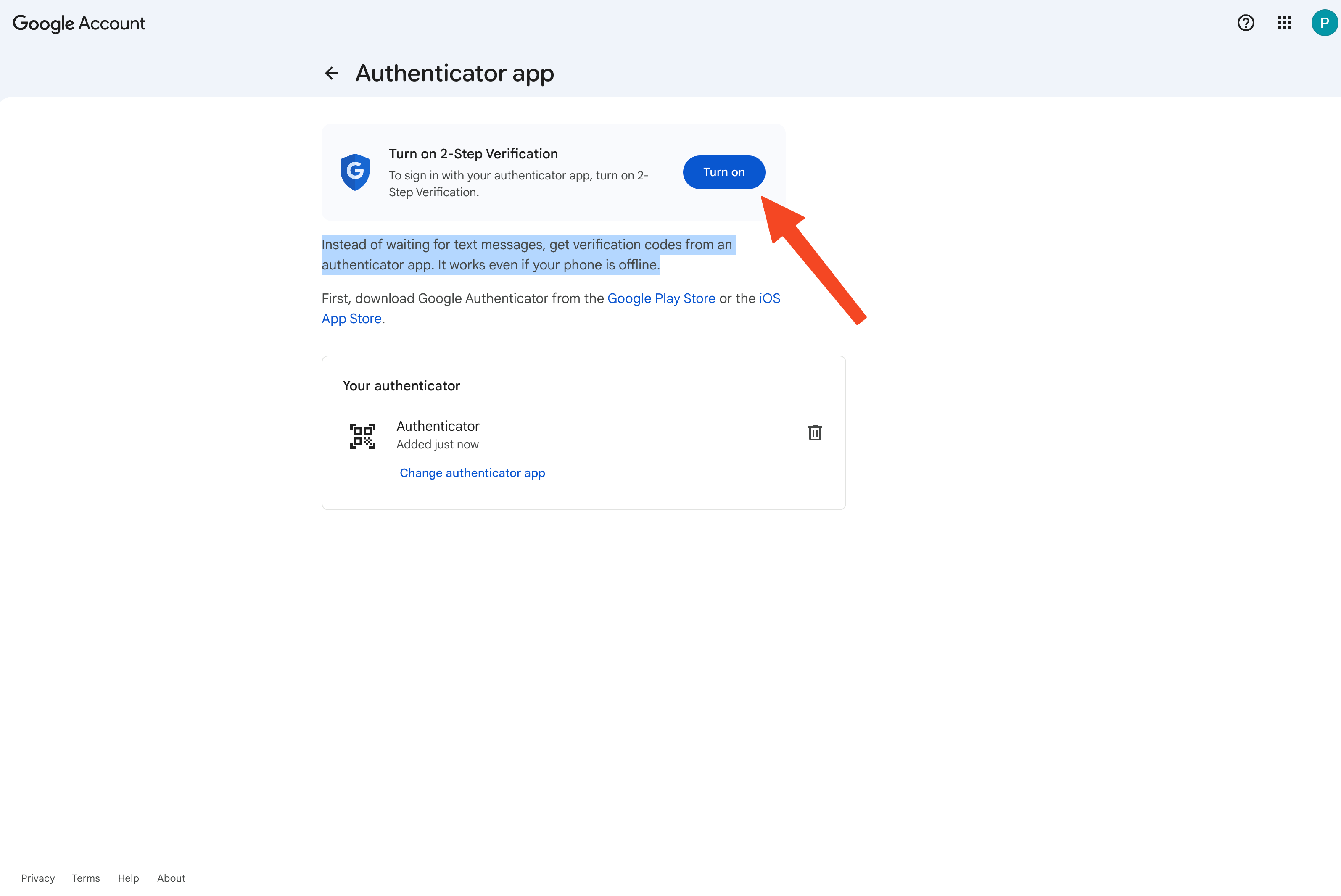
**フローを完了して 2 段階認証プロセスを有効にする**
 {% endstep %}
{% step %}
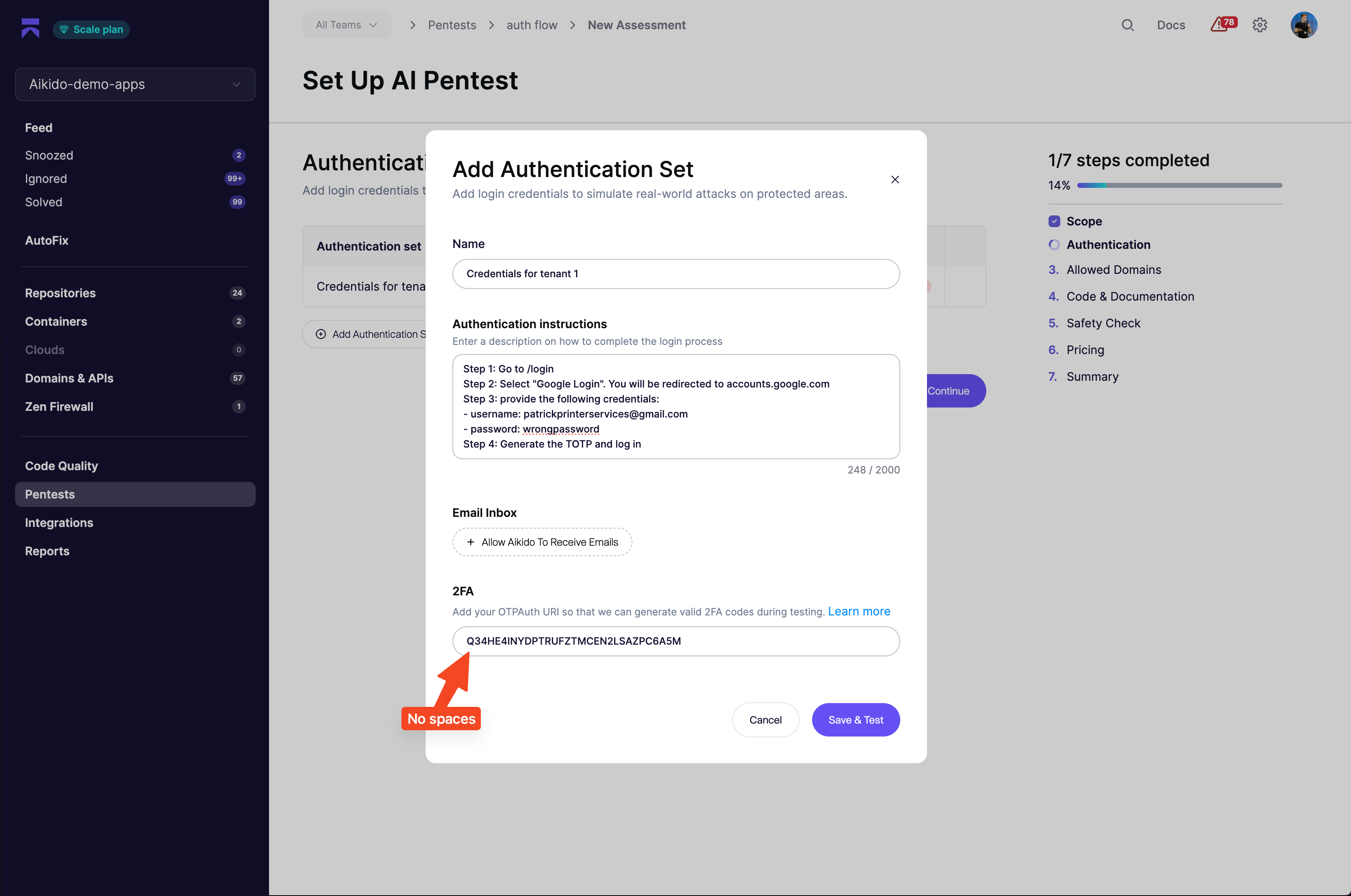
**Aikido Pentest で認証を設定する**
次のような形式で手順を記述します。
```
Step 1: Go to domain.com/login
Step 2: Select "Google Login". You will be redirected to accounts.google.com
Step 3: Provide the following credentials:
- username: security-test@company.com
- password: wrongpassword
Step 4: Generate the TOTP and log in
Success criteria: When you log in successfully, you will see "Hello Patrick" on the home screen
```
{% endstep %}
{% step %}
**TOTP URL を追加する**
キーを base32 形式で追加します。貼り付ける前に、Google のキーからスペースを削除してください。
 {% endstep %}
{% endstepper %}