# Snooze Issues for Later
### Use Case
Aikido introduces a flexible snooze feature that allows the snoozing of issue groups or subissues separately. This functionality clears the main feed of non-urgent items, providing a cleaner workspace to focus on immediate priorities.
### How to snooze issues
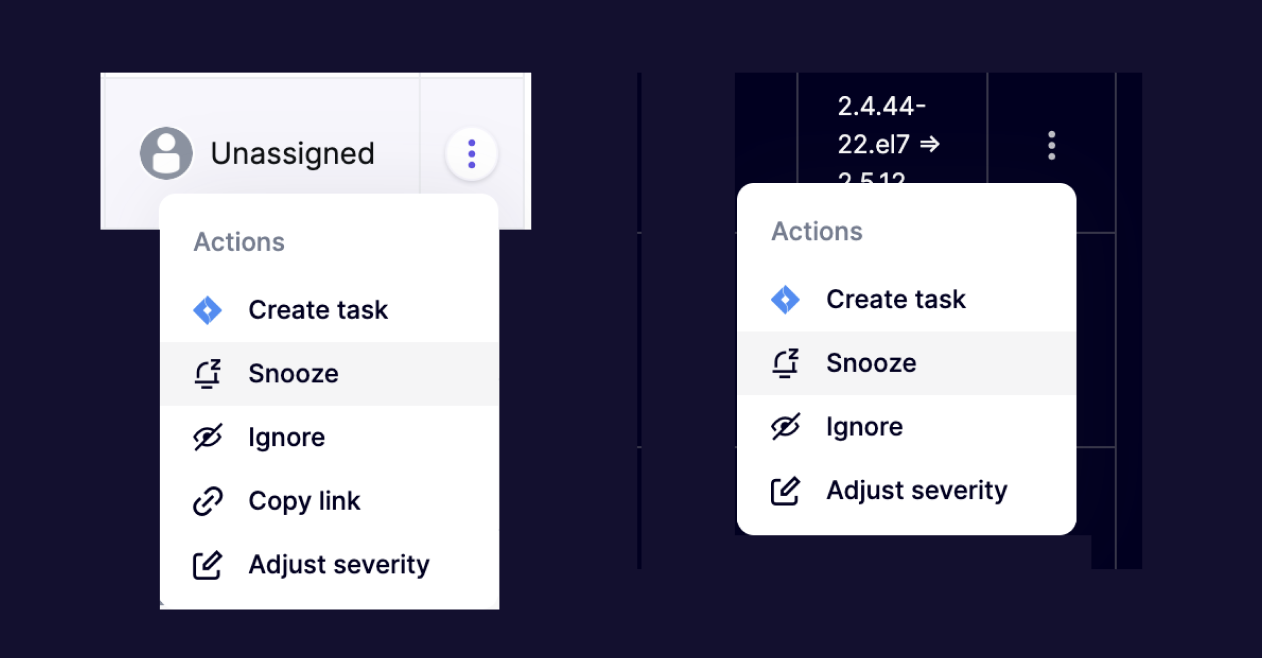
**Step 1.** Navigate to the **issue group**, or **subissue** in Aikido you wish to snooze and select the "Snooze" option in the actions menu (triple dots).
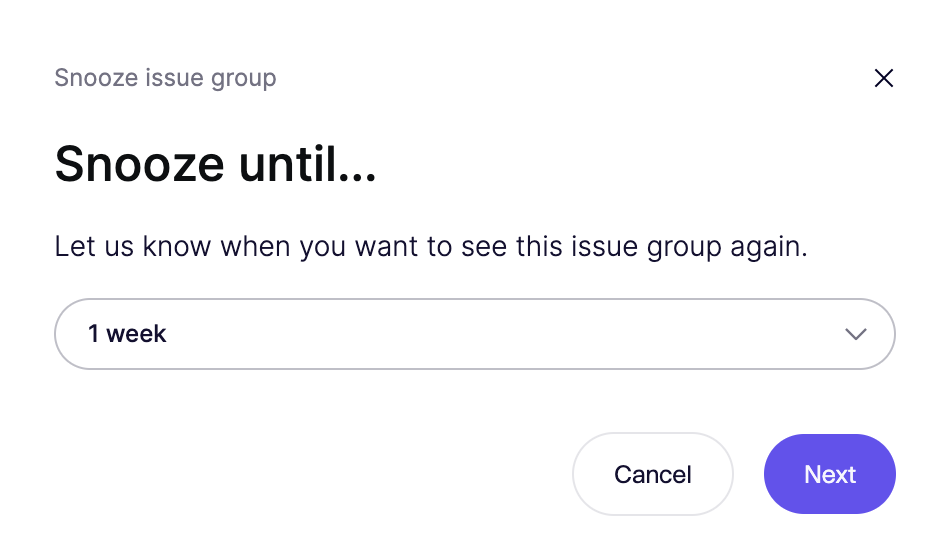
**Step 2.** Choose the duration for snoozing: 1 day, 1 week, 1 month, 1 year, or specify a custom period.\
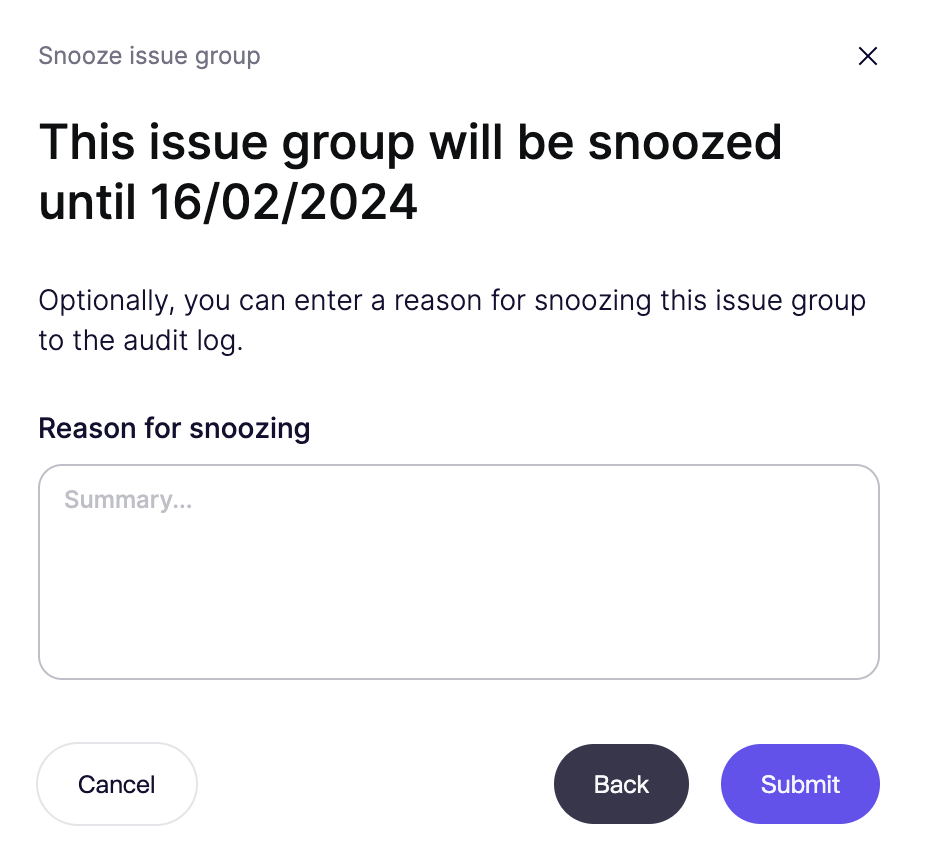
**Step 3.** Optionally, add a reason for snoozing to keep track of the decision-making process.\
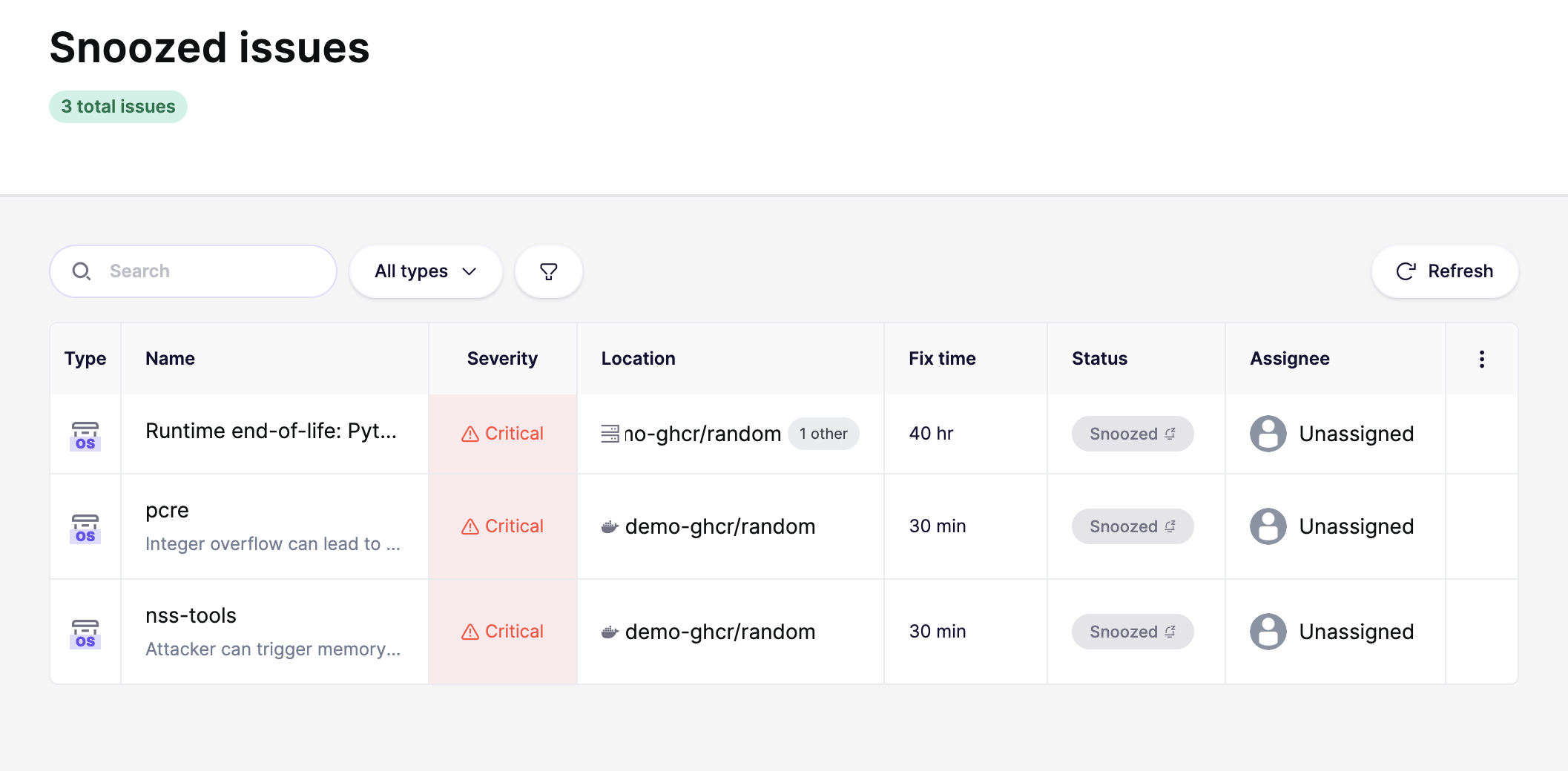
After snoozing, these items will disappear from the main feed, simplifying your view to focus on what's urgent.
### Viewing Snoozed Items:
* Access the [Snooze View](https://app.aikido.dev/issues/snoozed) in Aikido to see all snoozed issue groups and subissues. You can extend or unsnooze any issue from this view.\