# Map Aikido Data to Jira Custom Fields
#### **Why use custom field mapping:**
* **Required fields:** If your Jira issue types have required custom fields, Aikido cannot create tickets without mapping values to them
* **Richer ticket data:** Send Aikido data like severity, SLA dates, and teams directly into Jira fields
* **Jira automations:** Use mapped field values to trigger workflows, route tickets, or set priorities automatically
#### **Simple setup**
* Just enter your Jira field names exactly as they appear in Jira
* No field IDs, API lookups, or special formatting required
* For fixed values, use only the readable name as plain text
#### **Supported Jira field types:**
* Free text: `short text` `paragraph`
* Links: `URL Field`
* Selection fields: `select list (single choice)`
* Multi-selection fields: `select list (multiple choice and cascading)`
* Numbers: `Number field`
* Dates: `Date Picker`
* Datetimes: `Datetime Picker`
#### Configure Field Mappings
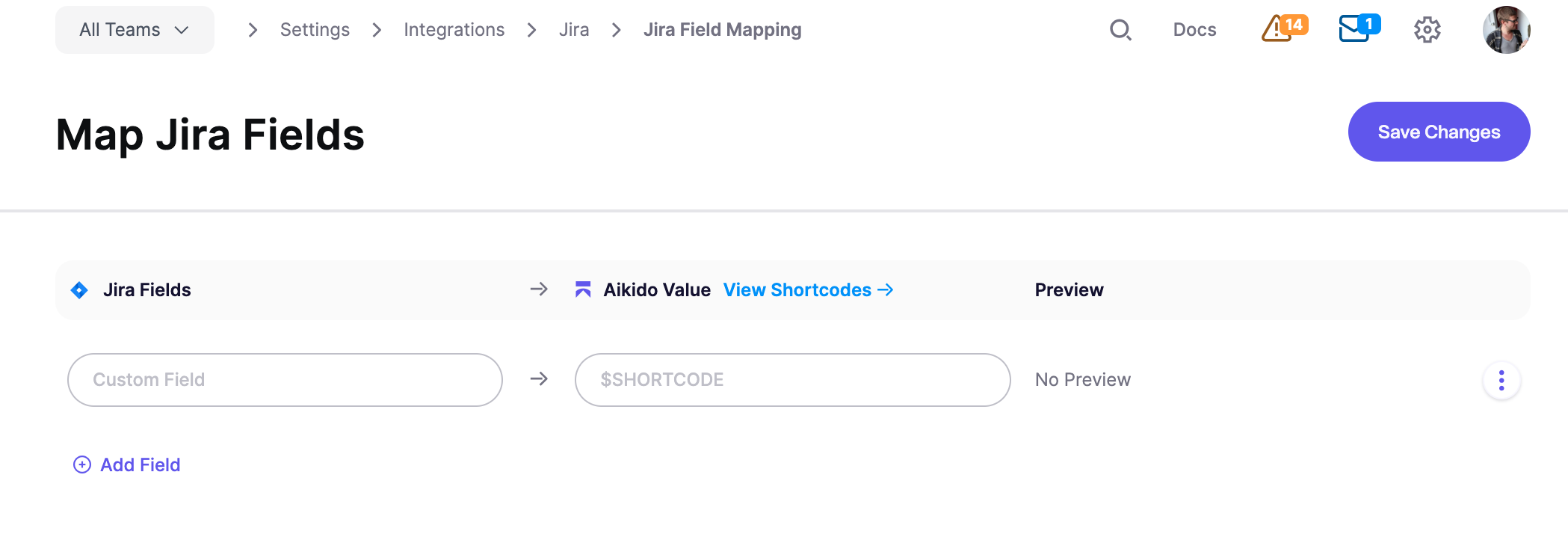
1. Go to [**Integrations** > **Jira** > **Jira Field Mapping**](https://app.aikido.dev/settings/integrations/tasktracker/fields/custom) and click **Add Field**
2. Enter the Jira custom field name in the **Custom Field** input exactly as it appears in Jira
3. Enter an Aikido shortcode (e.g., `$SEVERITY`) or a fixed text value in the **Aikido Value** input
4. Click **Save Changes**
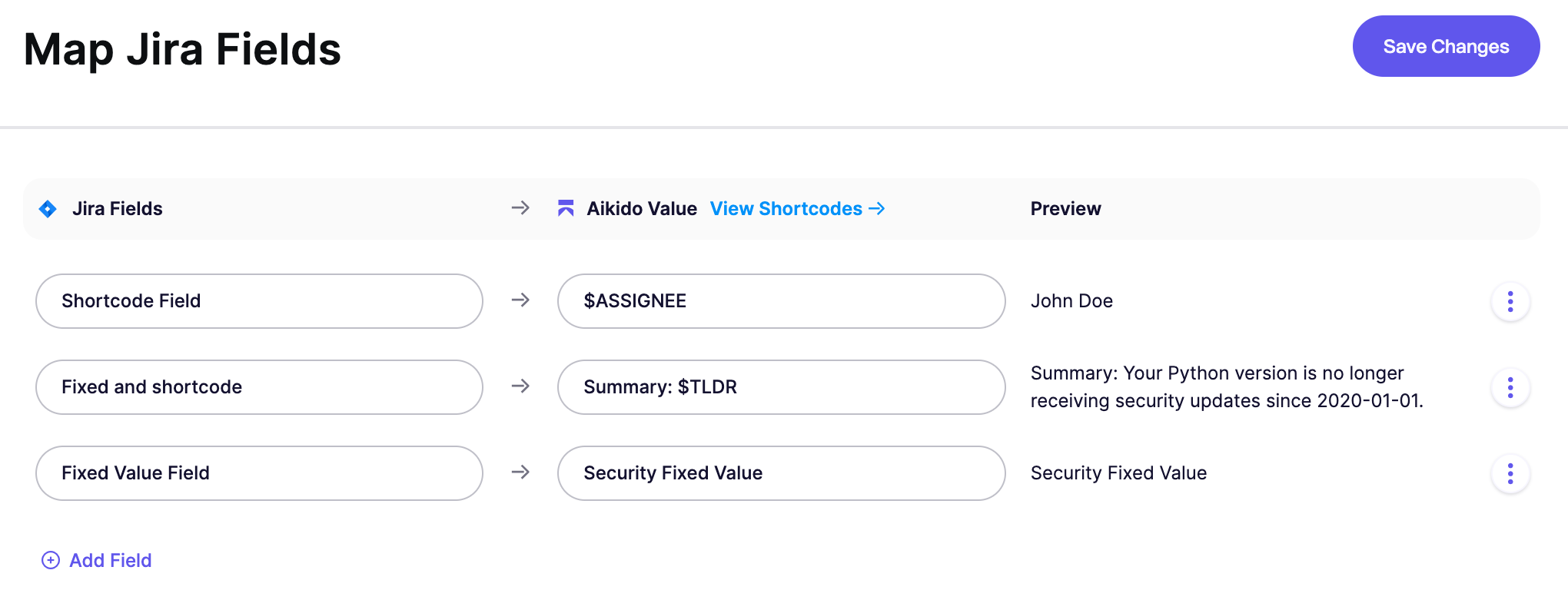
The **Preview** column shows what value will be sent to Jira. These can be values based on shortcodes or fixed values / free text.
#### Aikido Value: Fixed Text vs Shortcodes
**Option 1: Send Fixed Values to Jira via free text**
Enter plain text instead of a shortcode to set a constant value. Use only the readable name; you don't need Jira IDs or special formatting.
For example, entering `Security` populates that Jira field with "Security" for every ticket created from Aikido.
**Option 2: Send Aikido Values to Jira via Shortcodes**
Shortcodes are placeholders that pull data from your Aikido issues. When a Jira ticket is created, the shortcode is replaced with the actual value. You can also combine shortcodes with fixed text, such as `Issue: $TLDR` or `Detected on $FIRST_DETECTED_DATE`. Need a shortcode that's not listed? Reach out to us.
| Shortcode | Description |
| ----------------------- | ------------------------------------------------------------------------------------------------------------- |
| `$SEVERITY_SCORE` | The numeric severity score of the vulnerability (e.g., 85) |
| `$SEVERITY` | Severity level (Critical, High, Medium, Low) |
| `$ASSIGNEE` | User assigned to handle the issue in Aikido |
| `$TLDR` | Summary of the issue group |
| `$HOW_TO_FIX` | The how to fix description of the issue group |
| `$FIX_TIME` | The amount of time it takes to fix the issue group in minutes |
| `$TASK_DESCRIPTION` | The default description generated by Aikido for this task including scope, TLDR, and how to fix |
| `$TEAMS` | Teams responsible for the related issues |
| `$SCOPES_REPO` | The scopes filtered to only include repo names related to this task. Might be empty for some grouped issues. |
| `$SCOPES_SHORT` | The shorter version of the scopes related to this task such as repo names, container names, cloud names, etc. |
| `$SCOPES` | Scopes/locations related to the task (repo, container, etc) |
| `$SLA_DATE` | SLA due date |
| `$SLA_TIME` | SLA due date as a Unix timestamp |
| `$FIRST_DETECTED_DATE` | Date when the issue was first detected |
| `$FIRST_DETECTED_TIME` | First detected date as a Unix timestamp |
| `$AIKIDO_LINK` | Link to the issue group in Aikido |
| `$CWE_IDS` | The CWE ids of the issues related to this task |
| `$CVSS` | The highest CVSS score of the issues related to this task |
| `$ISSUE_TYPE` | The type of the issue related to this task |
| `$PROGRAMMING_LANGUAGE` | The programming language of the issue related to this task |
| $TEAMS | The teams responsible for the issues related to this task |
#### Date and Datetime Fields
For Jira **date** fields, use the `YYYY-MM-DD` format (e.g., `2024-03-15`) or the `_DATE` shortcodes.
For Jira **datetime** fields, use the `_TIME` shortcodes (e.g., `$SLA_TIME`, `$FIRST_DETECTED_TIME`). These output Unix timestamps, which Aikido automatically converts to Jira's required datetime format.
#### Advanced Examples
**Link all Aikido issues to one fixed parent**
If you want every Jira ticket from Aikido to use the same parent, map the Jira **Parent** field to a fixed value. In the **Aikido Value** input, enter the Jira issue key of the parent issue, such as `SEC-123`.
{% hint style="info" %}
The parent issue must already exist in Jira. It must also be valid for the project and issue type you use in Aikido.
{% endhint %}