# Supabase domain verification
To verify a Supabase domain for a pentest, complete the steps below.
{% stepper %}
{% step %}
**Start the verification process**
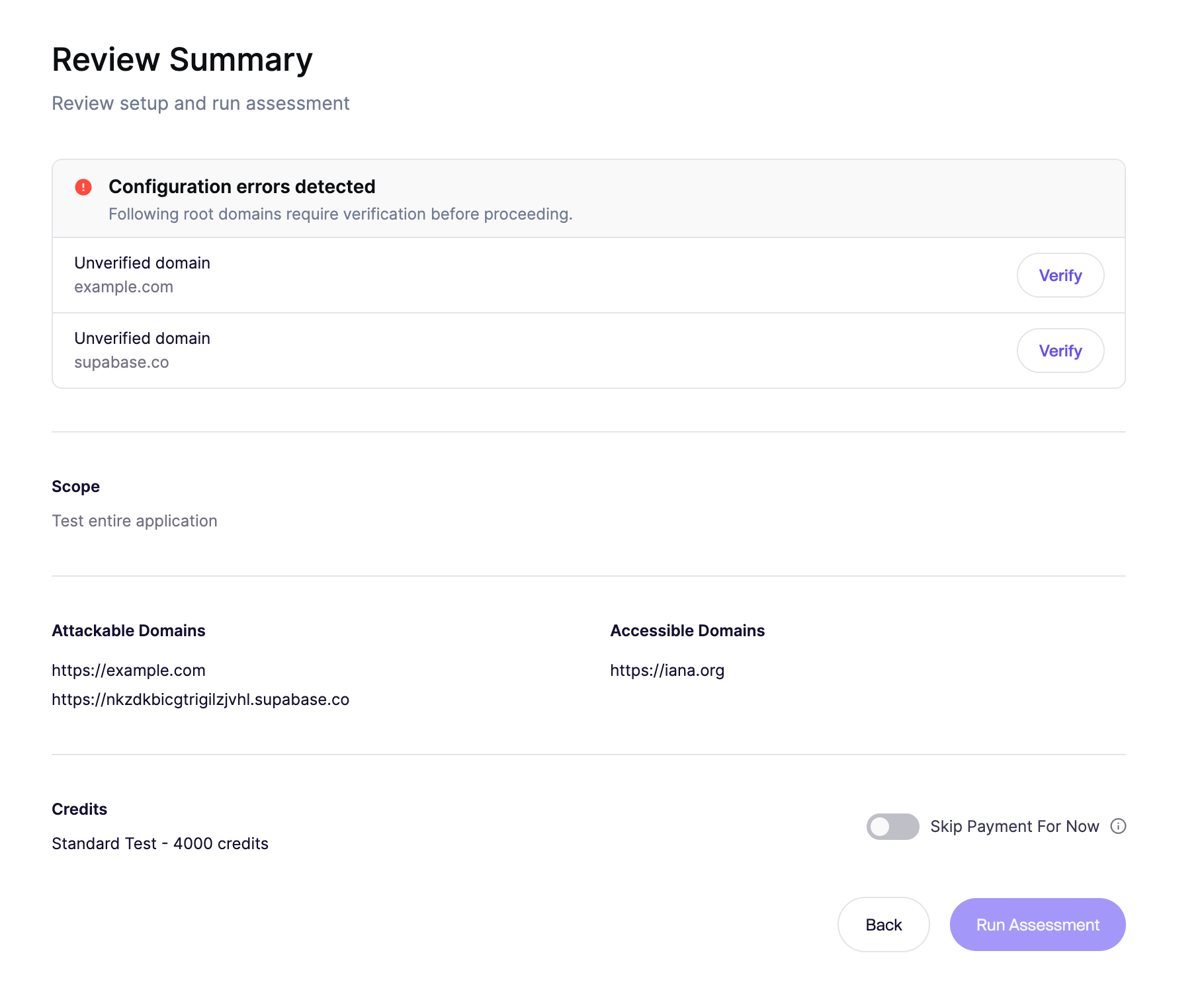
Go to the final step of the pentest onboarding flow, where you can configure domain verification.
{% endstep %}
{% step %}
**Click verify**
Find your Supabase domain and click Verify. This starts the Supabase-specific verification flow.
{% endstep %}
{% step %}
**Copy the verification code**
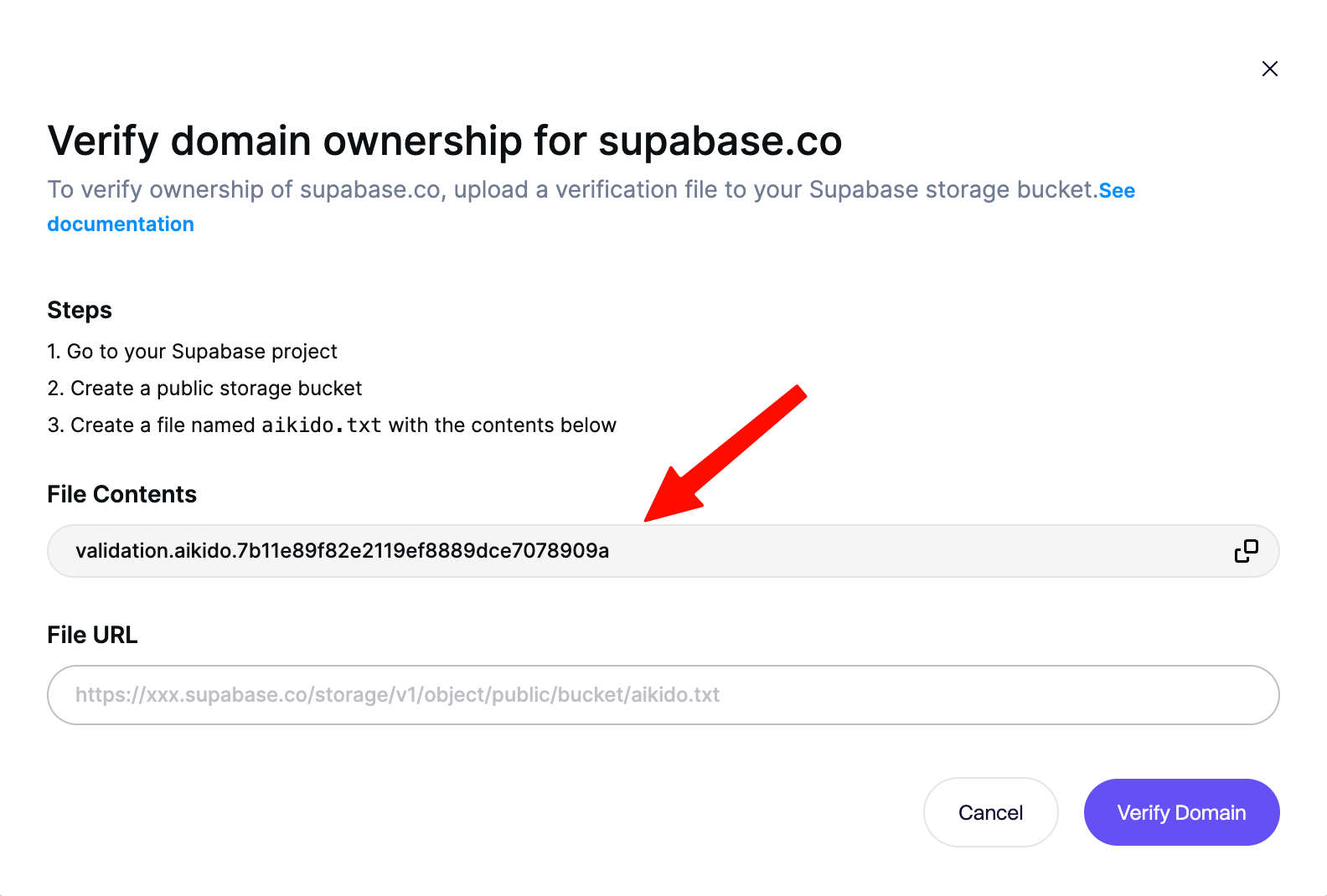
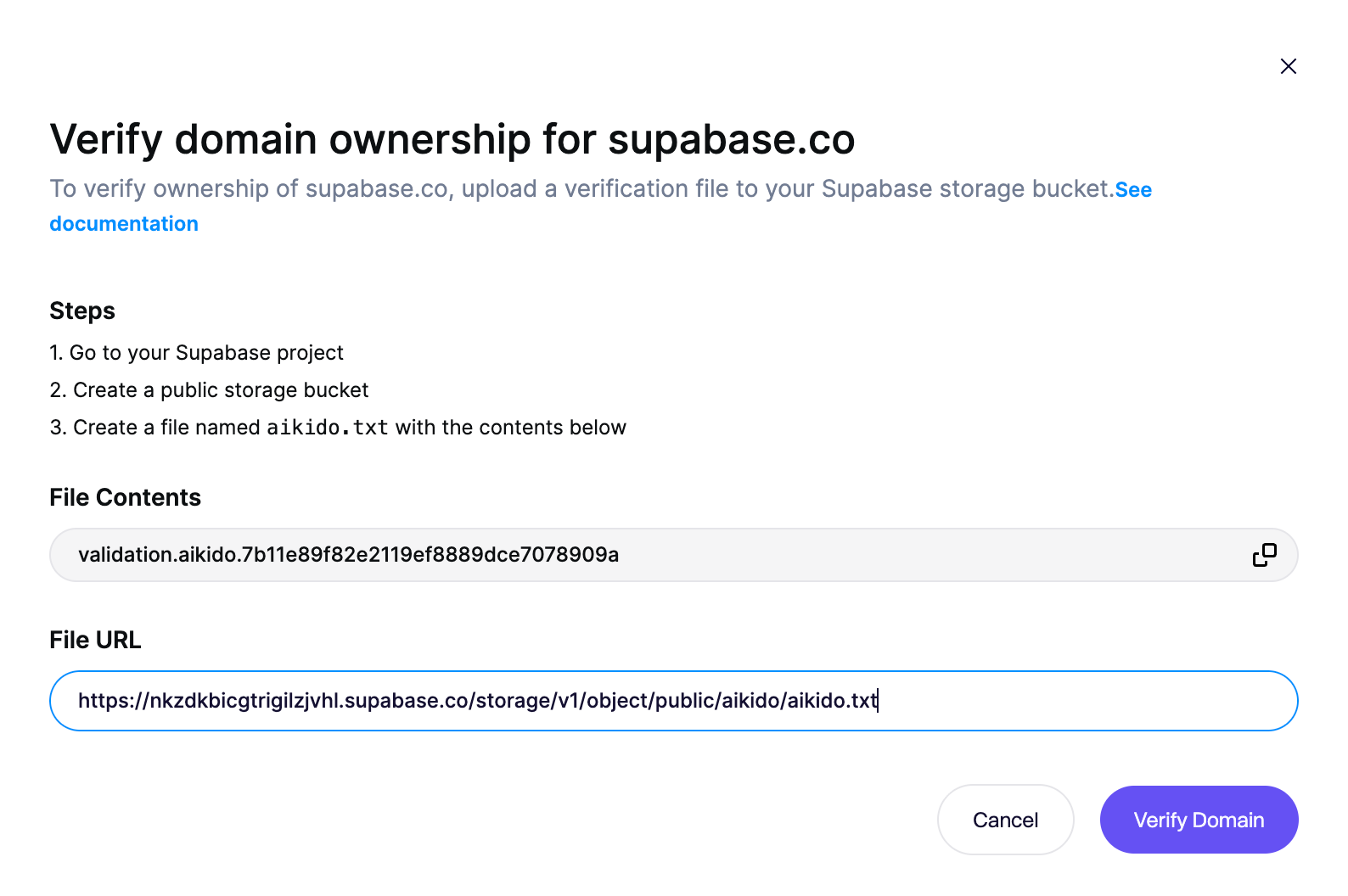
Copy the verification code shown in Aikido. You will use this code to create the verification file in the next step.
{% endstep %}
{% step %}
**Create a verification file**
Create a local file named aikido.txt and add the verification code to it. You will upload this file in a later step.
```
echo validation.aikido.7b11e89f82e2119ef8889dce7078909a > aikido.txt
```
{% endstep %}
{% step %}
**Create public bucket**
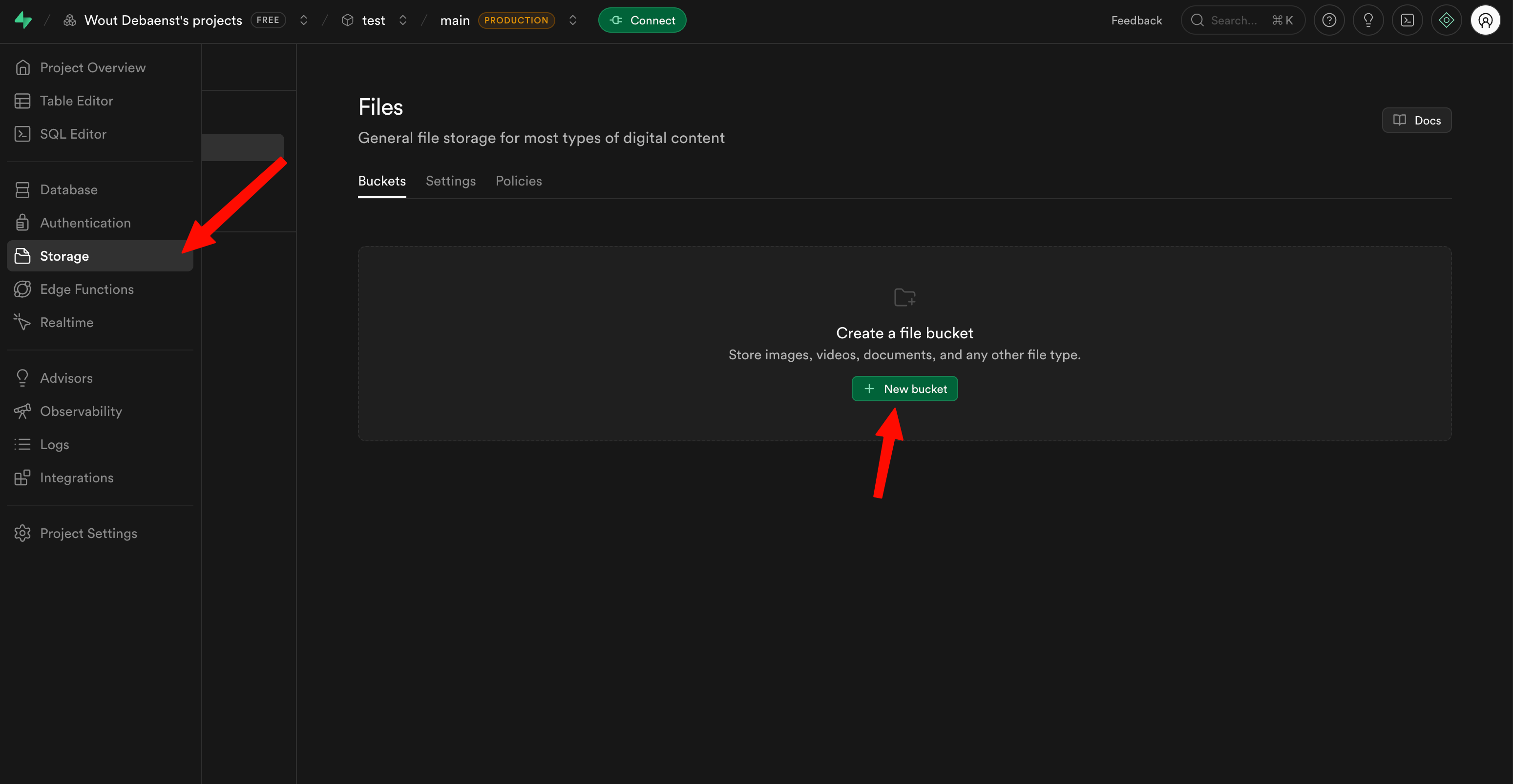
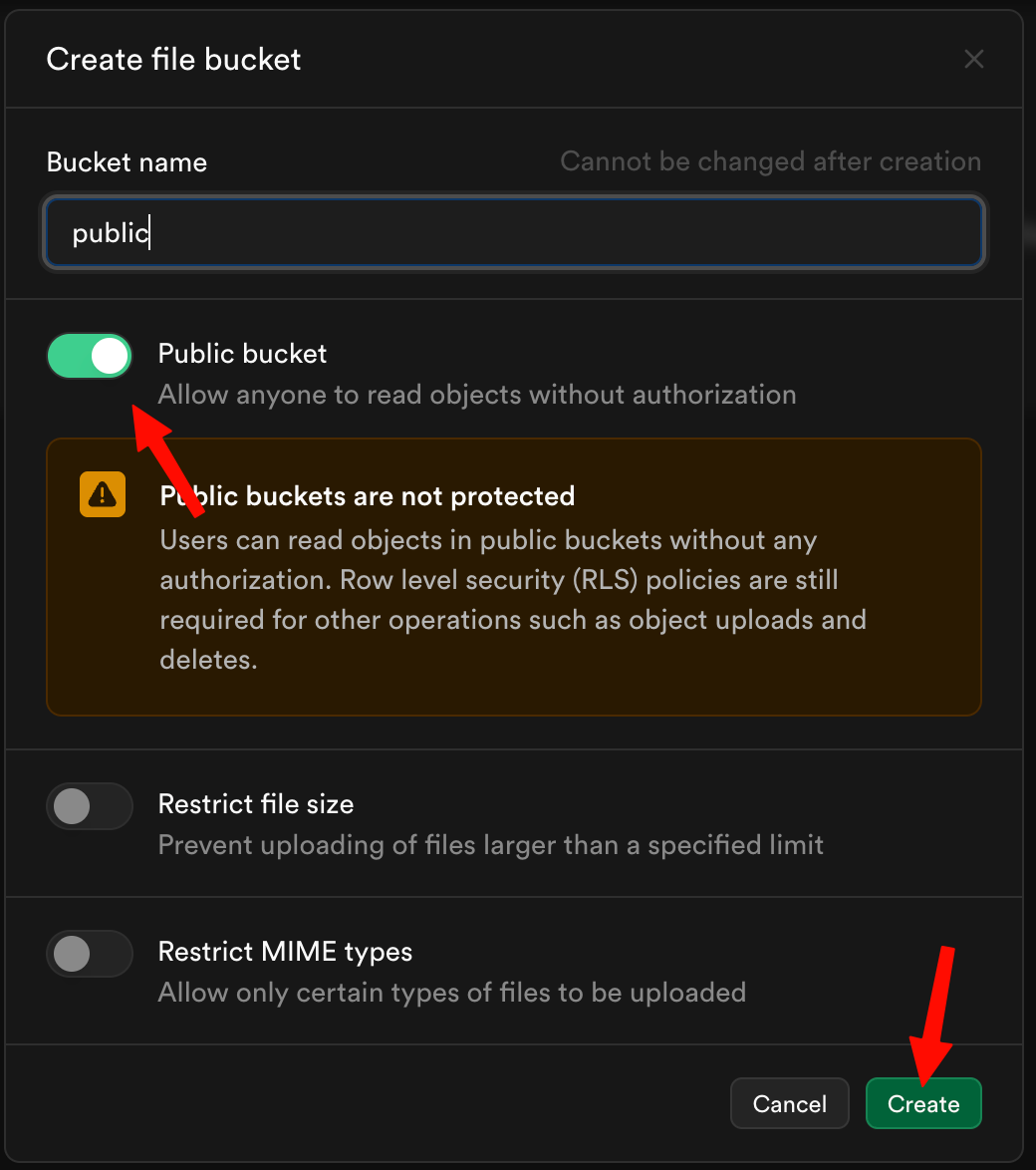
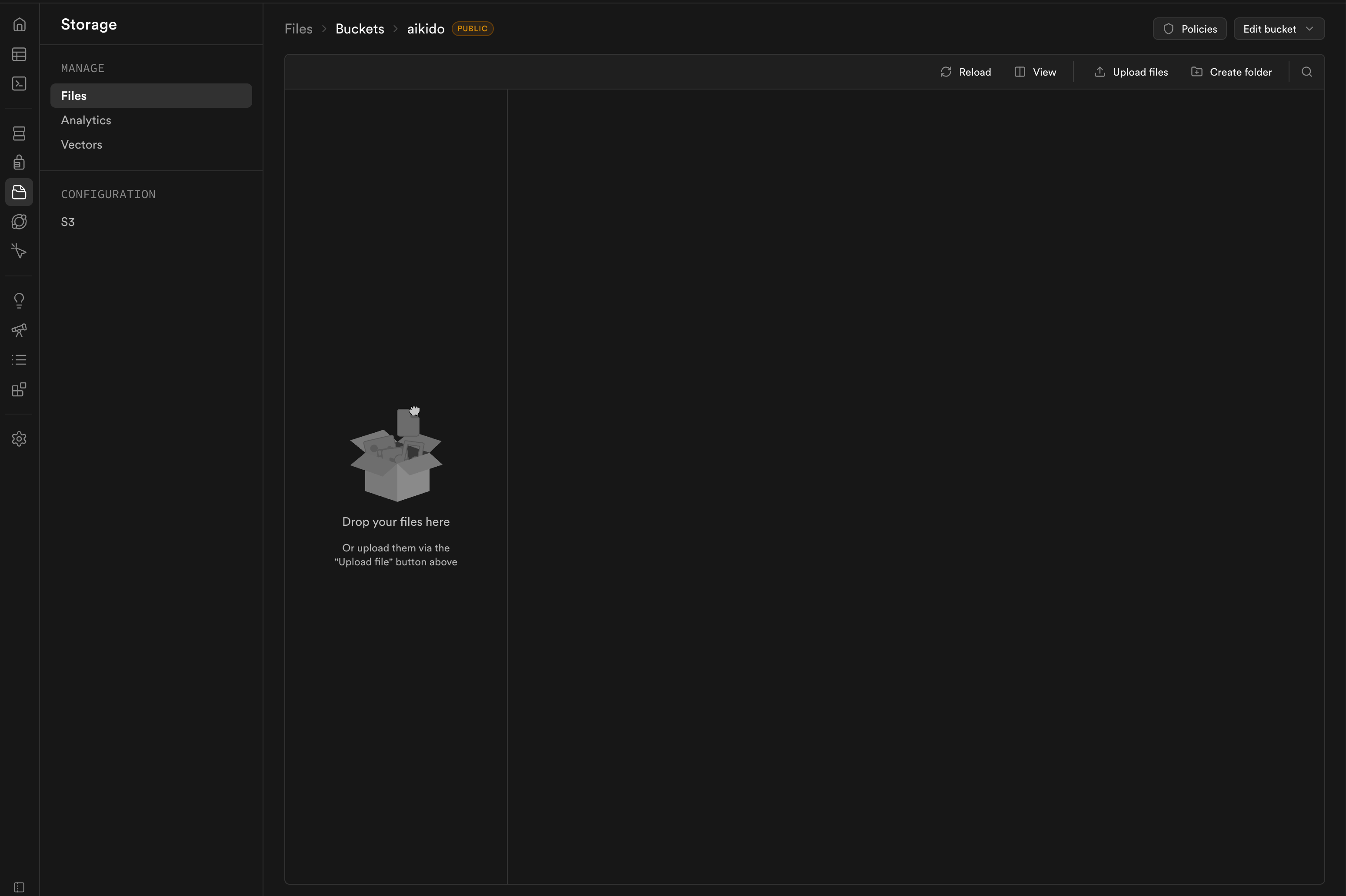
To host the verification file, you need a public Supabase Storage bucket. If you do not already have one, create a new bucket and enable public access.
{% endstep %}
{% step %}
**Upload verification file**
Upload aikido.txt to the public bucket.
{% endstep %}
{% step %}
**Get the url of the file**
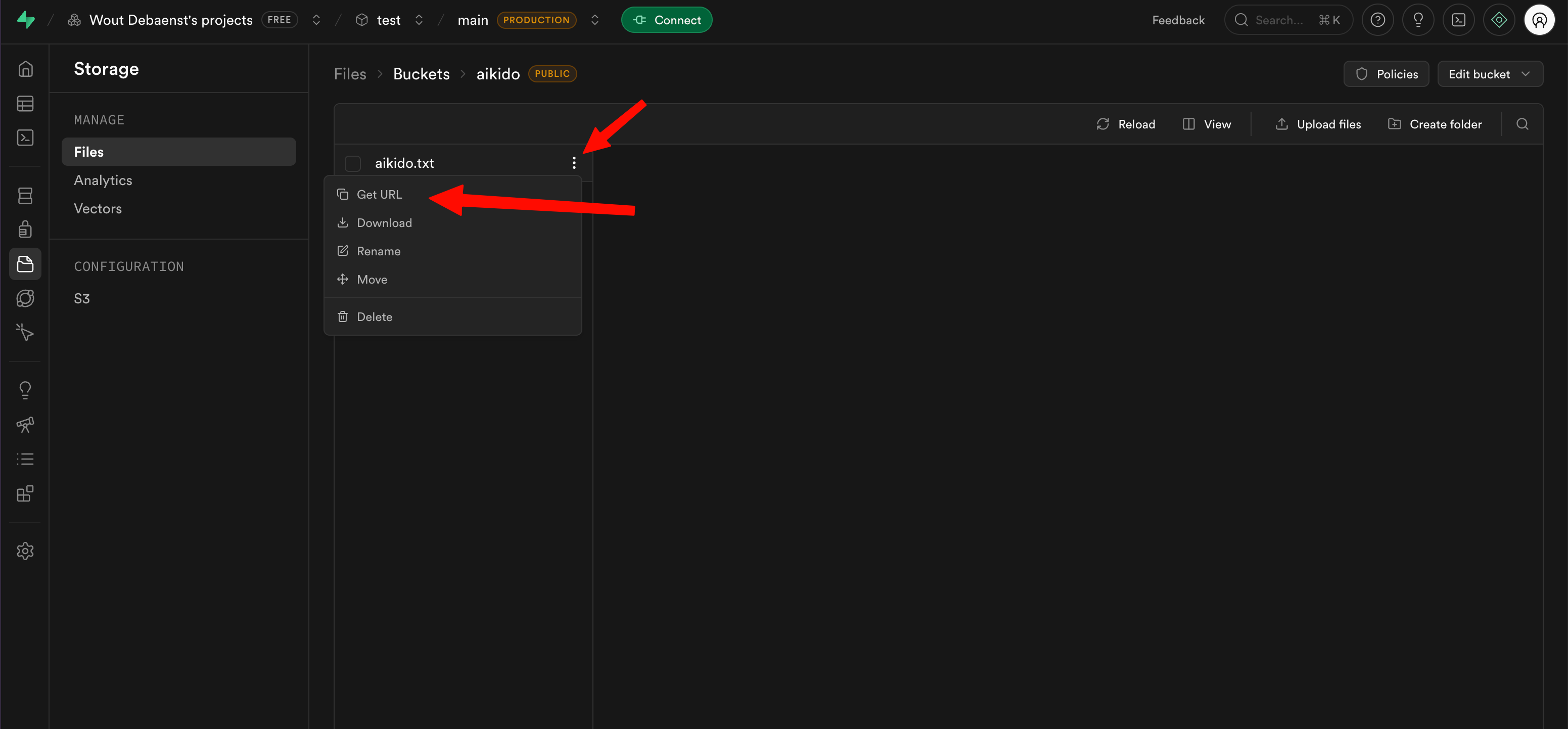
After the file has been uploaded, copy its public URL from Supabase Storage.
{% endstep %}
{% step %}
**Provide the url for validation**
Paste the public file URL into the verification flow in Aikido and submit it for validation.
{% endstep %}
{% step %}
**Succesful validation**
If the validation succeeds, you will see a confirmation toast in Aikido.
{% endstep %}
{% endstepper %}