# Google Auth
{% hint style="warning" %}
**Use a Google account on your company domain for testing.**
Do not use a newly created free Gmail account. Google will likely block it or flag the login as bot behavior.
{% endhint %}
To let the agent log in with Google Auth, follow these steps:
{% stepper %}
{% step %}
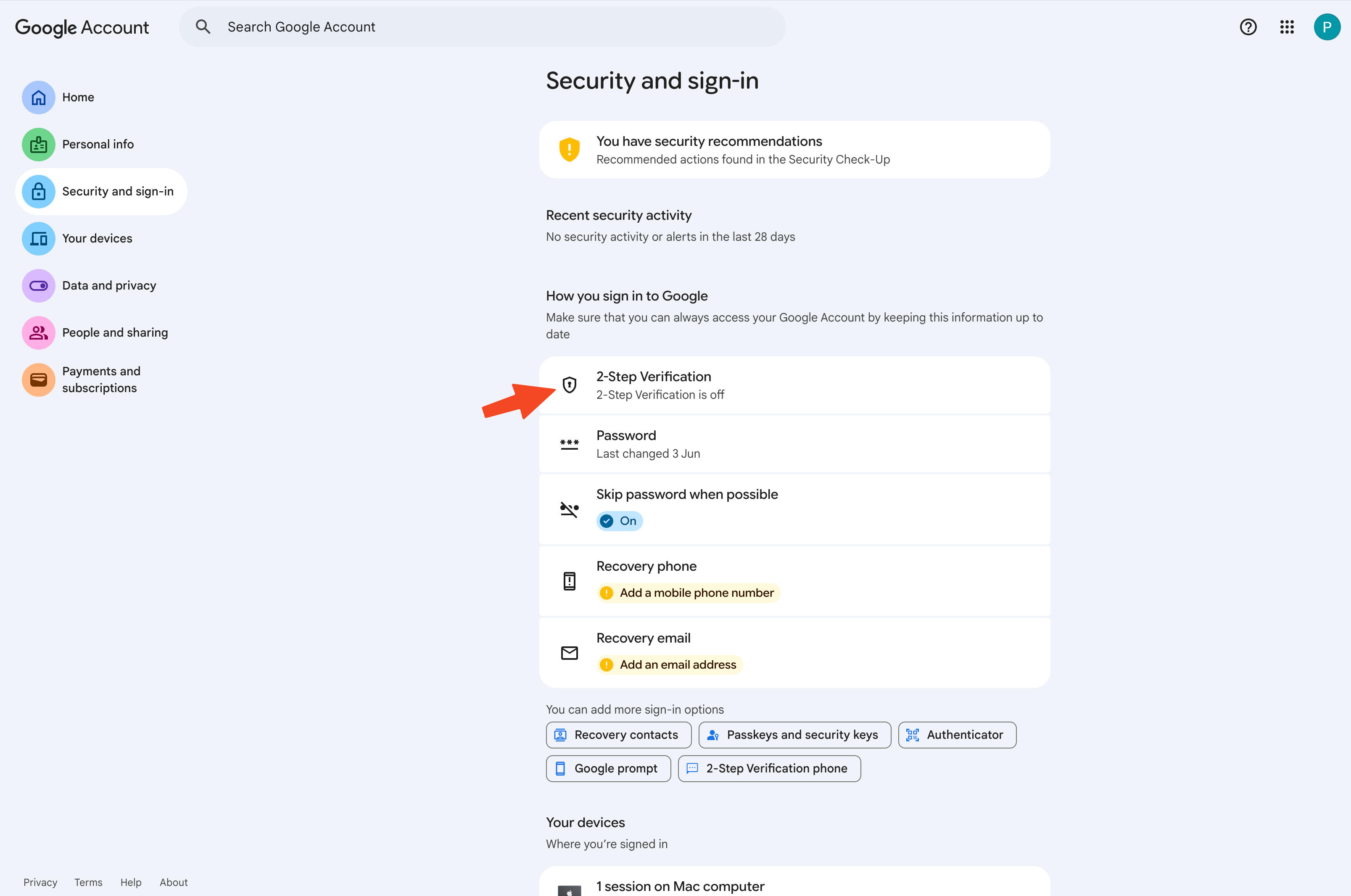
**Navigate to security settings**
Go to the settings page of your account: [https://myaccount.google.com/u/1/security](https://myaccount.google.com/u/1/security)
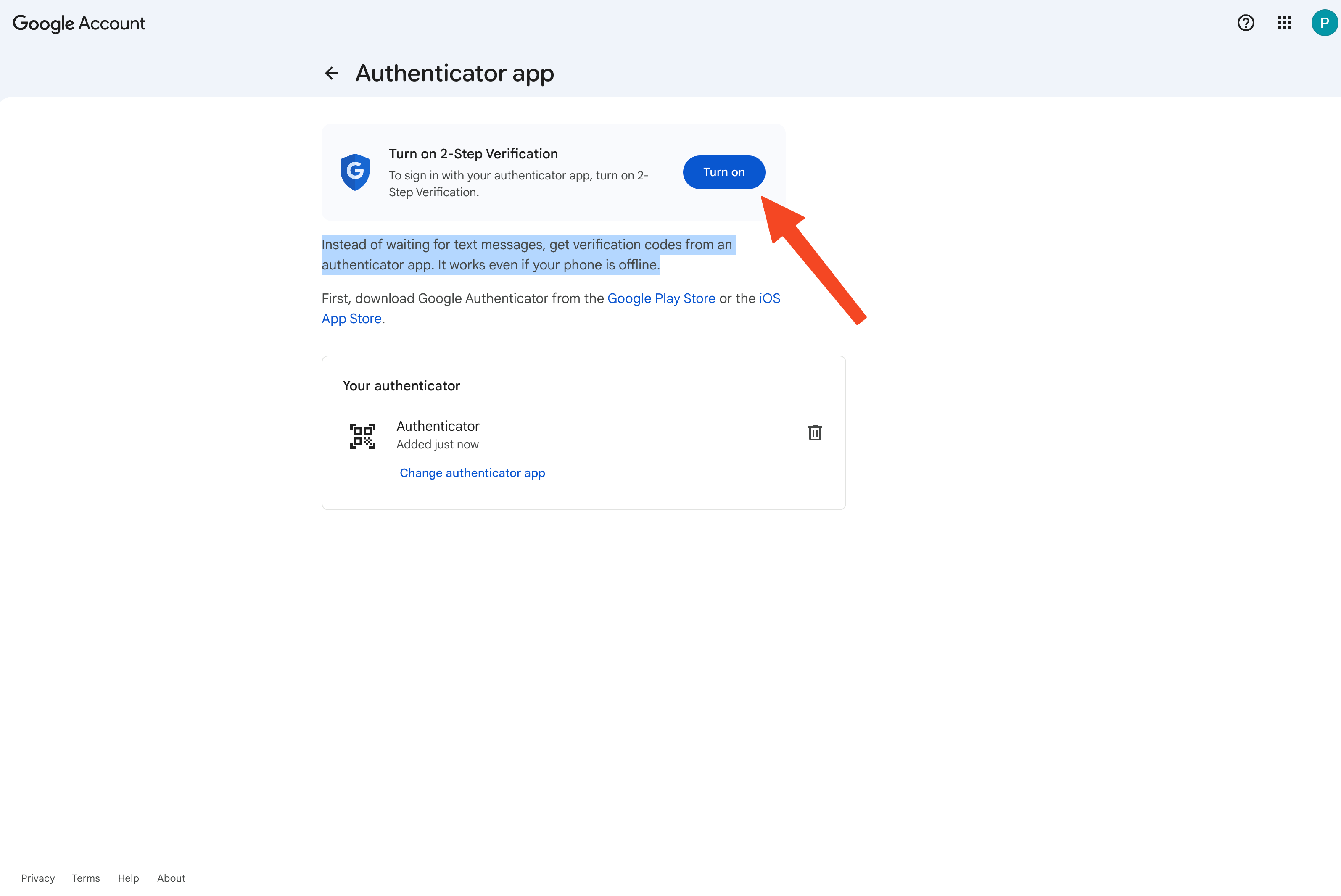
Start the authenticator app setup flow.
{% endstep %}
{% step %}
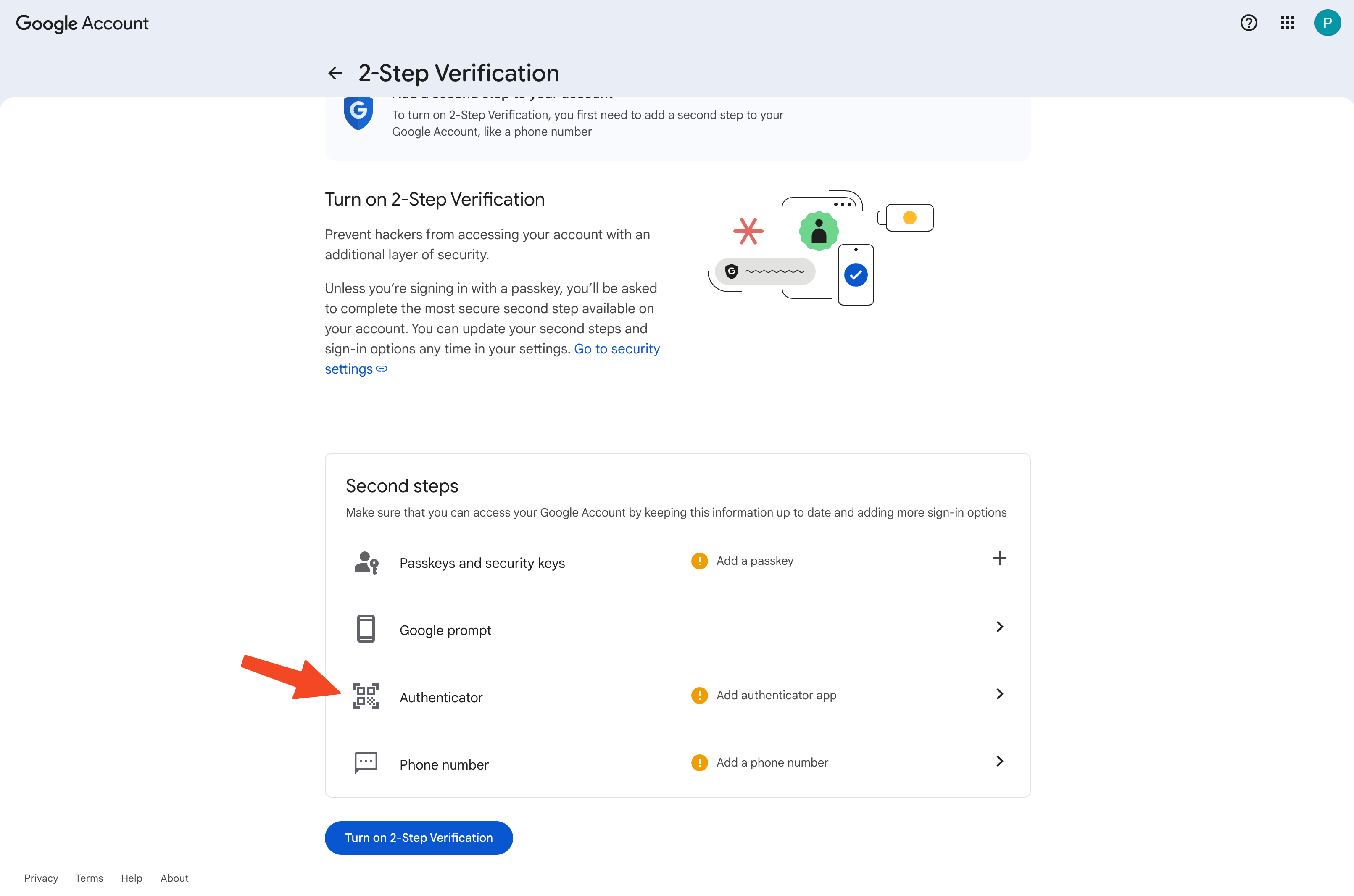
**MFA Onboarding**
Click on the authenticator app option to configure the MFA.
{% endstep %}
{% step %}
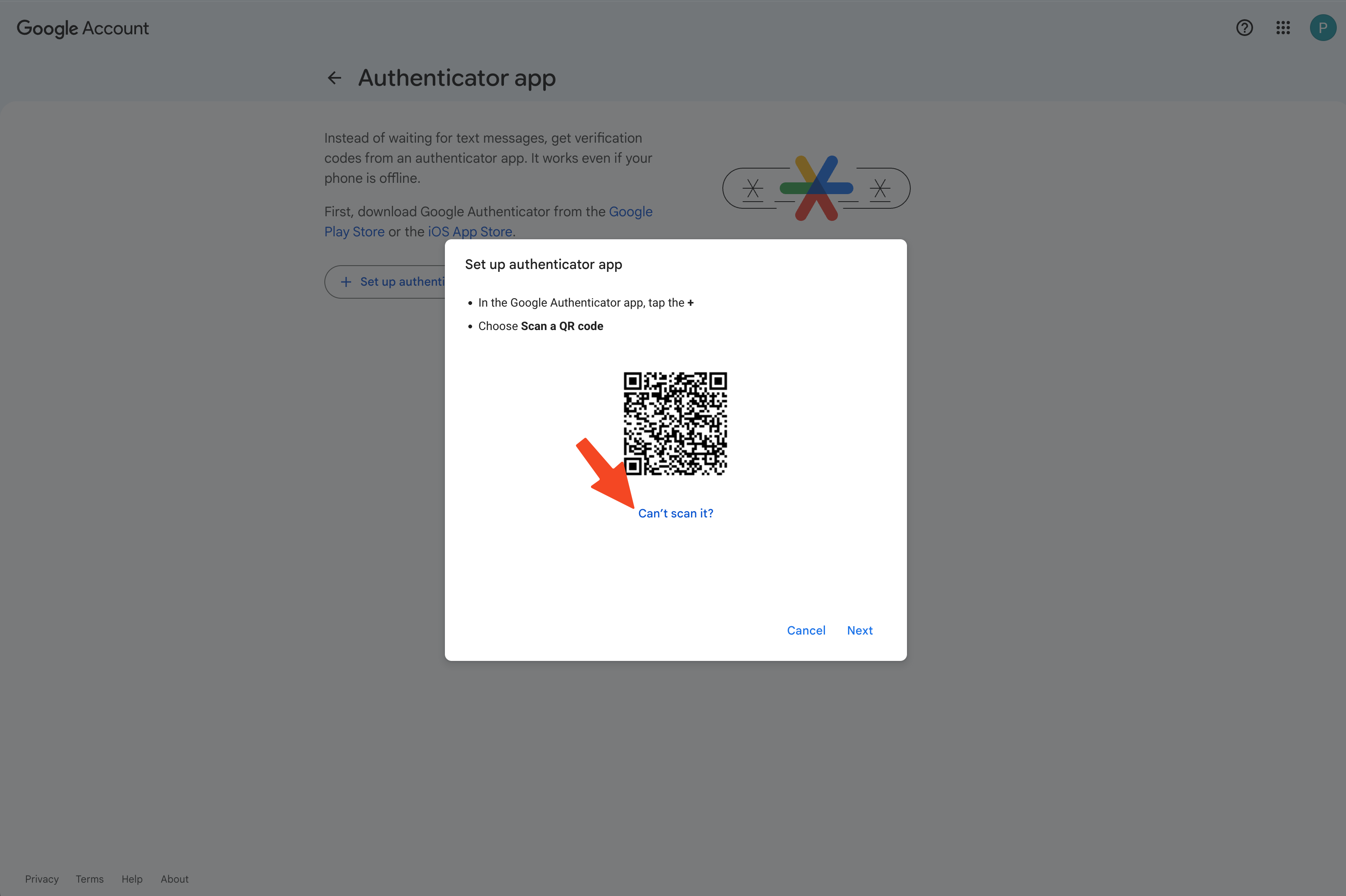
**Get secret instead of code**
When you see the QR code, select **"Can't scan it?"**
{% endstep %}
{% step %}
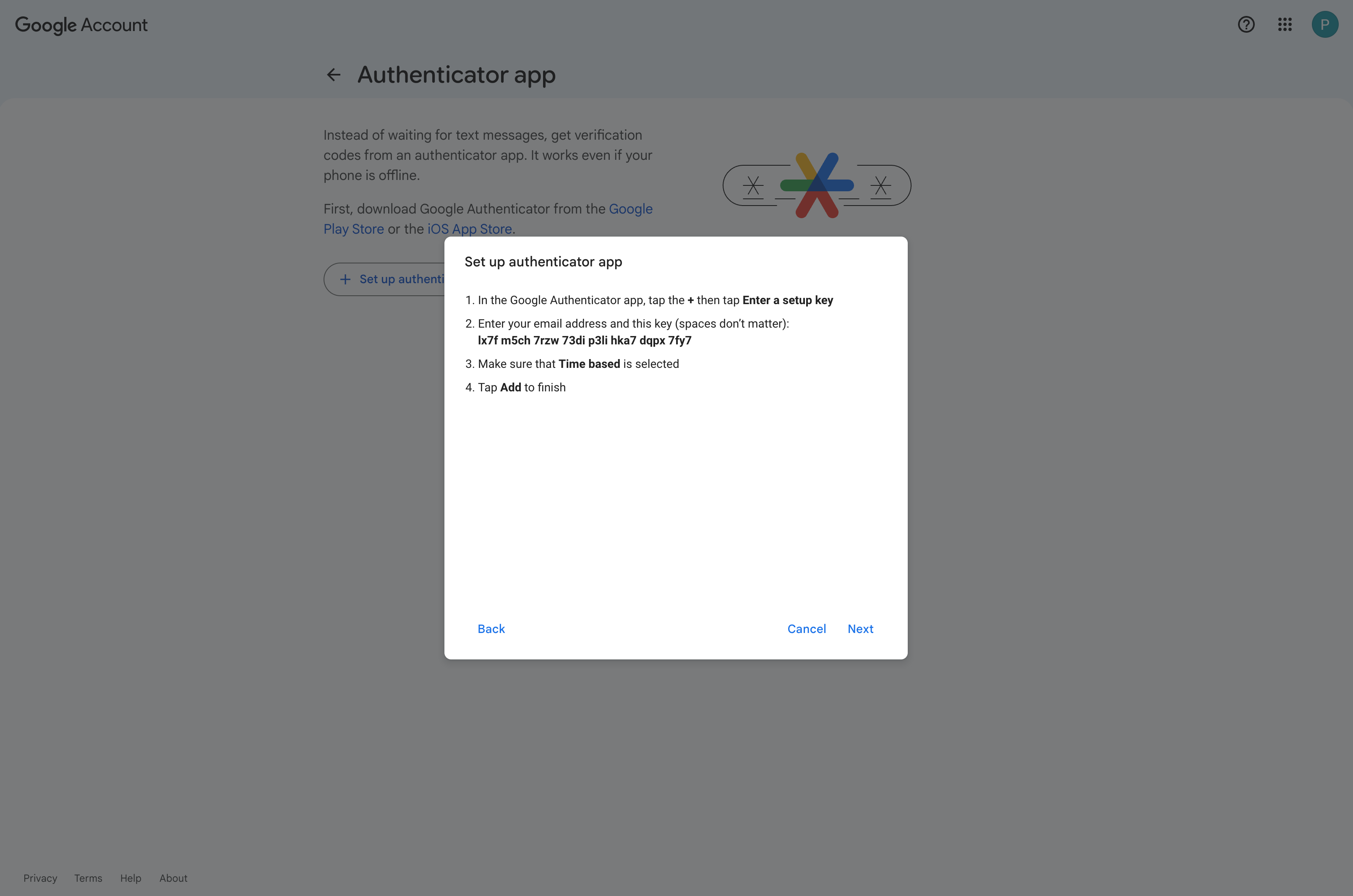
**Copy the key**
{% endstep %}
{% step %}
**Store key in password manager**
Store the key in a password manager of your choice. We recommend one that lets you copy the secret easily, such as 1Password or Bitwarden.
{% endstep %}
{% step %}
**Complete the flow and enable 2-Step Verification**
{% endstep %}
{% step %}
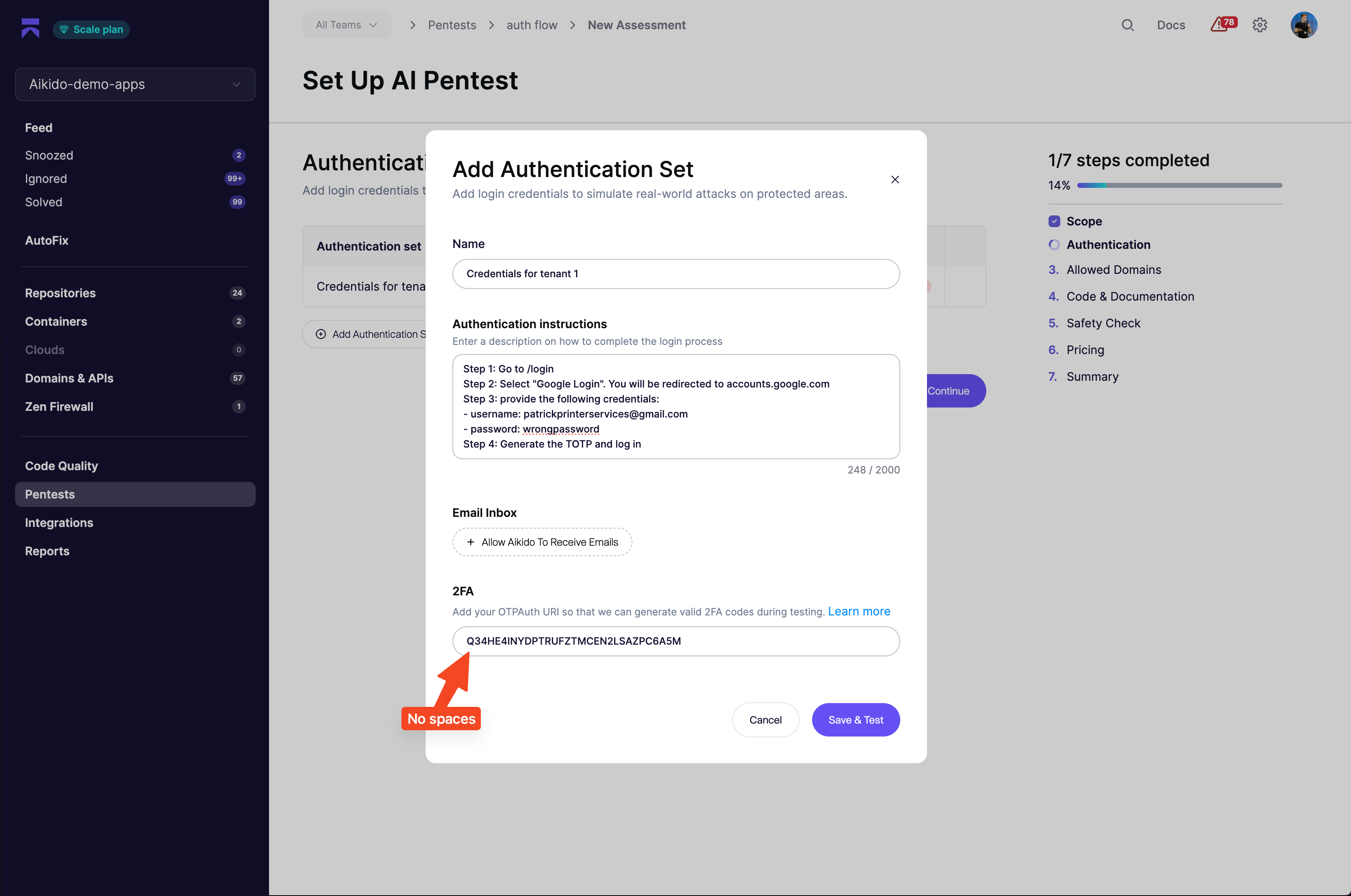
**Set up authentication in Aikido Pentest**
Write your instructions in a format like this:
```
Step 1: Go to domain.com/login
Step 2: Select "Google Login". You will be redirected to accounts.google.com
Step 3: Provide the following credentials:
- username: security-test@company.com
- password: wrongpassword
Step 4: Generate the TOTP and log in
Success criteria: When you log in successfully, you will see "Hello Patrick" on the home screen
```
{% endstep %}
{% step %}
**Add the TOTP URL**
Add the key in base32 format. Remove spaces from the Google key before you paste it.
{% endstep %}
{% endstepper %}