# Handling Two-Factor Authentication (TOTP)
Aikido's AI agent can generate valid Time-based One-Time Passwords (TOTP) to bypass 2FA screens during authenticated scanning.
**Use this feature if your application requires:**
* **Authenticator Apps:** The login flow asks for a 6-digit code from Google Authenticator, Authy, 1Password, etc.
{% hint style="info" %}
If your app sends codes via Email, use the [Email Verification feature](https://help.aikidogov.us/pentests/configure-a-pentest/setting-up-authenticated-testing/handling-email-verification-and-magic-links).
If your app uses SMS codes, use [SMS Verification](https://help.aikidogov.us/pentests/configure-a-pentest/setting-up-authenticated-testing/handling-sms-verification).
{% endhint %}
### How it works
Instead of scanning a QR code with your phone, you extract the raw **Secret Key** (or `otpauth://` URI) from your application and paste it into Aikido. The agent uses this secret to mathematically generate valid codes on the fly during the scan.
### Setup Guide
{% stepper %}
{% step %}
**Locate the Secret Key**
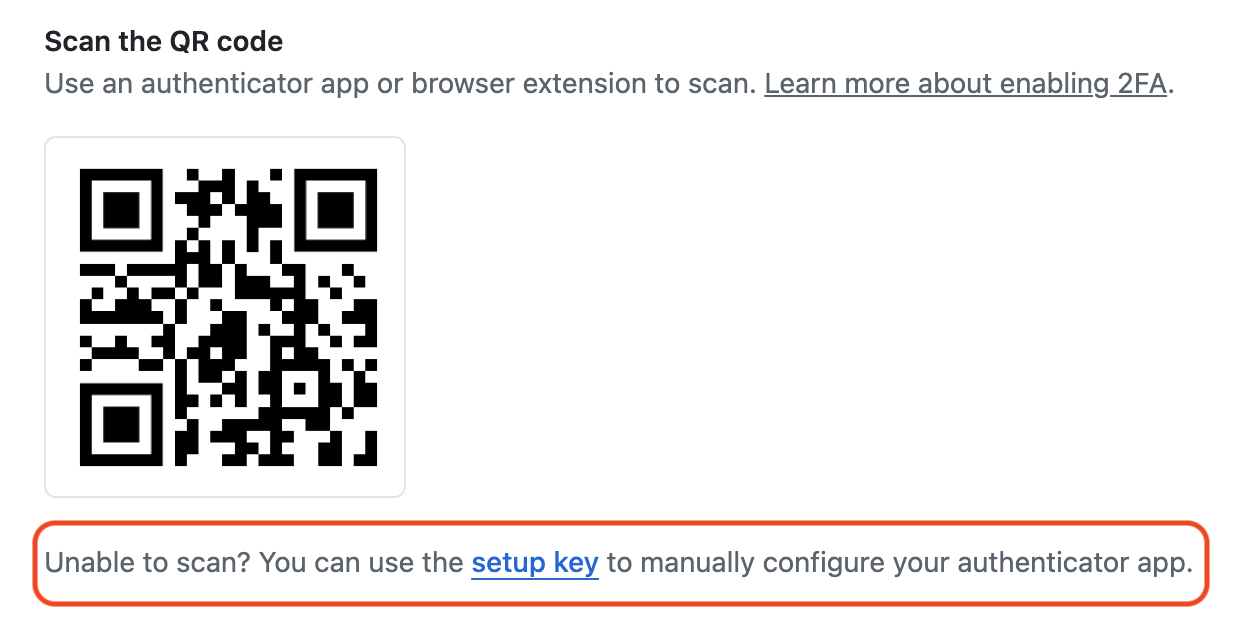
Go to the 2FA setup screen in your target application (where you would normally scan the QR code).
1. Look for a text link that says **"Can't scan the QR code?"**, **"Trouble scanning?"**, or **"View Setup Key"**.
2. Click it to reveal the raw text code (the Secret Key).
3. Copy this string (e.g., `4IKIDOI5AW35OME`).
{% endstep %}
{% step %}
**Configure Aikido**
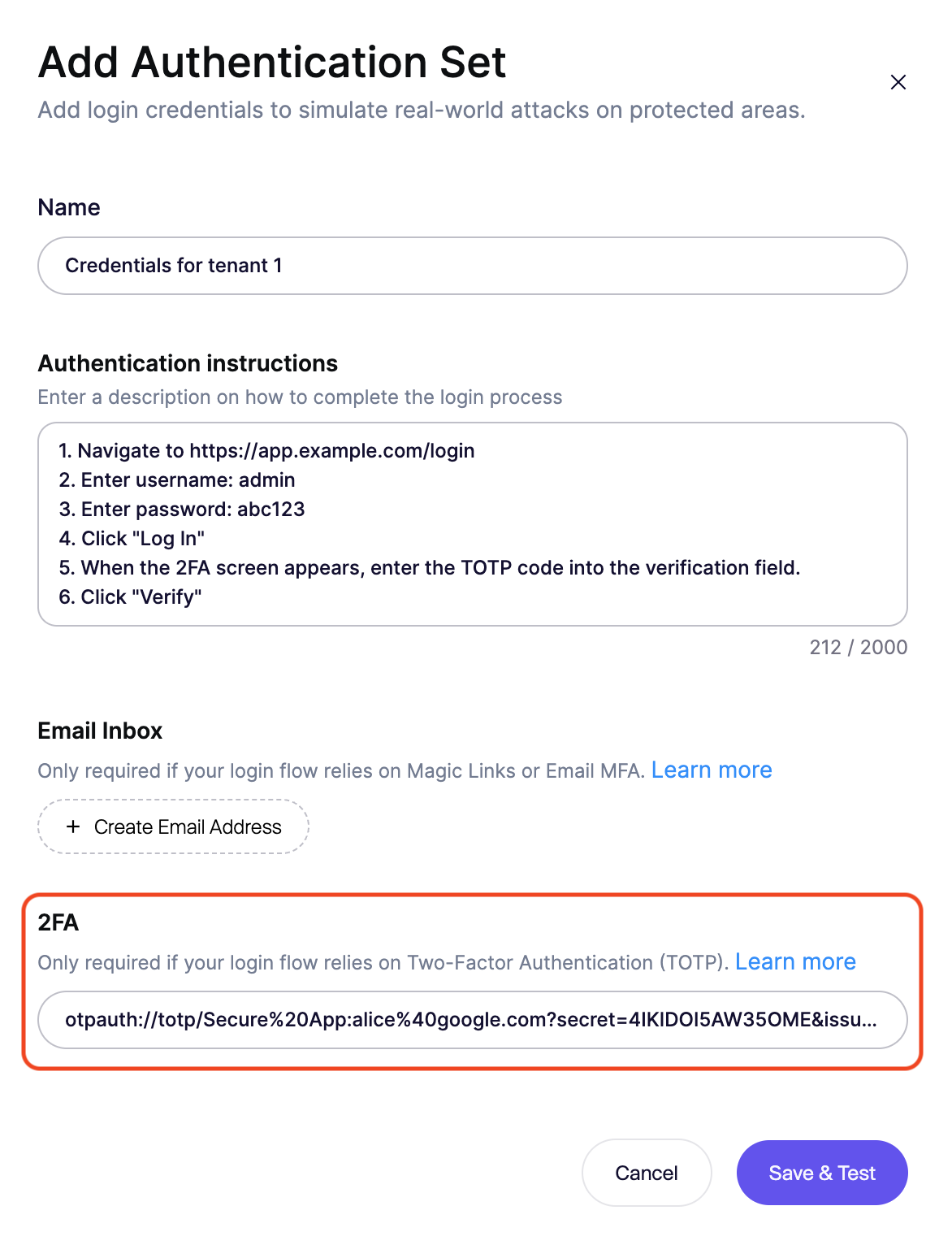
In the Aikido **Authentication Set** modal:
1. Scroll to the **TOTP Setup** section.
2. Paste the Secret Key (or the full `otpauth://` URI) into the input field.
3. The system will validate the format immediately.
{% endstep %}
{% step %}
**Update Login Logic**
You must explicitly tell the agent when to enter the code.
**Example Instruction:**
```
1. Navigate to https://app.example.com/login
2. Enter username: admin
3. Enter password: abc123
4. Click "Log In"
5. When the 2FA screen appears, generate a TOTP code and enter it into the verification field.
6. Click "Verify"
```
{% endstep %}
{% step %}
**Test the Configuration**
Verify that the agent can generate and input the code correctly:
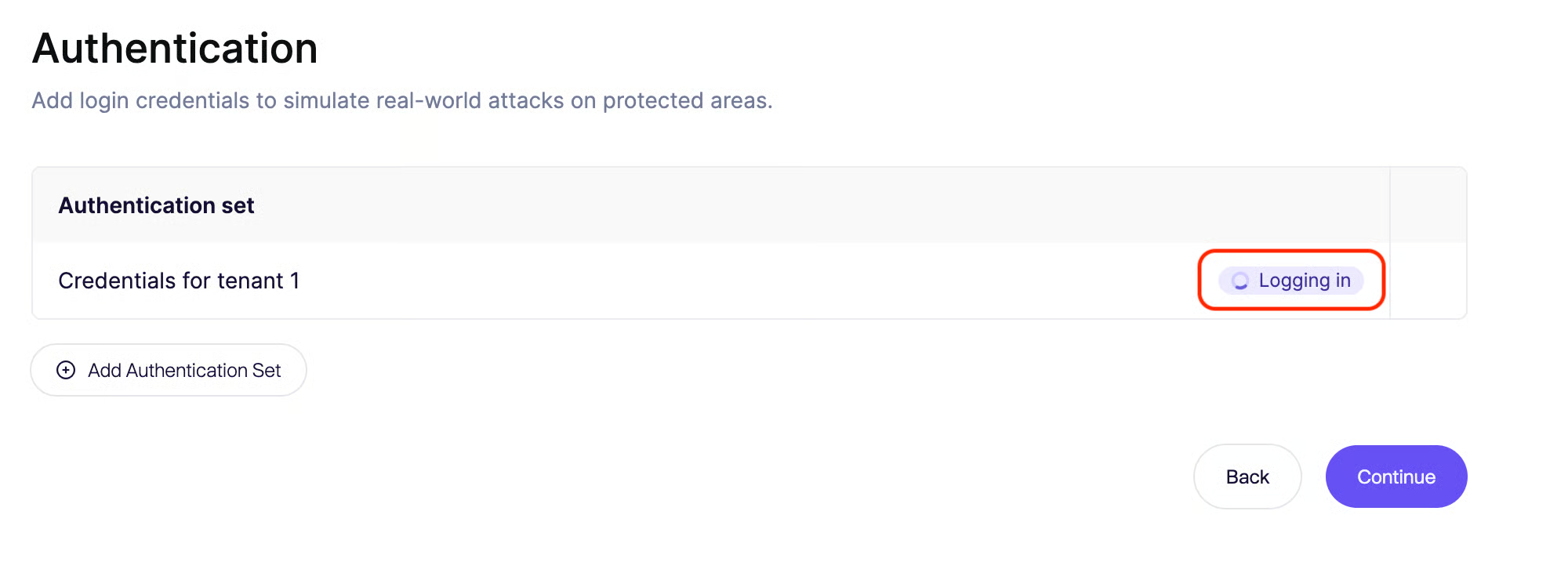
1. Click **Save & Test**.
2. The agent will launch a browser session.
3. Watch the playback logs to ensure the agent successfully bypassed the 2FA prompt and reached the dashboard.
{% endstep %}
{% endstepper %}