# Auth0 Configuration
The pentesting agents share session state across multiple instances. To ensure this works correctly, apply the following settings in Auth0.
{% hint style="info" %}
This page covers Auth0 specifically. See [OAuth and JWT apps](https://help.aikidogov.us/pentests/configure-a-pentest/setting-up-authenticated-testing#oauth-and-jwt-apps) for any OIDC provider. If you cannot change these settings, use [Disable Credential Sharing](https://help.aikidogov.us/pentests/configure-a-pentest/setting-up-authenticated-testing/disable-credential-sharing) so each agent keeps its own test user.
{% endhint %}
{% stepper %}
{% step %}
**Open Application Settings**
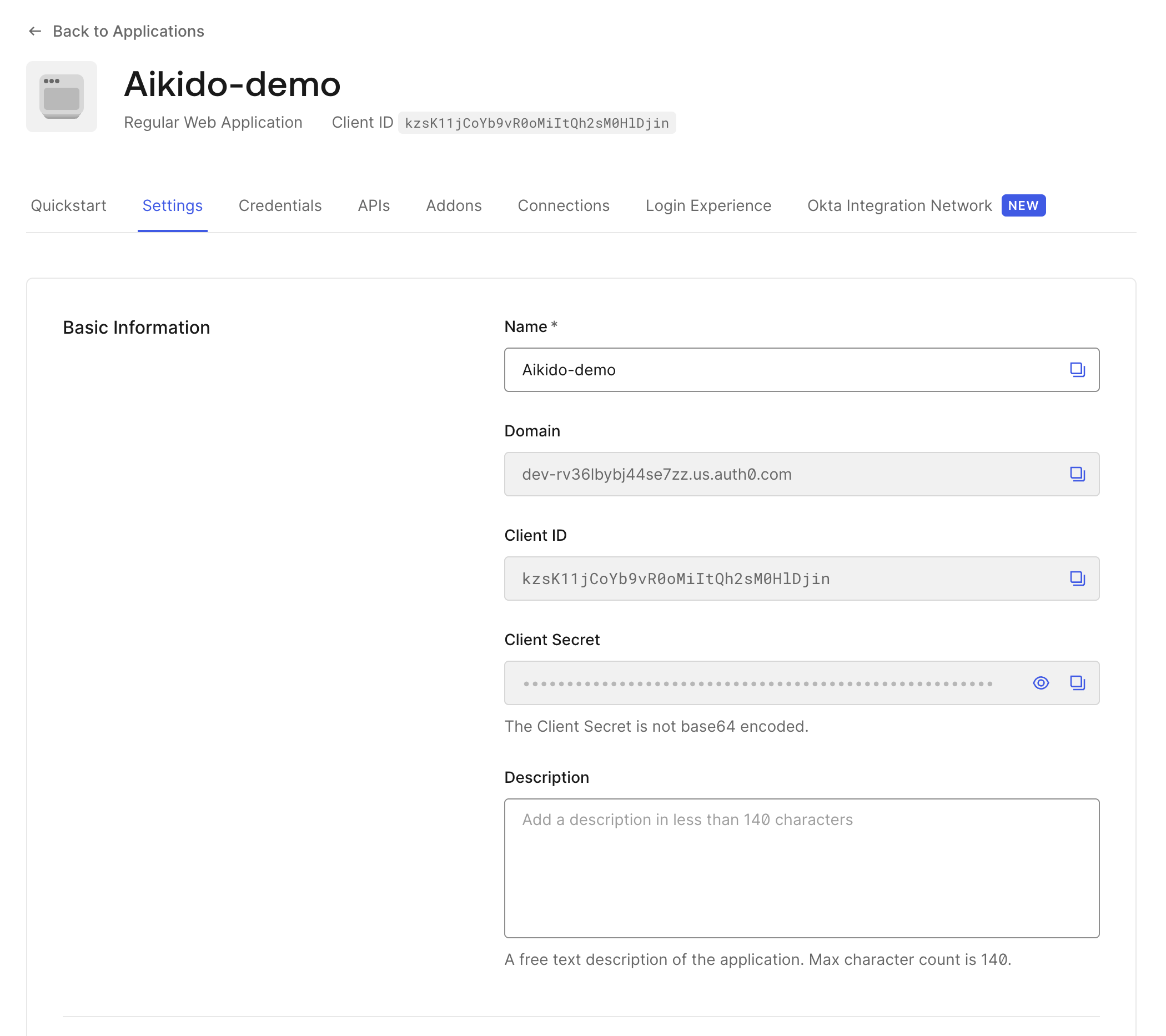
Navigate to Applications → \[Your Application] → Settings.
{% endstep %}
{% step %}
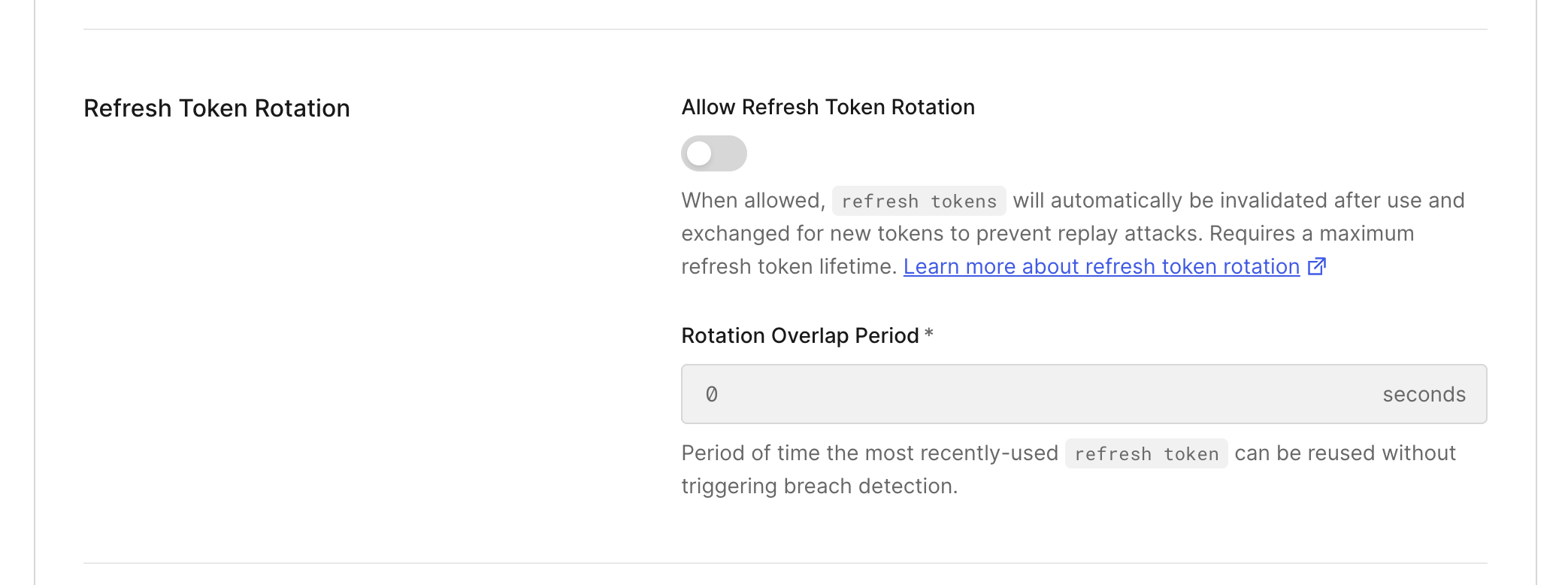
**Disable Refresh Token Rotation**
[Refresh token rotation](https://datatracker.ietf.org/doc/html/draft-ietf-oauth-security-topics-13#section-4.12) issues a new refresh token on each token exchange. This interferes with the agents’ shared-session model and must be disabled.
{% endstep %}
{% step %}
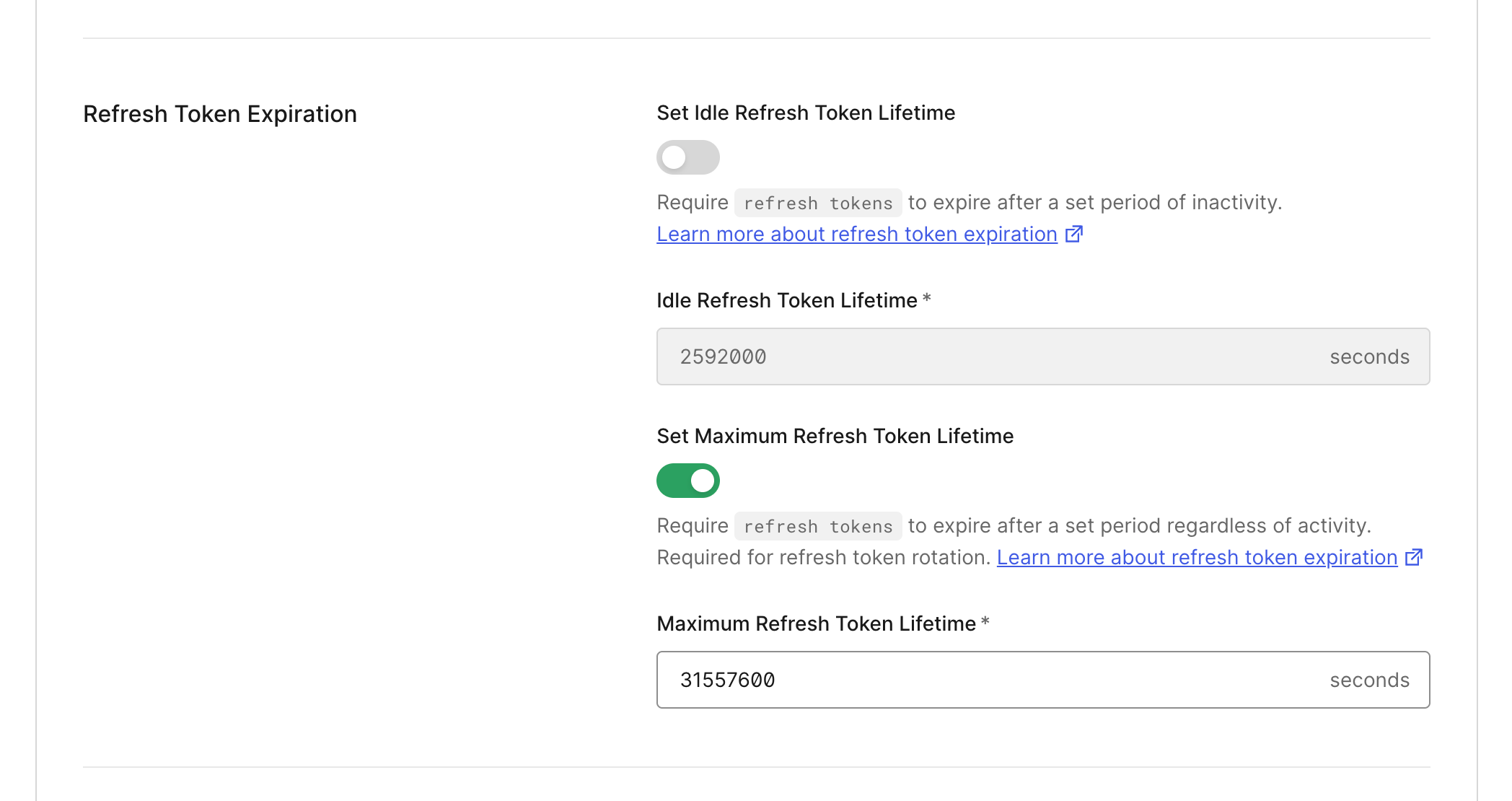
**Configure Refresh Token Lifetime**
Configure the refresh token lifetime to a sufficiently long duration (recommended: greater than 7200 seconds) to reduce the frequency of agent re-authentication during execution.
{% endstep %}
{% endstepper %}