# PR Gating Overview
Aikido CI gating scans feature branches before they reach production. It helps you block newly introduced issues and see which existing issues a branch solves. It covers open-source dependencies (SCA), IaC, Secrets, SAST, malware, license risks, code quality issues, and [Deep Review](https://help.aikidogov.us/deep-review/how-deep-review-works) when it is enabled.
## Overview
Aikido offers two gating modes:
* **PR Gating:** Primarily handled via native integrations (GitHub, GitLab, Bitbucket, Azure). It scans the diff of your branch.
* **Release Gating:** Handled via the Aikido CLI. It ensures your final build is clean before deployment.
## Setup Options
You can configure gating in two ways:
1. **Aikido Interface:** Use our 1-click configuration for [GitHub](https://help.aikidogov.us/pr-and-release-gating/github-ci-pr-gating-via-aikido-dashboard), [GitLab](https://help.aikidogov.us/pr-and-release-gating/gitlab-mr-gating), [Bitbucket](https://help.aikidogov.us/pr-and-release-gating/bitbucket-pr-gating), and [Azure](https://help.aikidogov.us/pr-and-release-gating/azure-pipelines-ci-pr-gating-via-aikido-dashboard-with-a-personal-access-token). This setup is managed entirely within the Aikido interface, provides a better overview, and **doesn’t consume your CI minutes.**
2. **CI Pipeline:** For teams that prefer managing configuration in their own environment. You can use [Bitbucket Pipes](https://help.aikidogov.us/pr-and-release-gating/bitbucket-pr-gating/bitbucket-pipes-setting-up-gating-for-pull-requests-via-code) natively, or integrate with any other runner (Jenkins, CircleCI, etc.) using the [`@aikidosec/ci-api-client`](https://www.npmjs.com/package/@aikidosec/ci-api-client) package. Setup steps are in [Aikido CLI: Release Gating](https://help.aikidogov.us/pr-and-release-gating/cli-for-pr-and-release-gating/aikido-cli-release-and-pr-gating).
## Configuring Your CI Gate
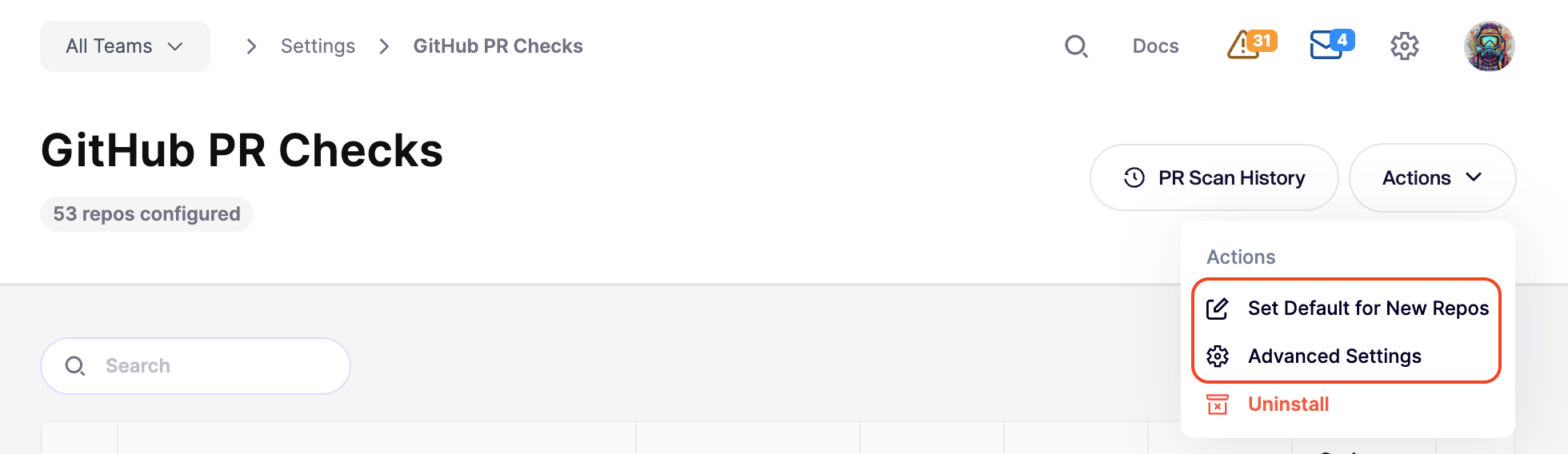
When you set up gating in Aikido, you have granular control over what triggers a failure. These settings are found by going to **Integrations > PR Quality Gating > \[Your Setup]**.
From here, you can:
* **Set Defaults:** Define the default gating configuration for all new repositories added to your workspace. See [Automatic Configuration for Newly Added Repos](https://help.aikidogov.us/pr-and-release-gating/aikido-ci-gating-functionality/default-pr-mr-gating-configuration-for-new-repositories).
* **Bulk Edit:** Select multiple repositories to apply configuration changes across your entire project.
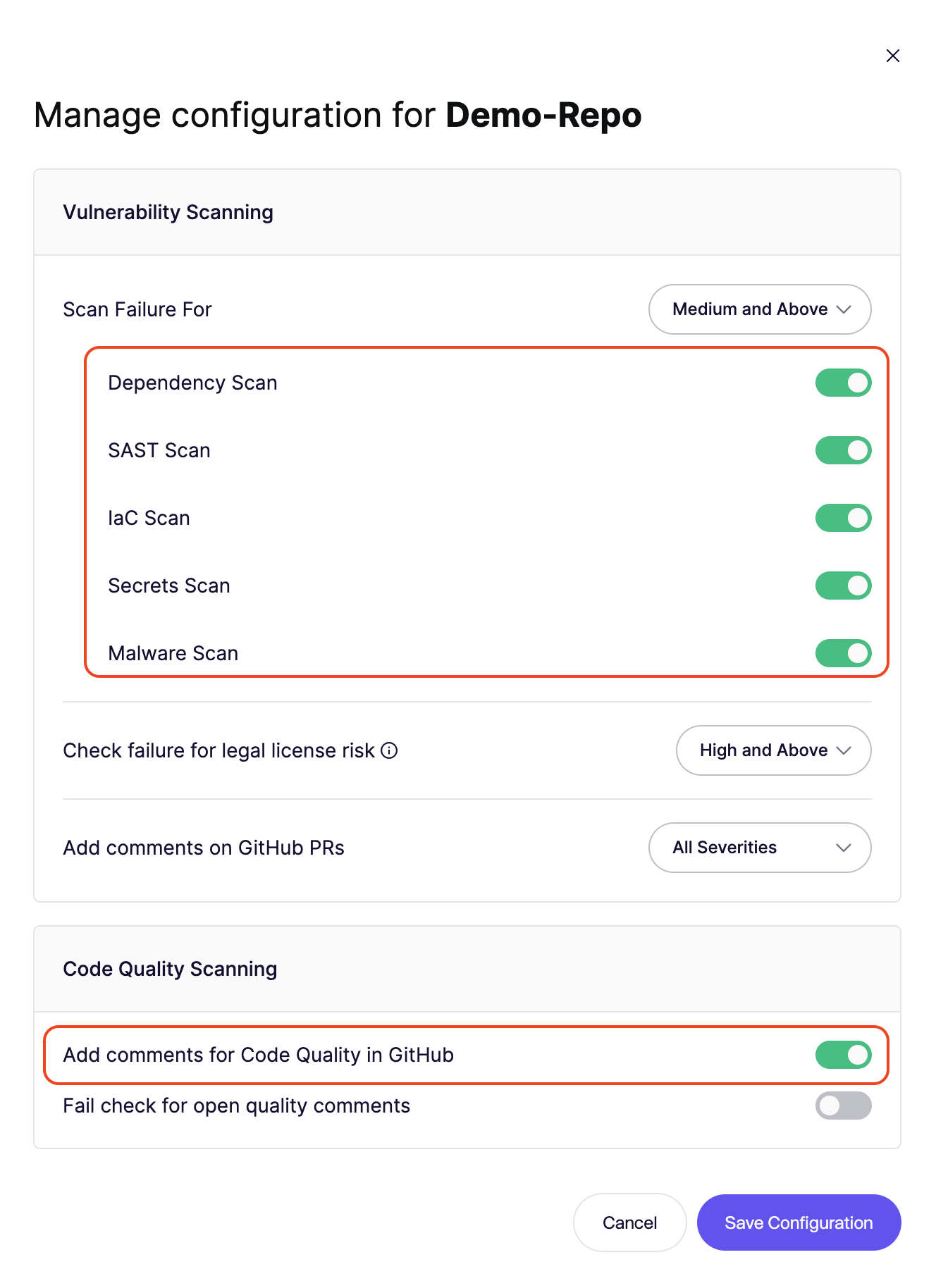
* **Granular Control:** Adjust settings for a single repository to handle specific project needs.
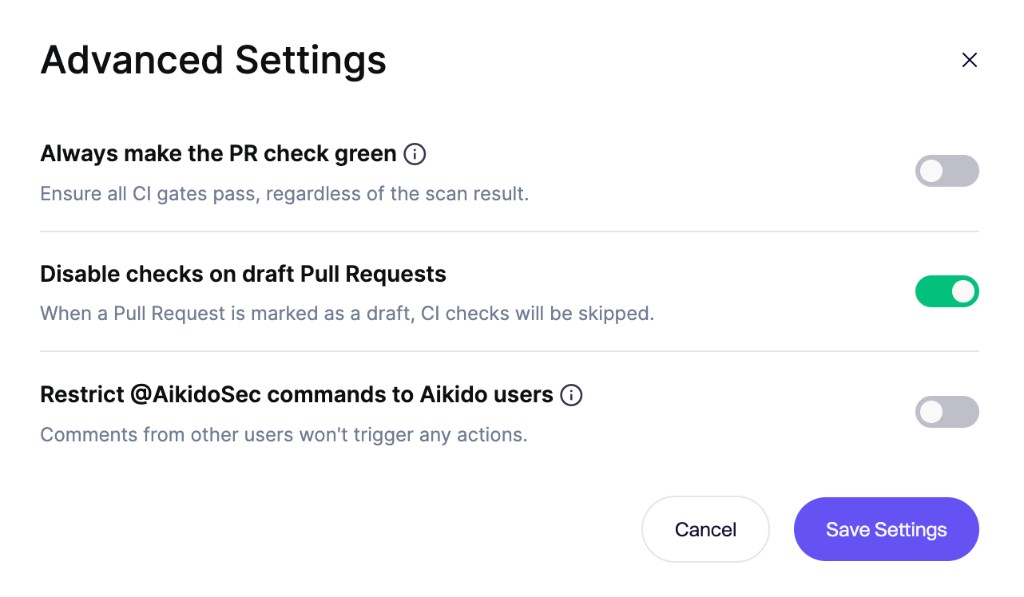
* **Advanced Settings:** Fine-tune how Aikido interacts with your workflow.
### Failure threshold
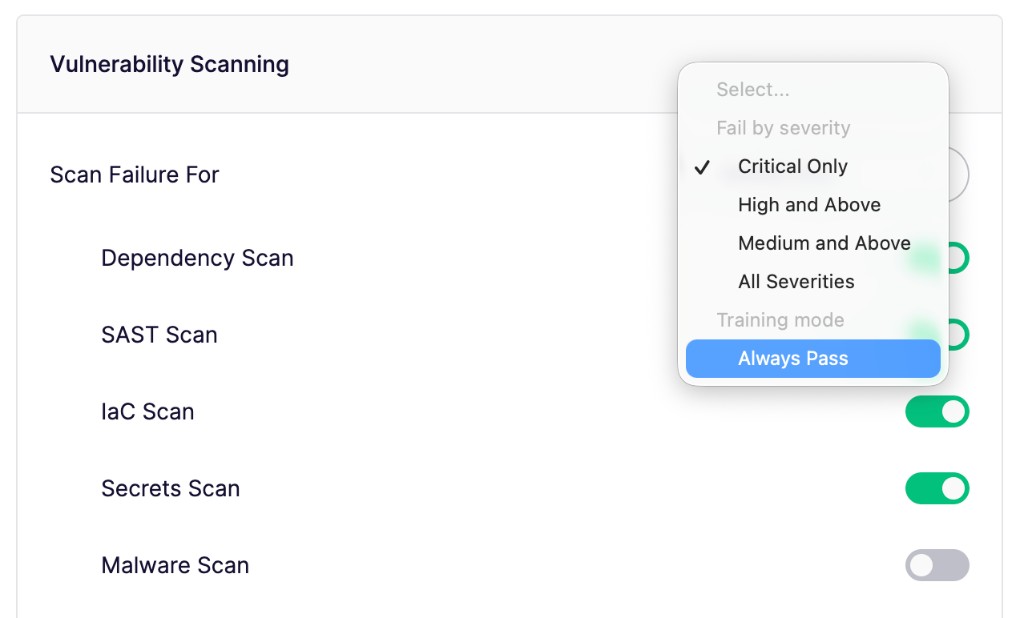
Select the minimum severity level that will cause the CI gate to fail (e.g., **Critical** or **High**).
* Any new issue detected at or above this level will fail the gate.
* Issues below this threshold will still be reported but won't block the merge.
* Choose **Always Pass** to run the enabled scans without failing the PR check.
* [Deep Review](https://help.aikidogov.us/deep-review/configure-deep-review#pr-check-gating) uses this same threshold. It does not have a separate gating setting.
### Scans to Execute
Toggle specific scan types on or off for the CI gate. This allows you to focus on the security categories that are most relevant to your workflow.
### Advanced Configuration
Fine-tune how Aikido interacts with your workflow to maintain developer velocity:
* **Always make the PR check green:** Keep PR checks green across your workspace while Aikido continues to report findings from all enabled scans. This applies to every configured gate and repository.
* **Disable checks on draft Pull Requests:** Avoid generating noise on work-in-progress code. Scans only trigger once the PR is moved to "Ready for Review."
* **Restrict `@AikidoSec` commands to Aikido users:** Only a comment Aikido can link to a workspace member can ignore a finding. [Who can ignore a finding on a pull request](#who-can-ignore-a-finding-on-a-pull-request) lists the platforms that support this and how to link SAML users.
## **Checking results**
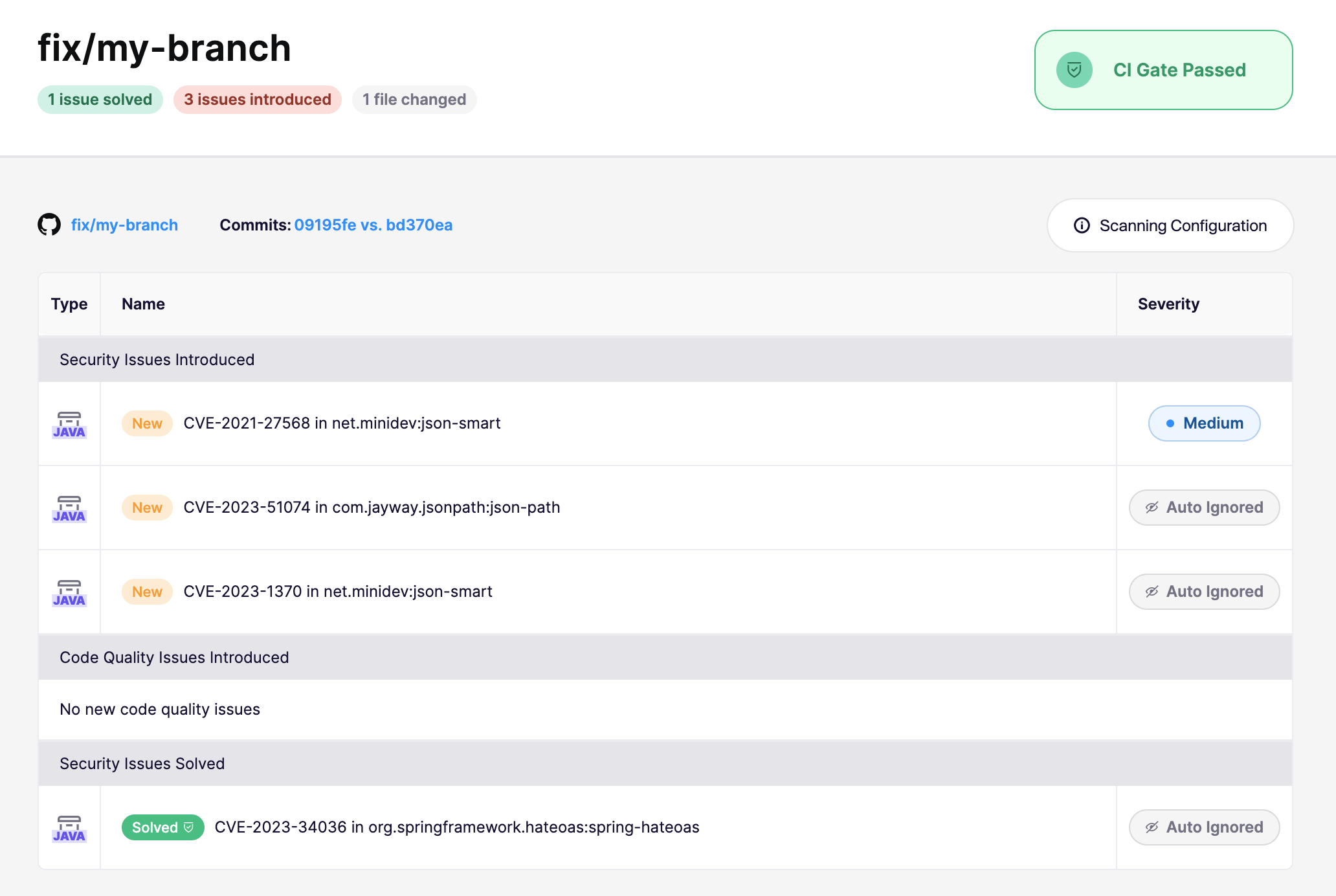
After a CI run, Aikido provides a direct link to the scan results for that specific branch. Because Aikido scans the branch diff rather than the entire repo, it clearly distinguishes between **fixed issues** and **newly introduced risks**.
* **Fixed in branch:** If a PR resolves an existing vulnerability, Aikido marks it as "PR open" in your feed, allowing you to verify the fix before merging.
* **New issues:** Anything introduced in the branch that exceeds your severity threshold will trigger a failure (unless **Always Pass** is enabled).
### Bypassing a failed state
In case you would like to bypass a failed state, this is possible by ignoring the issues that caused the CI gate to fail. You can do this by clicking the issue and in the top right **Actions menu** select Ignore or Snooze. This issue will then be ignored/snoozed in any future branches in your CI.
{% hint style="info" %}
Only users with permission to snooze or ignore issues can bypass the CI gate immediately. Users without ignore permission can request an ignore from the issue feed when [ignore requests are enabled](https://help.aikidogov.us/getting-started/core-functionalities/approval-inbox-for-ignored-issues). A reply on a PR or MR comment ignores the finding only when you have ignore permission. Without that permission, Aikido replies that the ignore is not allowed.
{% endhint %}
## Who can ignore a finding on a pull request
Reply `@AikidoSec ignore: [reason]` on the Aikido comment to ignore that finding on the pull request. Aikido matches that person to a member of the workspace.
{% hint style="info" %}
A SAML login matches only on GitHub.com, and only when the identity provider sends the GitHub claims in [SAML User Rights: Custom Attributes](https://help.aikidogov.us/getting-started/automated-user-management/saml-login/saml-user-rights-using-custom-attributes-advanced).
{% endhint %}
When that person is a workspace member:
* **With Can ignore issues:** the finding is ignored.
* **Without Can ignore issues:** Aikido replies on the pull request that the ignore is not allowed.
Someone who is not a workspace member can ignore a finding on a public repository. If you want to stop that, turn on **Restrict `@AikidoSec` commands to Aikido users**. With the setting on, Aikido replies on the pull request that the ignore is not allowed.
| Platform | Restrict `@AikidoSec` commands | How the commenter is linked |
| --- | --- | --- |
| GitHub.com | Available | GitHub login, or the SAML claims in [SAML User Rights: Custom Attributes](https://help.aikidogov.us/getting-started/automated-user-management/saml-login/saml-user-rights-using-custom-attributes-advanced) |
| GitLab.com | Available | GitLab login. A SAML, Google, or Microsoft login can not be linked. |
| Azure DevOps | Not available | Matched by the Microsoft account email on the Aikido account. |
| Bitbucket | Not available | Ignoring a finding from a pull request comment is coming soon. |