# PR Comments and AutoFix Suggestions
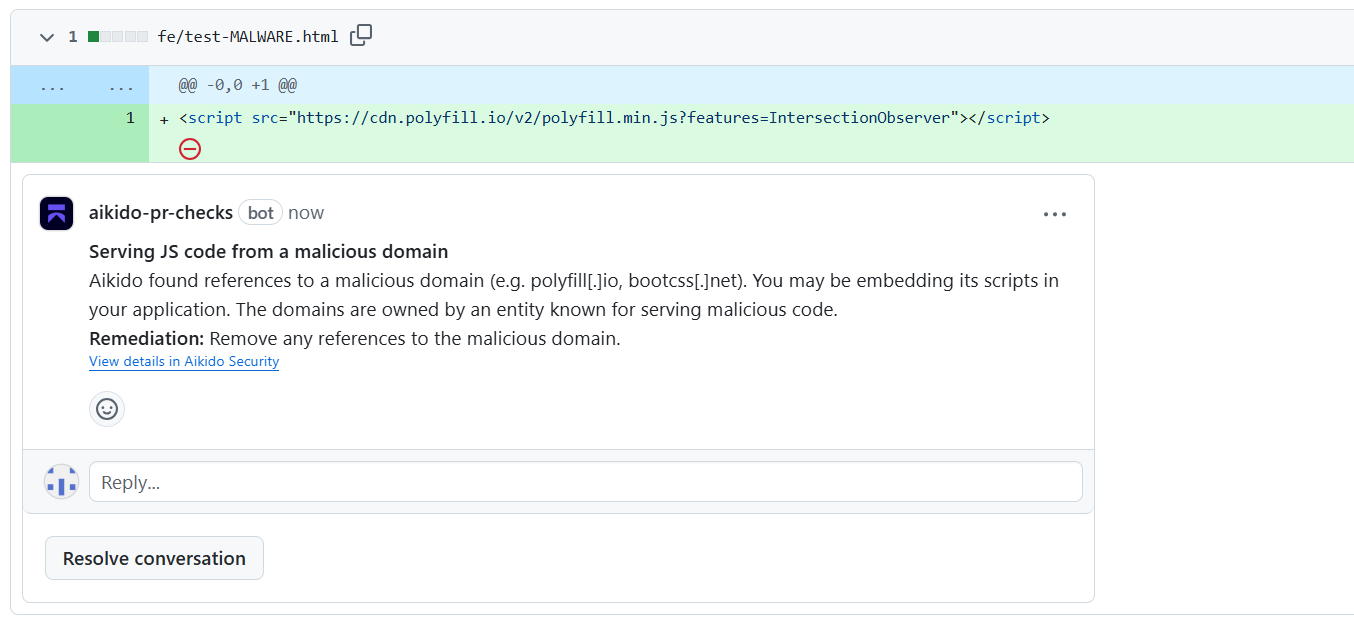
Aikido posts inline feedback on your pull requests, so you can resolve issues without leaving your review workflow.
PR Checks can comment on SAST, Secrets, IaC, open-source dependencies (SCA), Code Quality, and Deep Review findings.
Inline comments work on GitHub, GitLab Cloud and Server, Bitbucket Cloud, Bitbucket Data Center, and Azure DevOps.
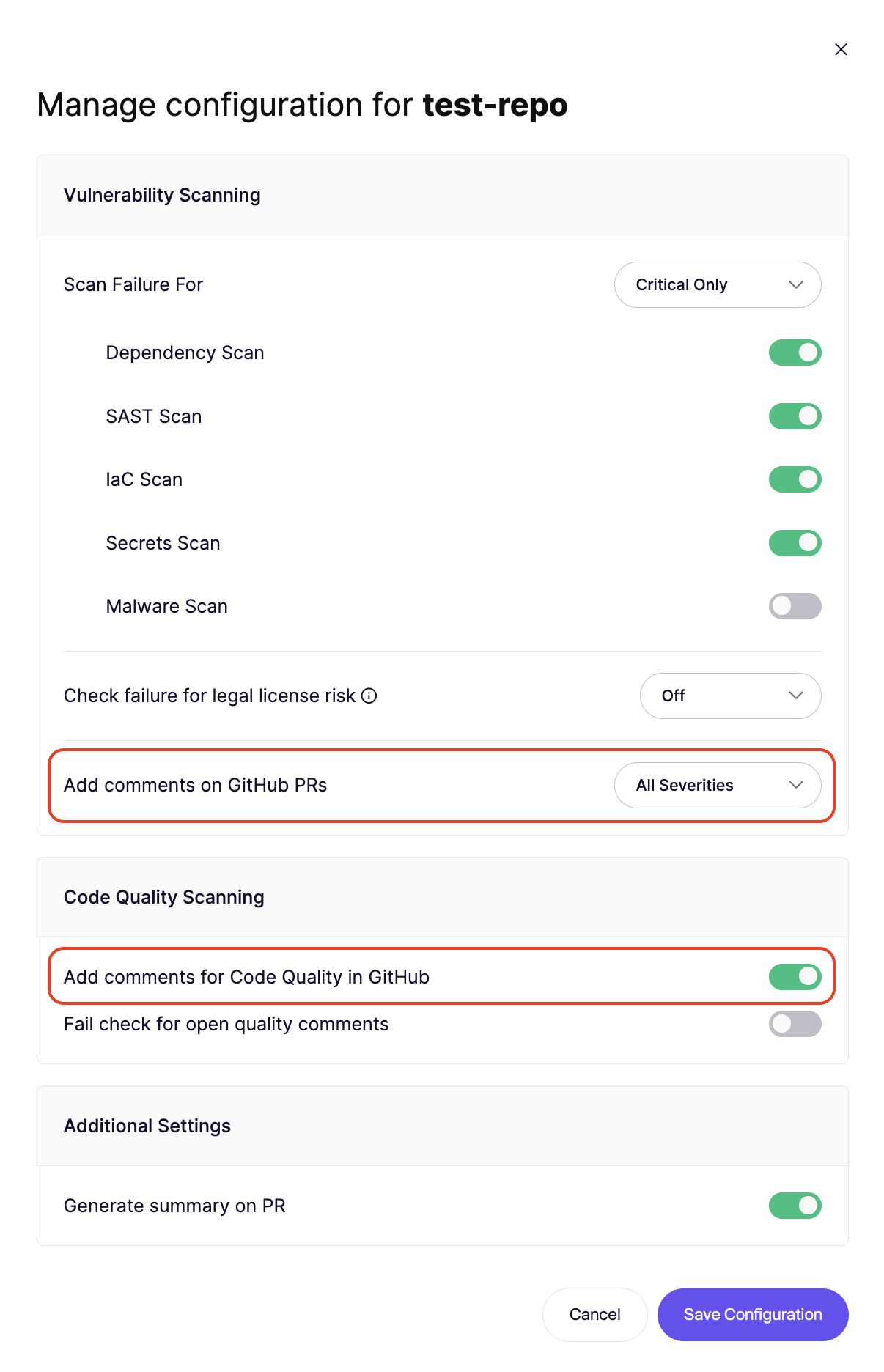
Configure comments for each repository in the PR Check settings modal. When available, Aikido also provides AutoFix suggestions that let you apply the fixes directly from the pull request.
### Prerequisites
* Make sure to have your CI Checks enabled (via the Aikido Dashboard)
* You are an admin within Aikido
## Enabling Inline Commenting
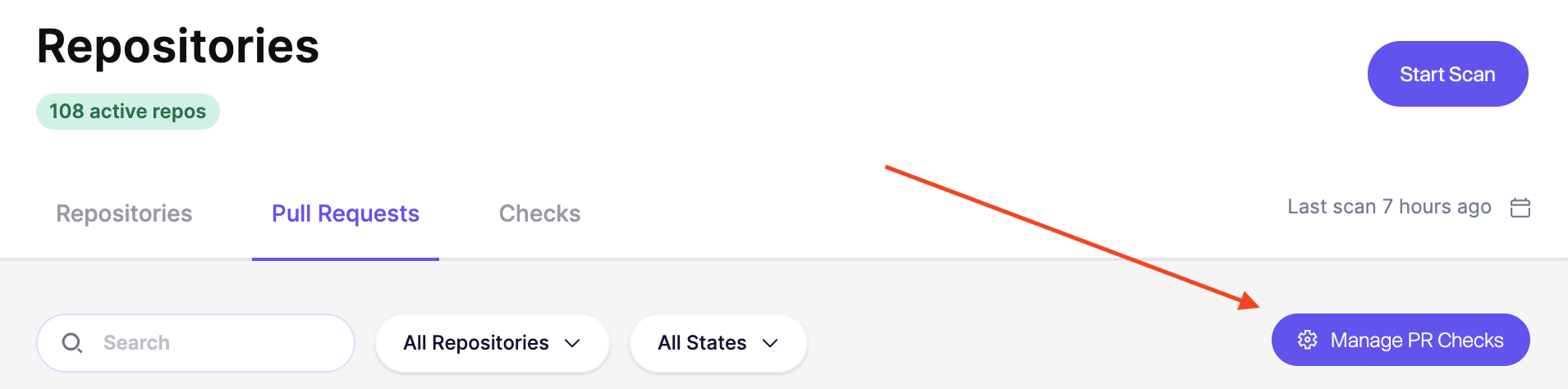
**Step 1:** Go to the settings page via **Repositories > Pull/Merge Requests > Manage PR/MR Checks**
**Step 2:** **Select the repo(s)** for which you want to enable it and click **Setup PR Scans**
**Step 3:** **Enable the toggle for ****Add comments**. Make sure at least SAST or Secrets scan is enabled.
**Step 4:** When a new issue is introduced (based on the scan failure severity), a new comment will be added in your SCM.
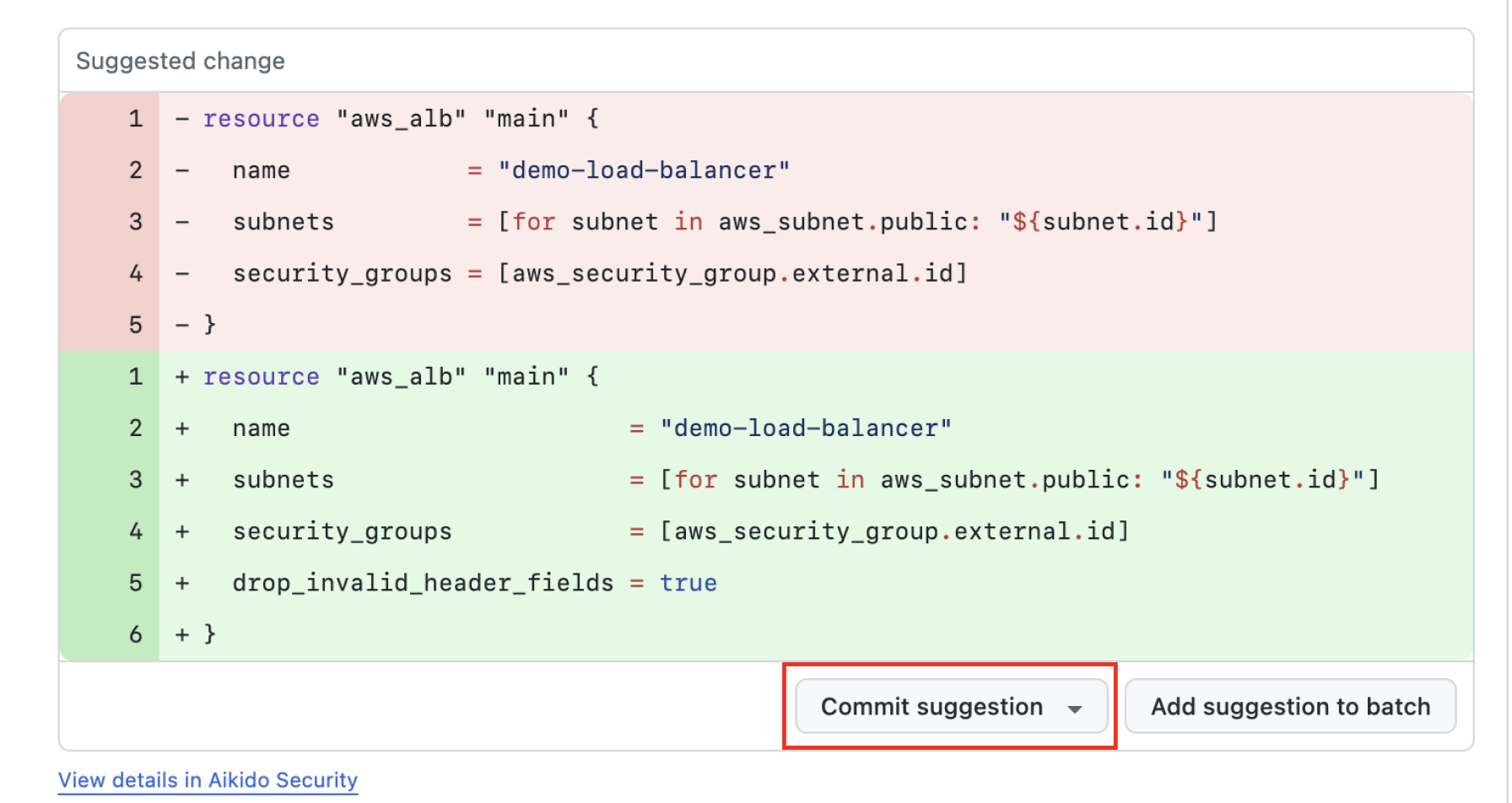
**Step 5.** When available, Aikido will make AutoFix suggestions. Review the diff and commit the suggestion to fix the newly introduced vulnerability all at once.
## What happens to comments after you fix an issue
When a later scan or review confirms that you fixed an issue, Aikido resolves the related inline comment.
{% hint style="info" %}
### GitHub permission exception
With [AutoFix](https://help.aikidogov.us/autofix-and-remediation/overview-aikido-autofix) enabled, Aikido resolves the comment thread. It remains in GitHub as a resolved conversation, preserving the discussion history. GitHub requires **Contents** write permission for this, even when an app already has Pull requests write permission. [GitHub has confirmed this requirement publicly](https://github.com/github/gh-aw/issues/35726).
Without AutoFix, Aikido follows the principle of least privilege and doesn't request **Contents** write permission solely to resolve comments. GitHub then prevents Aikido from resolving the thread, so Aikido deletes the comment after confirming the issue is fixed.
{% endhint %}