# Default PR/MR gating configuration for new repositories
If you frequently add repositories to Aikido, you can set a single default PR/MR gating configuration once, and Aikido will automatically apply it to every newly added repository in the future.
### Prerequisite
Make sure Aikido automatically **activates new repositories**.
If Aikido doesn’t activate the repository, it can’t apply the default configuration.
1. Go to [Repository Settings](https://app.aikido.dev/settings/integrations/repositories).
2. Enable **Automatically activate new repos**.
Need the UI walkthrough? See [Ensuring Aikido Scans New Repositories](https://help.aikidogov.us/code-scanning/miscellaneous/ensuring-aikido-scans-new-repositories).
### Steps
{% stepper %}
{% step %}
**Go to the configuration page**
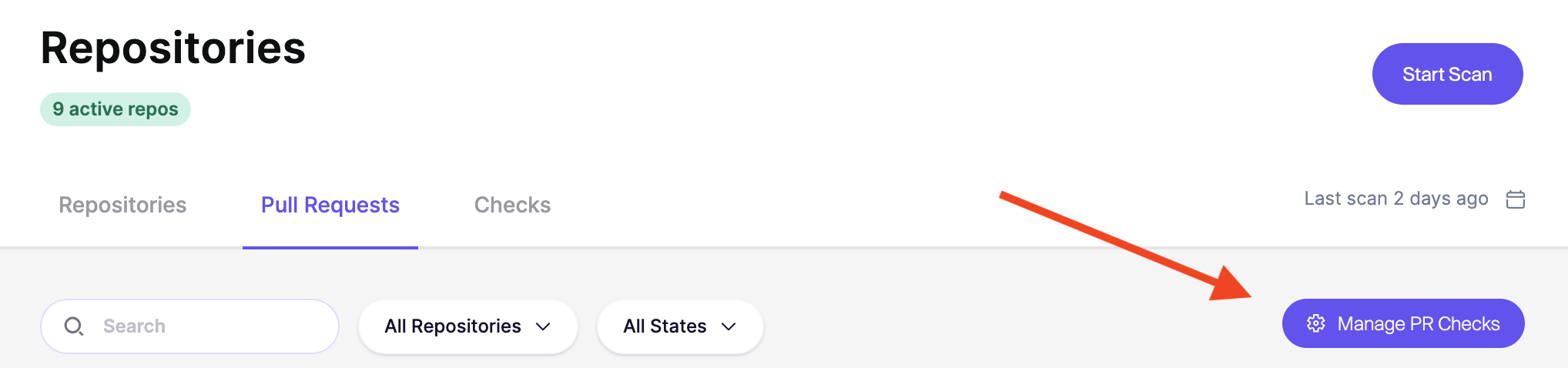
Open [Repositories](https://app.aikido.dev/repositories) → [Pull/Merge Requests](https://app.aikido.dev/repositories/prs) → `Manage PR/MR Checks`.
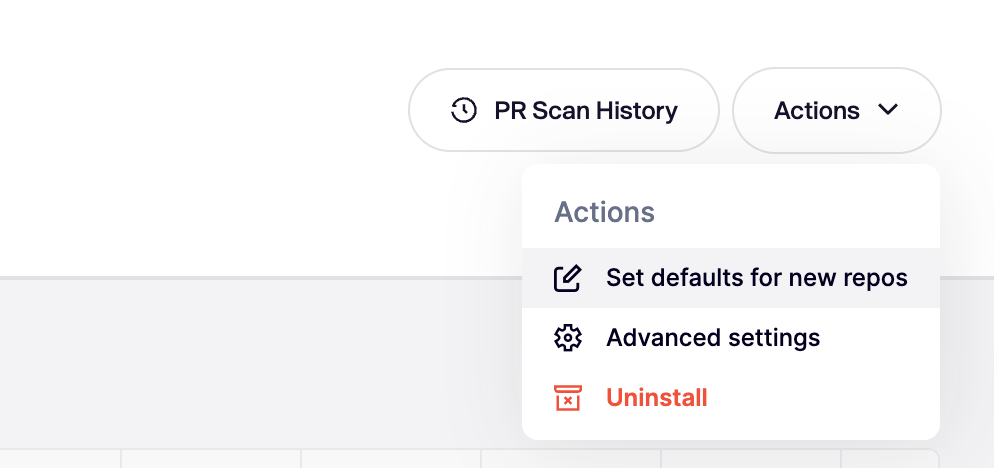
In the top-right, open `Actions` and select `Set Default for New Repos`.
{% endstep %}
{% step %}
**Turn on auto-apply for new repositories**
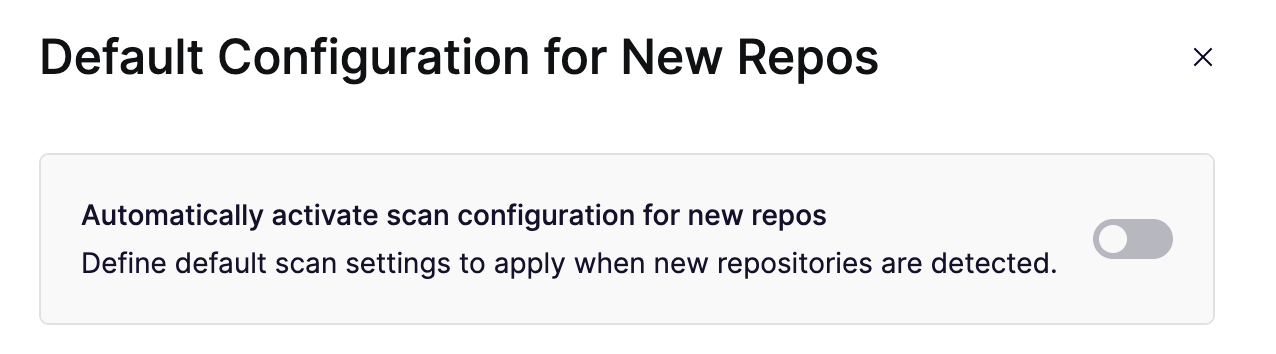
Enable **Automatically activate scan configuration for new repos**.
This makes Aikido apply your default PR/MR gating settings to new repositories.
{% endstep %}
{% step %}
**Choose the default settings**
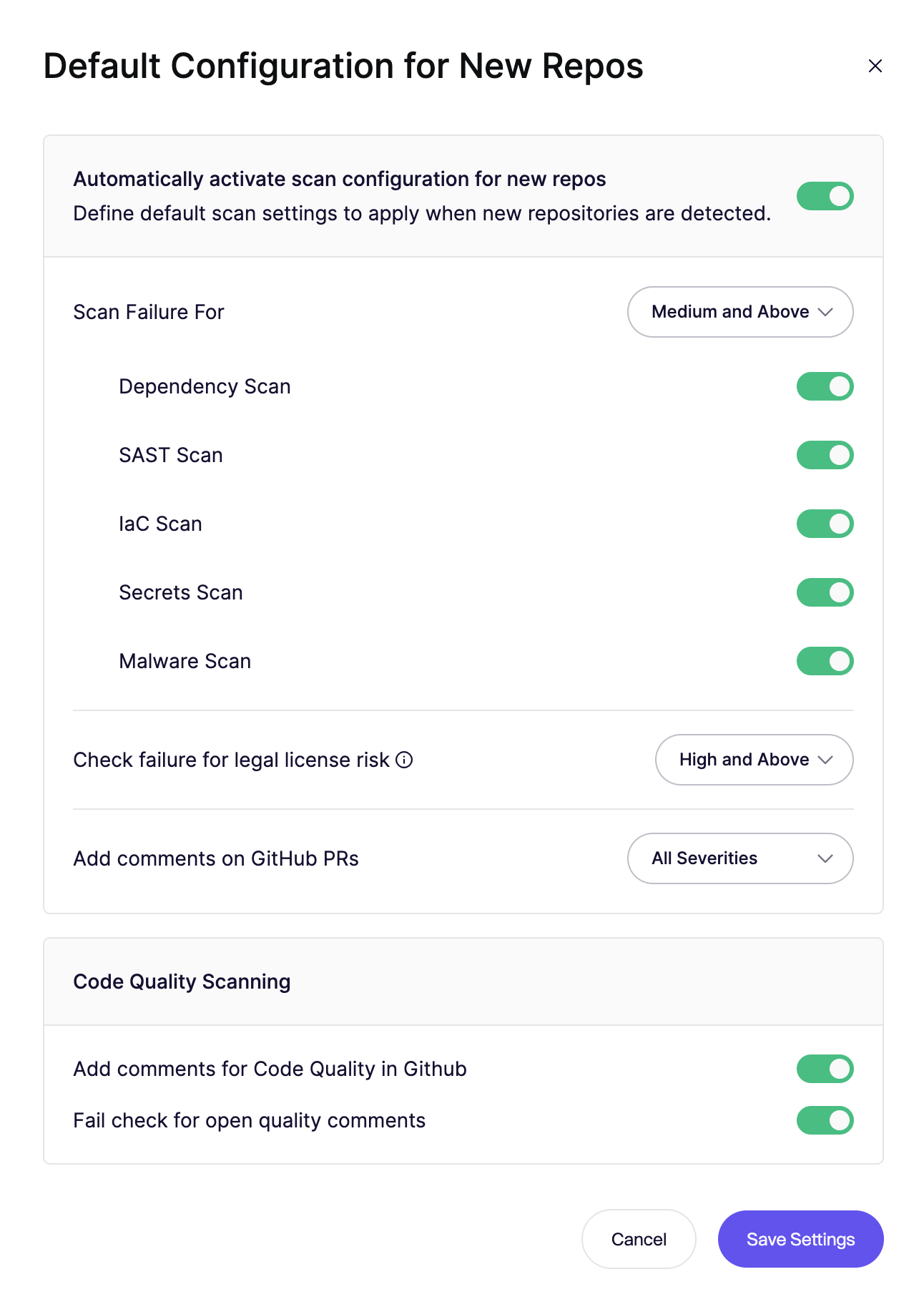
Set the configuration you want Aikido to apply by default.
This includes:
* Which scans run on PRs/MRs
* The failure threshold or **Always Pass**
* When comments are added
{% endstep %}
{% step %}
**Save your settings**
Click **Save Settings**.
Going forward repositories that are added will have this new configuration applied.
Existing repositories will not be affected by this change.
{% endstep %}
{% endstepper %}