# Monitor Outbound Domains
Zen Firewall by Aikido allows you to monitor outbound domains and IP addresses.
### Use Cases
* **Detection of Shadow IT:** are developers knowingly or unknowingly sharing production data with 3rd parties (eg [api.openai.com](http://api.openai.com) )
* **PII Leakage**: Avoid accidental leakage of PII or sensitive data to 3rd parties
* **Compliance:** Map existing data streams for compliance.
> When you have setup Zen, outbound domain monitoring works **out-of-the-box.**
### Future
* Block certain outbound domains so app is safe against SSRF
* PII leakage to unsanctioned 3rd party services
### How to monitor your outbound domains
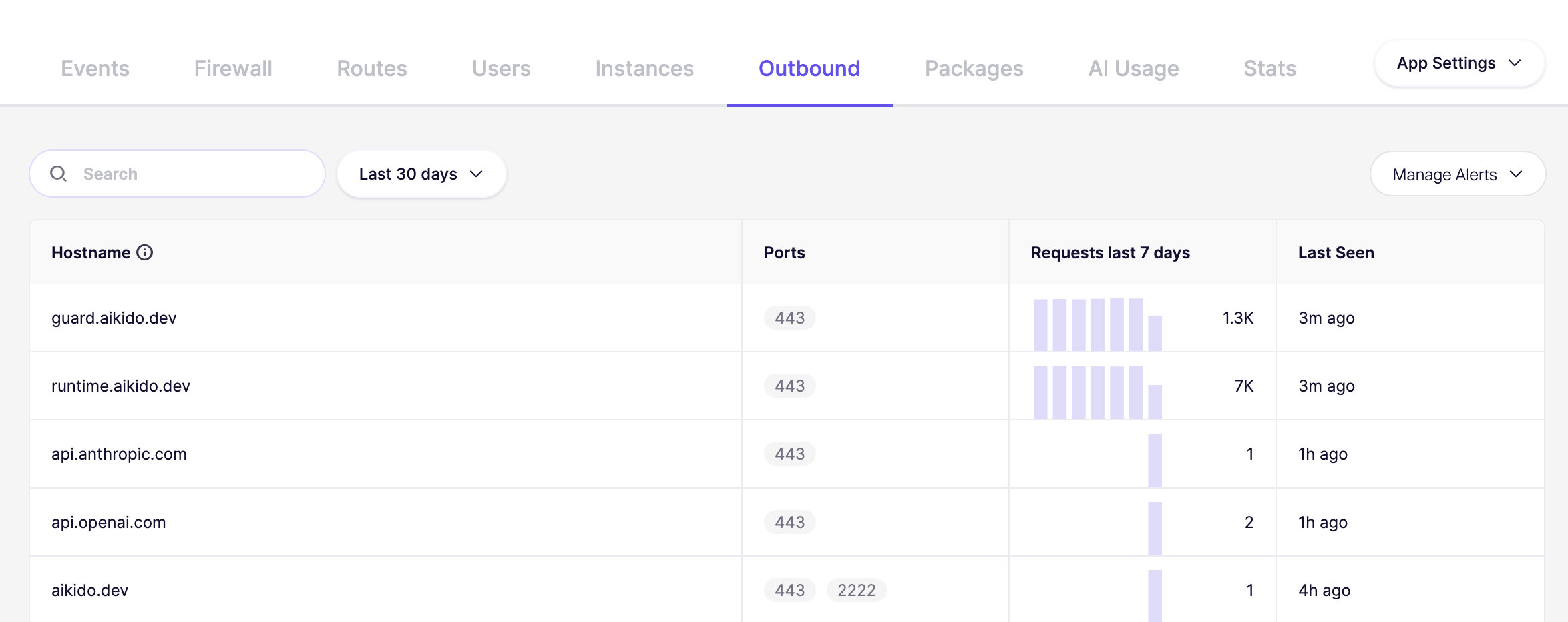
Select a specific app and continue to the Outbound Domains tab. You will get a full overview of all outbound domains.
### Get notified when new outbound domains were detected
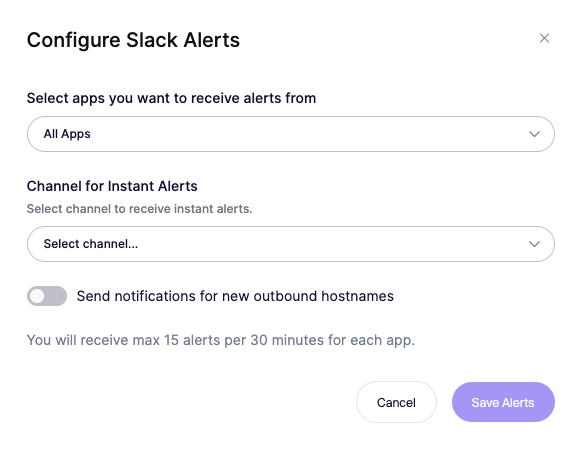
Knowing when your apps connect to new external destinations is crucial for security and oversight. Get alerted whenever an application makes an outbound connection to a hostname it hasn't contacted before.
To receive these alerts, go to the [**Services Overview**](https://app.aikido.dev/runtime/services) and click **Manage Alerts**. Find and enable the setting **"Send notifications for new outbound hostnames"**. On this same page, you can also fine-tune which specific apps trigger these alerts and choose your preferred Slack or Microsoft Teams channels.