Open-Source Dependency Scanning (SCA) in IDE
Aikido’s IDE extension helps you find and fix vulnerabilities in your open-source dependencies without leaving your editor. It scans your project’s manifests and lockfiles to detect outdated or insecure packages, highlight affected versions, and suggest safe upgrades.
How it works
- Aikido reads your dependency manifests and lockfiles to build an accurate list of packages and versions.
- Results include known CVEs, severity, affected versions, and safe upgrade ranges.
- After you run a manual SCA scan once, the extension watches your workspace for lockfile changes and refreshes results automatically.
Run a manual SCA scan
VSCode
- Open the Aikido sidebar in VS Code.
- Go to Open-source dependencies.
- Click Start scanning.
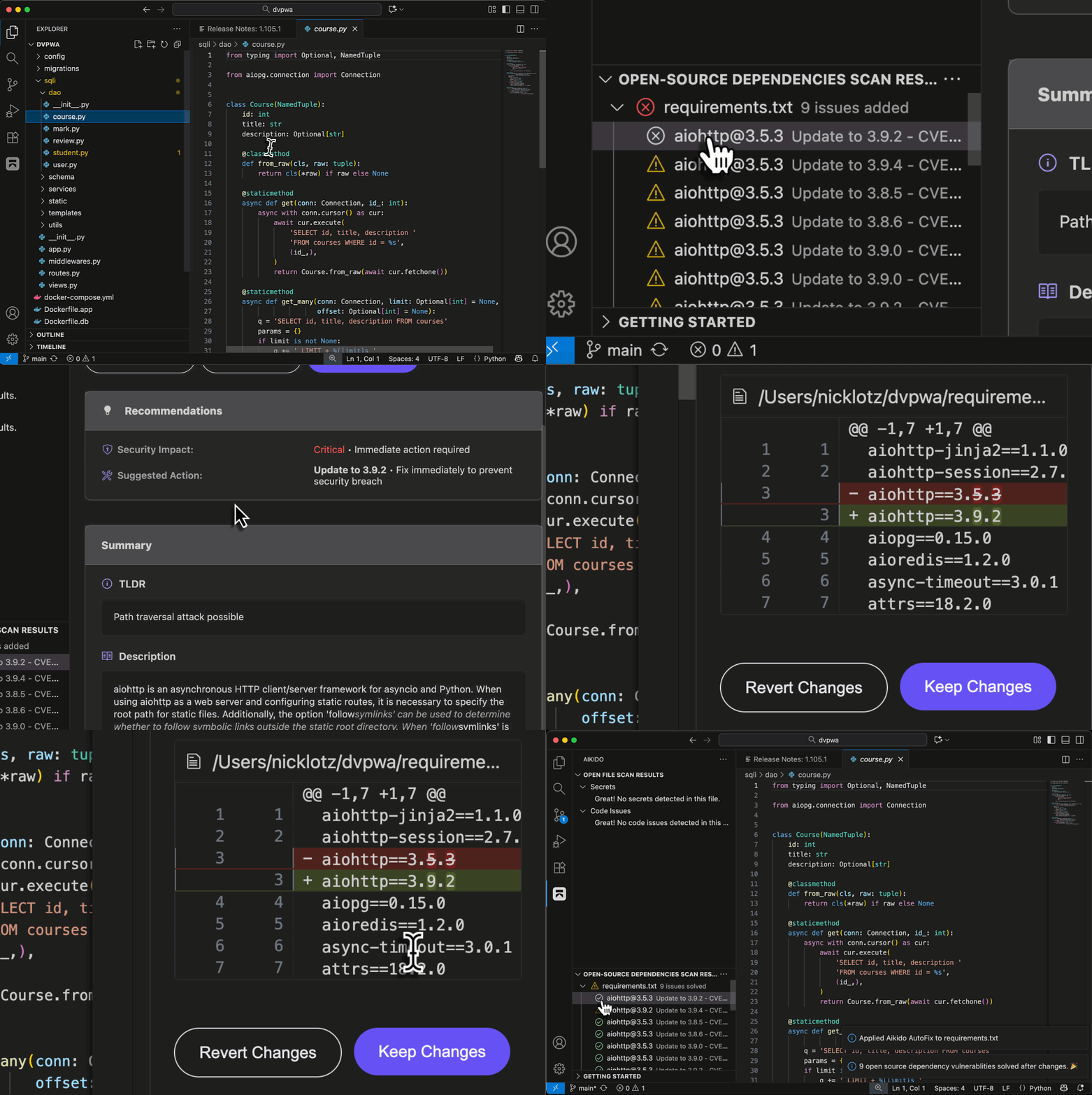
- When results appear, select a package to view details, advisories, and fix guidance.
- Each finding shows the minimum safe version or version ranges that resolve the issue.
- For supported ecosystems, AI AutoFix can update the manifest or suggest a safe version bump that you can apply from the IDE.
Eclipse
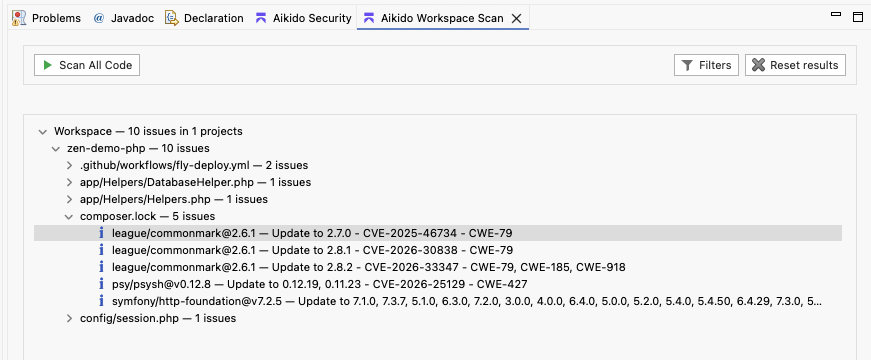
- Open "Aikido Workspace Scan"
- Press "Scan All Code"
- When results appear, select a package lockfile to view details, advisories, and fix guidance.
- Each finding shows the minimum safe version or version ranges that resolve the issue.