
AutoFix for Gitlab with Deploy Keys
Configure deploy keys so AutoFix pushes to your GitLab repositories over SSH instead of using your Personal Access Token (PAT).
Why use deploy keys?
Deploys keys are required when your GitLab group enforces both signed commits and uses Single Sign-on (SSO). With SSO enforced, GitLab requires your PAT to be re-authorized periodically for git pushes. Deploy keys aren’t tied to an SSO session, so AutoFix keeps working.
How it works
For each repository you select, Aikido generates a dedicated SSH key pair and registers the public key on that GitLab project as a deploy key named aikido-autofix-deploy-key, with write access. The private key is stored encrypted by Aikido. AutoFix then uses the deploy key to push its commits.
Your PAT is still required. Aikido uses it to add and remove the deploy keys through the GitLab API and to create merge requests.
Prerequisites
- You are an Aikido admin.
- A valid AutoFix Personal Access Token (PAT) is configured.
- The PAT's GitLab user has permission to add deploy keys to the projects you select.
Enable deploy keys
- In Aikido, go to GitLab token settings, open the AutoFix tab, and expand Advanced.
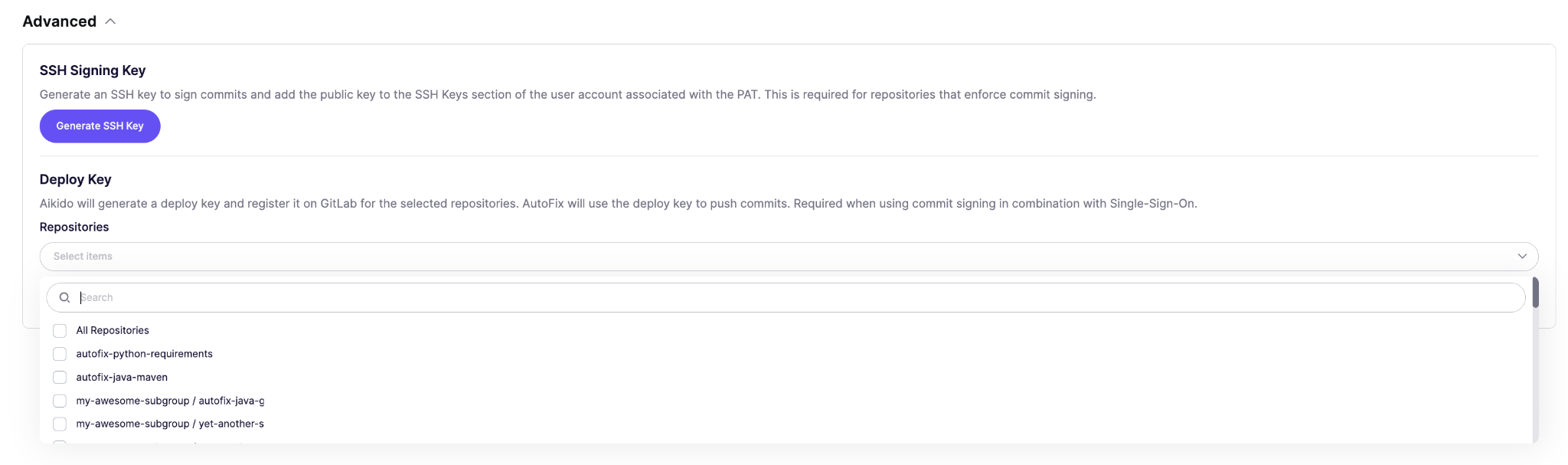
- Under Deploy Key, open the Repositories field and select the repositories AutoFix should push to over SSH using the deploy keys.
- Click Add deploy key on repos.
Wait for the Updating Repositories dialog to finish.
Remove deploy keys
- In Aikido, go to GitLab token settings, open the AutoFix tab and expand Advanced.
- Unselect the repositories you want to remove.
- Click Remove deploy key from repos and confirm.