
What the Coverage Levels Mean
What high risk only, recommended coverage, and deeper coverage change on a Rightsized Pentest.
On a Rightsized Pentest, the coverage slider sets how much of your application Aikido tests. Aikido shows the credit total before you start.
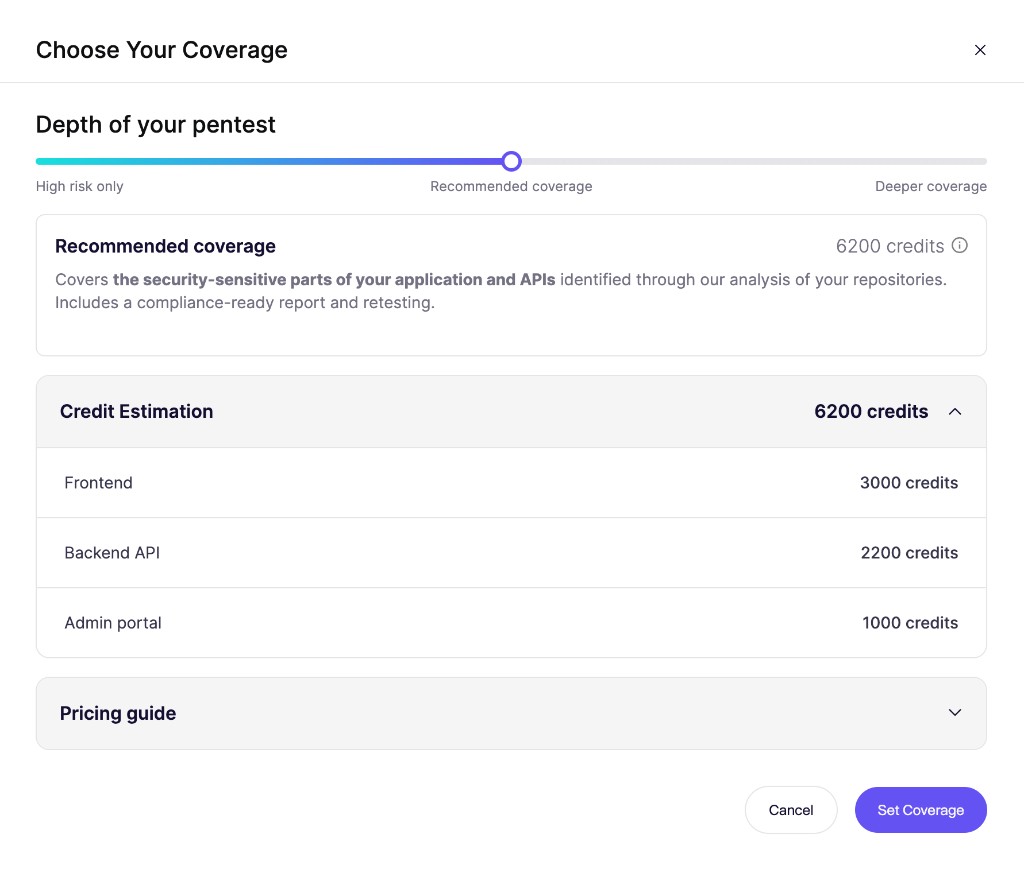
Move the slider to change the coverage level. The credit total updates before you confirm.
How it works
Use the slider to decide how thoroughly Aikido tests your application. Optimize for a lower cost, or for a more thorough test.
High risk only
Aikido focuses on the areas most likely to expose serious vulnerabilities. Some areas get less testing, or none.
Choose this for a quick check between fuller tests. It costs less.
Recommended coverage
Aikido covers the security-sensitive parts of your application and APIs.
Aikido recommends this level. It balances cost and thoroughness.
Deeper coverage
Aikido tests everything in recommended coverage, then goes further. That includes complex workflows and less common attack paths.
Choose this when you want a broader test, for example ahead of a major new release. It costs more.
Every level includes a compliance-ready report, retesting, and AutoFix. Aikido looks for the same kinds of issues at each level. The slider changes how much of the application gets tested.