
Nodejs (Google Cloud Functions)
This guide will walk you through installing and setting up Zen Firewall by Aikido for your application. Follow the steps below to protect your application.
If you encounter any issues or problems, don't hesitate reach out on support chat or Github issues
https://github.com/AikidoSec/firewall-node
Requirements
- Node.js 16+.
- Google Cloud Functions (
@google-cloud/functions-framework3.x or 4.x). - Aikido account & Zen Firewall token
Installation & Configuration
Install Zen Firewall by Aikido
Install Zen in your project:
npm install --save-exact @aikidosec/firewallyarn add --exact @aikidosec/firewallpnpm add --save-exact @aikidosec/firewallIf you use
@google-cloud/functions-framework:require("@aikidosec/firewall/cloud-function"); const functions = require("@google-cloud/functions-framework"); functions.http("handler", async (req, res) => { // your logic });If you use
exports.handler, wrap manually:const protect = require("@aikidosec/firewall/cloud-function"); exports.handler = protect(async (event, context) => { // your logic });Start Zen Firewall in dry / detection-only mode
Set function environment variables:
AIKIDO_TOKEN=AIK_RUNTIME_...
AIKIDO_BLOCK=false
Set the token as an environment variable so the Aikido Zen agent can pick it up. If you don't have a token yet, follow instructions here.
AIKIDO_TOKEN=AIK_RUNTIME_We recommend to start your app in dry mode to ensure it works as expected without blocking any requests. We advise running Zen Firewall in staging for two weeks to avoid false positives.
AIKIDO_BLOCK=falseYou can use
AIKIDO_DEBUG=trueto enable debug mode for more detailed information about what the agent is doing. For more information about your environment variables: configuration-via-environment-variables.mdTest your app
Invoke your function and verify Zen events in the dashboard.
Browse to your application and perform a couple of actions or open a couple of pages. Zen will automatically discover the routes in your application.
Zen sends data back to Aikido every 10 minutes
You can verify a working agent by looking at the following pages of your Zen application:
- Events: Should show an "Application started" event.
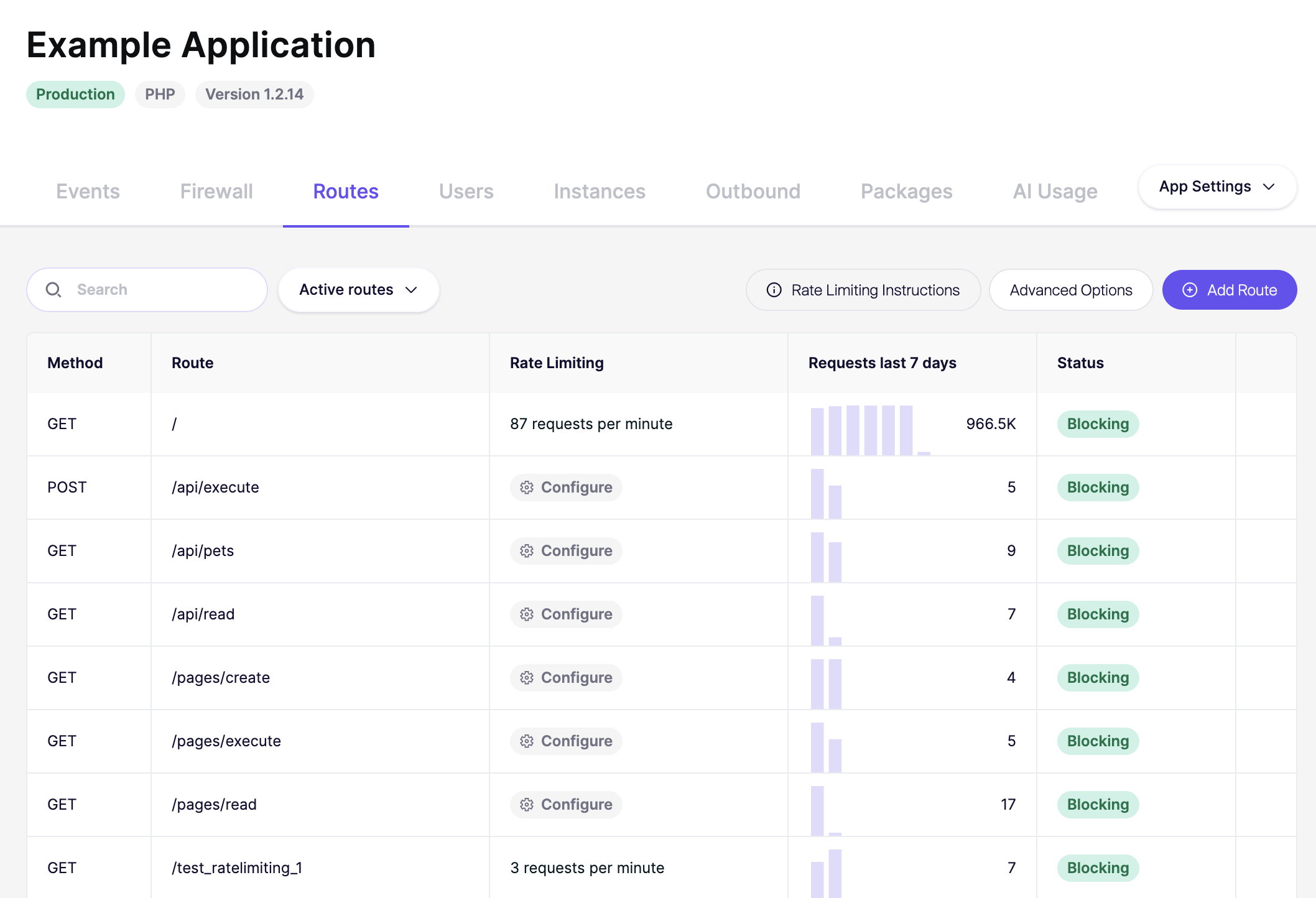
- Routes: After some time your application routes will start showing here with the method, route and requests.
- Instances: Should show the number of active instances for your application where Zen is installed.
Optional runtime tuning
If needed, tune Zen API timeout:
AIKIDO_CLOUD_FUNCTION_TIMEOUT_MS=5000Next steps
Congrats you've successfully installed Zen Firewall. If you encountered any problems, have concerns or feature requests, don't hesitate to reach out to support.
You can now go and explore the many features that Zen Firewall provides:
- blocking-bot-traffic-with-zen-firewall.md
- blocking-tor-traffic-with-zen-firewall.md
- blocking-users-with-zen-firewall.md
- blocking-known-threat-actors-with-zen-firewall.md
- blocking-traffic-by-country-with-zen-firewall.md
- setting-up-rate-limiting-for-routes.md
- monitor-outbound-domains.md
Additional information: