
Upload a Repository as a Zip
When you cannot connect a git provider, upload a static .zip as a snapshot of the code. Aikido adds that snapshot as a repository so you can run AI Code Analysis, whitebox pentests, and other features that read the code. Actions that need a live git connection, such as an AutoFix pull request, are not available yet.
Zip upload is the exception to Aikido's usual rule of not keeping your code. Aikido stores this archive with the repository so the snapshot stays available for AI Code Analysis, whitebox pentests, and other features that read it. You can delete the repository at any time.
Prerequisites
- You are a workspace admin.
- The archive is a
.zipof one repository. - Include the code you want assessed: source, lockfiles, and any dependency folders or build output that should be part of the snapshot.
How it works
Aikido stores the zip and uses it as the repository contents. Features that read the snapshot can use it. Features that need a live git connection cannot, and Aikido is adding support for more of them.
Uploading a new version of an existing repository is not supported yet. Support for that is coming soon.
Upload the repository
Create the zip
From the repository root, run:
git archive --format=zip --output=my-app.zip HEADgit archivepacks tracked files atHEAD. Zip the folder from your file manager when the snapshot should also include untracked files, such as installed dependencies or build output. Files can sit at the root of the archive or inside one top-level folder.Open repository settings
Go to Repository settings. From Repositories, click Manage Repos.
Choose upload source code
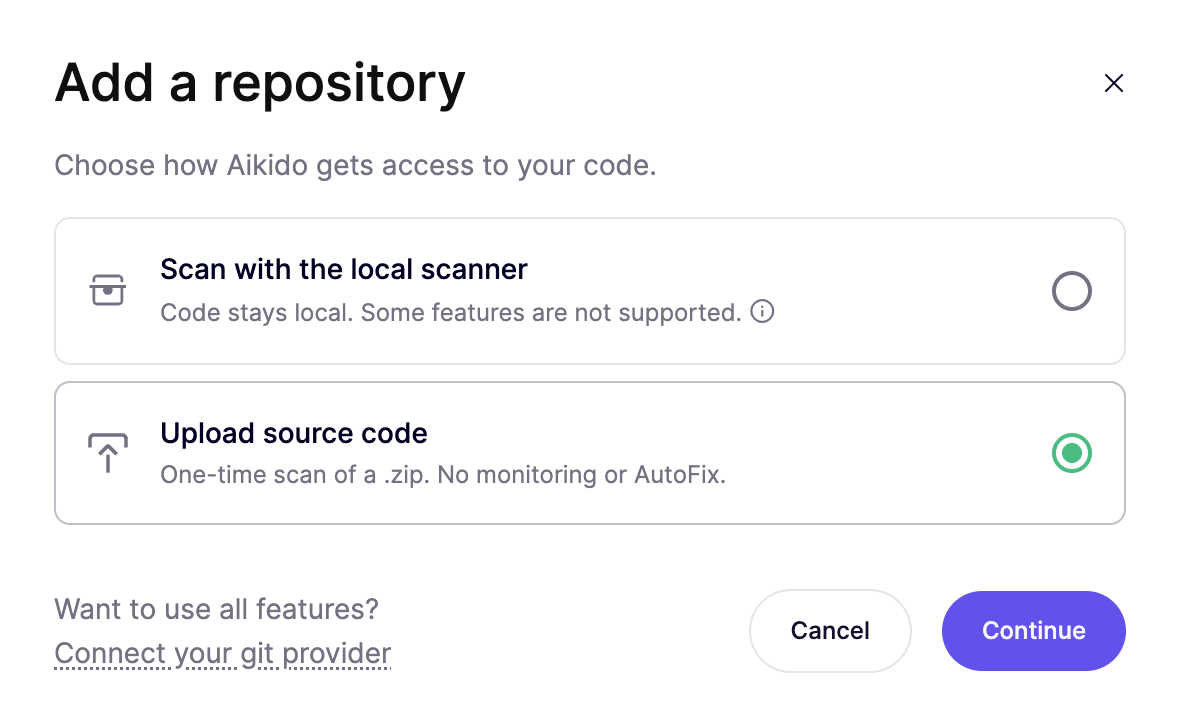
Click Add repo. Select Upload source code, then click Continue.
Name the repository and add the zip
Enter a Repository name. Click the upload area, or drag the
.ziponto it.Upload
Click Upload. Aikido adds the repository, confirms with Repository uploaded, and starts the scan automatically.
Select the repository in a setup flow
Open AI Code Analysis or set up a pentest. When the setup flow asks you to choose repositories, select this one. Other features that read repository code work the same way.
Troubleshooting
| Problem | What to do |
|---|---|
| The archive is too large | Remove files you can spare, then zip the repository again. |
| The file is not a valid zip | Create the archive with git archive or your file manager. Renaming another file to .zip does not make it a zip. |
FAQ
How do I upload a newer copy of the code?
Uploading a new version of an existing repository is not supported yet. Support for that is coming soon.
Which features are unavailable?
The zip is a static snapshot, so anything that needs a live git connection is limited. Opening an AutoFix pull request is one example. AI Code Analysis, whitebox pentests, and other features that read the code can use the snapshot. Connect a git provider when you need the full set.