
Default PR/MR gating configuration for new repositories
Automatically apply a default PR/MR gating config when new repositories are added.
If you frequently add repositories to Aikido, you can set a single default PR/MR gating configuration once, and Aikido will automatically apply it to every newly added repository in the future.
Prerequisite
Make sure Aikido automatically activates new repositories.
If Aikido doesn’t activate the repository, it can’t apply the default configuration.
- Go to Repository Settings.
- Enable Automatically activate new repos.
Need the UI walkthrough? See Ensuring Aikido Scans New Repositories.
Steps
Go to the configuration page
Open Repositories → Pull/Merge Requests →
Manage PR/MR Checks.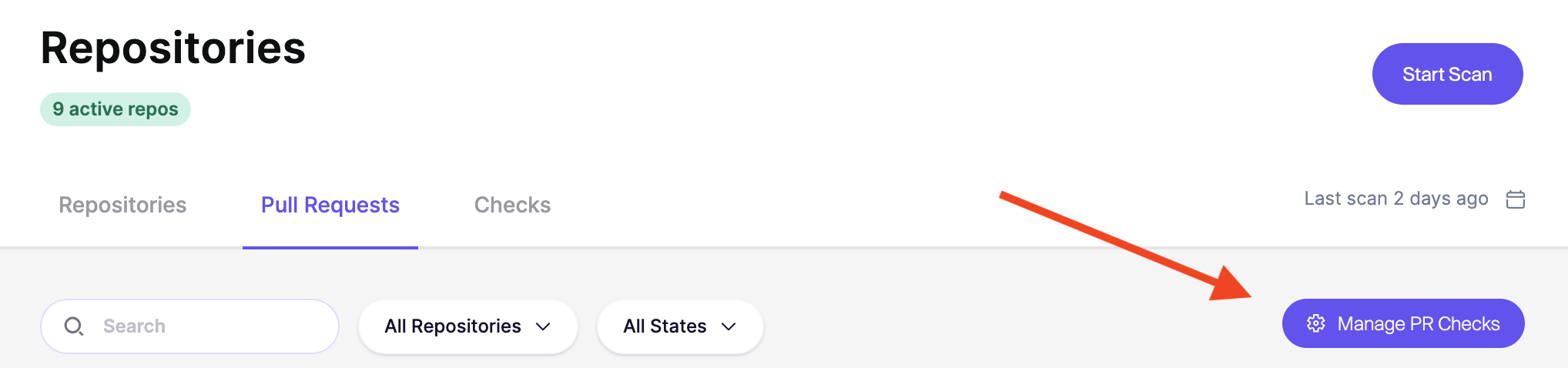
In the top-right, open
Actionsand selectSet Default for New Repos.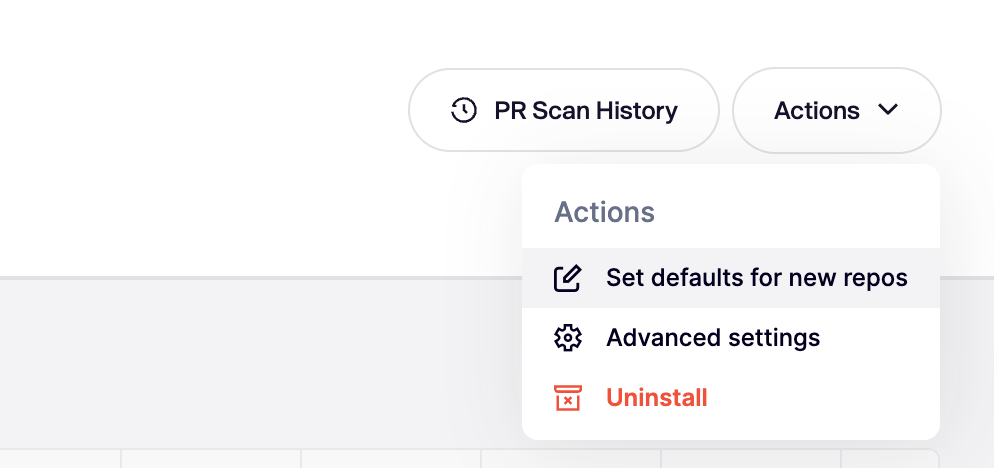
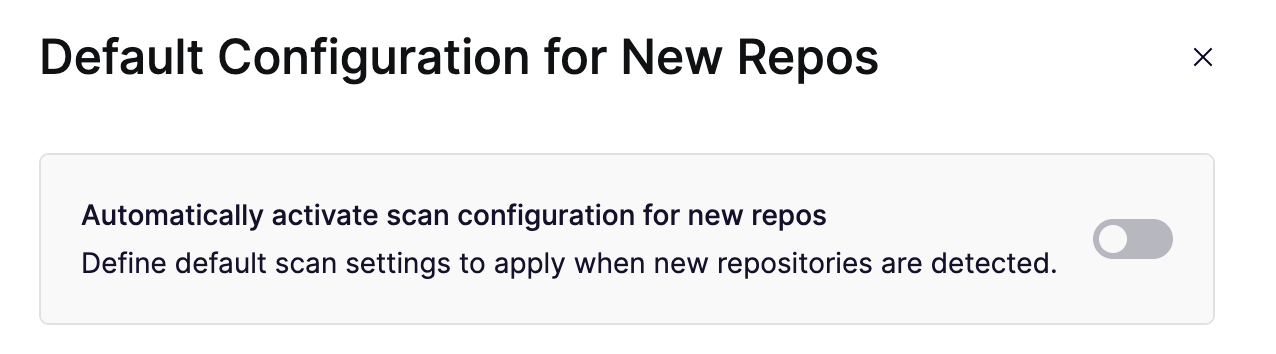
Turn on auto-apply for new repositories
Enable Automatically activate scan configuration for new repos.
This makes Aikido apply your default PR/MR gating settings to new repositories.
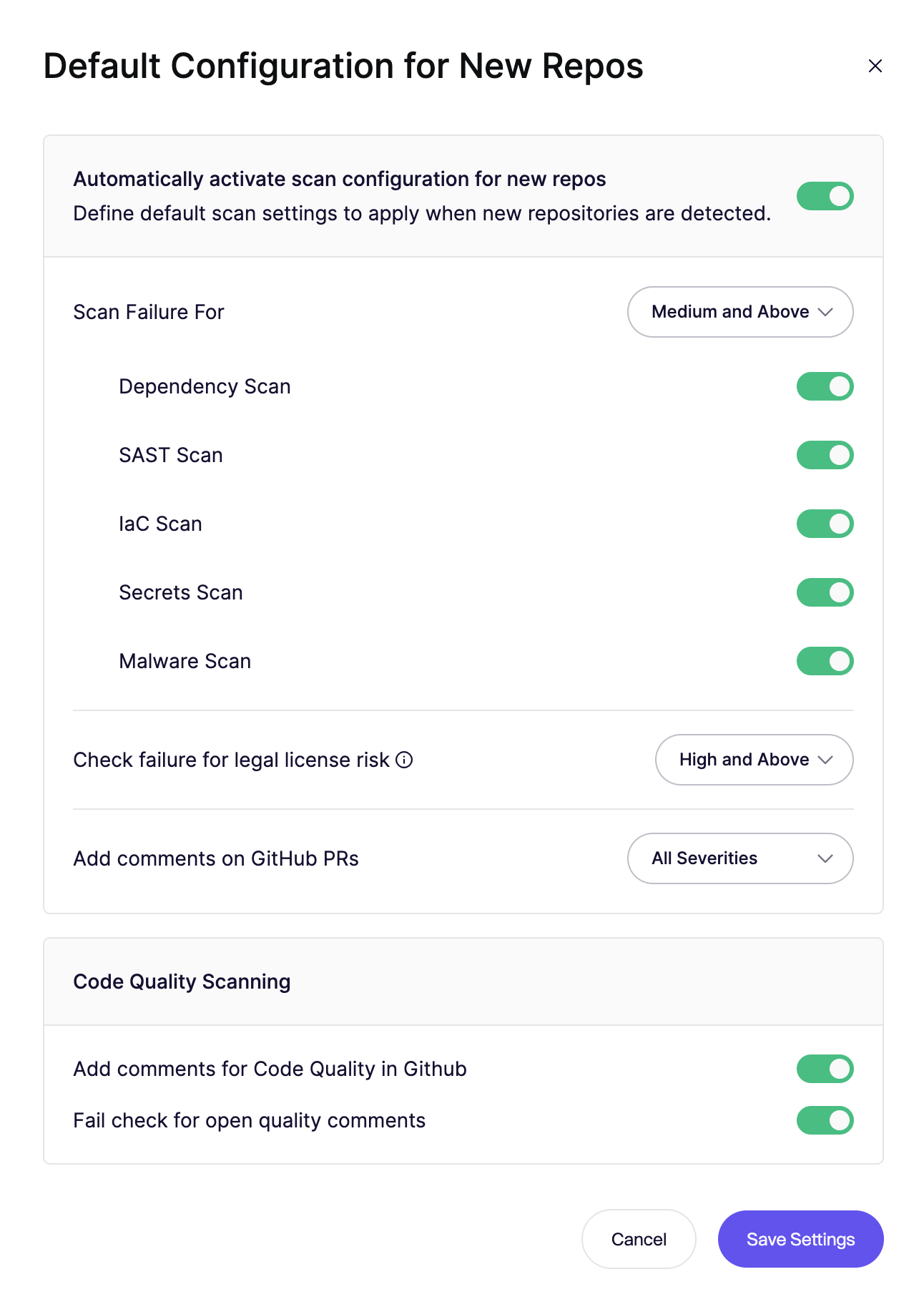
Choose the default settings
Set the configuration you want Aikido to apply by default.
This includes:
- Which scans run on PRs/MRs
- The failure threshold or Always Pass
- When comments are added
Save your settings
Click Save Settings.
Going forward repositories that are added will have this new configuration applied.
Existing repositories will not be affected by this change.