
Go (Gin)
This guide will walk you through installing and setting up Zen Firewall by Aikido for your application. Follow the steps below to protect your application.
If you encounter any issues or problems, don't hesitate reach out on support chat or Github issues
https://github.com/AikidoSec/firewall-go
Requirements
- Go 1.24+.
- Gin.
- Aikido account & Zen Firewall token
Installation & Configuration
Install Zen Firewall by Aikido
In your application module (the module that contains
main), initialize Zen and update dependencies:go run github.com/AikidoSec/firewall-go/cmd/zen-go@latest init go mod tidyEnable Zen as early as possible in your
mainpackage:import "github.com/AikidoSec/firewall-go/zen" func main() { err := zen.Protect() if err != nil { panic(err) } // your existing setup }Build with
zen-goso Zen can instrument your binary:go tool zen-go go build -o bin/appSet your token at runtime:
export AIKIDO_TOKEN=AIK_RUNTIME_Enable Request Blocking and User Identification
Use this middleware to enable rate limiting, user identification, and blocking features.
Zen Firewall does not require this middleware to block attacks. Core attack protection works without it. The middleware provides additional request context that Zen uses for protections such as rate limiting, user blocking, bot blocking, country blocking, and threat actor blocking.
Adapt the example to fit how your application identifies users and handles requests.
r.Use(func(c *gin.Context) { if c.GetHeader("user") != "" { _, err := zen.SetUser(c, c.GetHeader("user"), "John Doe") if err != nil { _ = c.AbortWithError(http.StatusInternalServerError, err) return } } }) r.Use(func(c *gin.Context) { blockResult := zen.ShouldBlockRequest(c) if blockResult != nil { if blockResult.Type == "rate-limited" { message := "You are rate limited by Zen." if blockResult.Trigger == "ip" { message += " (Your IP: " + *blockResult.IP + ")" } c.String(http.StatusTooManyRequests, message) c.Abort() return } if blockResult.Type == "blocked" { c.String(http.StatusForbidden, "You are blocked by Zen.") c.Abort() return } } c.Next() })Start Zen Firewall in dry / detection-only mode
Start your app with detection mode enabled:
AIKIDO_BLOCK=false AIKIDO_TOKEN=AIK_RUNTIME_ go tool zen-go go run .Set the token as an environment variable so the Aikido Zen agent can pick it up. If you don't have a token yet, follow instructions here.
AIKIDO_TOKEN=AIK_RUNTIME_We recommend to start your app in dry mode to ensure it works as expected without blocking any requests. We advise running Zen Firewall in staging for two weeks to avoid false positives.
AIKIDO_BLOCK=falseYou can use
AIKIDO_DEBUG=trueto enable debug mode for more detailed information about what the agent is doing. For more information about your environment variables: configuration-via-environment-variables.mdTest your app
Browse to your application and perform a couple of actions or open a couple of pages. Zen will automatically discover the routes in your application.
Zen sends data back to Aikido every 10 minutes
You can verify a working agent by looking at the following pages of your Zen application:
- Events: Should show an "Application started" event.
- Routes: After some time your application routes will start showing here with the method, route and requests.
- Instances: Should show the number of active instances for your application where Zen is installed.
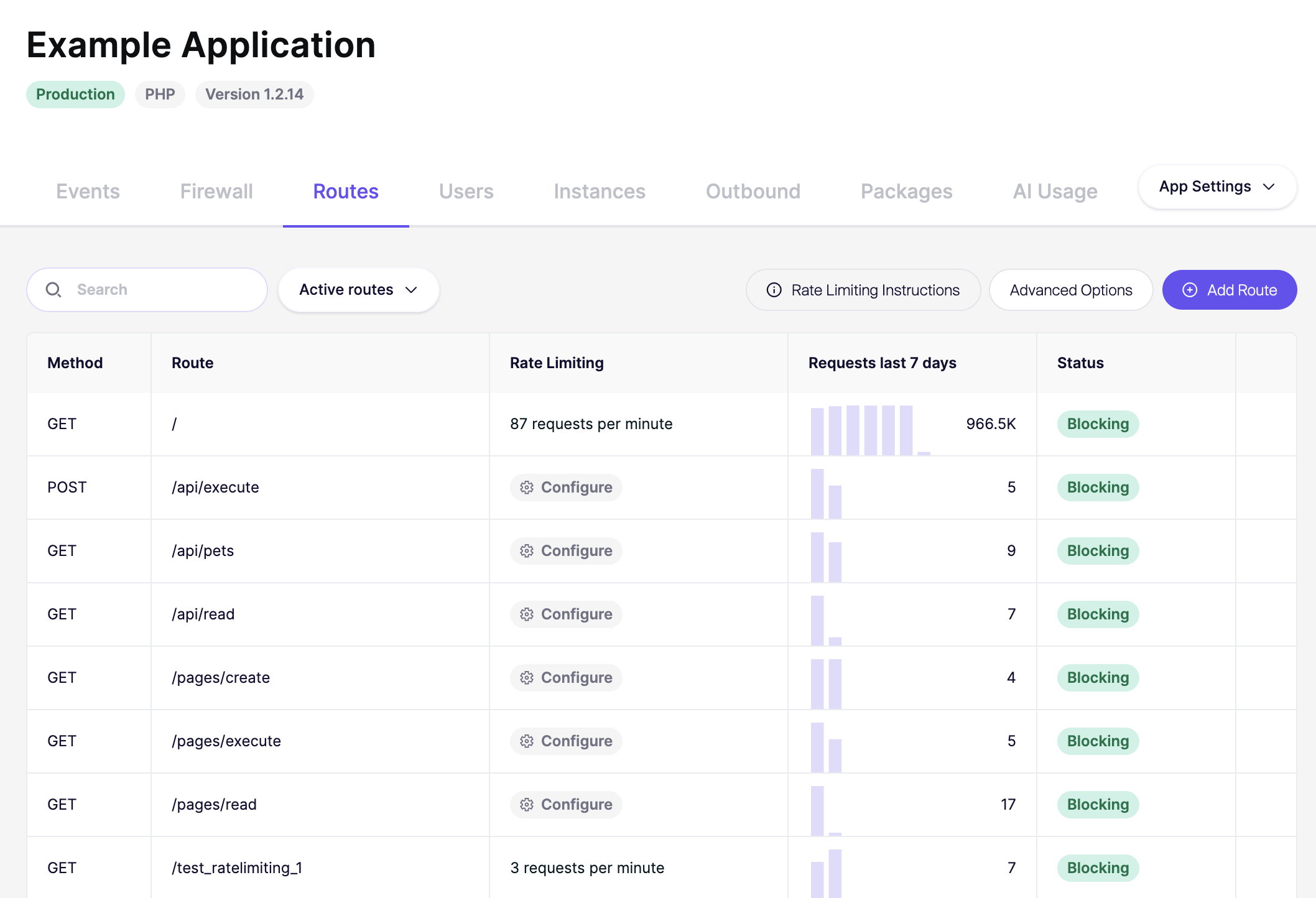
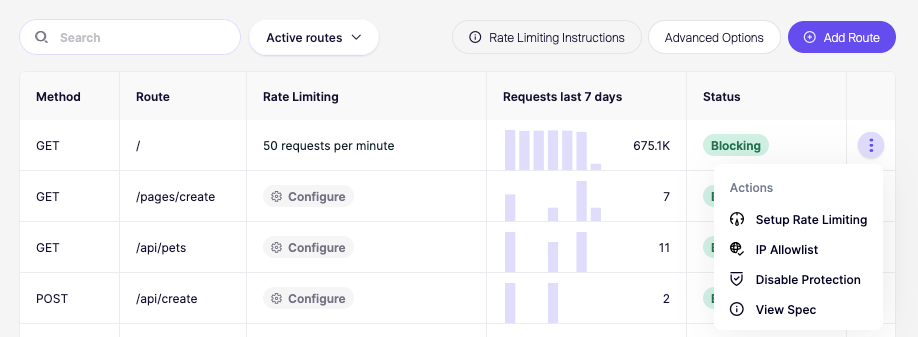
Setup rate limiting in the dashboard
When you've added the Zen Firewall middleware you can test protecting a route from brute force attacks, you do this by setting up rate limit in the Aikido Dashboard:
- Click on the created app.
- Go to the Routes tab.
- Find the route you would like to limit and click Setup rate limiting.
- Follow the instructions to configure the rate limit (e.g., 5 requests per minute).
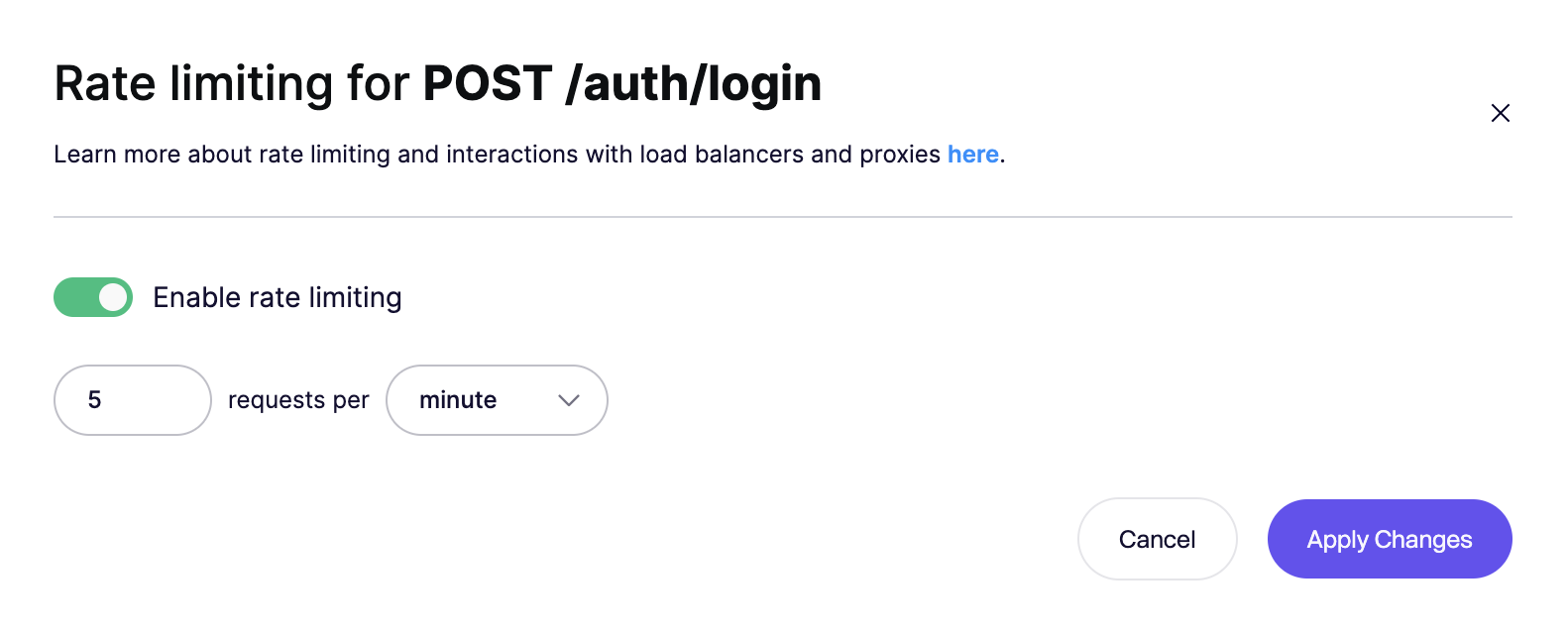
Verify Rate Limiting
Start your app and try to access the route you've rate limited 5 times within a minute. After the fifth attempt, you should receive a rate limit error:
You are rate limited by Aikido firewall. (Your IP: 1.2.3.4)Next steps
Congrats you've successfully installed Zen Firewall. If you encountered any problems, have concerns or feature requests, don't hesitate to reach out to support.
You can now go and explore the many features that Zen Firewall provides:
- blocking-bot-traffic-with-zen-firewall.md
- blocking-tor-traffic-with-zen-firewall.md
- blocking-users-with-zen-firewall.md
- blocking-known-threat-actors-with-zen-firewall.md
- blocking-traffic-by-country-with-zen-firewall.md
- setting-up-rate-limiting-for-routes.md
- monitor-outbound-domains.md
Additional information: