
Domain verification
Domain verification confirms that you own or control a domain before Aikido allows scans or integrations that reference it.
Only verify domains that belong to your organization. Verification grants permission to scan and analyze assets associated with that domain.
This step prevents misuse of scanning features against domains you do not own and protects both your organization and others from malicious or accidental scans.
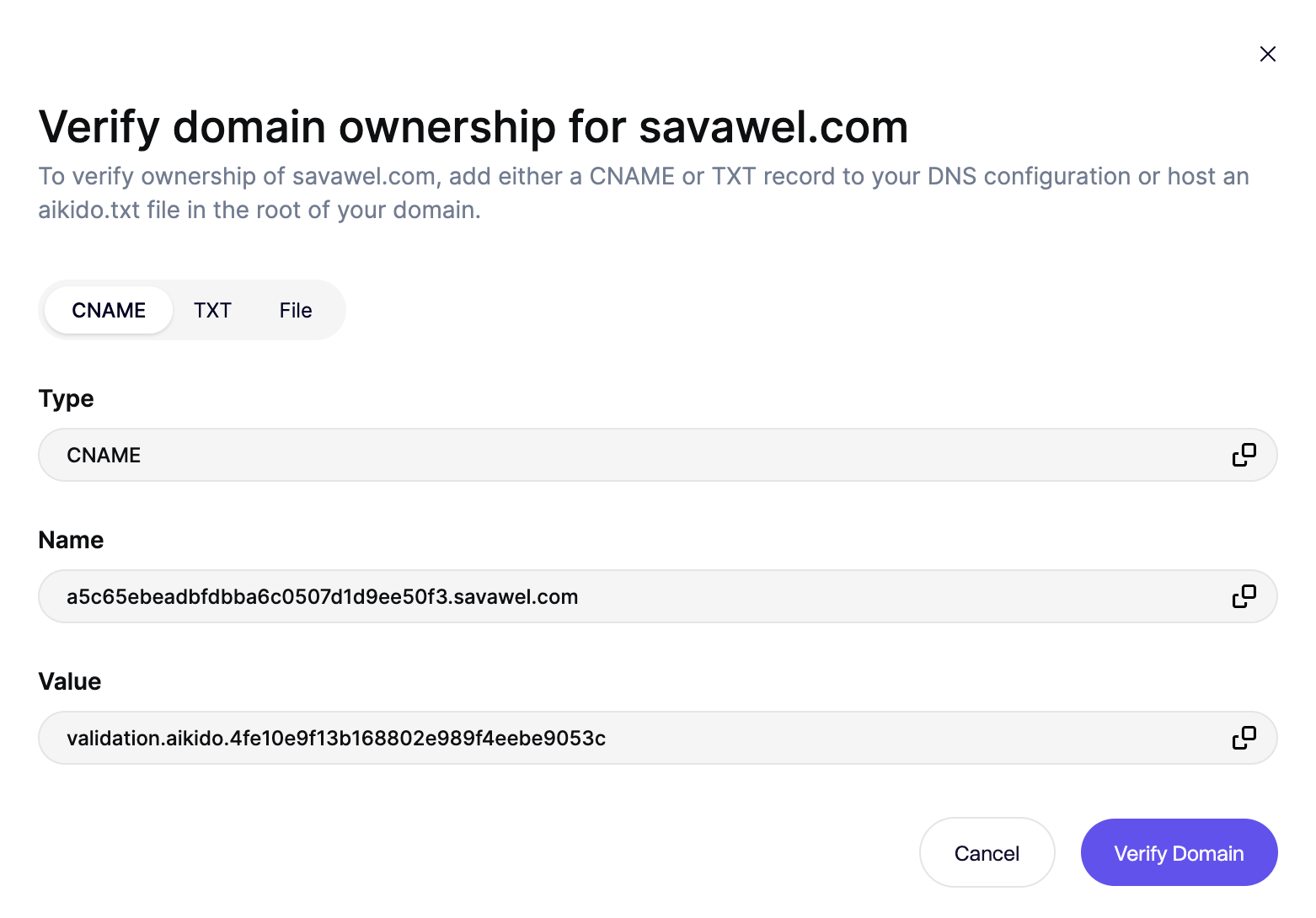
Verification methods
You can verify a domain using one of the following methods. All methods prove control over DNS or hosting for the domain.
Option 1: CNAME record
You add a CNAME record to your domain’s DNS configuration.
- Aikido provides a unique CNAME value
- You create the record in your DNS provider
- Aikido checks that the record resolves correctly
Option 2: TXT record
You add a TXT record to your domain’s DNS configuration.
- Aikido provides a unique TXT value
- You add the record to your DNS provider
- Aikido verifies the presence of the record
Option 3: TXT file on the domain (AI Pentest only)
The TXT file is accessed from the Code and Container scanning IPs. Make sure these IPs are allowlisted, or domain verification will fail.
You upload a TXT file to a root path on your domain.
- Aikido provides a filename and verification token
- You host the file at the required URL
- Aikido confirms the file is publicly accessible from the allowing-ip-addresses-for-code-container-scanning.md, make sure to add these for validation to succeed
This option is useful when you do not control DNS but can deploy files to the domain.