
PR Gating Overview
Aikido CI gating scans feature branches before they reach production. It helps you block newly introduced issues and see which existing issues a branch solves. It covers open-source dependencies (SCA), IaC, Secrets, SAST, malware, license risks, code quality issues, and Deep Review when it is enabled.
Overview
Aikido offers two gating modes:
- PR Gating: Primarily handled via native integrations (GitHub, GitLab, Bitbucket, Azure). It scans the diff of your branch.
- Release Gating: Handled via the Aikido CLI. It ensures your final build is clean before deployment.
Setup Options
You can configure gating in two ways:
- Aikido Interface: Use our 1-click configuration for GitHub, GitLab, Bitbucket, and Azure. This setup is managed entirely within the Aikido interface, provides a better overview, and doesn’t consume your CI minutes.
- CI Pipeline: For teams that prefer managing configuration in their own environment. You can use Bitbucket Pipes natively, or integrate with any other runner (Jenkins, CircleCI, etc.) using the
@aikidosec/ci-api-clientpackage. Setup steps are in Aikido CLI: Release Gating.
Configuring Your CI Gate
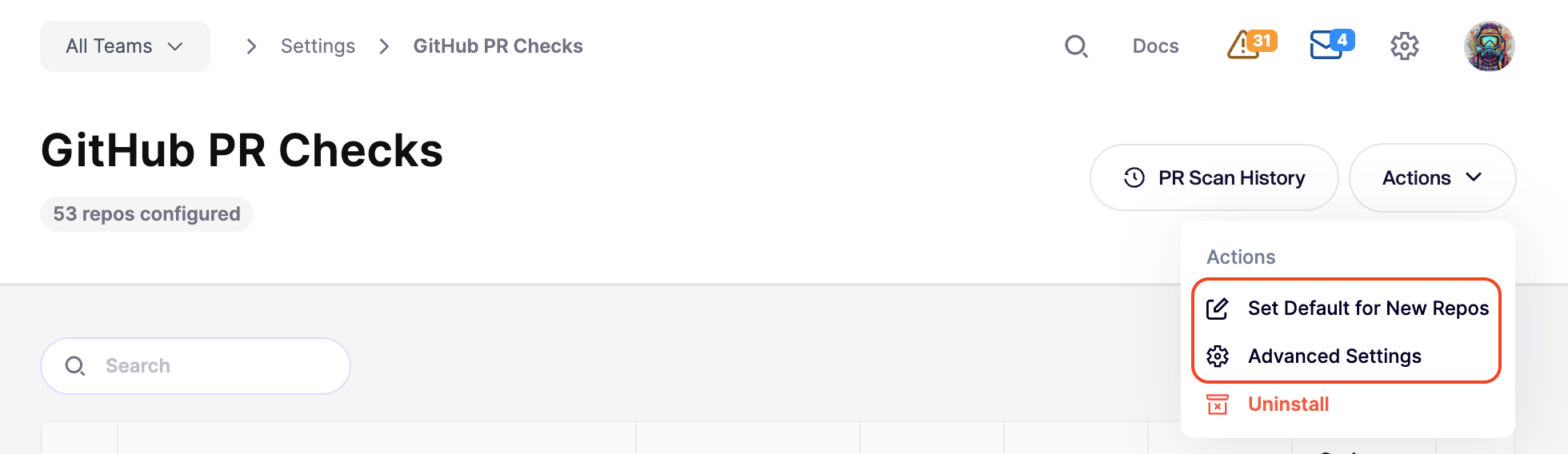
When you set up gating in Aikido, you have granular control over what triggers a failure. These settings are found by going to Integrations > PR Quality Gating > [Your Setup].
From here, you can:
- Set Defaults: Define the default gating configuration for all new repositories added to your workspace. See Automatic Configuration for Newly Added Repos.
- Bulk Edit: Select multiple repositories to apply configuration changes across your entire project.
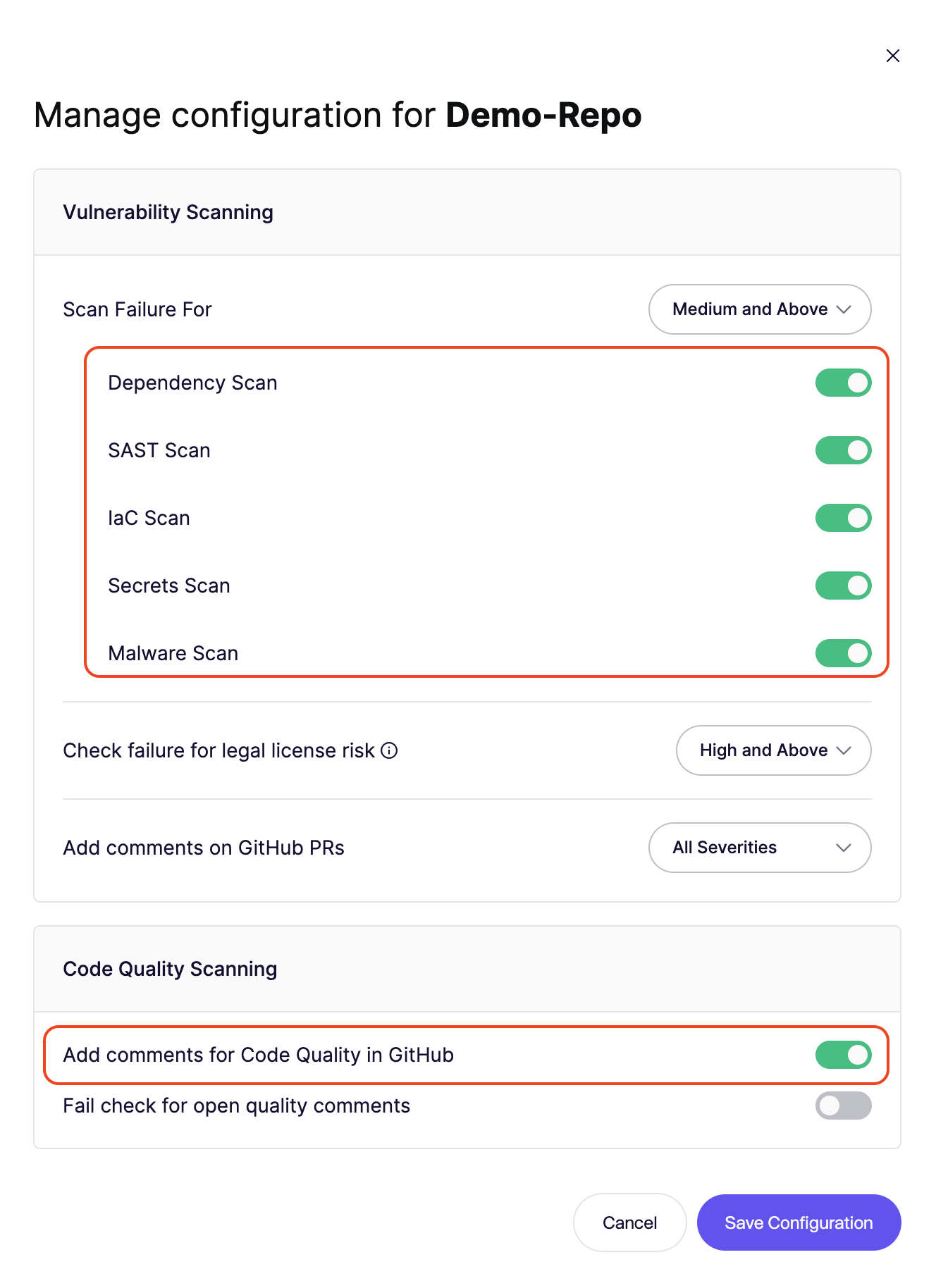
- Granular Control: Adjust settings for a single repository to handle specific project needs.
- Advanced Settings: Fine-tune how Aikido interacts with your workflow.
Failure threshold
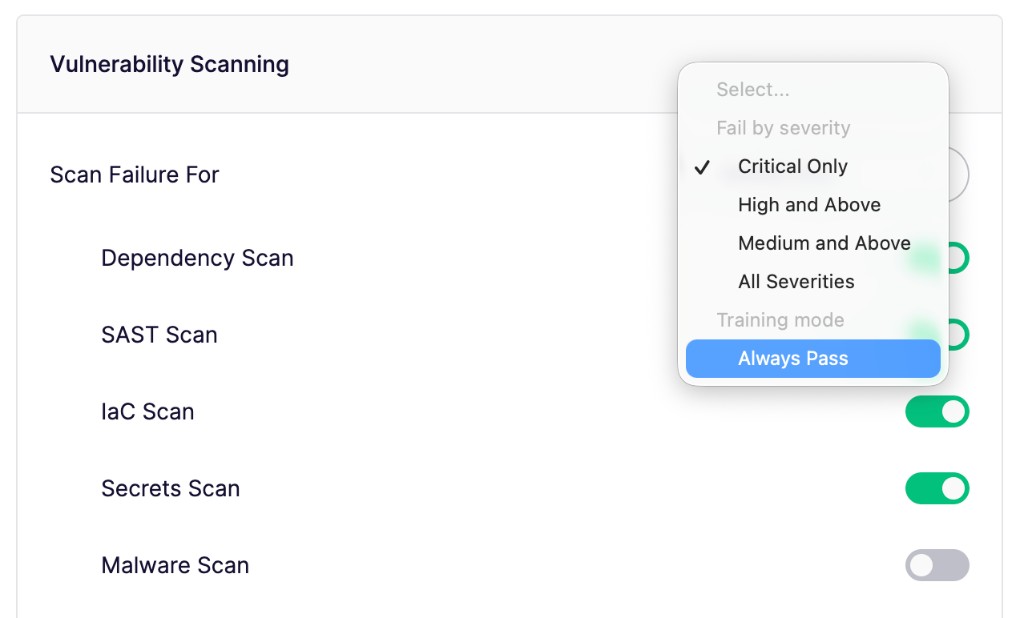
Select the minimum severity level that will cause the CI gate to fail (e.g., Critical or High).
- Any new issue detected at or above this level will fail the gate.
- Issues below this threshold will still be reported but won't block the merge.
- Choose Always Pass to run the enabled scans without failing the PR check.
- Deep Review uses this same threshold. It does not have a separate gating setting.
Scans to Execute
Toggle specific scan types on or off for the CI gate. This allows you to focus on the security categories that are most relevant to your workflow.
Advanced Configuration
Fine-tune how Aikido interacts with your workflow to maintain developer velocity:
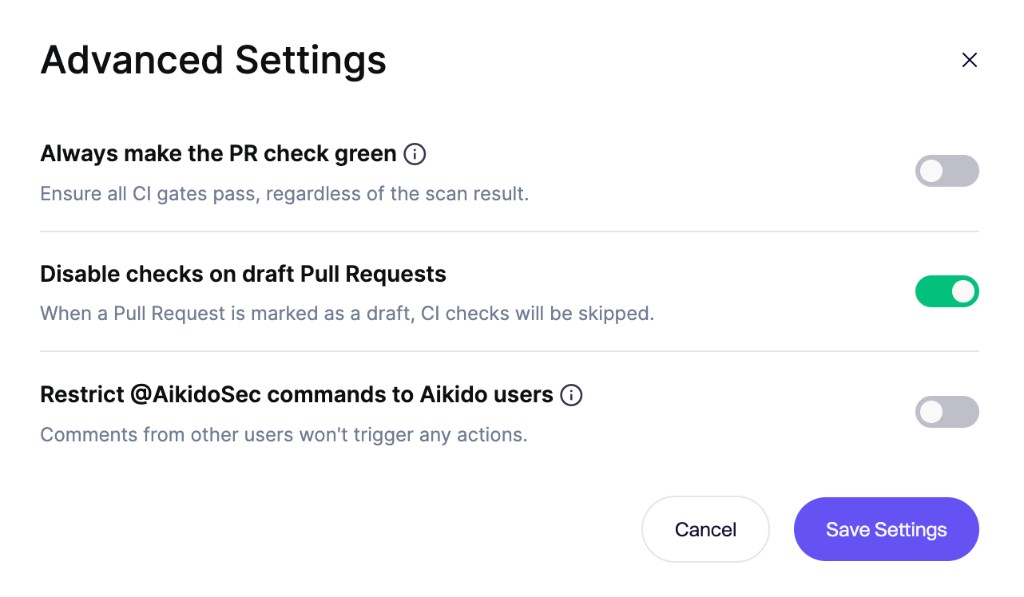
- Always make the PR check green: Keep PR checks green across your workspace while Aikido continues to report findings from all enabled scans. This applies to every configured gate and repository.
- Disable checks on draft Pull Requests: Avoid generating noise on work-in-progress code. Scans only trigger once the PR is moved to "Ready for Review."
- Restrict
@AikidoSeccommands to Aikido users: Only a comment Aikido can link to a workspace member can ignore a finding. Who can ignore a finding on a pull request lists the platforms that support this and how to link SAML users.
Checking results
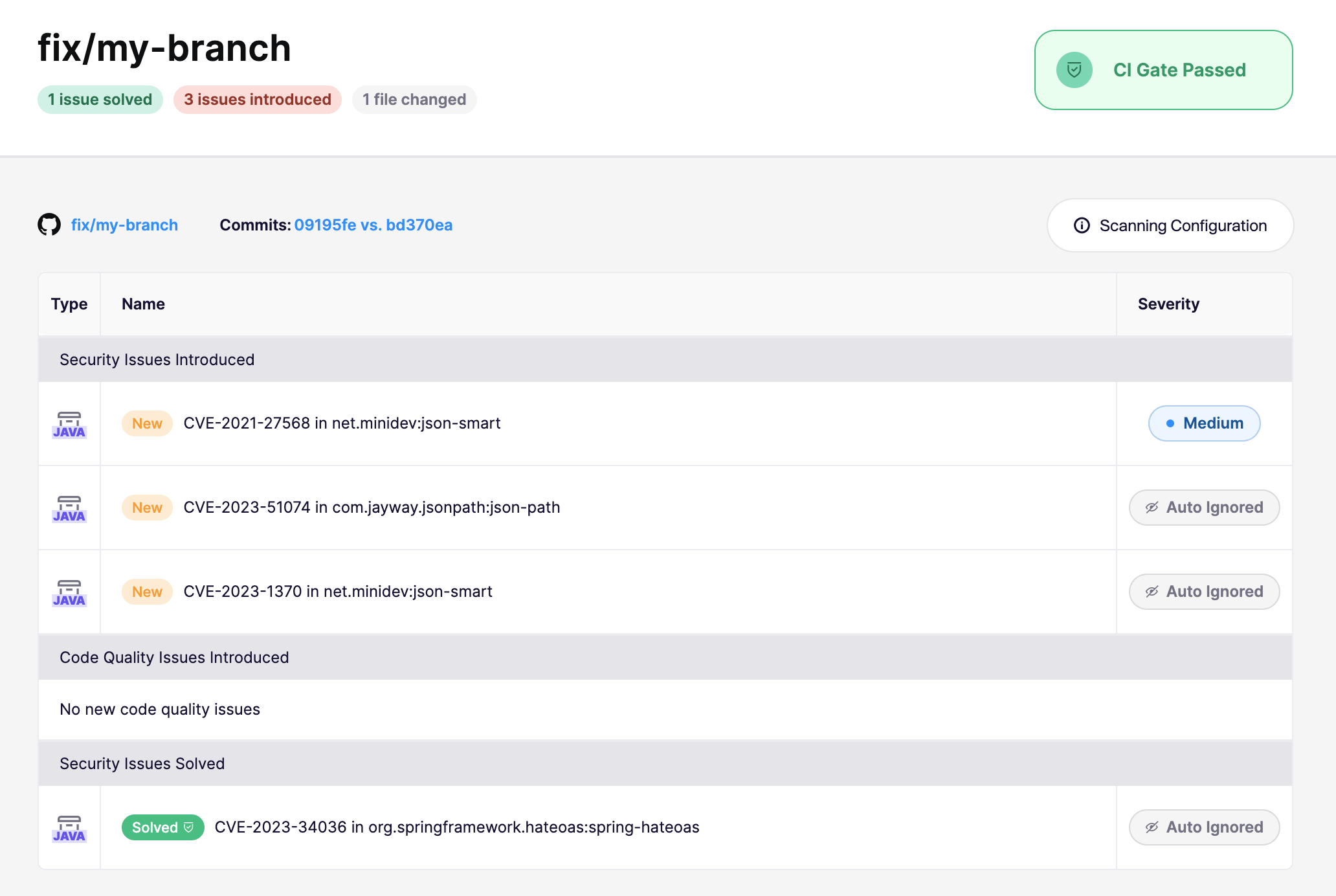
After a CI run, Aikido provides a direct link to the scan results for that specific branch. Because Aikido scans the branch diff rather than the entire repo, it clearly distinguishes between fixed issues and newly introduced risks.
- Fixed in branch: If a PR resolves an existing vulnerability, Aikido marks it as "PR open" in your feed, allowing you to verify the fix before merging.
- New issues: Anything introduced in the branch that exceeds your severity threshold will trigger a failure (unless Always Pass is enabled).

Bypassing a failed state
In case you would like to bypass a failed state, this is possible by ignoring the issues that caused the CI gate to fail. You can do this by clicking the issue and in the top right Actions menu select Ignore or Snooze. This issue will then be ignored/snoozed in any future branches in your CI.
Only users with permission to snooze or ignore issues can bypass the CI gate immediately. Users without ignore permission can request an ignore from the issue feed when ignore requests are enabled. A reply on a PR or MR comment ignores the finding only when you have ignore permission. Without that permission, Aikido replies that the ignore is not allowed.
Who can ignore a finding on a pull request
Reply @AikidoSec ignore: [reason] on the Aikido comment to ignore that finding on the pull request. Aikido matches that person to a member of the workspace.
A SAML login matches only on GitHub.com, and only when the identity provider sends the GitHub claims in SAML User Rights: Custom Attributes.
When that person is a workspace member:
- With Can ignore issues: the finding is ignored.
- Without Can ignore issues: Aikido replies on the pull request that the ignore is not allowed.
Someone who is not a workspace member can ignore a finding on a public repository. If you want to stop that, turn on Restrict @AikidoSec commands to Aikido users. With the setting on, Aikido replies on the pull request that the ignore is not allowed.
| Platform | Restrict @AikidoSec commands | How the commenter is linked |
|---|---|---|
| GitHub.com | Available | GitHub login, or the SAML claims in SAML User Rights: Custom Attributes |
| GitLab.com | Available | GitLab login. A SAML, Google, or Microsoft login can not be linked. |
| Azure DevOps | Not available | Matched by the Microsoft account email on the Aikido account. |
| Bitbucket | Not available | Ignoring a finding from a pull request comment is coming soon. |