
Azure DevOps PR Gating
Azure DevOps PR gating lets you block newly introduced issues before merge and see which existing issues a pull request solves.
We recommend setting up this integration with a newly created user in Azure (e.g. called Aikido). The commenting feature uses the name of the user who has set up the integration.
Please note that for the integration to work properly, you must be able to manage service hooks in all projects within your organization. This is usually a reserved permission for Azure workspace admins.
Azure DevOps PR gating via Aikido supports Azure Repos Git repositories only. Team Foundation Version Control (TFVC) repositories aren't supported for PR gating or Code Quality gates.
If your organization is connected to Microsoft Entra, you can use a service principal that never expires and stores no secret instead of a PAT. See Azure DevOps PR Gating with an Entra Service Principal.
First, go to the PAT management page in Aikido, which can be found here.
Next, follow the instructions below to generate a PAT in Azure DevOps.
Generating a PAT
-
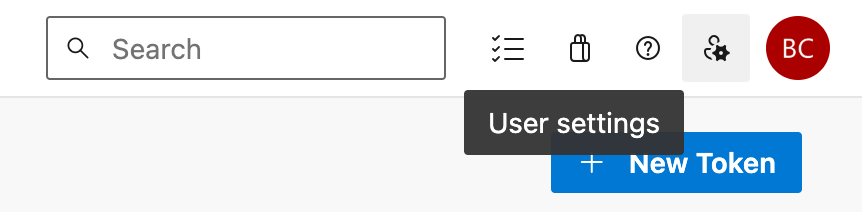
Navigate to 'User Settings' > 'Personal Access Tokens', via the header icon shown here
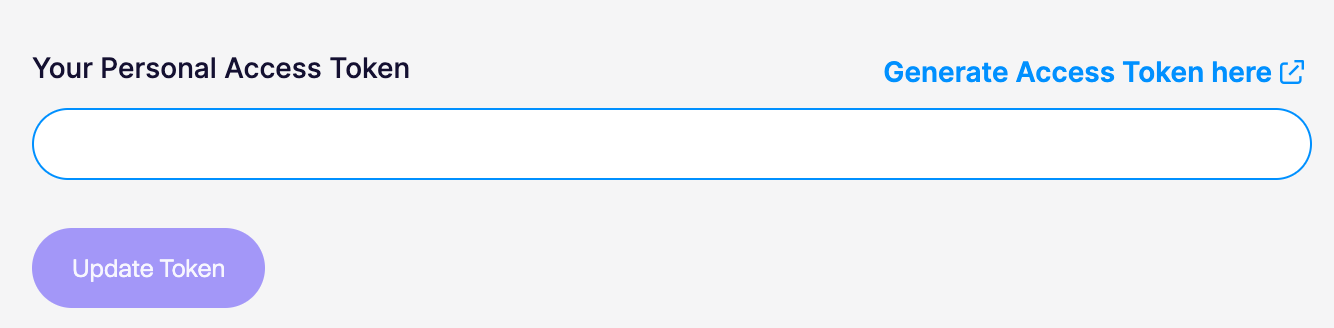
Or use the shortcut link 'Generate Access Token here' on the personal access token management page in Aikido.
-
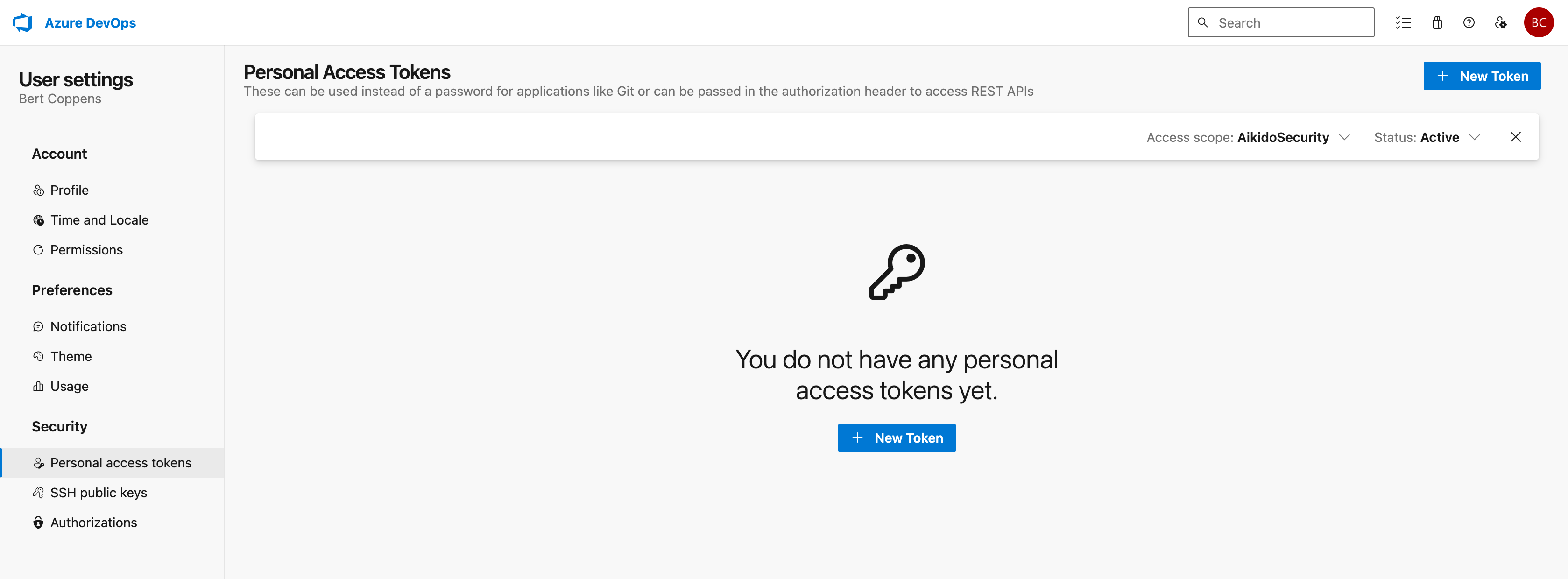
You should end up on a page similar to this
-
Make sure you have selected the same organization as the one in your Aikido workspace via the 'Access scope' button on the top right
-
Click on "New token"
-
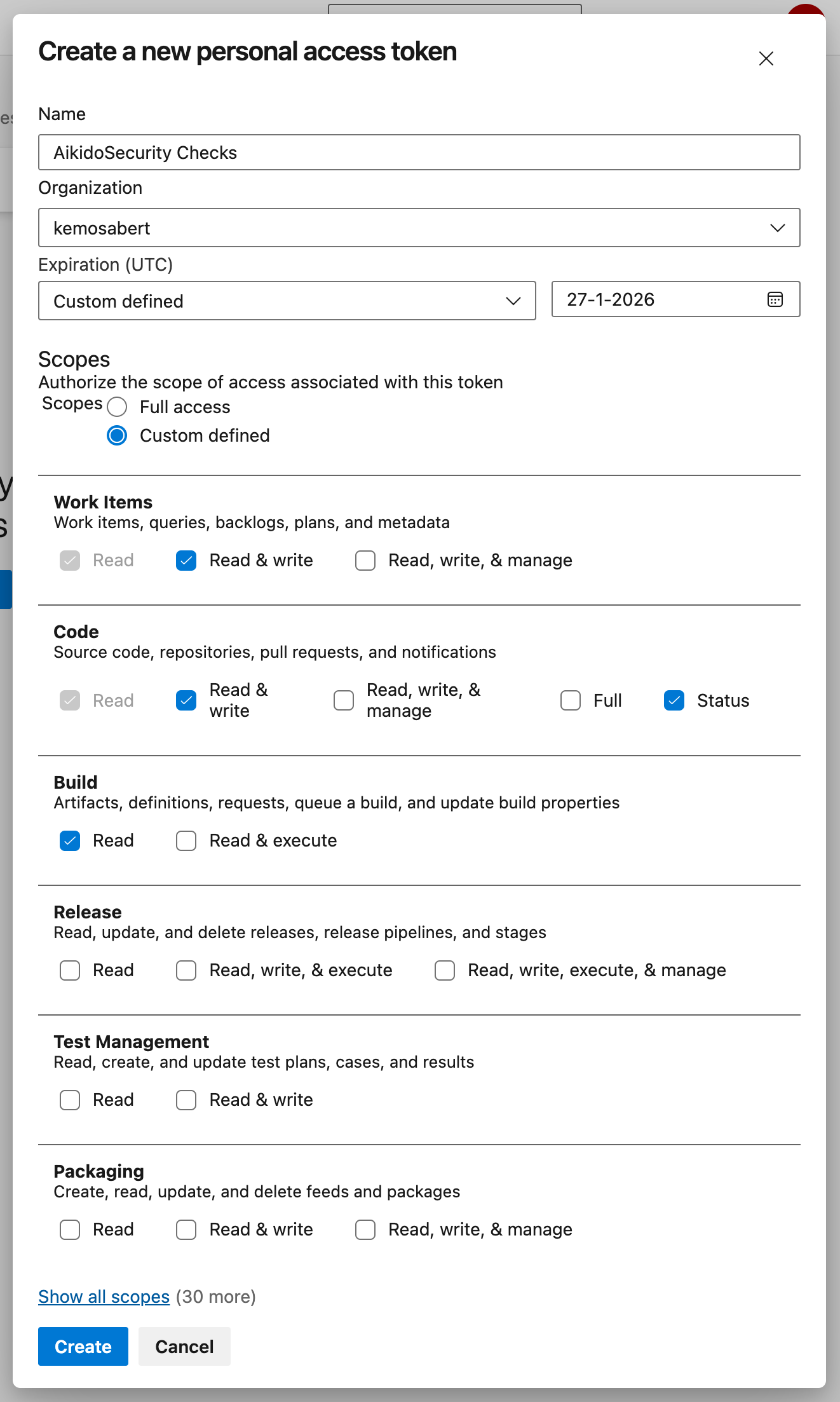
Next you need to select the following permissions for the token: Work Items (Read & Write), Code (Read & Write), Code (Status) and Build (Read)
-
For the expiration, use custom defined and set it to 1 year from now, this is the maximum duration that Azure DevOps allows the token to be valid for.
-
Click on 'Create' to create the access token
-
Copy the token on the next screen and insert it on the personal access token management page in Aikido.
If you've added new repositories after the initial setup, you'll need to configure those repos as well.
To apply a default configuration automatically, see Default PR/MR gating configuration for new repositories.
Ignore issues directly from PR comments
When Aikido posts an inline PR comment for a finding, you can ignore that issue directly from Azure DevOps by replying to the comment with:
@AikidoSec ignore: [your reason to ignore]
Example:
@AikidoSec ignore: This secret is used for tests only.
This performs the same action as manually ignoring the issue in the Aikido platform:
- The issue is marked as ignored in Aikido.
- The ignore reason is stored.
- PR gating can turn green once all blocking issues are resolved or ignored.
This reply ignores the finding only when you have the Can ignore issues permission. Without that permission, Aikido replies that the ignore is not allowed, and the finding stays open.