
GitHub Container Registry
You can integrate your GitHub Container Registry with Aikido to scan your containers for known vulnerabilities.
When connecting, make sure the Inherit access from source repository setting is enabled for all the containers you want to scan. Otherwise Aikido won't be able to read those.
Follow the simple steps below to activate this feature:
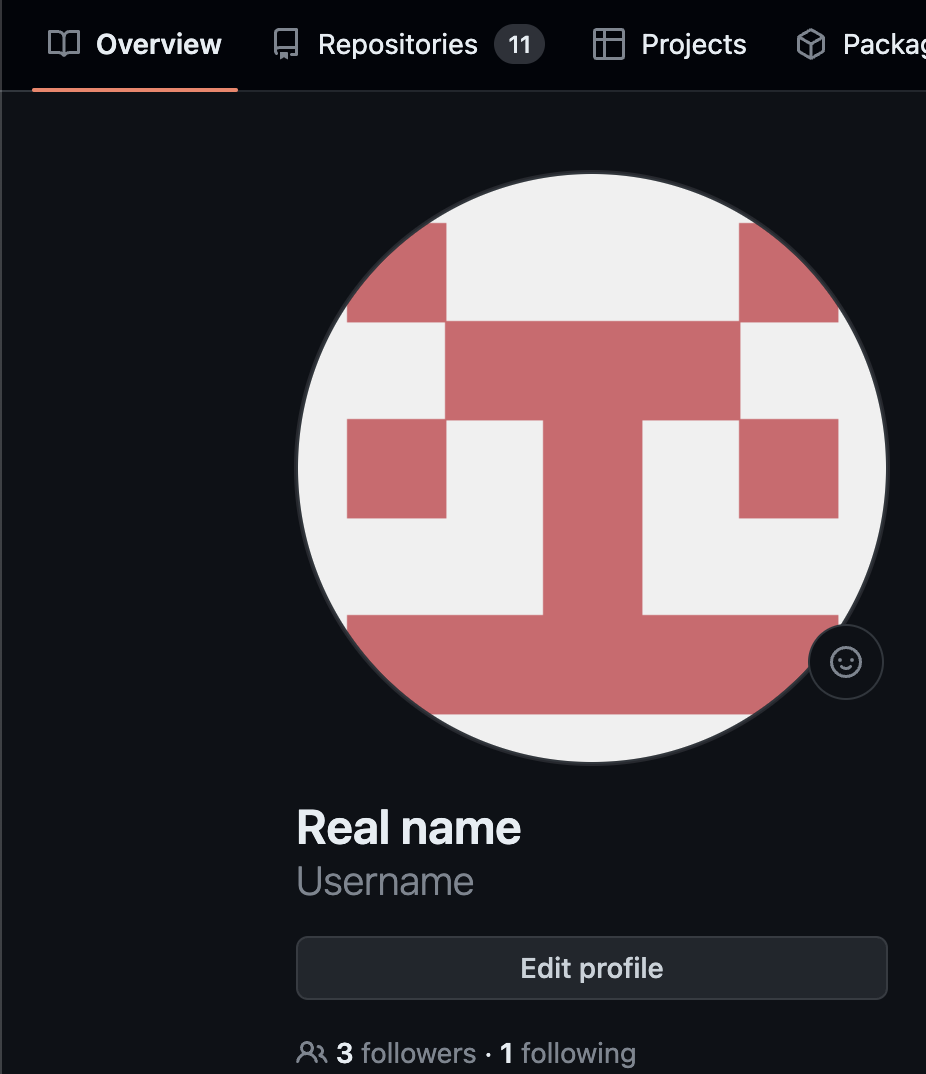
Step 1: Log into your GitHub account to gather some data.
We'll have to gather your username (see screenshot)
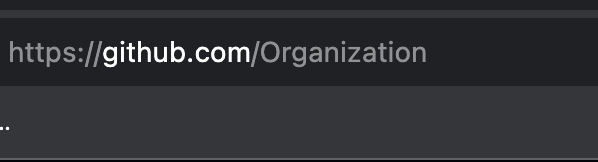
Step 2: Copy the organisation name where the container registry resides. This is visible in the github-url (see screenshot)
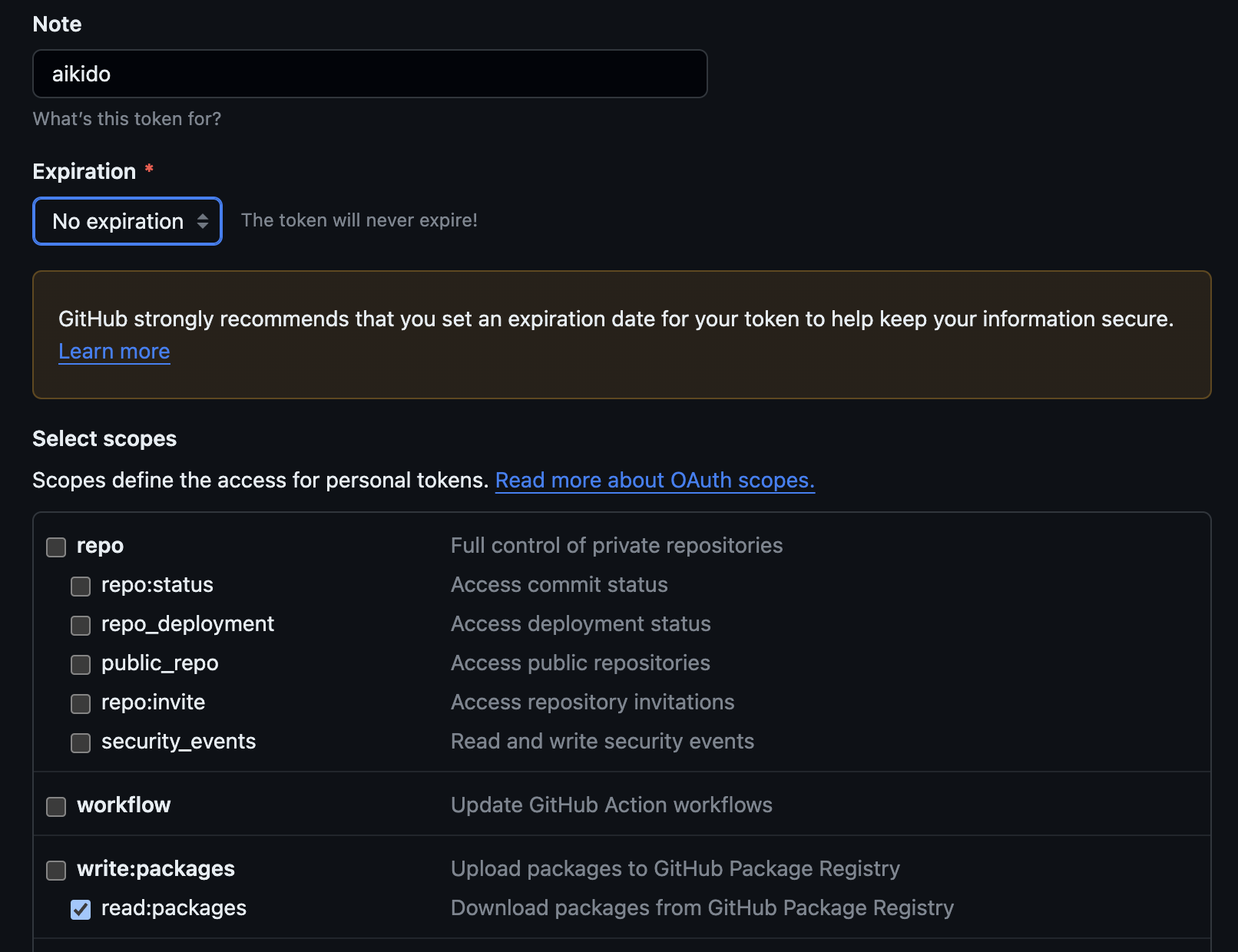
Step 3: Under profile settings, developer settings, Personal access tokens, Tokens (classic), generate a new classic token for Aikido
(direct link: https://github.com/settings/tokens).
the scope includes: read:packages
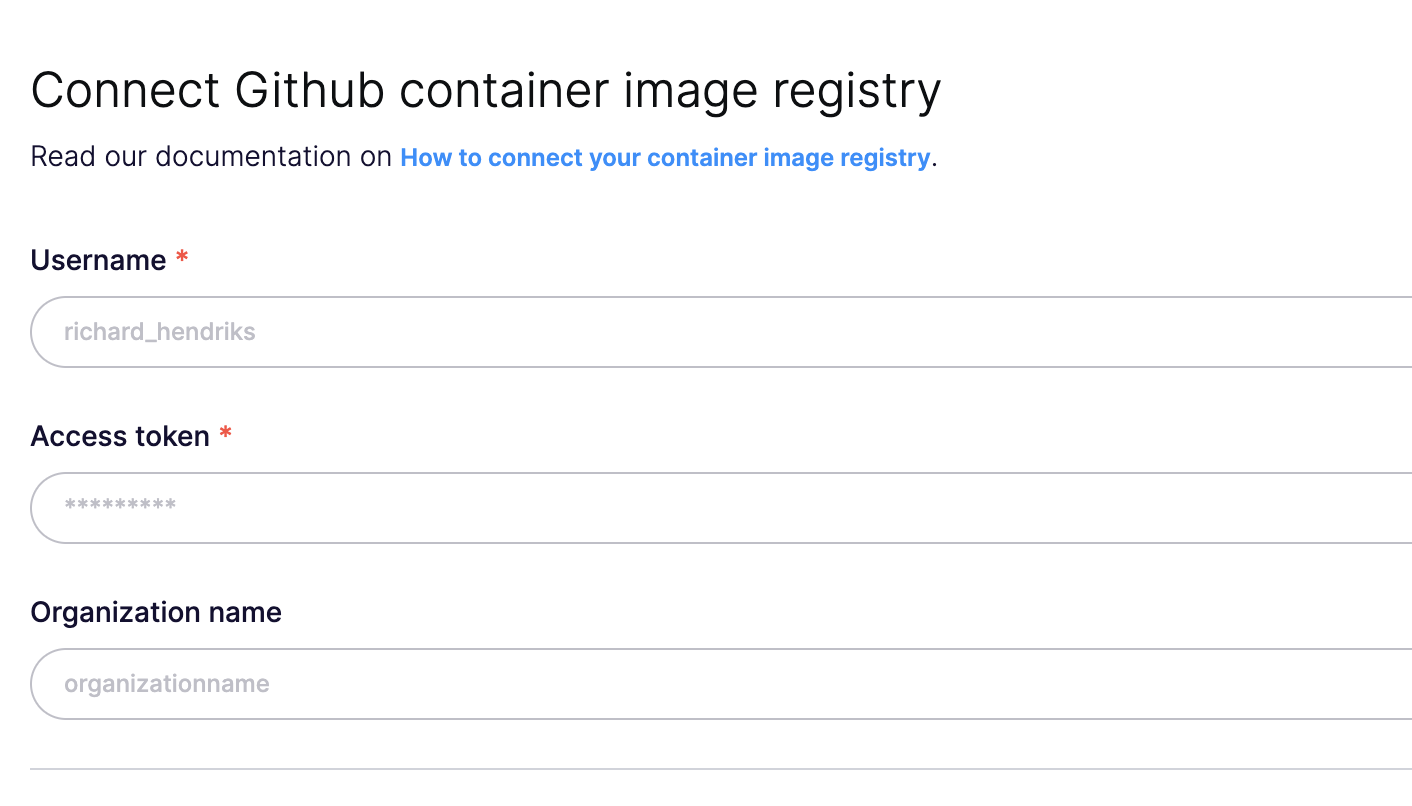
Step 4: Enter the collected data in Aikido (direct link: https://app.aikido.dev/settings/container-image-registry/add/github)
Step 5: Aikido will now find all container repositories you can access and list them.
Step 6: Repositories can be linked to a code repository in order to perform better deduplication of findings. This step is optional!
Step 7: In the action menu next to the registry, click 'scan repos in registry' to get started. Results will appear in the Feed!