
Microsoft Azure: Custom Attributes with SAML /Entra ID
First, make sure you have SAML login working using following guide:
https://help.aikido.dev/doc/microsoft-azure-login-with-saml--entra-id/doc74BfKR60Z
Setting up Azure Group based SAML custom attributes
-
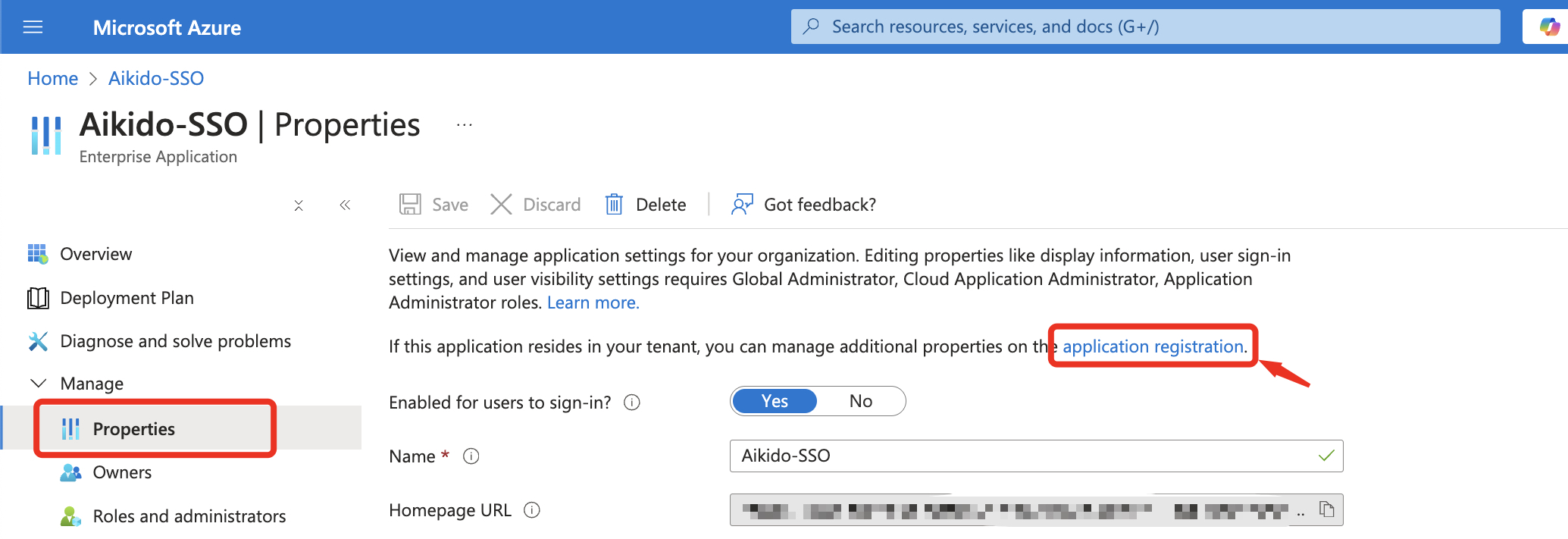
Go to the application registration
-
Create an app role.value here should be the value of the claim. In this example, we're setting up for
aikido_role, so valid values for this areadmin,default,team_only.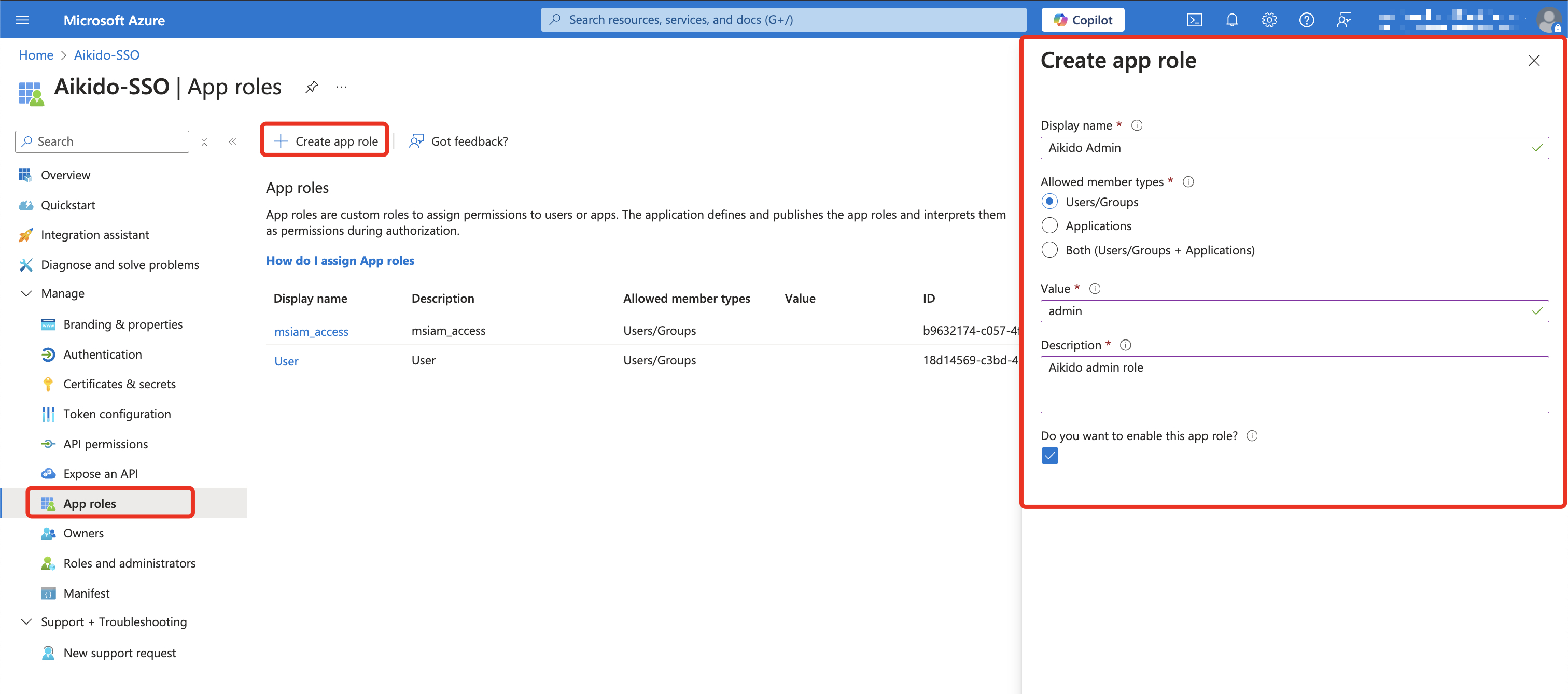
-
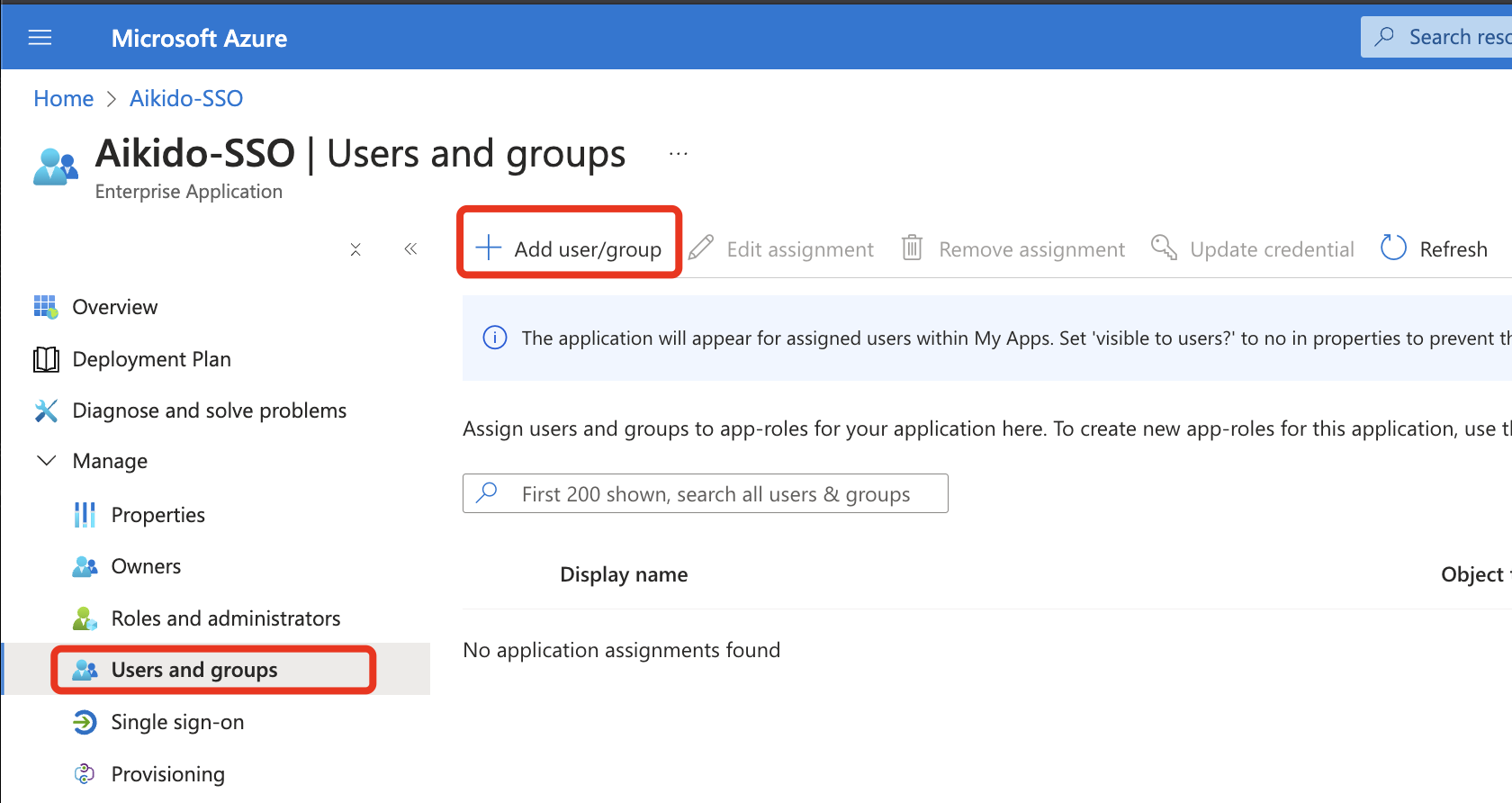
After saving, go back to the app settings, and add a group to 'Users and Groups'
-
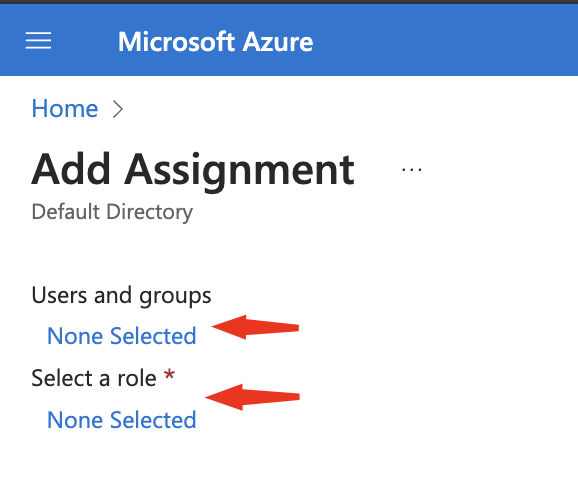
Add the Entra group you'd like to give admin access (in this case) and add the role we created in step 2.
-
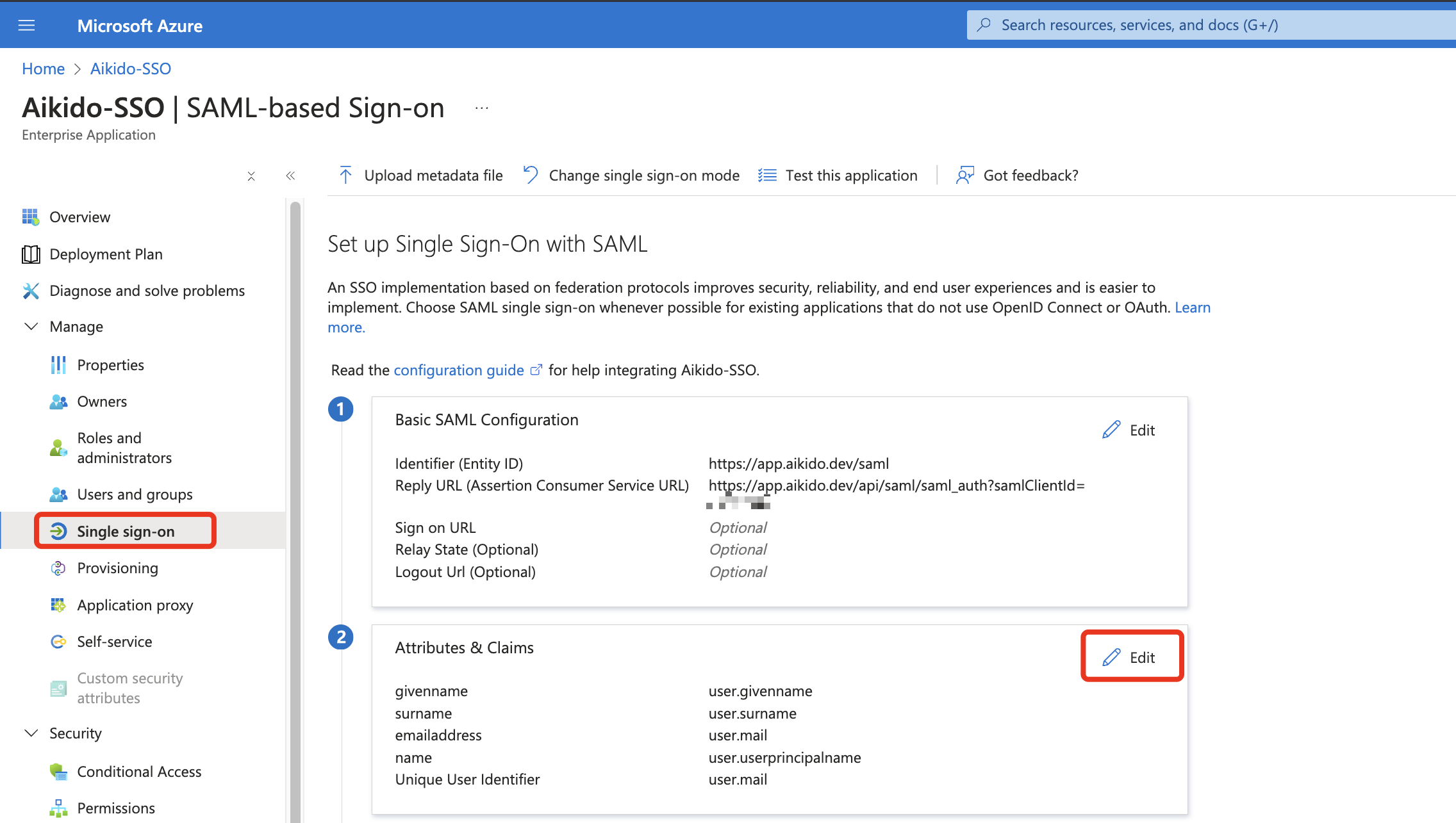
Back in the Single Sign-on settings of the app, go to the Attributes & Claims -> Edit
-
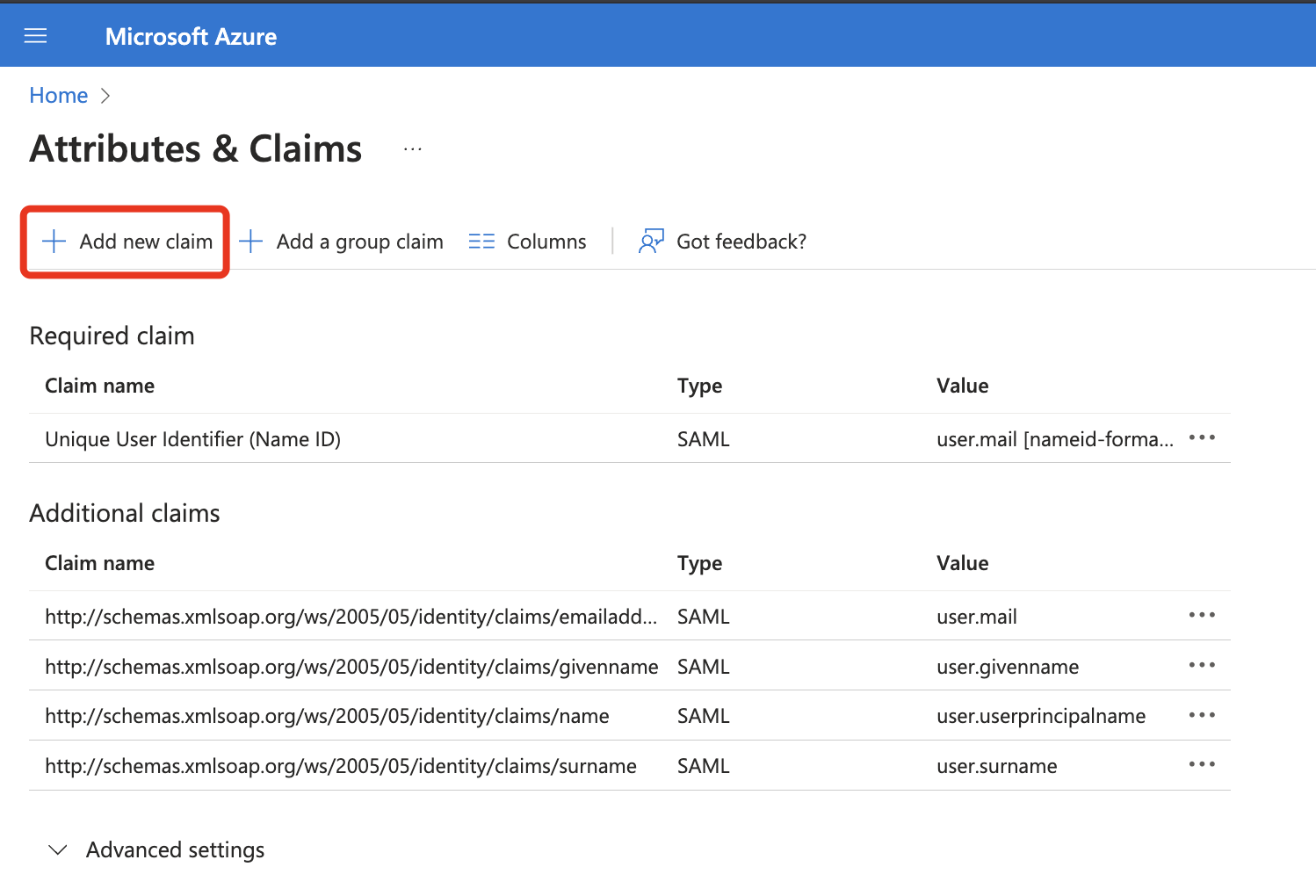
Click 'Add new claim'
-
Fill in the attribute name & user.assignedroles as source attribute. (this is the
adminvalue we set up in step 2)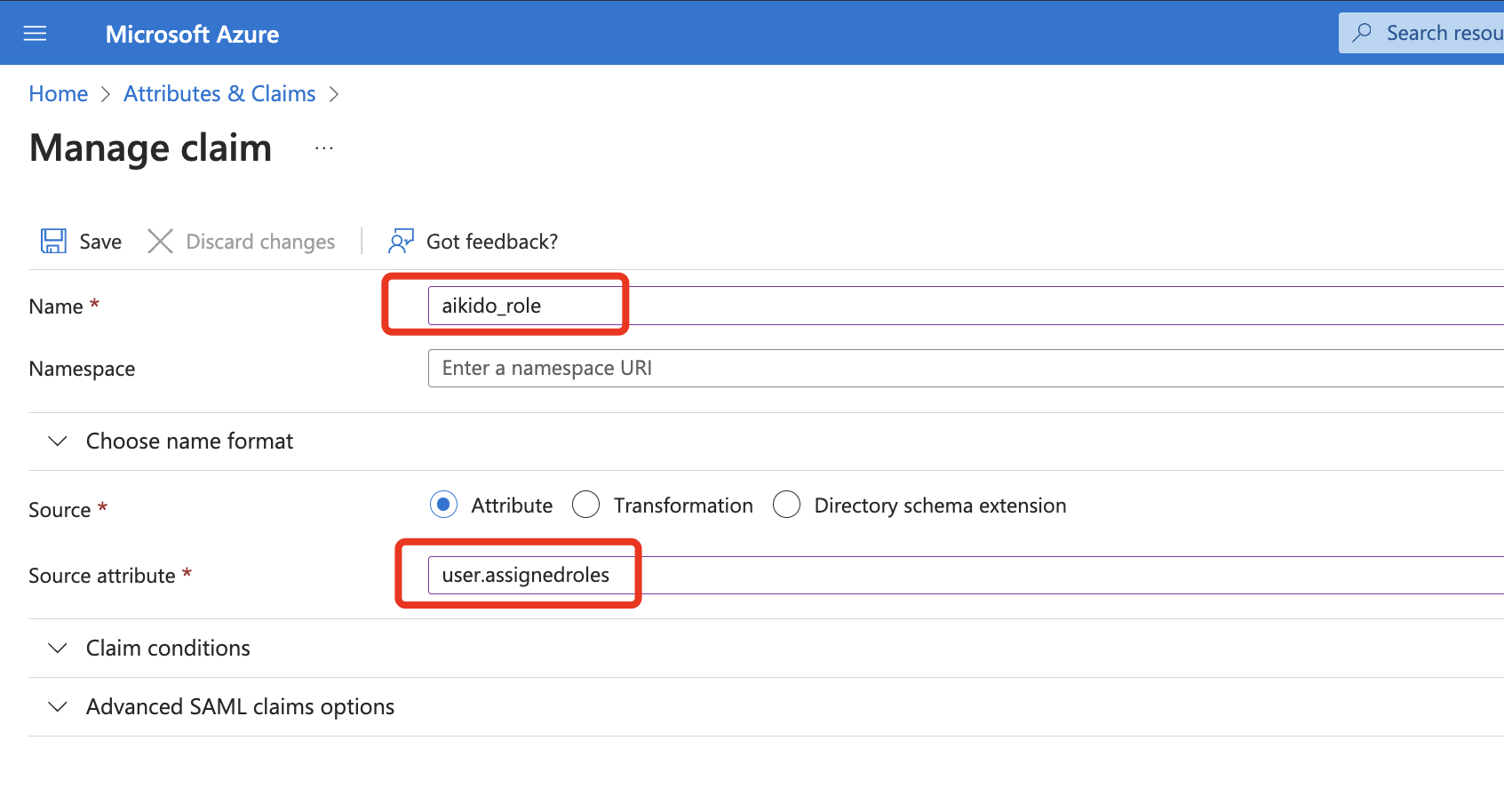
-
All done. On SAML login, these changes will take effect.