
Create a Code Security Audit
Select Code Security Audit, choose repositories, and confirm the credit cost.
The create flow is three steps: choose Code Security Audit, pick the repositories, then confirm the credit cost and start.
Prerequisites
- You need the Manage Pentests and AI Code Analysis permission to create an audit. You can still open AI Code Analysis and existing assessments without it.
- At least one repository is connected. Self-scanned repositories are excluded from the picker. There is a limit on how many repositories you can pick. Contact support if you need more.
- Your wallet has enough credits for the quoted cost. You can top up from inside the create flow. See Wallet & Credits.
Set up the audit
Go to AI Code Analysis, then click Create Audit.
Select Code Security Audit
On Select Audit Type, select Code Security Audit, then click Continue.
Cancel returns to the AI Code Analysis home.
Select repositories
- Open Repositories and select the connected repositories for this audit. Continue stays disabled until at least one repository is selected.
- To keep a monorepo focused, click Exclude Paths next to a selected repository and add directories that are not part of this audit.
- Under Scope, leave Audit all selected repositories selected, or choose Audit specific parts only and describe what to review. For example: "Audit the new billing flow and the services it calls."
- Additional Notes are optional and apply to this audit only. Add them when context is missing from the source, such as runtime configuration, known architecture quirks, or firewall and proxy settings. Put guidance that should apply to every audit in a markdown file in the repository. See Guide Agents with Repository Files.
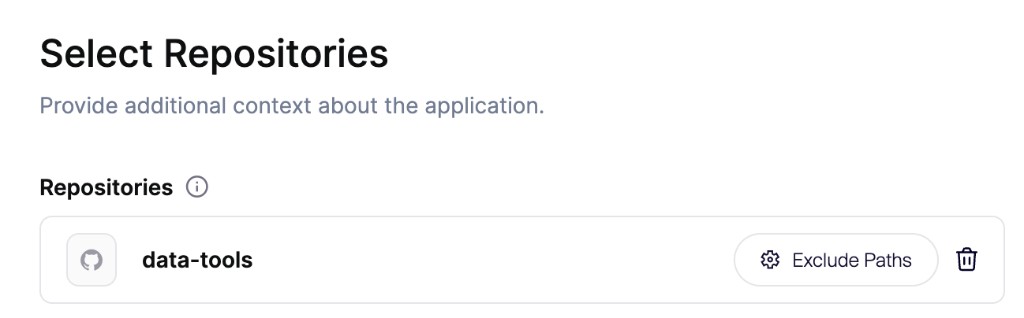
Leave documentation and READMEs in the repository. Agents can read that markdown as context. Exclude unrelated applications or services.
Cancel returns to Audit Type.
Confirm pricing and start
Wait until the Pricing step shows the credit total. Your balance is in the footer. Click Add Credits if the wallet is short.
The card title depends on scope:
- Full AI Code Analysis when you audit all selected repositories.
- Scoped AI Code Analysis when you chose Audit specific parts only. The step also shows the scope you wrote.
When Configure appears, use it to set the depth of the audit:
- High risk only prioritizes the areas most likely to expose serious vulnerabilities. Some areas get less coverage, or none.
- Recommended coverage investigates the security-sensitive parts of your selected audit scope.
- Deeper coverage builds on recommended coverage with additional investigation of lower-priority areas and less common code paths or cloud resources.
The credit total updates before you start.
Click Start Audit to launch. Credits are charged when you click Start Audit.
Aikido opens the assessment detail page. See Track Progress and Findings.
FAQ
Why is there a repository limit?
The picker limits how many repositories you can include so the audit stays focused. If you need more in one audit, contact support.
The credit estimate looks wrong, or a repository is missing
Contact support. Self-scanned repositories are excluded from the picker.