
Configure Deep Review
Enable Deep Review for one or more repositories from PR Checks. After enabling it, use each repository's settings to choose the strictness level and link related repositories. The same card shows Deep Review memory.
Deep Review uses the same gating settings as the security review. It does not have a separate failure threshold.
Deep Review costs 1 credit per pull request. Additional reviews on the same PR don't cost extra.
Enable Deep Review
Open PR Checks
Go to Repositories > Pull/Merge Requests > Manage PR/MR Checks. You can also open Manage PR/MR Checks directly.
Select repositories
Select one or more repositories. To enable them in bulk, select every repository you want to configure, then click "Setup PR Scans" in the bulk actions bar.
Turn on Deep Review
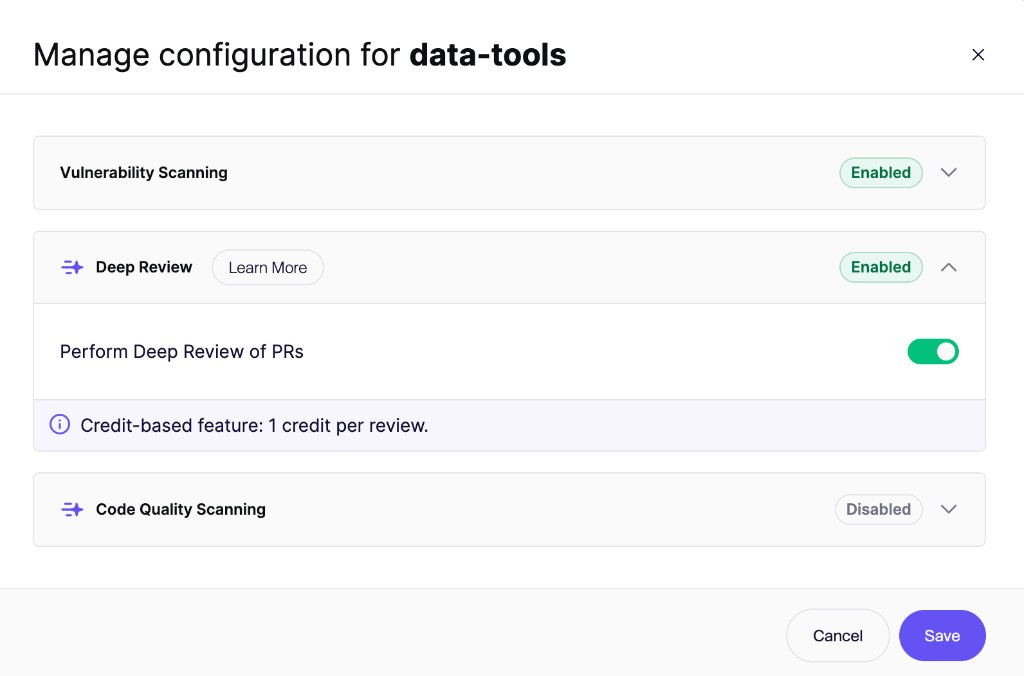
Open the Deep Review section and turn on Perform Deep Review of PRs.
Save your changes
Click "Save". Aikido will review future pull requests for the selected repositories.
PR check gating
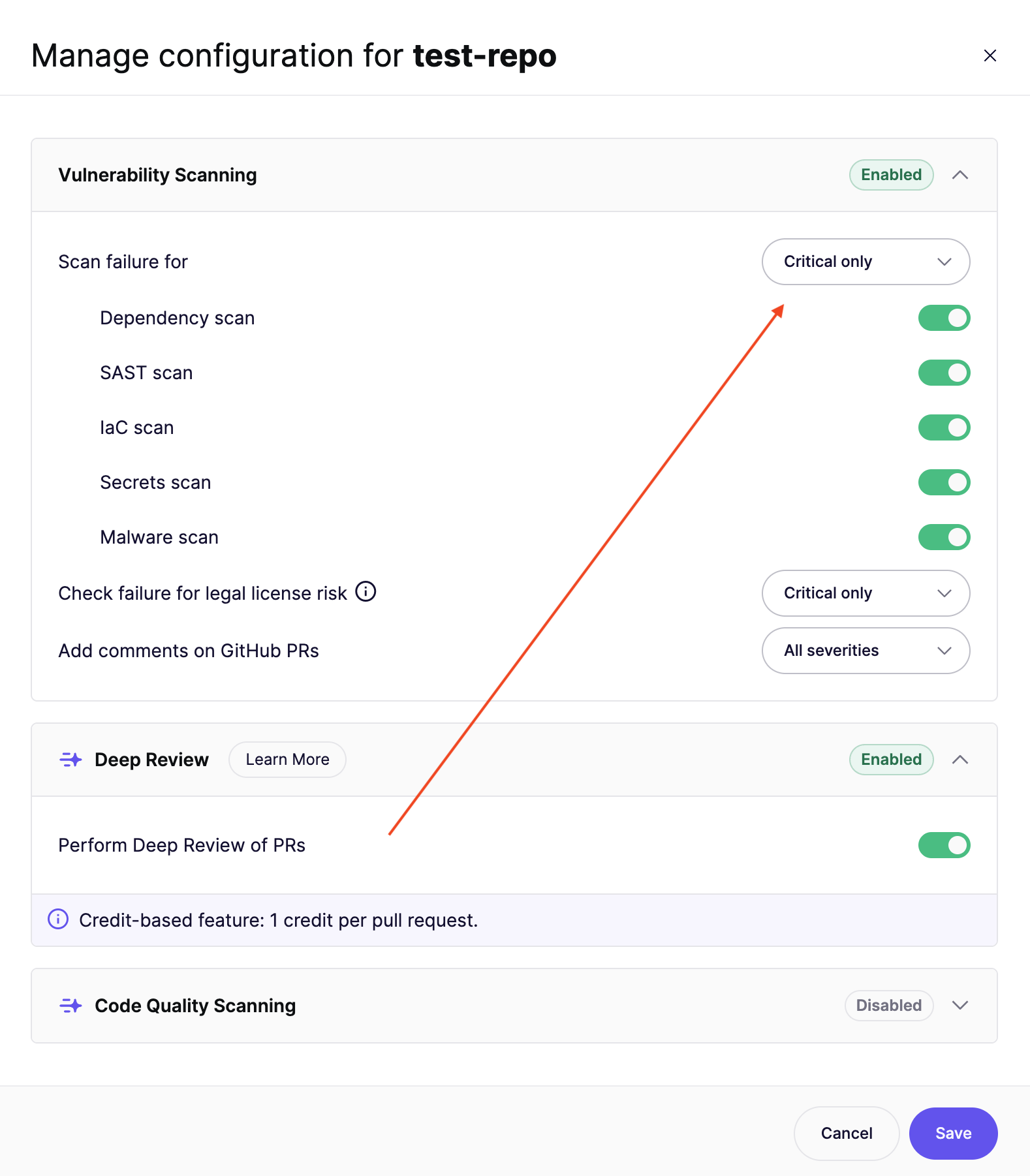
Deep Review follows the gating settings of the security review for that repository. Change those settings in the Vulnerability Scanning section of the same PR Checks modal.
The Scan failure for threshold also applies to the Aikido Security: Deep Review check:
- Findings at or above the threshold fail the Deep Review check.
- Findings below the threshold are still reported and commented on, but they do not fail the check.
- Always Pass keeps the Deep Review check green. Aikido still reviews the PR and posts comments.
If Always make the PR check green is enabled for the workspace, the Deep Review check also stays green.
See PR Gating Overview for how to set the failure threshold.
Open the Deep Review settings for a repository
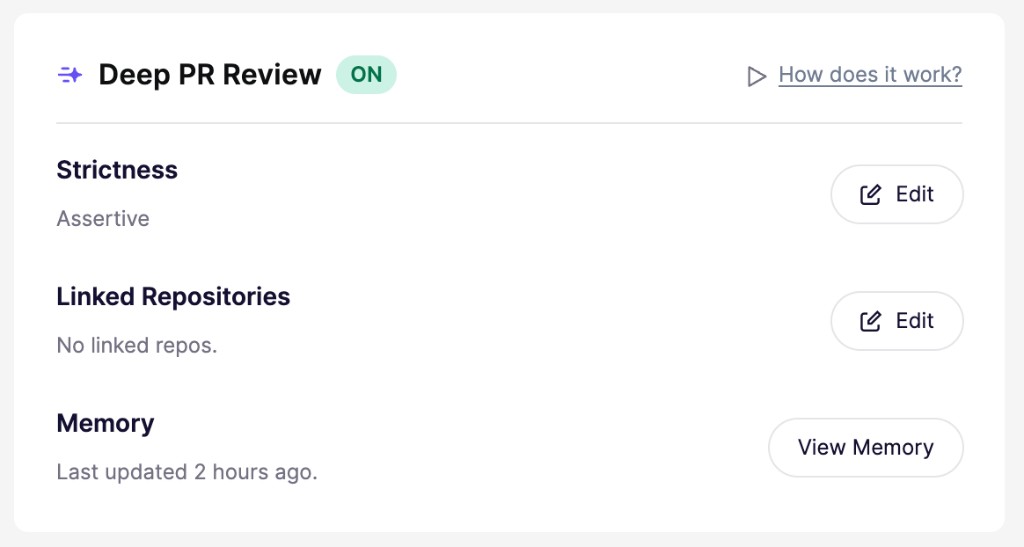
Strictness, linked repositories, and memory are shown for each repository:
- Open Repositories and select the repository you want to configure.
- Open its Repository Settings.
- Find the Deep PR Review card.
- Click Edit next to Strictness or Linked Repositories. To see what Aikido has learned from replies, click View Memory. See Deep Review Memory.
Choose a strictness level
Strictness controls how much feedback Deep Review posts:
- Chill: Keeps reviews focused with fewer comments.
- Normal: Provides balanced coverage without overwhelming reviewers.
- Assertive: Flags more potential issues and improvements, resulting in more comments.
Exclude paths and files
Aikido already ignores a large set of paths out of the box, including dependency folders, build output, generated files, lock files, binaries, and media. You can exclude more paths with a .aikido file. If a pull request only changes excluded files, Aikido skips the review and you are not charged.
See How Deep Review Works for more detail.
Credits
Deep Review costs 1 credit per pull request.
Further reviews on the same PR (for example after new commits) don't consume extra credits. Credits are charged per PR, not per commit or per individual review run. Learn more about Aikido Credits.
Curious what Deep Review would cost for your team?
Our estimator gives you an idea based on your activity of the last 30 days.
Set a monthly spending limit
Workspace admins can cap Deep Review spend from Wallet settings.
Open Wallet settings
Go to Wallet settings. You can also open Organization Settings and click Manage Wallet.
Configure the Deep Review limit
Click Configure Limits. Turn on the Deep Review toggle, enter a credits/month cap, and click Save.
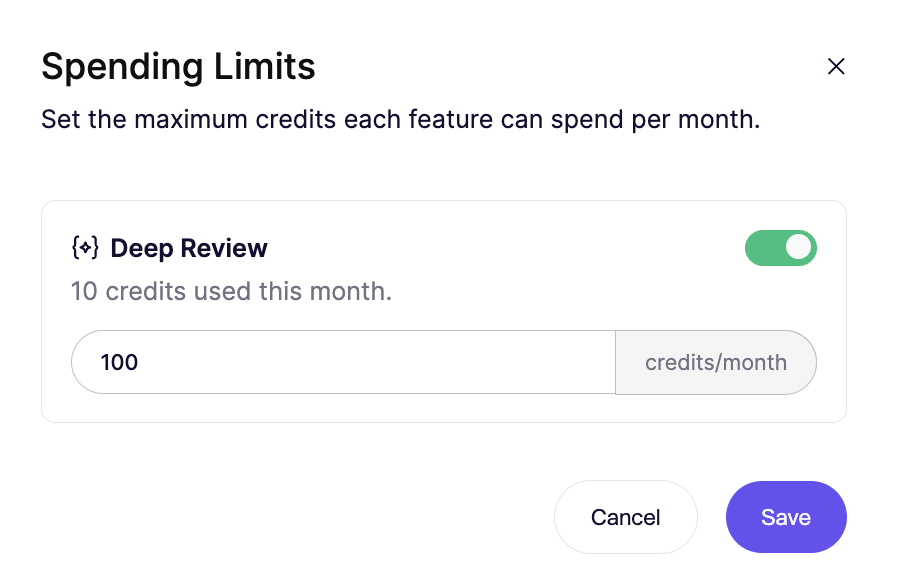
When usage reaches the cap, Aikido skips Deep Reviews that would charge a credit until the next calendar month. Further reviews on the same PR still run.
Turn the toggle off if you don't want a monthly cap.