
Why is a Package Not Blocked?
If a package installed despite your block rules, one of the following is usually the cause.
Not sure if Device Protection is active on the device? Test it first.
The package was already cached
Device Protection inspects network traffic to package registries. If a package is already in the local package manager cache, the install resolves from cache without a network call, and the agent never sees it.
This applies to packages cached before Device Protection was deployed, and packages cached by any previous successful install.
Fix: clear the package manager cache, or force a fresh download.
| Ecosystem | Cache location | Force fresh install |
|---|---|---|
| pip | ~/.cache/pip | pip install <package> --no-cache-dir |
| npm | ~/.npm/_cacache | npm cache clean --force |
| yarn | ~/.cache/yarn | yarn cache clean |
We recommend clearing caches on every device after rolling out Device Protection.
VS Code, Cursor, and other VS Code variants
Editors in the VS Code family keep a local copy of extensions you downloaded earlier. If an extension is in that cache, clicking Install succeeds without a request to the marketplace, so the agent never sees the install and cannot block it.
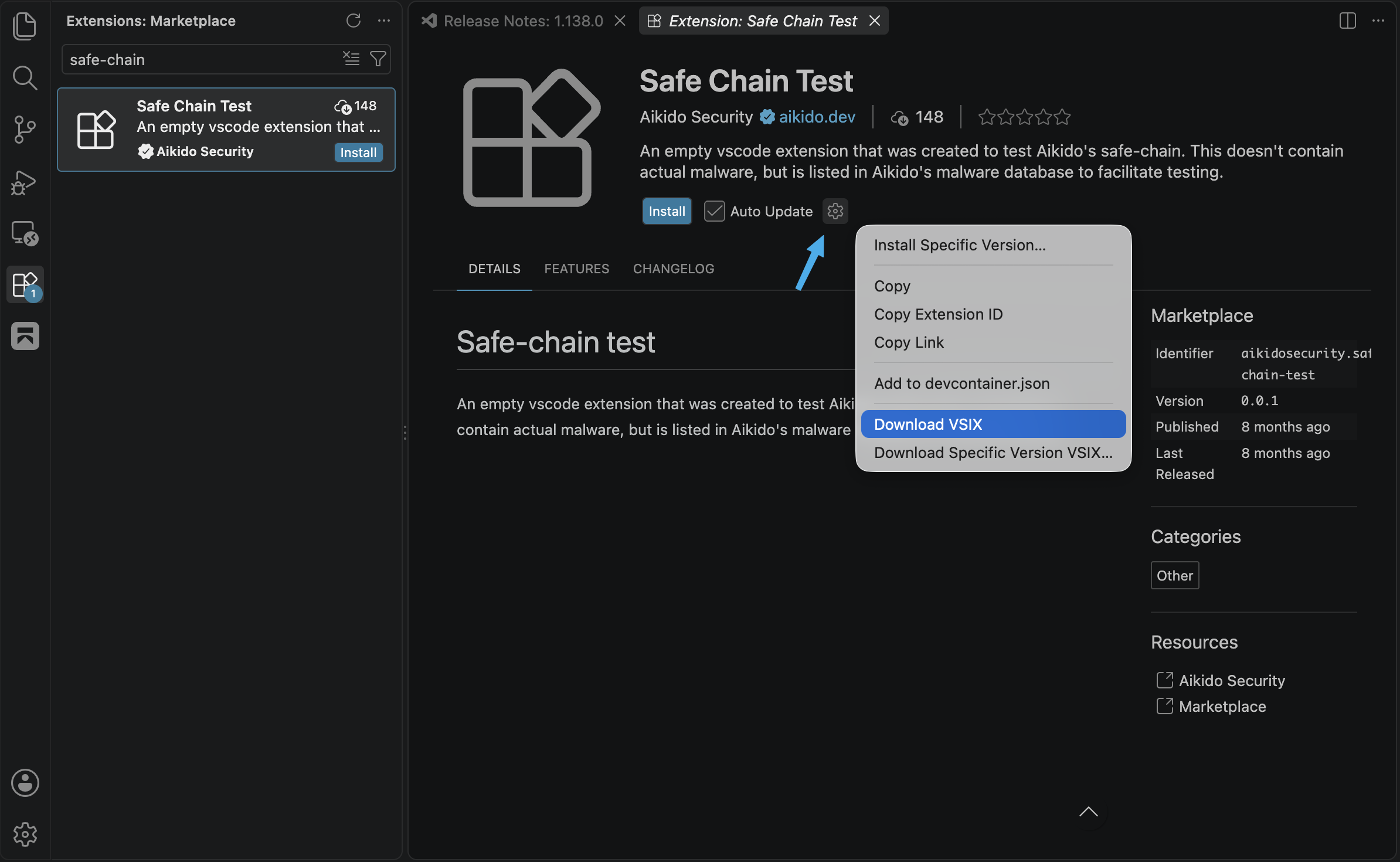
To confirm that blocking works, force a fresh download: open the extension page, click the gear icon, and choose Download VSIX. That always fetches from the marketplace, so a blocked extension fails there.
The ecosystem is not supported
Device Protection only intercepts supported package ecosystems. Installs from other sources pass through unchanged.
Check the supported ecosystems list to confirm.
The agent is not running
If the agent is stopped or has not synced recently, it cannot enforce policy.
Check the agent status on the device, and confirm the last heartbeat in the Aikido dashboard.
The policy has not synced yet
New rules and exceptions reach the device on the next sync, which runs every 10 minutes. If you just changed a policy, wait up to 10 minutes and try the install again. There is no way to trigger a sync manually.
The install ran inside a container
Enable Protect Containers to protect Docker. Containers with the opt-out label are skipped. See Device Protection in Docker Containers.
Still stuck?
Contact support and include your Device Protection Information for Support.