
Setting Roles and Permissions
Roles and Permissions Logic
Aikido offers three distinct user roles (admins, default and team-only users) to manage access and permissions effectively. Default and team-only users can have standard editing rights or can be read-only.
| Role | Access Level |
|---|---|
| Admins | Full access |
| Default Users | Global / All Teams Standard rights or read-only |
| Team-Only Users | Team-specific Standard rights or read-only |
Default Users vs Team-Only Users
The main difference between the two is that team-only users only have access to those issues for the teams they belong to. They still are able to mostly manage issues.
| Permission | Default Users | Team-Only Users |
|---|---|---|
Issue Actions Snooze, ignore, severity change, autofix | ✅ | ✅ |
| Create Tasks | ✅ | ✅ |
| Add Repos | ✅ | ❌ |
| Add Container Registries | ✅ | ❌ |
| Add Domains | ✅ | Connected to repos only. No standalone. |
| Export Issues | ✅ | ❌ |
| Pentest Issues | ✅ | ✅ if all linked repos are in their teams |
| AI Code Analysis Issues | ✅ | ✅ if all linked repos are in their teams |
| Code Quality | ✅ | ❌ |
| Zen Firewall | ✅ | ❌ |
| Access to Settings | All settings | General Settings Only |
| Access to Reports | All Reports | Trends Over Time, Licenses & SBOM and Malware Monitor |
Advanced Rights for Users with Standard Rights
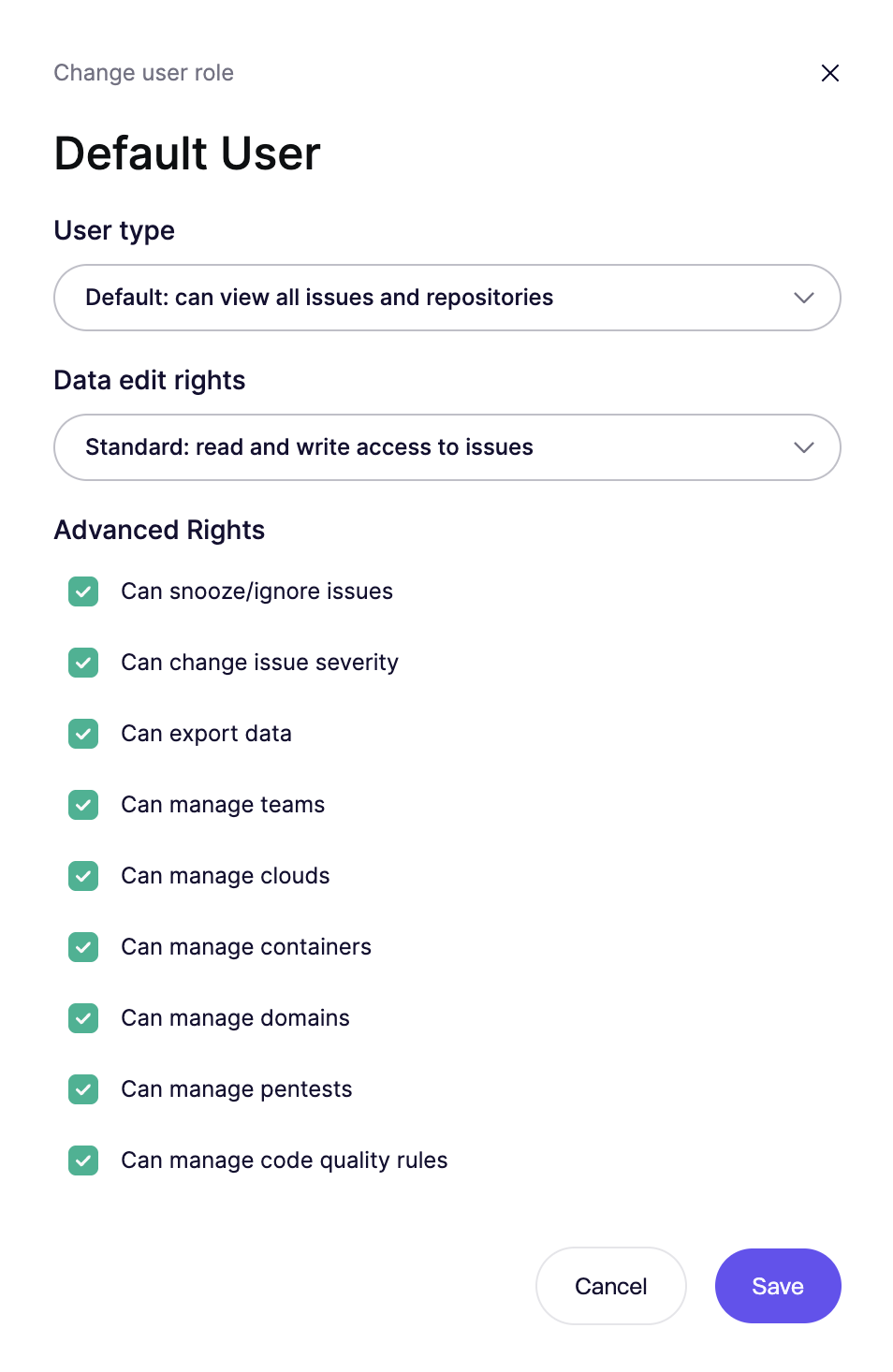
Aikido has an extra layer of permissions that can be enabled or disabled (both for default and team-only users). This is helpful in case you still want users to be able to execute certain actions. Read-only rights block all possible actions.
Configurable for Default and Team-Only
- Can ignore issues: Ability to permanently ignore findings. When ignore requests are enabled, users without this permission can request to ignore individual issues via the approval inbox.
- Can snooze issues: Ability to temporarily snooze findings. When ignore requests are enabled, users without this permission can request to snooze individual issues via the same inbox.
- Change Issue Severity: Ability to modify the severity level of issues.
- Can export data: Ability to export csv reports of vulnerability issues.
- Can manage repositories: Ability to change branch, set multi-branch scanning and manage custom SAST rules.
Limited to Default Users
- Manage Teams: Ability to manage team settings and membership.
- Manage Clouds: Ability to add and configure clouds
- Manage Containers: Ability to add and configure containers
- Manage Domains: Ability to add and configure domains
- Manage Pentests and AI Code Analysis: Ability to create, run, and configure pentests.
- Manage Code Quality: Ability to run and configure code quality
- Manage Device Protection: Ability to add devies and configure rules
How to change roles and permissions
Step 1. Go to the user overview in your settings
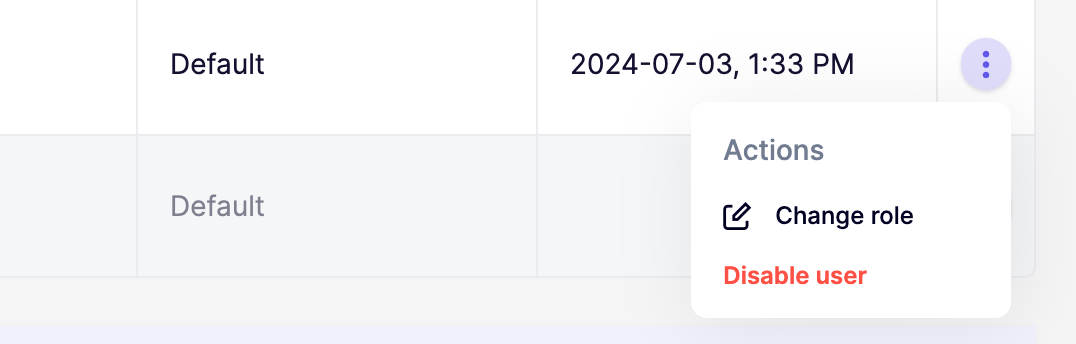
Step 2. Click the triple dots to open up the role and permissions modal for a specific user
Step 3. Set the preferred user role and permissions
FAQ
Why am I seeing the error "You cannot change the role of a more senior admin"?
- This means the admin you're trying to modify joined the Aikido workspace before you and has a higher privilege level. To change their role, contact Aikido Support via the in-app chat to request an elevation of your admin permissions.